In guide, in forms: put ticket fields side by side | Community
Skip to main content

In guide, in forms: put ticket fields side by side

  • November 2, 2022
  • 4 replies
  • 0 views

raphael12

Dear Zendesk Community,

We would like to manage a form via Zendesk which recquires a lot of info to be put in fields.

Like below but up too + than 20 rows: 
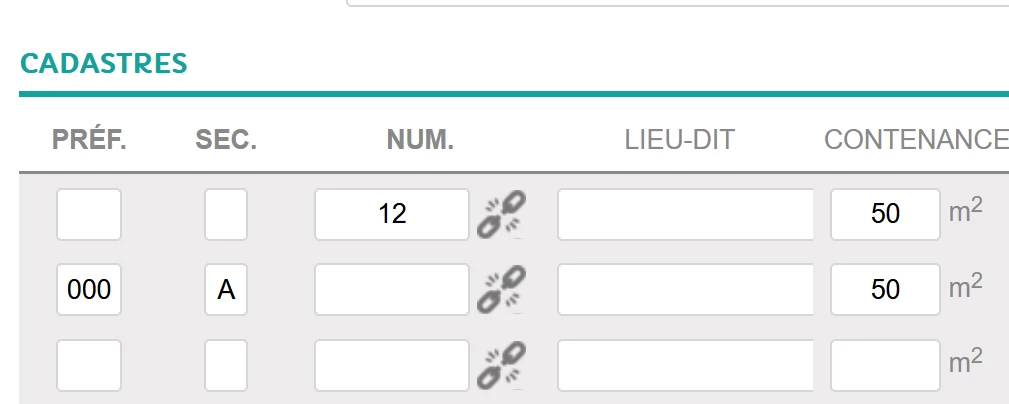
Do you know how to put a field side by side to another one?

Thank you very much,


Best regards,

Raphaƫl

4 replies

Abdul12
  • November 16, 2022

Hi

As of now that's not doable without using javascript; we don't recommend doing that. You can build your custom form, and use Zendesk API -- but then you have to maintain another piece of code; and you might not be able to use various other features (conditional fields, etc.).

Thank you

Abdul Qabiz

Diziana


raphael12
  • Author
  • November 16, 2022

Dear @abdul12 thank you for your feedback, I had an answer on another article by @ifra and here was her answer: 


you can get it by CSS, pick the ID of your fields which you wanna set side by side and add the given CSS.

.request_description,
.request_subject {
margin-right: 10px;
    float: left;
  width: 35%;
}

Only for example but you need to add your custom field's classes and set the width per your requirements.


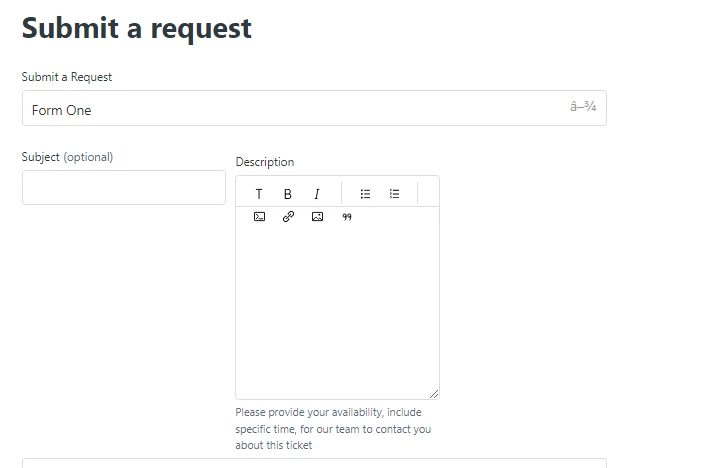
I took the class of subject field and description field and then add css code to style.css file.


Output:


Thank you both! 


  • October 25, 2024

hello @ifra does this still work on Copenhagen 3.1.2 ?

I'm trying it but no result.

Could you also please advise how to do it for custom fields and not system fields ?

Thank you


Ifra
  • October 29, 2024

Hey Max,

I tried this code yet and it's working in V3.1.2

Thank You