
How to resize Community Hero Image? | Community
Skip to main content

How to resize Community Hero Image?

  • January 4, 2024
  • 1 reply
  • 0 views

Hello,

How can I adjust this Community Hero Image:

 

To make it bigger and look like this:
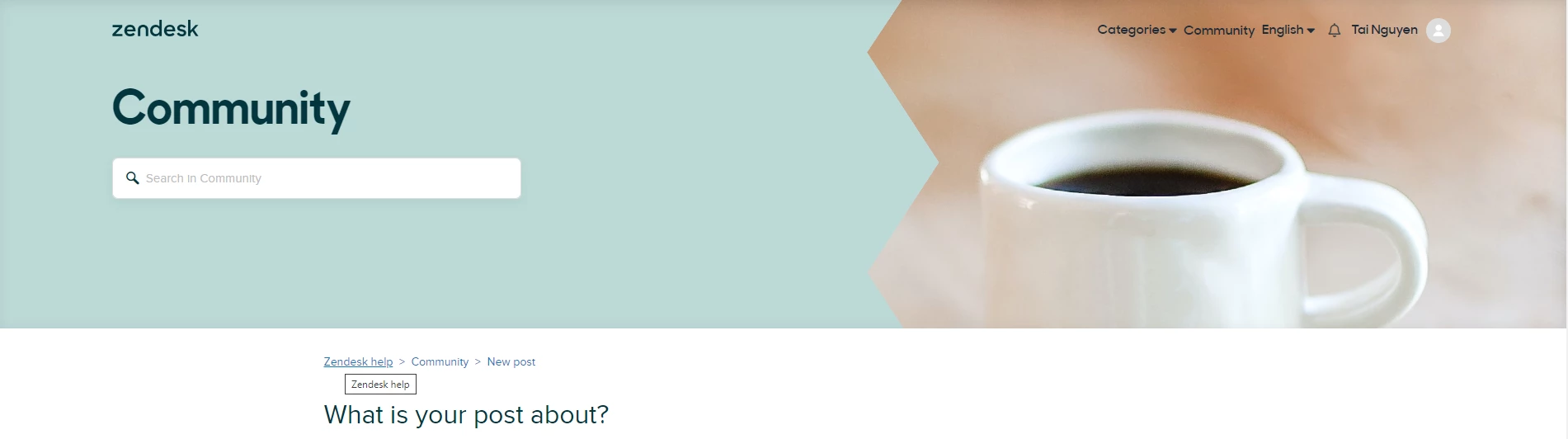
 

Also, when I am customizing the Community Page at "Community elements" and set the "Community Hero Image Style" value to "Behind Background", the search bar appears but I cannot type into it. I would like my users to be able to type into the search bar here:

Any advice?

Much appreciated!
Tai

1 reply

Pulkit12
  • January 5, 2024

Hi Tai Nguyen

You need to upload your hero image inside the assets folder of your theme and then copy the address of that image as shown screenshot below.

Now you need to add that address to the code below 

.community-hero {
background-image: url(YOUR ADDRESS GOES HERE);
margin-bottom: 10px;
height:360px;
}

Please let me know if it solves your issue.


Thank You 

Pulkit 

Team Diziana
