How to modify the login jump link in the Help Center? | Community
Skip to main content

How to modify the login jump link in the Help Center?

  • April 14, 2022
  • 8 replies
  • 0 views

nan

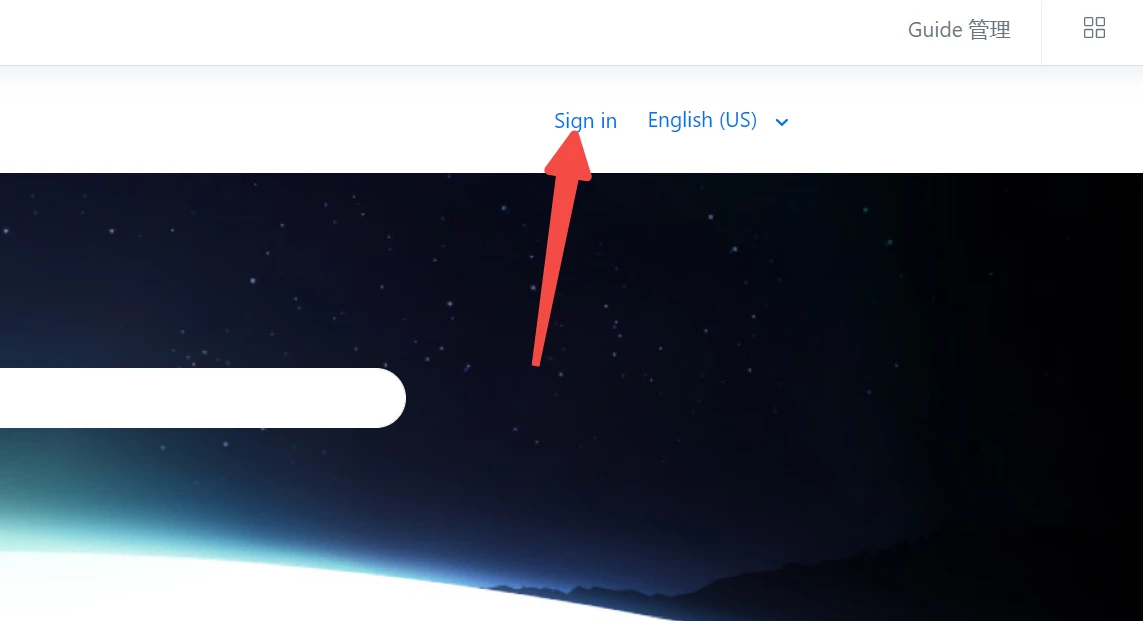
The login button is set in the help center, but I forgot how to modify it. How to modify the login jump link in the Help Center? Where is it?

8 replies

Ifra
  • April 14, 2022

Hi nan Yun, can you share the screenshot of your login button? Then I can share the exact solution.

Thanks


nan
  • Author
  • April 14, 2022


nan
  • Author
  • April 14, 2022

Thank you. Please help me.


Ifra
  • April 14, 2022

Hi,

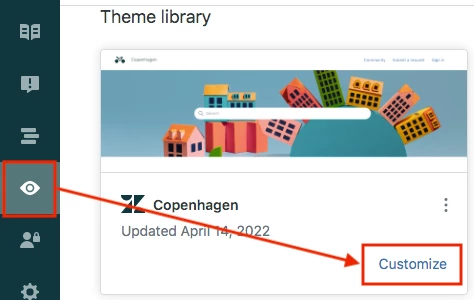
1). Go to your Help Centre admin window.


2). Click Customize button as you see in the above image.

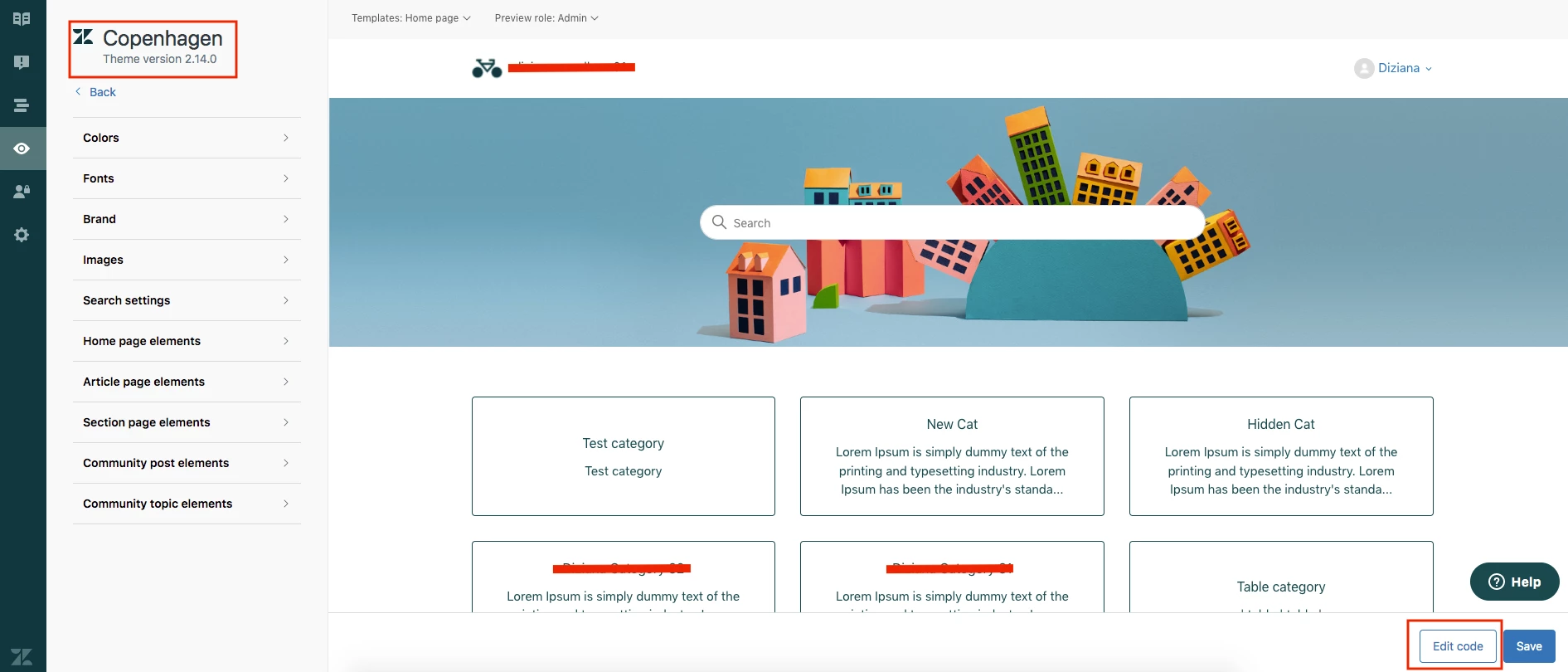
3). After that you will be entered then click Edit button bottom-right side (wrapped in red border).


4). After clicking the Edit code button, you will be reached the edit mode of your theme.


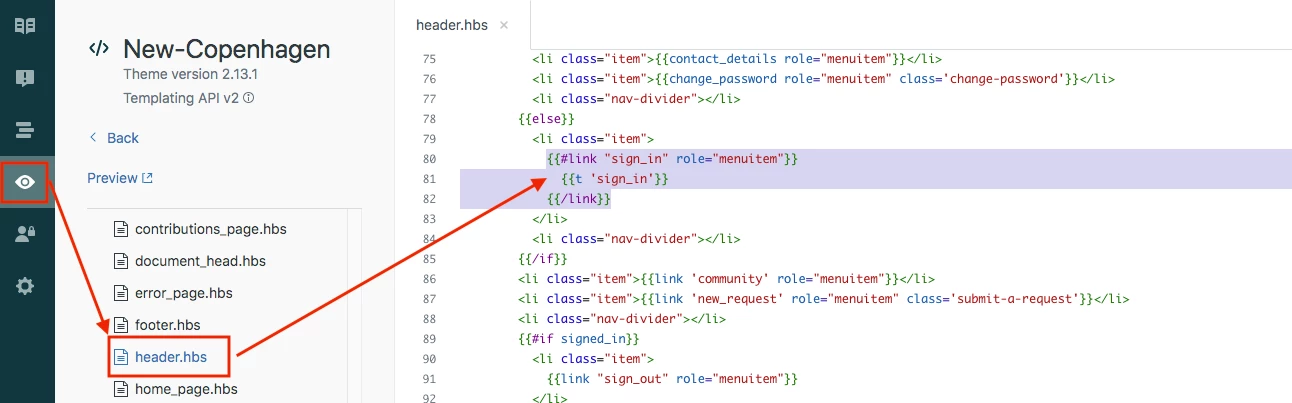
5). Click the templates folder and then click header.hbs file as you see in the above image.

6). You can see the {{t 'sign_in'}} helper you can modify this.

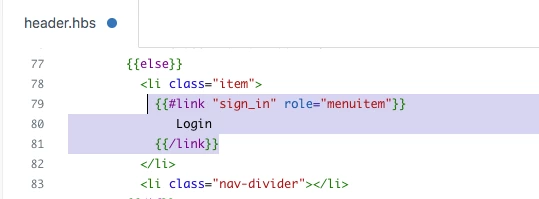
{{#link "sign_in" role="menuitem"}}
  {{t 'sign_in'}}
{{/link}}


Modification:

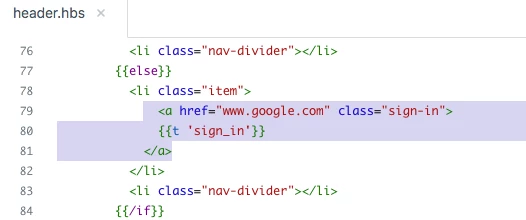
Add your own URL in the anchor tag:-


Change text of sign in link:-


Note: In the new Copenhagen theme, you will get the sign_in helper two times for Desktop and for Mobile.


If any confusion feel free to ask :)


Thanks

Team


nan
  • Author
  • April 14, 2022

Thank you very much. The modification has been completed.


Ifra
  • April 14, 2022

Great!


Marie22
  • April 15, 2022

I want you to understand more about this


Ifra
  • April 15, 2022

Hey Mariecforleo :)


Share your query, I'll make you understand.


Thanks