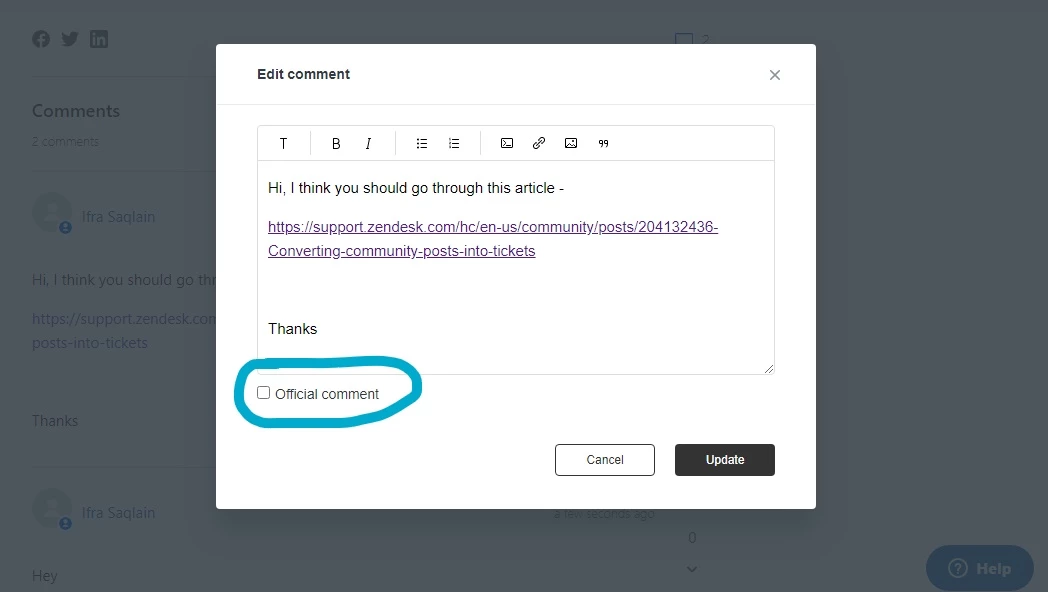
I need to remove the "Official comment" from an older community post which is no longer correct.
How do I do that?

How to I remove the "Official comment" from a post?

 ) icon and click 'Edit'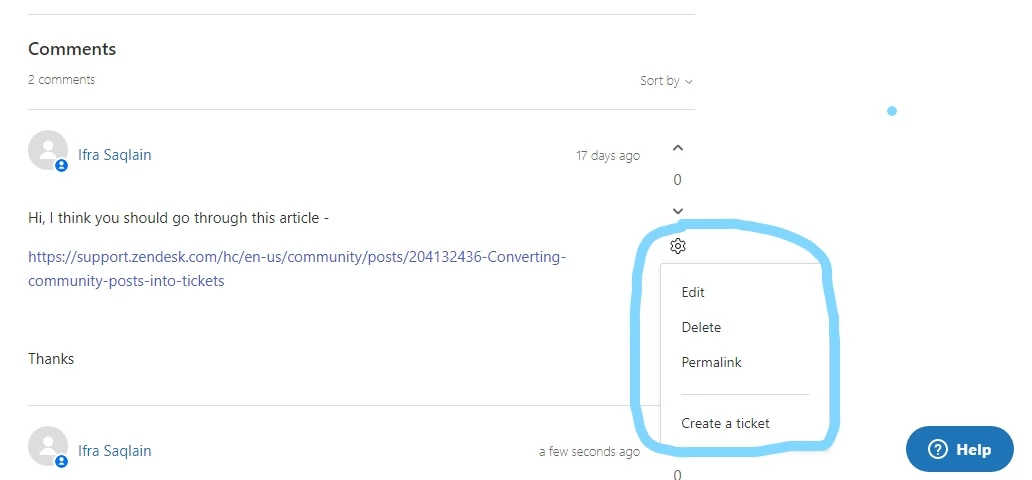
Login to the community
No account yet? Create an account
Enter your E-mail address. We'll send you an e-mail with instructions to reset your password.