We have a new help center in which we want to make it visible to users so that they can view it in one of two languages via a dropdown menu at the top of the main home page. This is available in our other existing help centers which I did not set up. What is the best way to do this? Is it through a Custom Theme?

How to get the language dropdown menu option visible to users in Help Center theme


Login to the community
No account yet? Create an account
Enter your E-mail address. We'll send you an e-mail with instructions to reset your password.
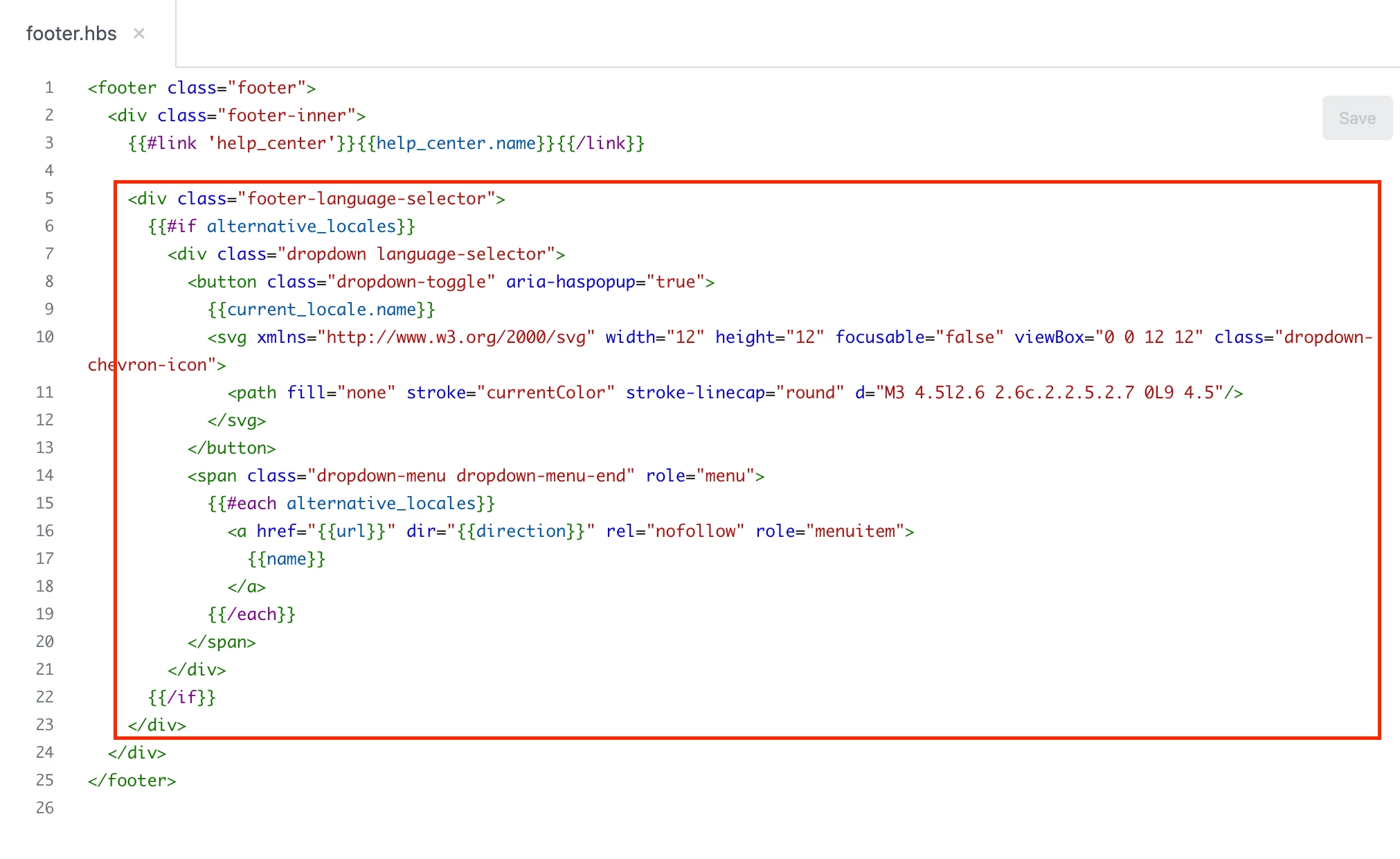
If you already have multiple languages set up for your help center (see Configuring your help center to support multiple languages if you haven't yet done that), and you're using the default Copenhagen help center theme (or using it as your starting point), the language drop-down might be located in the footer of the page, instead of the header. If it's there, you can move the code for it from your footer.hbs file in your theme, to the header.hbs file, and then it will appear at the top of the page.
I explained to another user how to do this here: Postion of the language dropdown
Hope that helps!