How to bold specific words in Zendesk Guide article titles? | Community
Skip to main content

How to bold specific words in Zendesk Guide article titles?

  • September 16, 2022
  • 7 replies
  • 0 views

Ria12

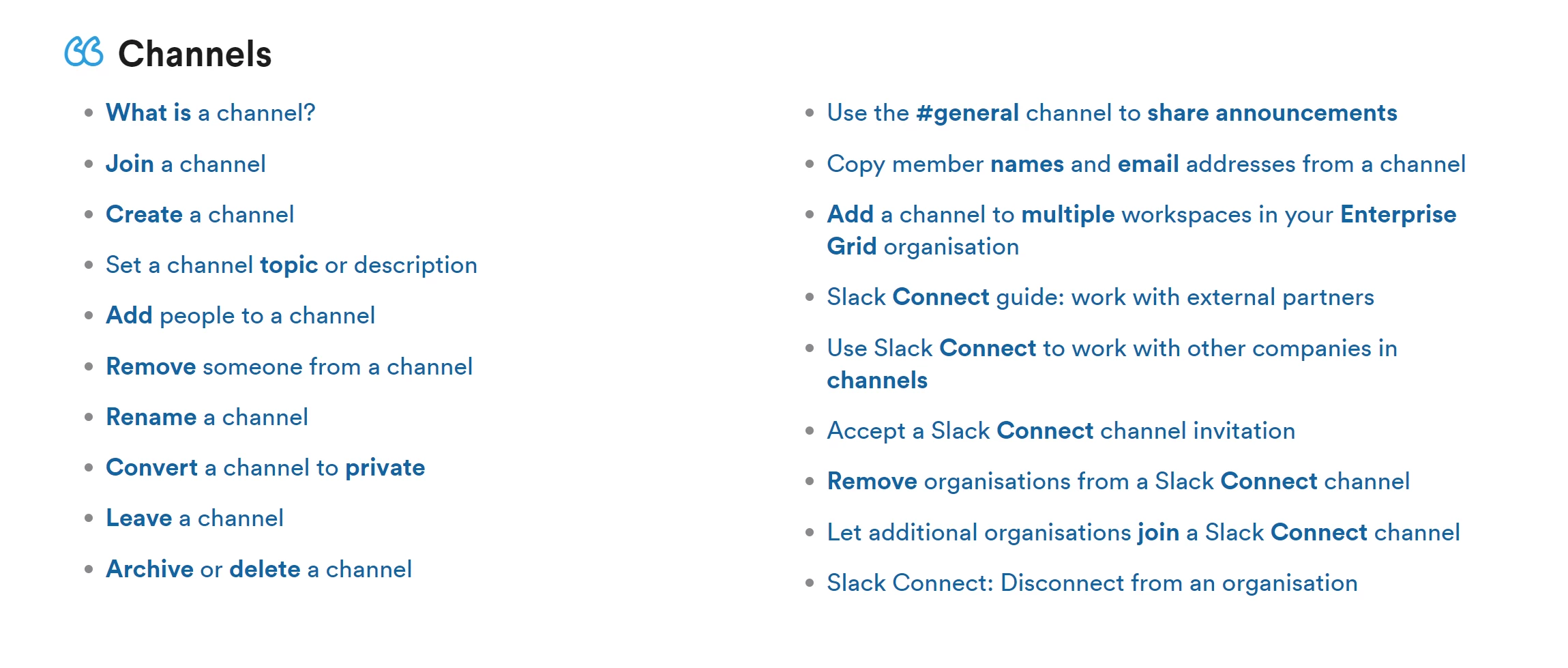
Hello! Does anyone know how to format article titles and making only certain words in boldface (like the screenshot below)? Is this a feature that's theme-specific or can it be done on any Zendesk Guide?

 

7 replies

Ifra
  • September 16, 2022

Hi Ria Fernandez,

If you see the words, it has been done by the JS for the specific words such as Connect, Add, Remove so all the Connect, Remove, Add, etc words show bold in the title or paragraph or everywhere or specific template as Section page, Category page, Article page, Homepage, etc. using the main-class-name of these pages.


Thanks

Team


Ria12
  • Author
  • September 18, 2022

Hi Ifra,

Thanks so much for your response! I don't quite understand though.. Did you mean that the bolding of the words was done by Javascript, like by code? I only want to do this in the home and category pages if possible. How exactly can I do this?

I've checked the category_page.hbs code but I'm not sure where to do it as the article titles aren't listed there.

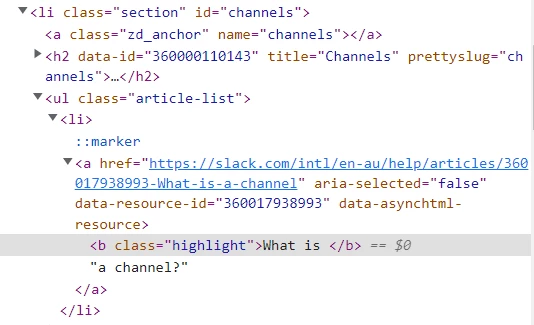
I've noticed that the html shows the highlight class, but I don't know where to add this class tag.


Ifra
  • September 19, 2022

Hey Ria Fernandez, copy the given code snippet and paste it to your script.js file at the bottom area.

 jQuery(document).ready(function($){
  var pattern = /\b(Article|practices|What|About|Zendesk)/gi;
    var replaceWith = '<strong>$1</strong>'; 
    $('.category-container a.article-list-link, .knowledge-base .promoted-articles-item > a').each(function(){
        $(this).html($(this).html().replace(pattern,replaceWith));
    });
});


Note:
var pattern = /\b(Article|practices|What|About|Zendesk)/gi; --- Remove the words Article, practice, What, About, Zendesk  words and add yours.
$('.category-container a.article-list-item, .home-page-container a.articles-item').each(function(){ --- Remove my classes and add your category and homepage classes here .category-container a.article-list-item and home-page-container a.articles-item


Output:


Thanks

Team


Ria12
  • Author
  • September 19, 2022

That worked beautifully!

Thank you so much, Ifra! 


Ifra
  • September 20, 2022

Ohh, that's great! :)


Hannah12
  • October 7, 2024

Hi! Is there a way to use this code to make the field descriptions bold on a specific form and field?


Elaine14
  • December 25, 2024
Hi Hannah,
 
Thank you for your question!
 
Yes, you can make field descriptions bold in a specific form by using custom CSS. To achieve this, you can add a CSS rule targeting the specific form and field in your Zendesk Guide or the theme editor.
 
For example, you might use code similar to this:
#form-id .field-description {
font-weight: bold;
}
Ensure you replace #form-id with the actual ID of your form. This will apply bold styling to the descriptions of that particular form field.
 
If you need further assistance with implementing this or have any additional questions, feel free to ask!