
How do you allow customers to write issue tickets? | Community
Skip to main content

How do you allow customers to write issue tickets?

  • October 4, 2023
  • 5 replies
  • 0 views

Leon13

We are new to ZenDesk. Currently, I am an Admin, but not the Account Owner.

We signed up to use ZenDesk for our customers to submit issue tickets for our SaaS platform. All our agents and admins are able to see and access the ticketing system, and submit tickets; but our customers cannot see anything. I want them to be able to submit a ticket on our system. All they see when they login is below:
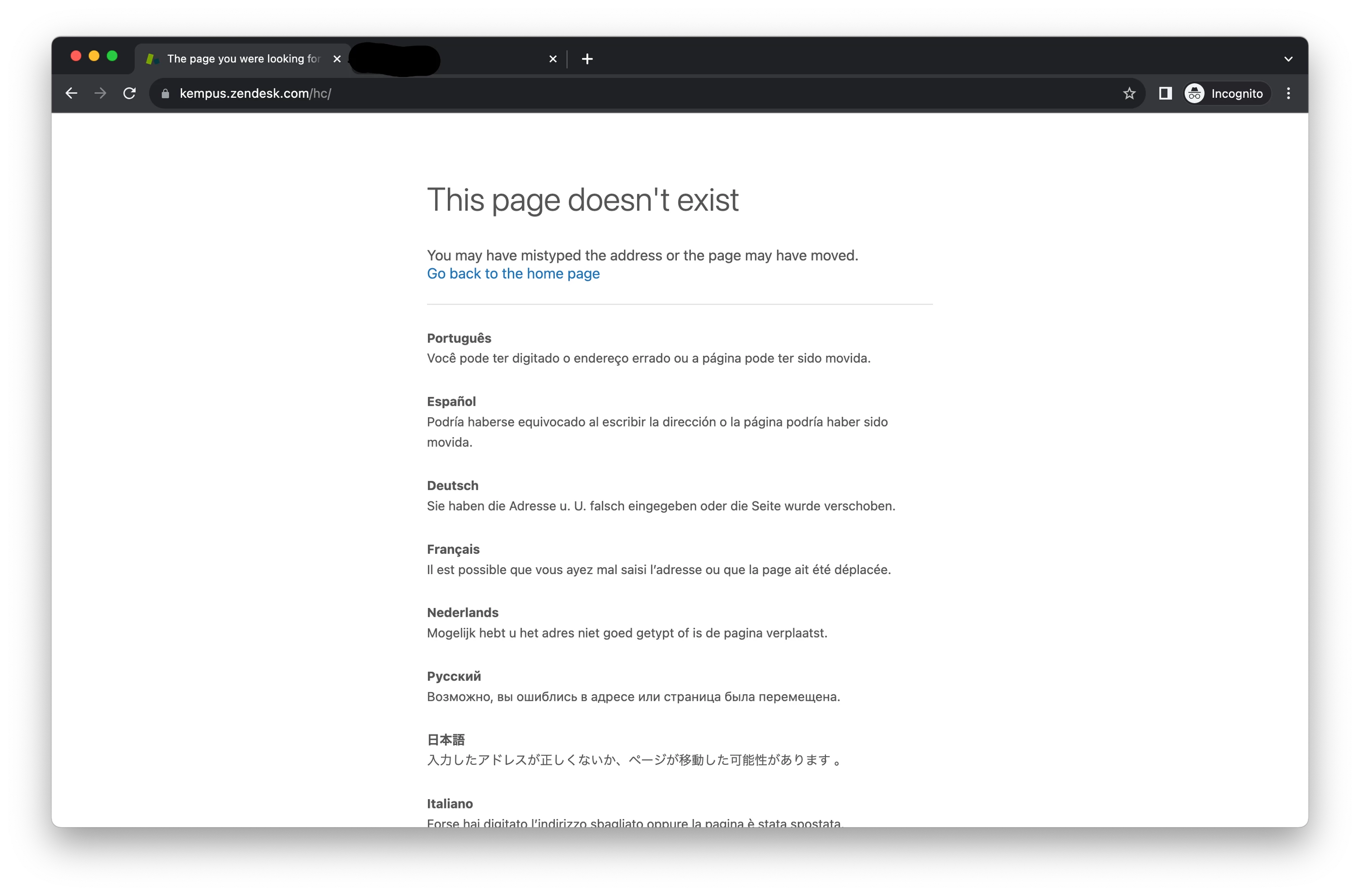
So now, I have no idea what to do next. I have read that I need to enable Help Center under the Guide section, but I don't see how that helps. Can anyone help on this?

5 replies

Cheeny
  • October 4, 2023
Hi Leon, 

For your Help Center to be accessible to end-users, it needs to be activated. I highly suggest that you verify if your Help Center is already activated by following the steps below: 
  1. In Guide, click the Settings () icon in the sidebar.
  2. In Guide settings, click Activate.
  3. Click Activate again to confirm that you want to activate your help center.

    I hope that helps!
 

Leon13
  • Author
  • October 5, 2023

@cheeny

In order for the customer to see the page where they can submit a ticket, is it required that the Help Center gets activated?

Also, must you be the account owner in order to activate the Help Center? Not just being an admin?


Cheeny
  • October 5, 2023
Hi Leon, 

Yes, you are correct. The Help Center should be activated and it should be done by the account owner. More information may be found here: Activating your help center

I hope that helps!

Leon13
  • Author
  • October 5, 2023

@cheeny

Just to make sure, so in order for customers to be able to see a page where they can submit a ticket, the Help Center needs to be activated, right?

Thanks.


Brett13
  • Community Manager
  • October 27, 2023

Hey @leon13, that is correct. If the Help Center isn't active, end-users will be taken to an error page instead. 

Let us know if you have any other questions :)