How do I get my custom font to display on a smaller screen? | Community
Skip to main content

How do I get my custom font to display on a smaller screen?

  • May 25, 2022
  • 6 replies
  • 0 views

Is there an easy way to make sure that my custom font is displayed even when the screen size is smaller? Or if not, is there a way to make the fallback font Helvetica/sans-serif?

The custom font currently works, but only if the screen is above a certain size. If the screen is too small, then the default looks like Times New Roman, which I don't want. The code I'm currently using: 

@font-face {
 font-family: 'sanz';
 src: local ("sanzmedium");
 src: url('$assets-sanzmedium-woff');
font-weight: normal;
}

6 replies

Ifra
  • May 26, 2022

Hi fz,

Can you share the public URL of your theme?, so I can share with you the exact solution.

Thanks

Team


  • Author
  • May 26, 2022

Ifra
  • May 27, 2022

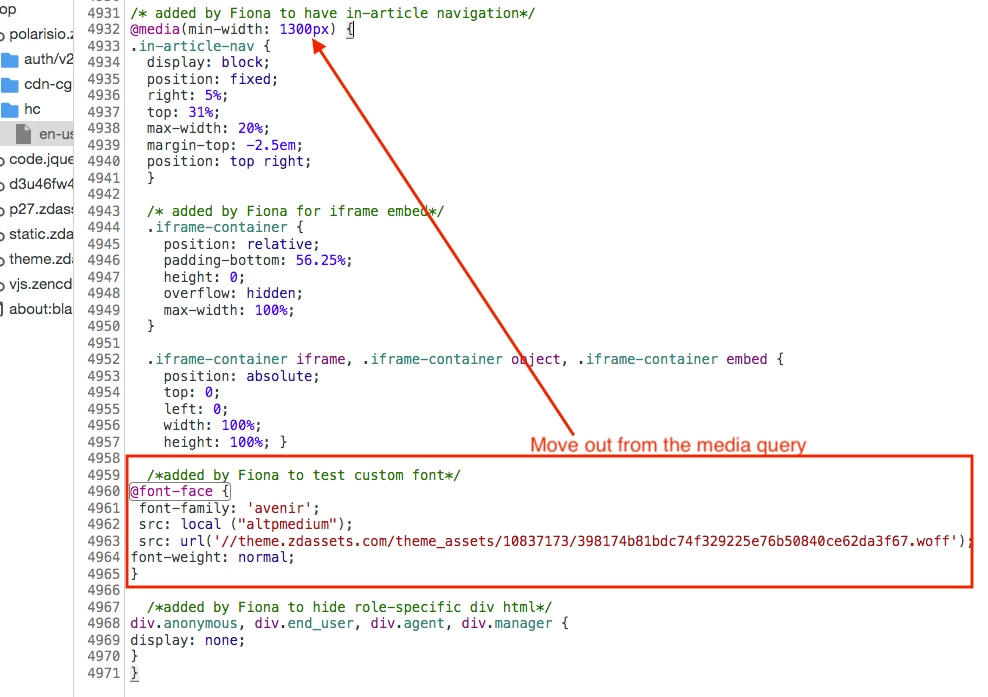
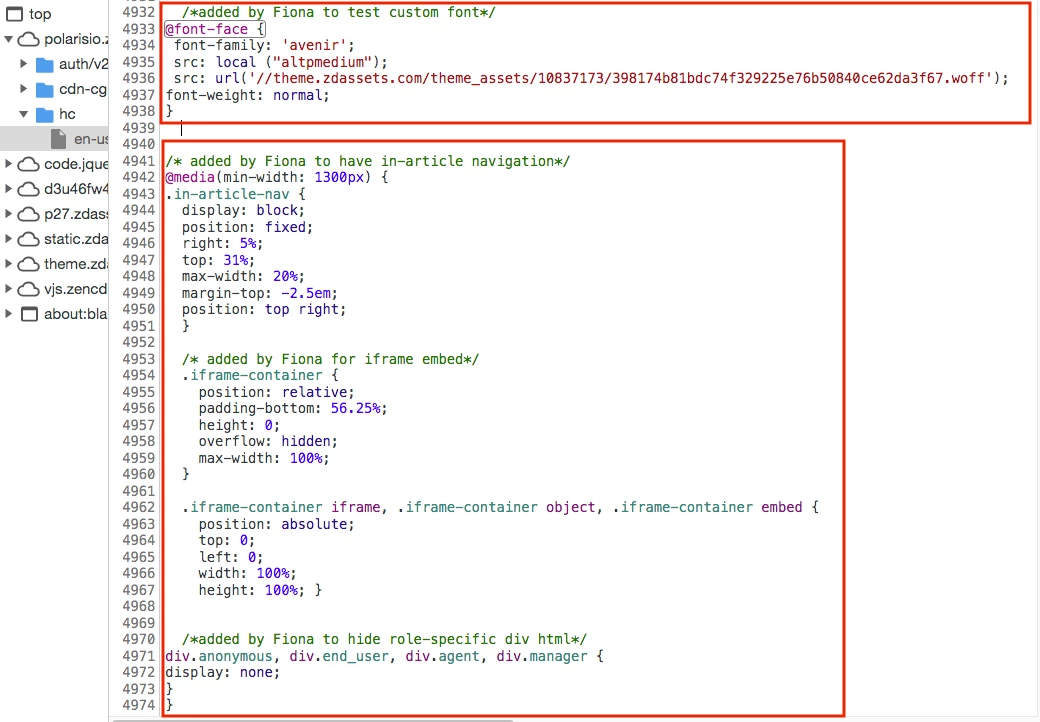
Hi fz, you added the code inside media query that's why code isn't working on mobile/after 1300px screen resolution.


Solution

Current:


Fixed:


  • Author
  • May 27, 2022

Thank you!


Nicole17
  • May 27, 2022

Thanks for answering this, Trapta!


Ifra
  • May 28, 2022

@fz, happy to hear that you got it.