Hiding the "Submit a Request button" until signed in | Community
Skip to main content

Hiding the "Submit a Request button" until signed in

  • August 10, 2021
  • 23 replies
  • 0 views

Dave27

Hi everyone,


I've had a look through the forums and posts but can't find an answer to my scenario, so thought I'd ask it.


In our help center, we have the "Submit a Request" option as a button, rather than plain text in the header. Before changing themes, the previous setup had the "Submit a request" link hidden until the user signed in. However, our previous HC did not have the "submit" set as a button.

I've tried wrapping the button with the {{#if signed_in}} code, but it doesn't seem to make any difference.


My current code looks like this:

{{! Submit a request }}
<a href="/hc/requests/new" class="btn btn--md btn--primary is-hidden--md-down header__request-right">
{{t 'submit_a_request'}}
</a>

What would I need to do to either:
1. Hide this button until you were signed in, or
2. Make the user have to sign in when clicking this button

Many thanks for any help or advice you can offer here.

23 replies

Ifra
  • August 14, 2021

Hi,

You can try this type:

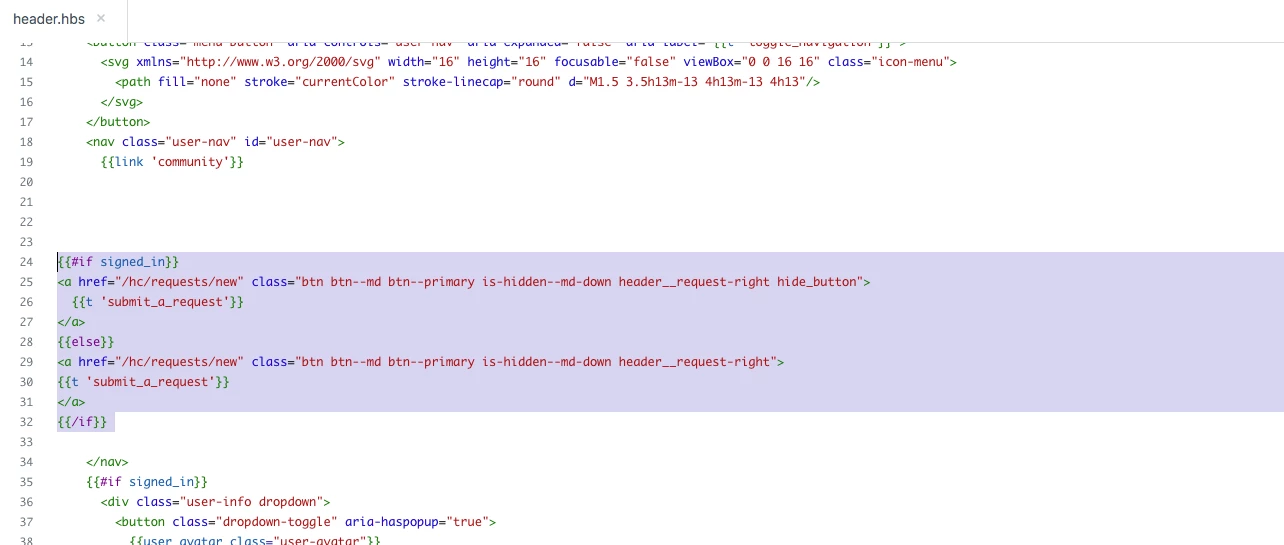
1). Copy the below code because it's your mentioned code for submit reauest button.

{{#if signed_in}} 
<a href="/hc/requests/new" class="btn btn--md btn--primary is-hidden--md-down header__request-right hide_button">
{{t 'submit_a_request'}}
</a>
{{else}}
<a href="/hc/requests/new" class="btn btn--md btn--primary is-hidden--md-down header__request-right">
{{t 'submit_a_request'}}
</a>
{{/if}}

Screenshot for the same:


2). Add the CSS at the bottom of your stylesheet.

.header__request-right.hide_button{display:none;}


Thank You

Team


Dave27
  • Author
  • August 23, 2021

Hi Ifra,

Thank you for responding to this.
Just for my own sanity, would the code above not hide the button for signed in and non-signed in persons?

Dave


Ifra
  • August 23, 2021

Hi Dave, the above code is for, when a user signed in, the submit button would be hidden and when a user signed out, the submit button would be shown.


Another way is, you can hide the submit button to the signed-in users by this code.

1. Hide this button until you were signed in,

{{#unless signed_in}}
<a href="/hc/requests/new" class="btn btn--md btn--primary is-hidden--md-down header__request-right">
{{t 'submit_a_request'}}
</a>
{/unless}}


2. Make the user have to sign in when clicking this button.

It's possible, but I'm not sure if that's the right way to do this.


Team


Dave27
  • Author
  • August 23, 2021

Hi Ifra,

Thanks for getting back to me.
Can we get that the other way around? So I want the submit button to show when they are signed in, and not show when they are not signed in.

Dave


Ifra
  • August 23, 2021

So you can use this code:

To show submit button when users signed-in.

{{#if signed_in}} 
<a href="/hc/requests/new" class="btn btn--md btn--primary is-hidden--md-down header__request-right">
{{t 'submit_a_request'}}
</a>
{/if}}


If any confusion let me know :)


Thanks


Dave27
  • Author
  • August 23, 2021

Hi Ifra,

Would I also need the CSS code in as well as that header code?

So in other words:

Header:

{{#if signed_in}} 
<a href="/hc/requests/new" class="btn btn--md btn--primary is-hidden--md-down header__request-right">
{{t 'submit_a_request'}}
</a>
{/if}}

CSS:

.header__request-right.hide_button{display:none;}

Dave


Ifra
  • August 23, 2021

No, 

Add only this code:

{{#if signed_in}} 
<a href="/hc/requests/new" class="btn btn--md btn--primary is-hidden--md-down header__request-right">
{{t 'submit_a_request'}}
</a>
{/if}}


CSS not added in this case.


Dave27
  • Author
  • August 23, 2021

Thank you.

I added that wrapper around the button, as laid out above, but when a user signs in, the submit a request button doesn't show.

User not signed in: shows sign in button, no "submit request" button
User signed in: no "submit request" button shows

Am I missing something here?


Dave27
  • Author
  • August 23, 2021

Hi Ifra,

Think I've got it sorted now. I think it was being thrown off by the 

is-hidden--md-down header__request-right

part, so I simply removed it. Now it works as intended. Thank you for all of your help.

Dave.


Ifra
  • August 23, 2021

Glad to hear, cheers!


  • November 11, 2021

Hi Ifra,

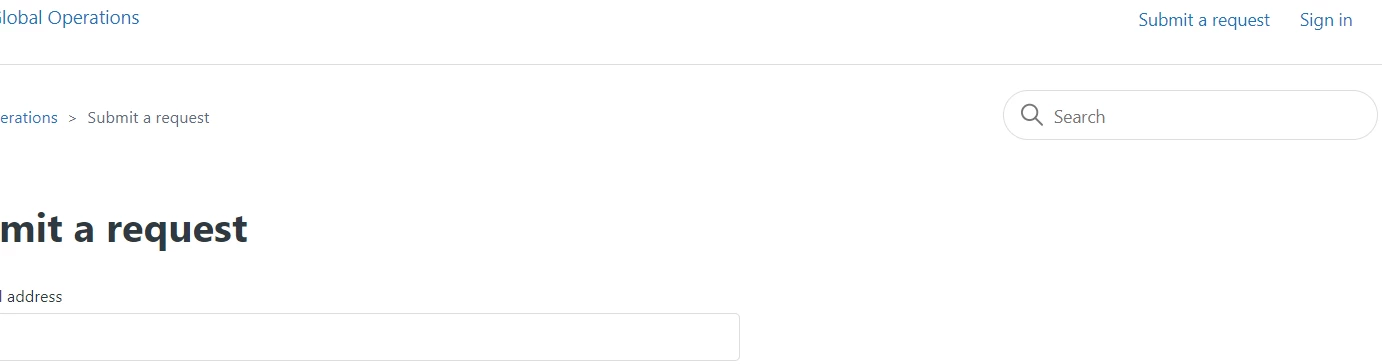
When the user click the 'Submit a request' before Sign-in, how to show  'Please sign-in to Submit a request'  in the ...zendesk.com/hc/en-us/requests/new  page?

only signin users can submit the request.


Ifra
  • November 11, 2021

Hi Anita, 

You need to update the setting for it.

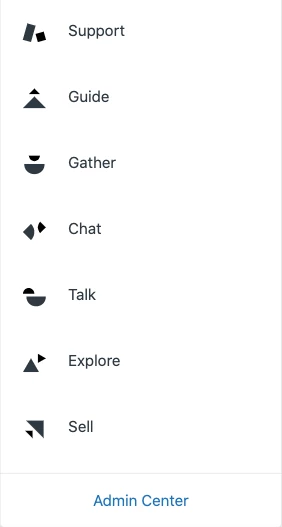
1). Click the Zendesk Products icon.


click on -


2). Then click on Admin Center, blue color font.

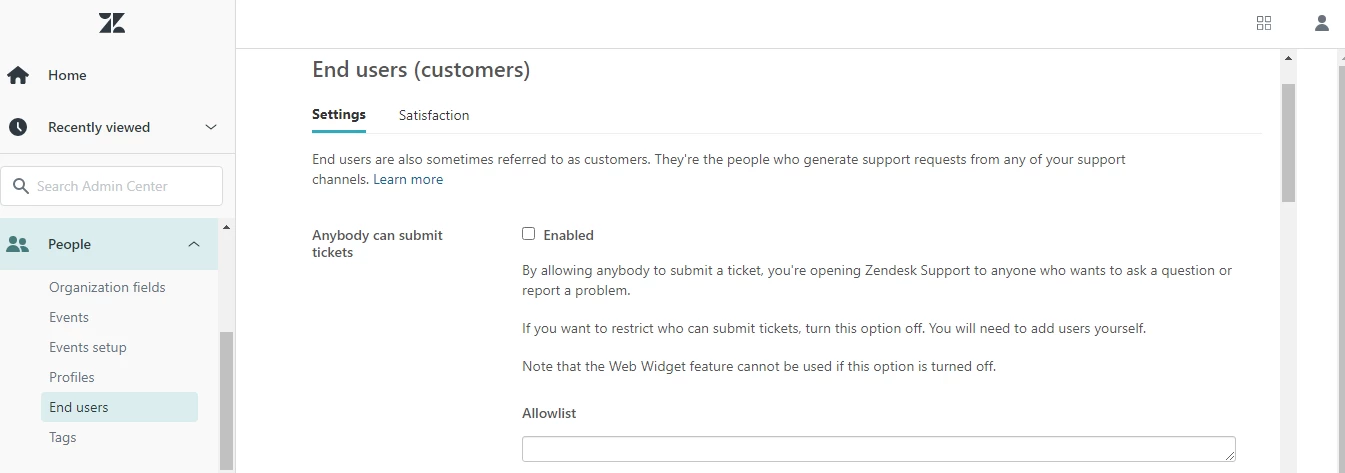
3).In Admin Center, click the People icon () in the sidebar, then select Configuration > End users.

4). Uncheck the Anybody can submit tickets.

5) . This option is not visible if you haven't activated your Help Center yet.

7). Click Save Tab.


If any query let me know :)

Thanks


Brittany16
  • February 15, 2023

Can someone please update this article with code that works with the newest version of Copenhagen?


Ifra
  • February 16, 2023

Hi @Brittany Mandel

Share your query..


Brittany16
  • February 16, 2023

@ifra- If you use the code that's been shared above on the newest version of the Copenhagen theme - it does not work as intended. When I inspect as an anonymous user - the request button is still there, as an end user a second request button appears to the left. Please update the code for the newest theme updates.


Ifra
  • February 16, 2023

Try this and let me know: add this code to the script.js file at the bottom.

  if(HelpCenter.user.role == "anonymous" || HelpCenter.user.role == "end_user"){
    document.querySelectorAll(".submit-a-request").forEach(function(e){
      e.style.display = "none";
    })
  }


  • February 20, 2023

Hi @ifra ,

I inserted this code at the bottom of the script.js file and the Submit button is still present for anonymous users. I want to temporarily disable the form-based ticket submission feature. Perhaps you could suggest another way to proceed.

Thank you.


Ifra
  • February 21, 2023

No problem @Emmanuel Gomes, check your console in your inspect tool or you can share URL of your HC here then I can figure out the issue.


Test25
  • April 11, 2023

@ifra

Hi there!

Is there an updated way to hide the Submit a Request button from anonymous users? We want it only to be shown to signed-in users. 

Thank you!!


Ifra
  • April 12, 2023

@HK

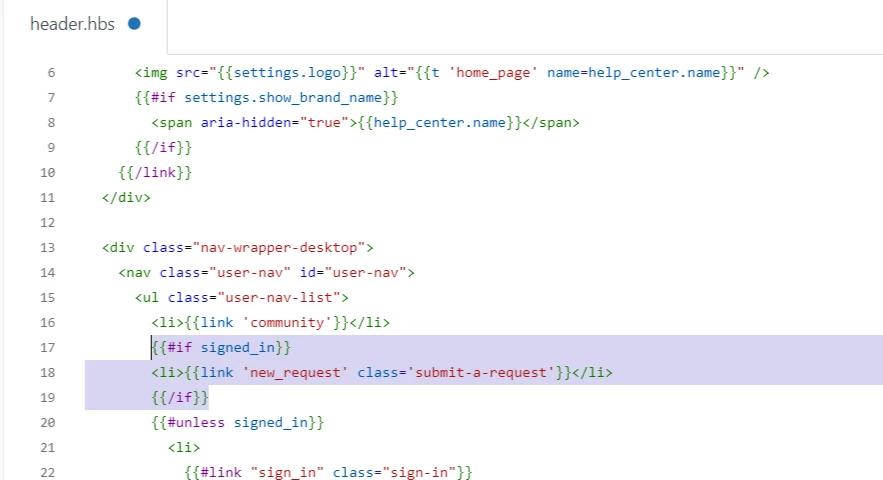
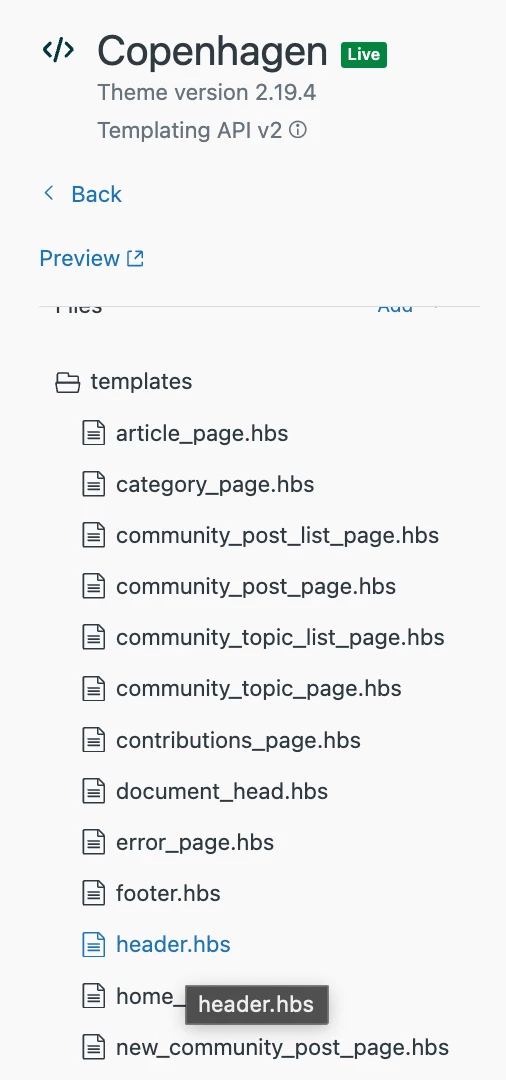
Go to your header file and find "{{link 'new_request' class='submit-a-request'}}", then wrap it with the given condition " {{#if signed_in}} ... {{/if}}", you will have te final code snippet:

 {{#if signed_in}}
  <li>{{link 'new_request' class='submit-a-request'}}</li>
{{/if}}


Screenshot:


Thanks


Martha11
  • February 15, 2024

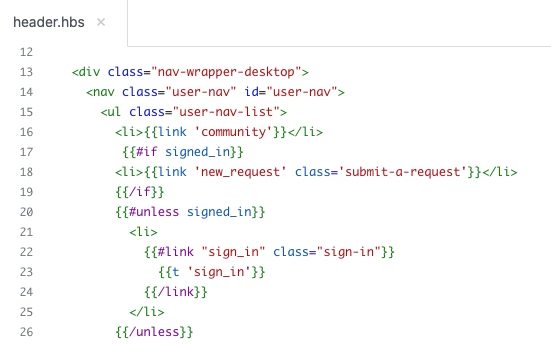
My company recently hid the "Submit a request" button behind a login wall by using this code between lines 17-26 in the header section:


Brett13
  • Community Manager
  • February 15, 2024

Thanks for sharing this @martha11! This is super helpful :) 


  • May 21, 2024

We're using the Copenhagen v1.0.0 theme.


We want to hide the submit a request option from end users and only make available for signed in users who are staff in Zendesk (admins, contributers, light agents).

How can we achieve this?