
Hiding form selector in Guide after choosing form | Community
Skip to main content

Hiding form selector in Guide after choosing form

  • September 13, 2022
  • 3 replies
  • 0 views

Luca11

I found the article suggesting how to hide the form selector in guide:
https://support.zendesk.com/hc/en-us/community/posts/4409585710618-Hiding-form-selector-in-Guide

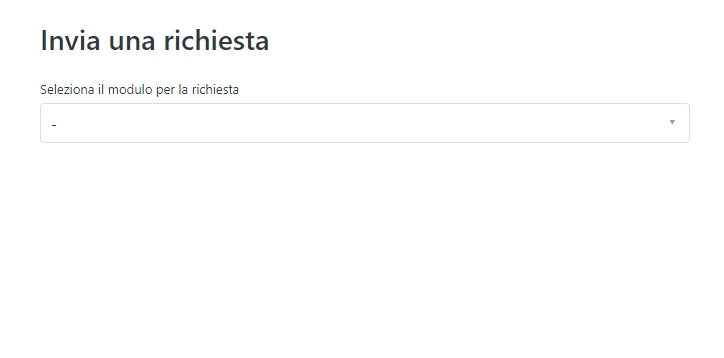
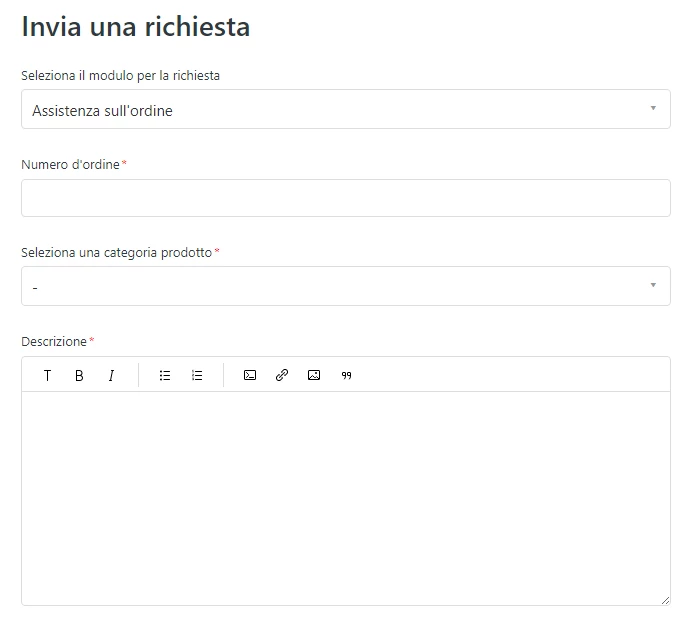
But, I would like to hide the selector only after the user has selected the form. Can this be done?

Step 1 (visible):
Step 2 (hide the selection form):
3 replies

Ifra
  • September 14, 2022

Hi Luca Baldini, use the code given below;

 $(document).ready(function () {
   if (window.location.href.indexOf("requests/new?ticket_form_id=") > -1) {
    $('.form-field.select.request_ticket_form_id').hide();
   }
})


Thanks 

Team


Luca11
  • Author
  • September 14, 2022

thanks a lot, it works!


Ifra
  • September 14, 2022

:)