Hello,
I'm looking for a way to hide specific drowndown values based on the Help Center used to submit the ticket.
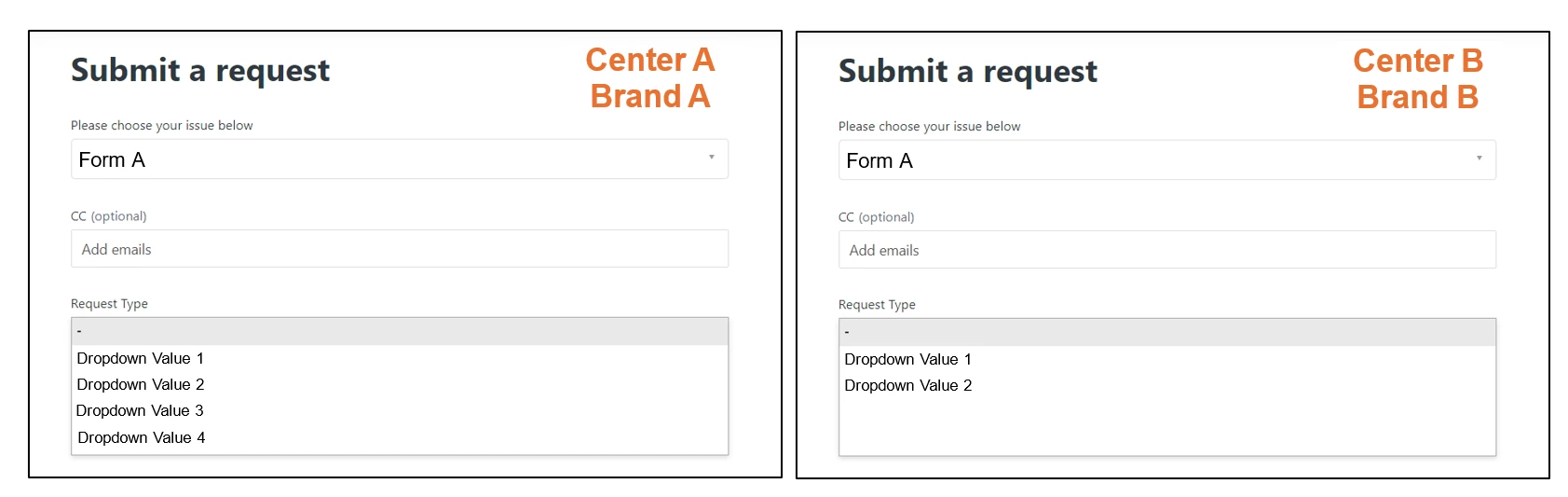
I have two help centers, Center A and Center B. Center A is associated to Brand A and Center B is associated to Brand B. There for any tickets submitted through Center A would have Brand A and vice versa.
My form is called Form A. I want Form A to be present in both Centers BUT Form A contains a field that has 4 dropdown values. Only 2 of the drop down values should be visible when Form A is active in Center B while all dropdown values are visible when submitting a ticket using Form A through Center A. See the image below. If anyone has some suggestions, that would be great!