Hiding a ticket form on the 'submit a request' page | Community
Skip to main content

Hiding a ticket form on the 'submit a request' page

  • August 12, 2021
  • 102 replies
  • 0 views

Show first post

102 replies

  • November 29, 2022

@paul52 can you try this code at the bottom of your js file. If you already have the document ready function in the js file, don't add that line.      

$(document).ready(function(){ 
  
  
  //remove the options from the dropdown selector
$('#request_issue_type_select option[value="5550538483484"]').remove();
    

 $('.nesty-panel').on('DOMNodeInserted', function(e){
        $(this).children('ul').children().remove('#5550538483484');
});
});

  • November 29, 2022

Hi Nicole, 

No that didn't work for me unfortunately, but thanks for the suggestion.


Ifra
  • November 30, 2022

Hey Paul, 

See the error


Add this code for yours, remove previous which you have added here:

 if (window.location.href.indexOf("?ticket_form_id") > -1) {
    console.log("yes!");
    } else {
      var _x = $(".list-group > a[href*='5550538483484']").remove();
    }


If any issue let me know :)

Team


  • November 30, 2022

Hi @ifra

Thank you that has worked, its now hidden from both the homepage submit a request area and the nesty panel also, I have to add in below to achieve this in both areas. 

Can I ask, if it possible to have it reappear based on the sign in users organisation? So if the person is authenticated staff member show it, but not authenticated or a student for example hide it? 

We have two types of Org users, Staff, Students 

Might be a long shot? Thanks again

-----------------------------------------------------------------------------------

// Hide the graduation form from Homepage    
    
if (window.location.href.indexOf("?ticket_form_id") > -1) {
      console.log("yes!");
    } else {
      var _x = $(".list-group > a[href*='5550538483484']").remove();
    }
    
// Hide the graduation form  from Nesty Panel    
    
var tagsToRemove = ['5550538483484'];  //special form ID

function removeTagsWeDontWant() {
$('.nesty-panel').on('DOMNodeInserted', function(e){

for(var i in tagsToRemove) {
$('li#' + tagsToRemove[i]).remove();
}
});
};
removeTagsWeDontWant(); 


  • December 7, 2022

Hi @ifra,

Would you have any idea about my last message, do you know if this is possible?

Kindest,

Paul


Ifra
  • December 9, 2022

Hey Paul, I think I'm too late :).

I found something for your query, check the organization name:-

//This code currently blocks non-xxx users from submitting tickets

if (HelpCenter.user.organizations[0].name !== "ORGANIZATION_NAME"){

  // Hide the graduation form from Homepage    
    
if (window.location.href.indexOf("?ticket_form_id") > -1) {
      console.log("yes!");
    } else {
      var _x = $(".list-group > a[href*='5550538483484']").remove();
    }
    
// Hide the graduation form  from Nesty Panel    
    
var tagsToRemove = ['5361962484244'];  //special form ID

function removeTagsWeDontWant() {
$('.nesty-panel').on('DOMNodeInserted', function(e){

for(var i in tagsToRemove) {
$('li#' + tagsToRemove[i]).remove();
}
});
};
removeTagsWeDontWant(); 
  
}


Note: Remove ORGANIZATION_NAME and write your organization name here.

Reference: https://support.zendesk.com/hc/en-us/community/posts/4529302824346-Get-the-organization-id-or-user-id-from-Zendesk-Guide


Try this and let me know if it works.

Thanks


Jahn11
  • January 23, 2023

Hello Ifra Saqlain - can we possibly hide values from Ticket Type field for end user? 

There are around 15 values selection from the ticket type field but we want to hide 2 of them. Is this possible? 


Ifra
  • January 23, 2023

Hi Jahn Bronilla,

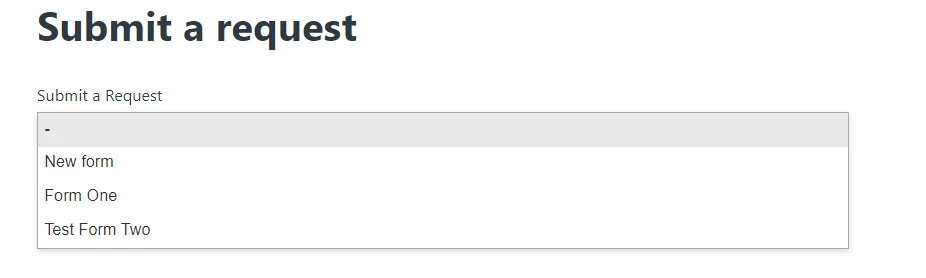
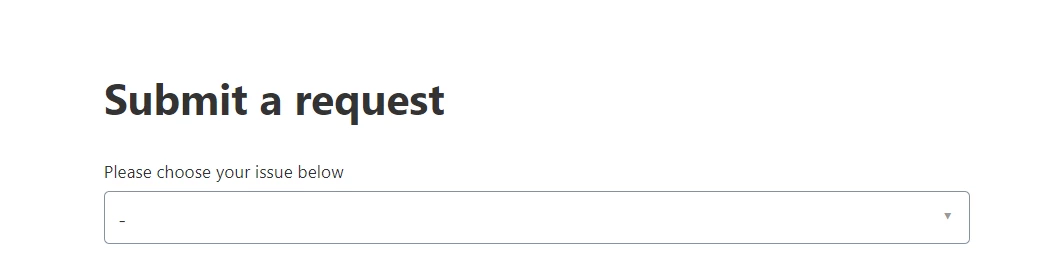
Type selection field means this dropdown field -


If yes, you can hide.

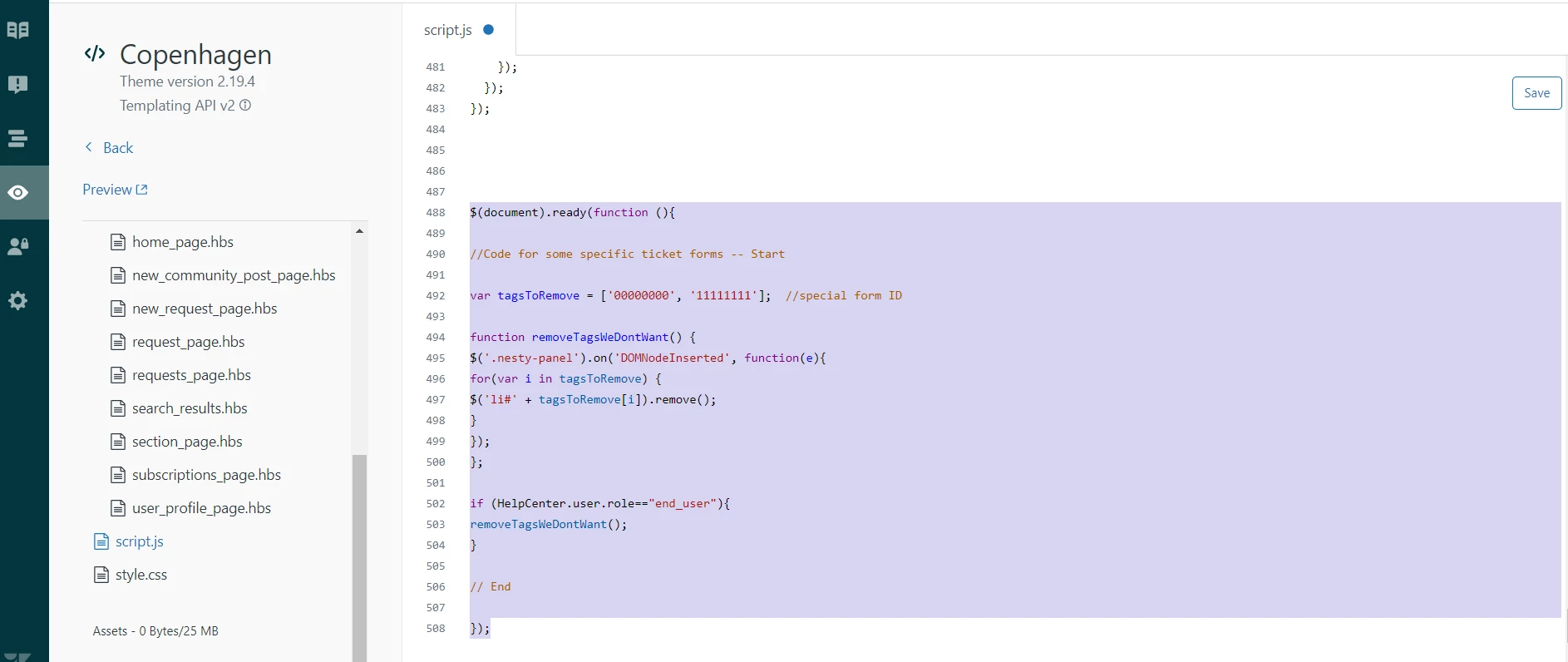
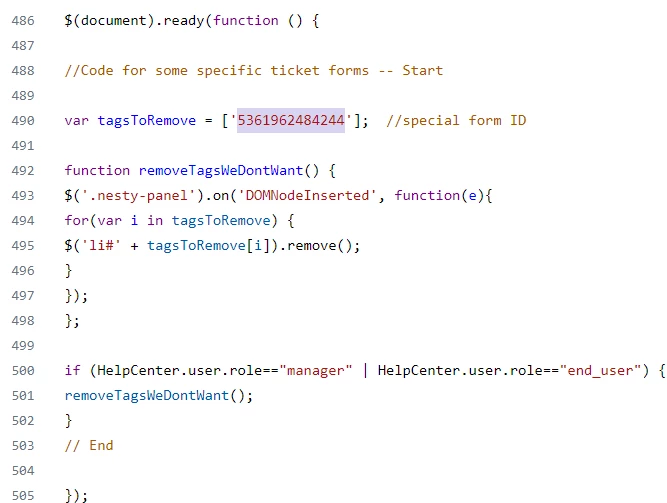
i). Add the below code to your script.js file.

$(document).ready(function (){

//Code for some specific ticket forms -- Start

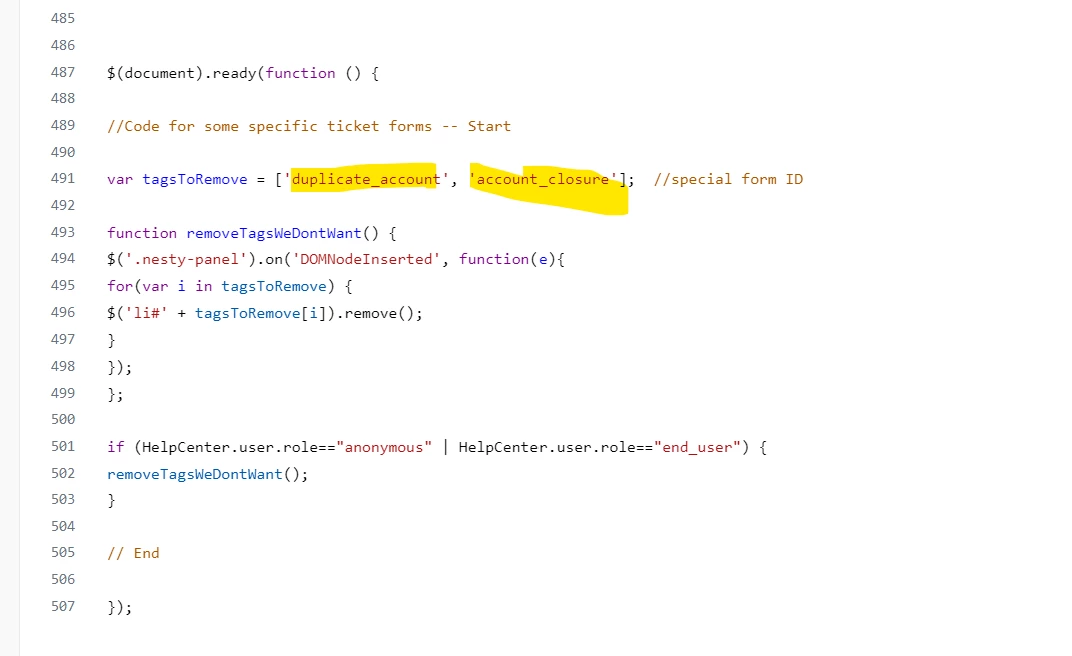
var tagsToRemove = ['00000000', '11111111'];  //special form ID

function removeTagsWeDontWant() {
$('.nesty-panel').on('DOMNodeInserted', function(e){
for(var i in tagsToRemove) {
$('li#' + tagsToRemove[i]).remove();
}
});
};

if (HelpCenter.user.role=="end_user"){
removeTagsWeDontWant();
}

Note: 0000000 and 1111111 are the selection values so add your IDS here and remove 00000 and 11111.


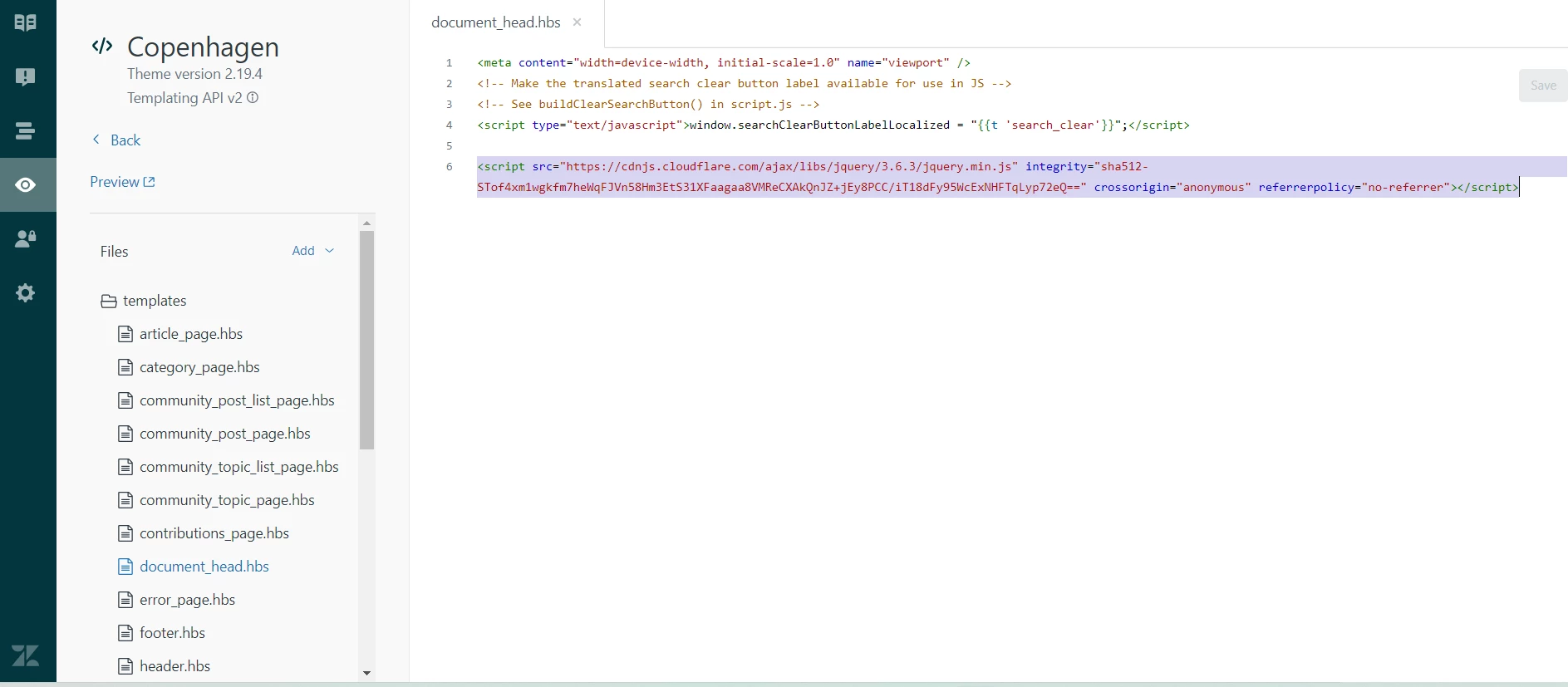
document_head.hbs fie:

<script src="https://cdnjs.cloudflare.com/ajax/libs/jquery/3.6.3/jquery.min.js" integrity="sha512-STof4xm1wgkfm7heWqFJVn58Hm3EtS31XFaagaa8VMReCXAkQnJZ+jEy8PCC/iT18dFy95WcExNHFTqLyp72eQ==" crossorigin="anonymous" referrerpolicy="no-referrer"></script>

Try this and let me know if it works for you :)


Or your query is different from my solution then share screenshot to make me understand.

Thanks


Jahn11
  • January 23, 2023

Hello Ifra Saqlain - thanks for your response.

Question though, I am not a developer but can follow this but really not sure where to insert those code/s. Is it from the very top or to the bottom? 


  • January 23, 2023

@jahn11

Just to say, this code works but it wont hide the forms from the non authenticated users which is a pain. So its only going to hide it from users who are signed in, it defeats the purpose as most users come to my Zendesk page not signed in and then see the form I wanted to hide, after they sign in its disappears which causes confusion. 

It would be great if I could hide the form from appearing on the homepage from non-authenticated users. 


Jahn11
  • January 23, 2023

Hi Paul H - thanks for noting this one. So technically this is visible to non-authenticated users.

Oh geez, that's not good if that's the case.


Ifra
  • January 23, 2023

Add CDN to ducument_head.js - 


Add script code to scr.js file at the bottom area - 


  • January 23, 2023

@ifra

Hi Ifra, 

Sorry im only coming back to you now, I tried that code you posted on December 9th 2022 but it didn't work for me. I wonder is there any other way around this. 

  •  

Ifra
  • January 23, 2023

Hey Jahn and Paul, your answer is here:


$(document).ready(function () {

//Code for some specific ticket forms -- Start

var tagsToRemove = ['000000000', '111111111'];  //special form ID

function removeTagsWeDontWant() {
$('.nesty-panel').on('DOMNodeInserted', function(e){
for(var i in tagsToRemove) {
$('li#' + tagsToRemove[i]).remove();
}
});
};

if (HelpCenter.user.role=="anonymous" | HelpCenter.user.role=="end_user") {
removeTagsWeDontWant();
}

// End

});


Try this and let me know.


Jahn11
  • January 23, 2023

Hi Ifra Saqlain, tried and did the above you have provided and "saved" then "preview" but apparently it's not working for some reason.

Those selection from the Ticket Type below are not hidden. It's still reflecting as a selection in here. 

I am changing the below to the tags which corresponds the dropdown values right?

['000000000', '111111111']


Ifra
  • January 23, 2023

O God! 

Jahn you need to add Form IDs here not Form Name.

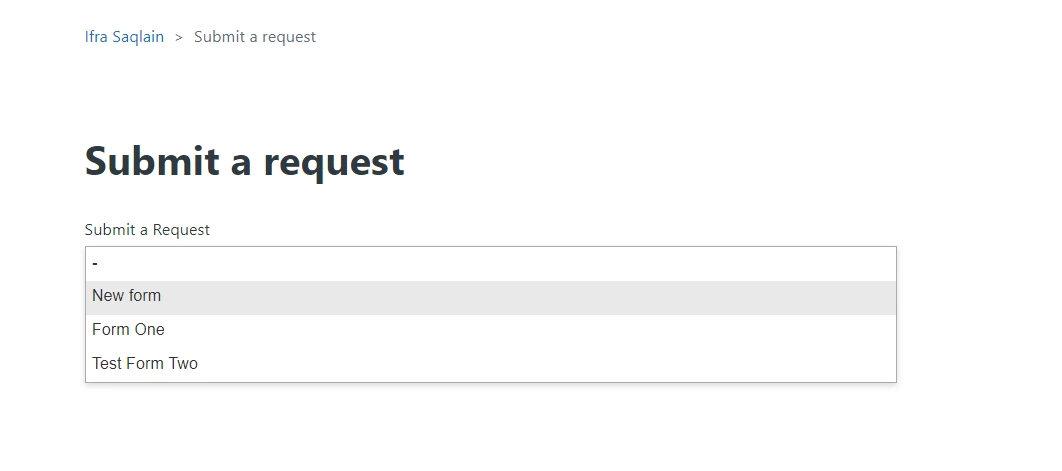
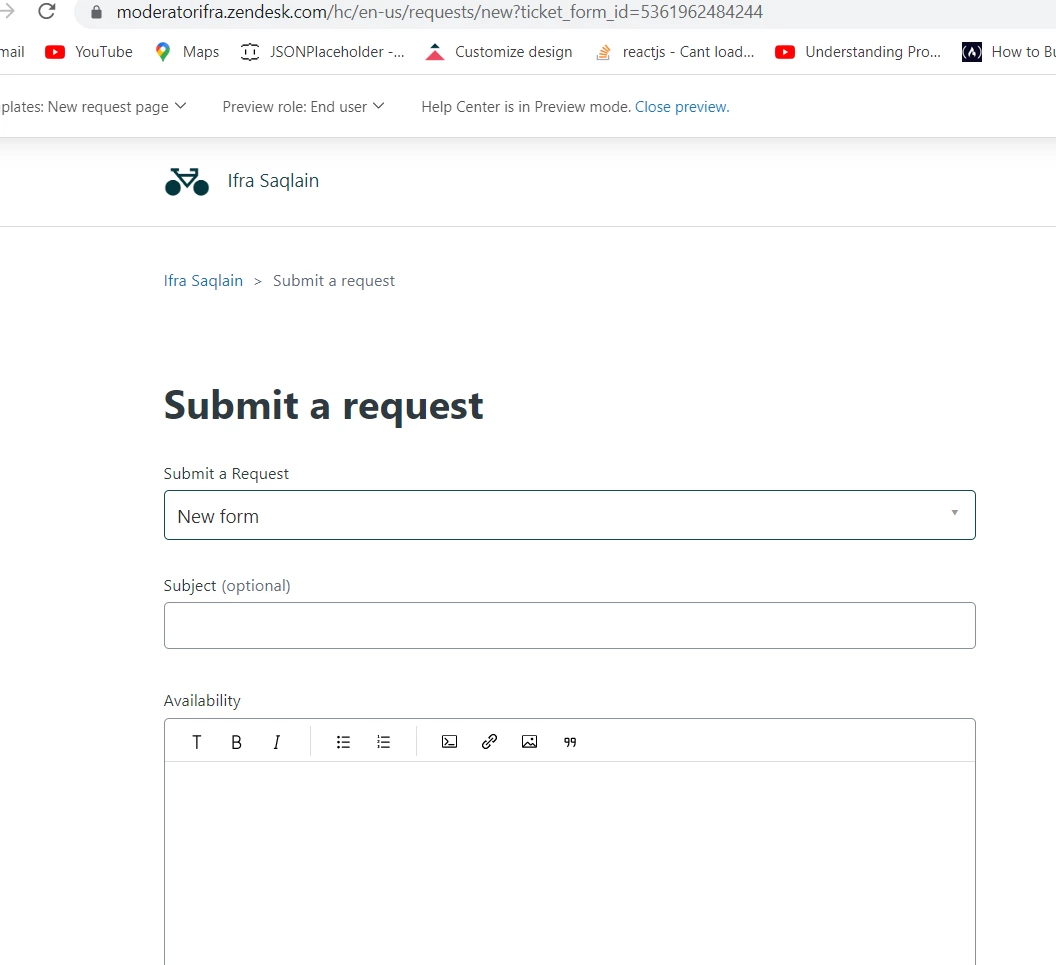
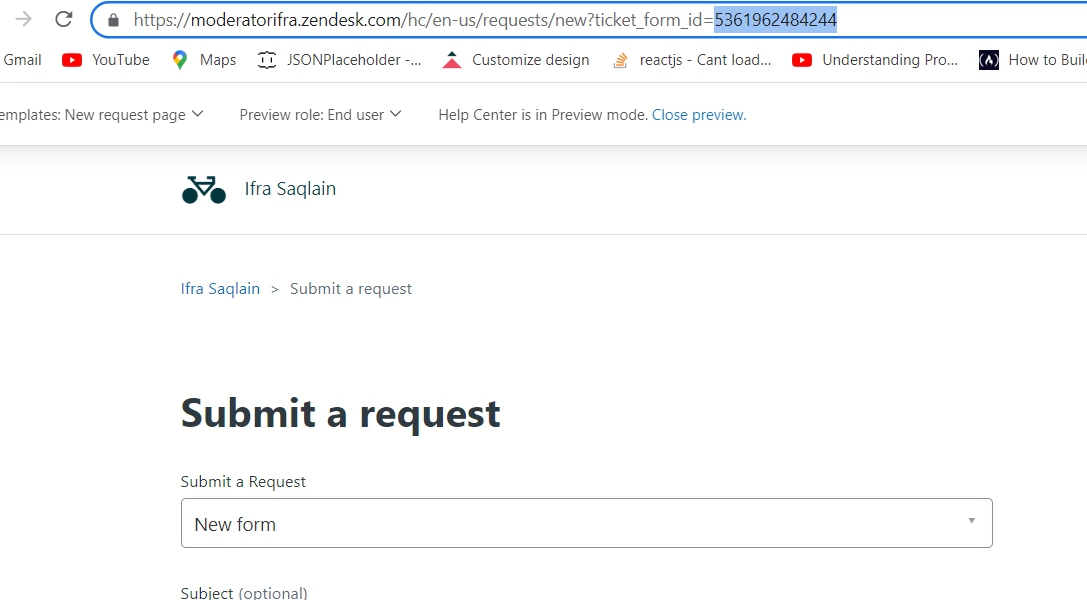
i). Select your form which is in the dropdown which you want to hide.


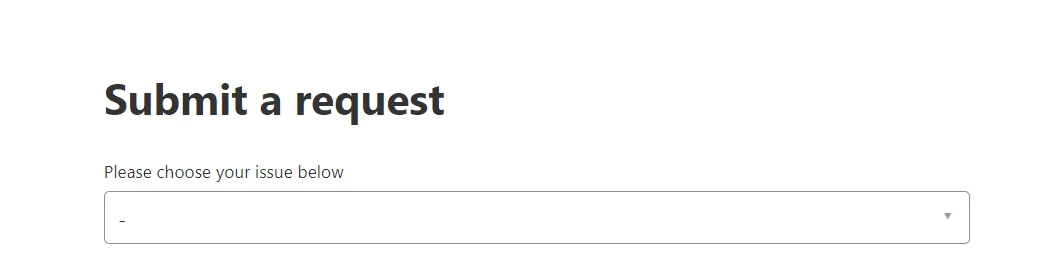
ii). You will reach to that form and get the form id in the searchbar as I want to hide New Form so I select New Form in the dropdown and I'll get the id of New Form in the search-bar 53619...4244.


iii). Copy that ID, I copied my New Form ticket ID in searchbar.


and add to your script code instead of name.


Jahn11
  • January 23, 2023

Apologies Ifra Saqlain as again I am no developer and I am really not into coding but trying me best here to follow the instruction. 

If I use the field ID then the entire field will be hidden in which we can't since it's where the customer select their concern.

I was able to make it work (hide) using the tags and not the form ID :). I am not hiding the whole form or ID but rather just a value from the ticket type field. 

Thank you anyways for your help! 


Ifra
  • January 23, 2023

The above code is only hiding your value from the dropdown field for end-users and anonymous users. Not completely hiding.


You want to hide your form name in the dropdown so that code will hide only.


Jahn11
  • January 23, 2023

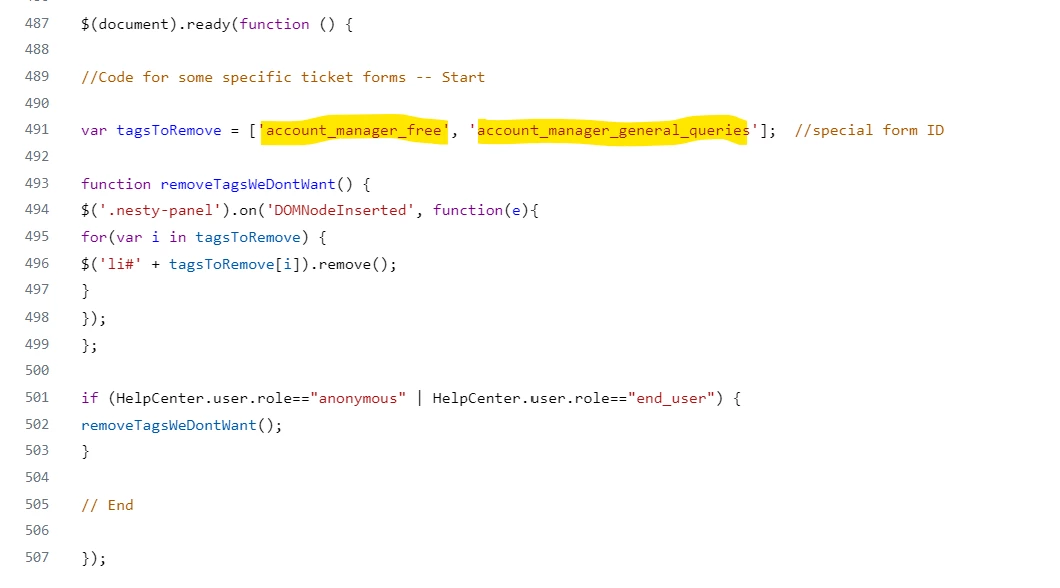
The below tags actually works. I am not just using the correct tags/values earlier hence it's not hiding
Again, thank you for your help


Ifra
  • January 23, 2023

Hi Paul, The code is for non-authenticated person-


$(document).ready(function () {
//Code for some specific ticket forms -- Start

var tagsToRemove = ['5361962484244'];  //special form ID

function removeTagsWeDontWant() {
$('.nesty-panel').on('DOMNodeInserted', function(e){
for(var i in tagsToRemove) {
$('li#' + tagsToRemove[i]).remove();
}
});
};

if (HelpCenter.user.role=="anonymous") {
removeTagsWeDontWant();
}
// End

});


You can try this and let me know.

Thanks


Jahn11
  • January 23, 2023

All good now for me Ifra Saqlain. It's working even I am using tags which corresponds the value from the ticket type selection field. 

Values we want to hide are now hidden for the end user and anonymous users. 


Ifra
  • January 23, 2023

Happy to help :)


  • January 23, 2023

Hi @ifra

Thanks that is working for the Nesty Panel, im still stuck on hiding it from anonymous users on the homepage also, 

I never did find the organization name, is there a way to hide it from the homepage also using the same method as the nesty panels?

//This code currently blocks non-xxx users from submitting tickets

if (HelpCenter.user.organizations[0].name !== "ORGANIZATION_NAME"){

  // Hide the graduation form from Homepage    
    
if (window.location.href.indexOf("?ticket_form_id") > -1) {
      console.log("yes!");
    } else {
      var _x = $(".list-group > a[href*='5550538483484']").remove();
    }

Ifra
  • January 23, 2023

Paul, remove the old snippet which I have provided to you before and add this new, here forms are hiding from end_users (non-authenticated users ) only on homepage and dropdown on new-request-page.

$(document).ready(function () {

if (HelpCenter.user.role=="anonymous") {
// Hide the graduation form from Homepage    
    
if (window.location.href.indexOf("?ticket_form_id") > -1) {
      console.log("yes!");
    } else {
      var _x = $(".list-group > a[href*='5550538483484']").remove();
    }
}


//Code for some specific ticket forms -- Start

var tagsToRemove = ['5550538483484'];  //special form ID

function removeTagsWeDontWant() {
$('.nesty-panel').on('DOMNodeInserted', function(e){
for(var i in tagsToRemove) {
$('li#' + tagsToRemove[i]).remove();
}
});
};

if (HelpCenter.user.role=="anonymous") {
removeTagsWeDontWant();
}
// End

});

  • January 23, 2023

Hi @ifra,

Thanks again as usual your code works brilliantly, I managed to get that working and can now hide it from non authenticated users from the homepage and the nesty-panel.

One thing that is confusing me, I have all my end users, and I have tags for two groups, Staff and Students, if I add hide for end users this means no one from either of those tagged groups will see it as they are end users.

Is there a way to hide stuff from Tagged accounts? Or a way for me to actually make user roles that would then be linked to a tag? 

I want to be able to hide something from a non authenticated user and a tagged group.