Hiding a Form From All Users Except Member of an Organization | Community
Skip to main content

Hiding a Form From All Users Except Member of an Organization

  • May 2, 2022
  • 48 replies
  • 0 views

Show first post

48 replies

marada
  • Author
  • May 13, 2022

The missing () at the end of the else hide function was it. Everything is working as expected now. Thank you very much for your help!

Kay, I am going to make another template copy and try your code as well. Then I'll leave it up to those with a higher pay grade to decide which one we go with.

Thank you both very much!


  • May 20, 2022

Hi I am completely lost here. I have the following code, trying to hide it from all users not a part of the org but it doesn't seem to work when I use the preview function. Can someone help point out what I'm doing wrong here? read through a lot of different help topics but still can't get it to work. I even have the code at the top of my script.js file. 


// Restrict Coach only forms
document.addEventListener('DOMContentLoaded',function(){
 var i = 0;
     var checkExist = setInterval(function() {
     i++;
     if ($("a.nesty-input").length){
     clearInterval(checkExist);
     $("a.nesty-input").each(function() {
     $(this).bind( "click", function() {
     for (var c in HelpCenter.user.organizations) {
     if (HelpCenter.user.organizations[c].name.substring(0,8) === "Sounding Board Labs, Inc."){
     $("#5580887005723").show();
     } 

else {

$("#5580887005723").hide();

}
     
     //reserve space for additional organizations 
     }
     
     });
     });
     }
     if (i > 10){
     clearInterval(checkExist);
     }
     }, 100);


marada
  • Author
  • May 20, 2022

That code block is JQuerry. Which means you will need to include the JQuerry import in the Default_Head.hbs file and the tag in the script.cc file (they're in this post). Or you can try Kay's code which is standard JScript and does not require the additional code blocks.


  • May 20, 2022

@marada thanks very much! wasn't sure what to do with that but I'll follow your lead. I tried what Kay posted but using the preview that didn't seem to work. 


John87
  • May 27, 2022

I am also trying to do this in v2 of the API - below is the code I added - I tried both remove and hide and nothing worked - any help would be greatly appreciated

var i = 0;
 var checkExist = setInterval(function() {
 i++;
 if ($("a.nesty-input").length){
 clearInterval(checkExist);
 $("a.nesty-input").each(function() {
 $(this).bind( "click", function() {
 for (var c in HelpCenter.user.organizations) {
 if (HelpCenter.user.organizations[c].tags.includes("YES"){
 $("#1900000890833").remove();
 } 
 
 //reserve space for additional organizations 
 }
 
 });
 });
 }
 if (i > 10){
 clearInterval(checkExist);
 }
 }, 100);
});


  • May 30, 2022

@john87

Have you inserted the script in your document.head ?

also


John87
  • May 31, 2022

Thanks I will give this a try later today


  • July 23, 2022

Hi I'm confused. This isn't working for me either and @kay11's explanation is not clear for me. Where do we put Kay's code?


I used @ruddy code. This is what I have now. Can someone help?? :( 

This is the current version I'm on.


For each section (in BOLD) I put the following:

SCRIPT.JS section

  //Hide Form
  var i = 0;
     var checkExist = setInterval(function() {
     i++;
     if ($("a.nesty-input").length){
     clearInterval(checkExist);
     $("a.nesty-input").each(function() {
     $(this).bind( "click", function() {
     for (var c in HelpCenter.user.organizations) {
     if (HelpCenter.user.organizations[c].name ==="Main Company"){
     $("#7286425102107").show();
     } 

else {

$("#7286425102107").hide();

}
     
     //reserve space for additional organizations 
     }
     
     });
     });
     }
     if (i > 10){
     clearInterval(checkExist);
     }
     }, 100);


DOCUMENT_HEAD.HBS Section

<script src="https://code.jquery.com/jquery-3.6.0.slim.min.js" integrity="sha256-u7e5khyithlIdTpu22PHhENmPcRdFiHRjhAuHcs05RI=" crossorigin="anonymous"></script>


STYLE.CSS section

@keyframs animSlideTop {
  0% { -webkit-transform:translate3d(0,-100%,0); transform: translate3d(0,-100%,0); }
  100% { -webkit-transform:translate3d(0,0,0); transform: translate3d(0,0,0); }


#7286425102107{
      display: none;


Is @keyframes supposed to be in the Style.css? I tried it both ways, with and without. Either way the form still shows for people outside of the organization "Main Company".


Brittany16
  • February 16, 2023

So I've implemented this and it works great for signed-in users. With that said, if the user is not signed in - the form isn't hidden. Any answers on how I can prevent anonymous users from seeing the particular form too?


marada
  • Author
  • February 17, 2023

We just don't allow user that are not signed in to submit tickets. Do you need users that are not logged in to be able to submit tickets?


marada
  • Author
  • February 17, 2023

I never told you to do anything. I told you what we are doing, and I asked if there was a reason that you needed anonymous users to submit a ticket.

So, I'm not really sure what you mean by "You're incorrect...". There isn't anything to be correct or incorrect about in my reply.


Léa-Jeanne

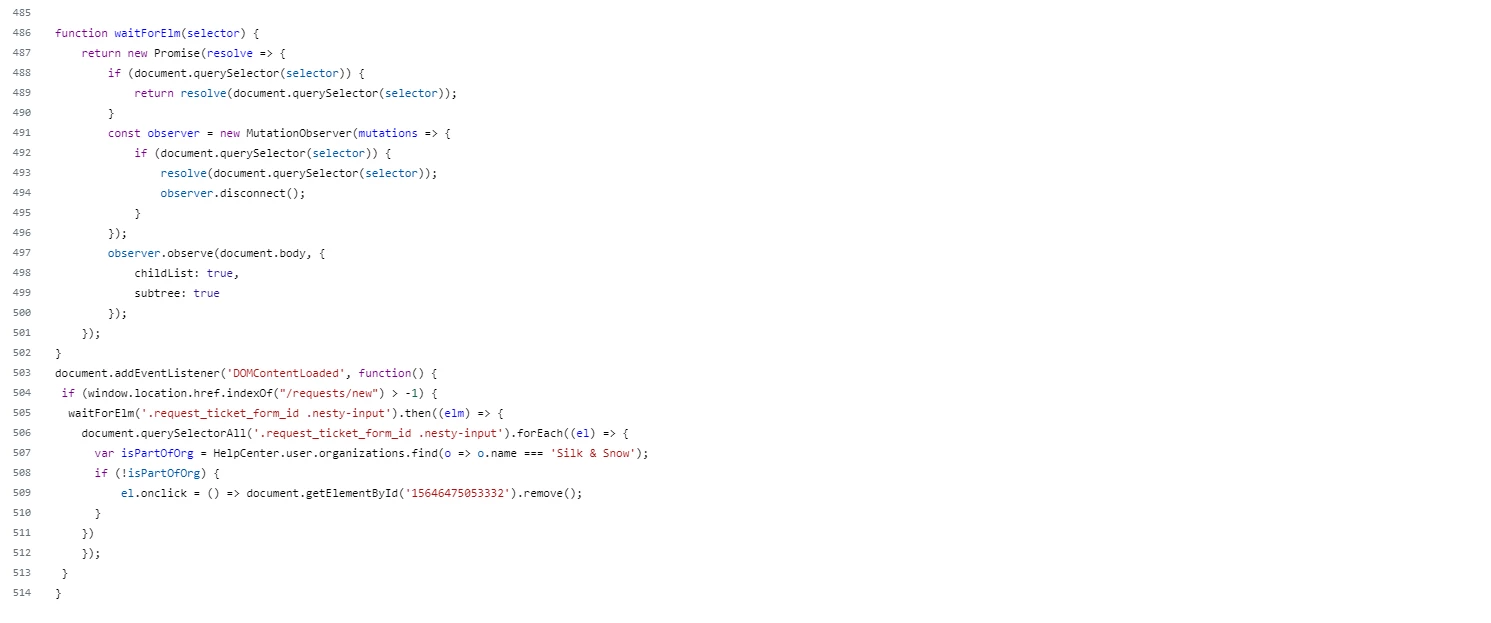
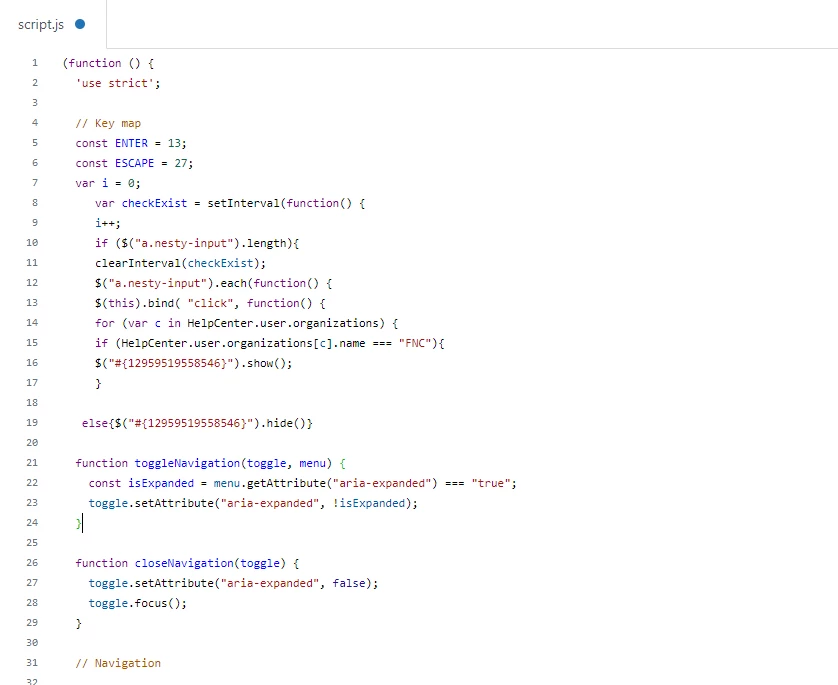
Hey - I've tried the code shared by @kay11 but the form still appears for anonymous and end-users. I have copied it at the bottom of script.js like this filling our organization name and Form ID  - Any help would be appreciated


marada
  • Author
  • August 7, 2023

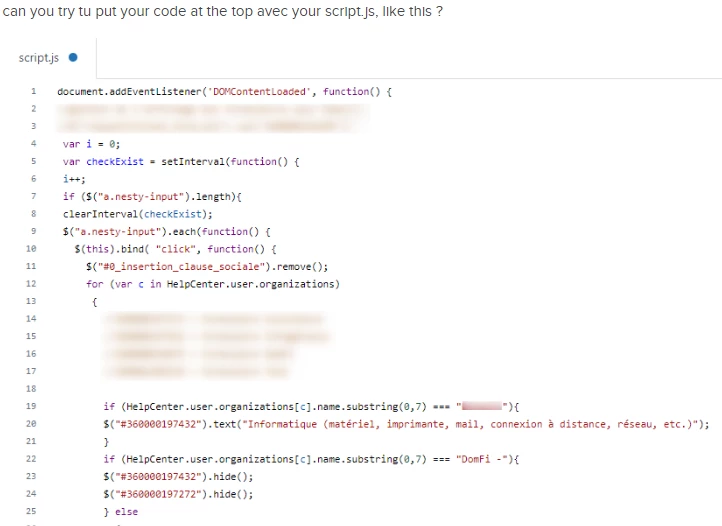
Hi Lea. The image of your code is pretty small, so I can't really read it (old eyes). But I can tell you that the solution we got to work was using the code below at the top of the scripts.js file. Just after the section establishing the "var" set.

Try moving your code to the top of the script and see what happens. Also, if you post your code as a code block. The community can take a look at it, and give you feedback if there's an issue there.

var i = 0;
     var checkExist = setInterval(function() {
     i++;
     if ($("a.nesty-input").length){
     clearInterval(checkExist);
     $("a.nesty-input").each(function() {
     $(this).bind( "click", function() {
     for (var c in HelpCenter.user.organizations) {
     if (HelpCenter.user.organizations[c].name === "Managers"){
   $("#{FORMID}").show();
     }
    
 else{$("#{FORMID}").hide()}

  • August 10, 2023

Hello there,

So i've tried @kay11 code but when I paste it on the script.js, both my forms are still shown, and the dropdown menu when clicking the name on the top right of the page doesn't work anymore.

Any help is very appreciated.. :D 

What I have pasted here below.

FNC is one organization that I want members not to be able to see form ID 12017343045010

// function that waits for the element to be added to the DOM.
function waitForElm(selector) {
    return new Promise(resolve => {
        if (document.querySelector(selector)) {
            return resolve(document.querySelector(selector));
        }

        const observer = new MutationObserver(mutations => {
            if (document.querySelector(selector)) {
                resolve(document.querySelector(selector));
                observer.disconnect();
            }
        });

        observer.observe(document.body, {
            childList: true,
            subtree: true
        });
    });
}

// native JS way of waiting for the DOM to be ready
document.addEventListener('DOMContentLoaded', function() {
  // Only run this code on the new requests pages
 if (window.location.href.indexOf("/requests/new") > -1) {
   
  // now let's actually wait for the element to be added to the DOM
  waitForElm('.request_ticket_form_id .nesty-input').then((elm) => {
    // the elements are now added so we can start binding the deletion whenever the click happens
    document.querySelectorAll('.request_ticket_form_id .nesty-input').forEach((el) => {
      // now we can bind whenever someone clicks on the form input, to delete one of the forms
      // but only do this when the user is not part of organization
      // in this example the next line checks for the organization with name: Managers
      var isPartOfOrg = HelpCenter.user.organizations.find(o => o.name === 'FNC');
      if (!isPartOfOrg) {
          // replace the ID here with your Form ID
          el.onclick = () => document.getElementById('12017343045010').remove();
      }
    })
    });
 }
}


marada
  • Author
  • August 10, 2023

Hi Max,

I know that Sparkly insists that their code is working on multiple platforms. But no one on this thread seems to be able to make it work.

What I did finally get to work is the code you see below, inserted at the top of the script.js file. You can find the code block of it in this thread just above your post.


  • August 11, 2023

Hello @marada thank you for your reply

I got the code, although it's still not working for me. The dropdown menu when you click the name on the top-right not working anymore, and still showing both forms to end user.

I'm on APi v3, does that change something ?

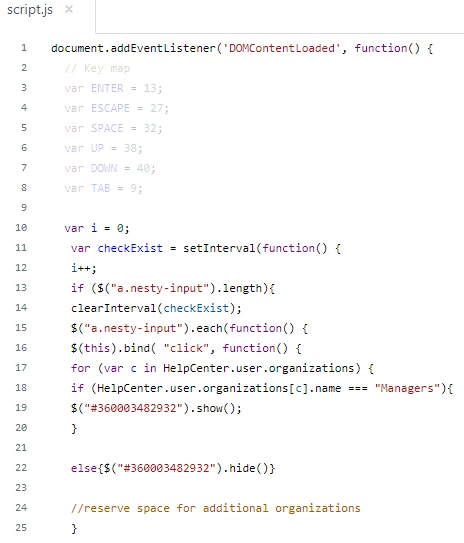
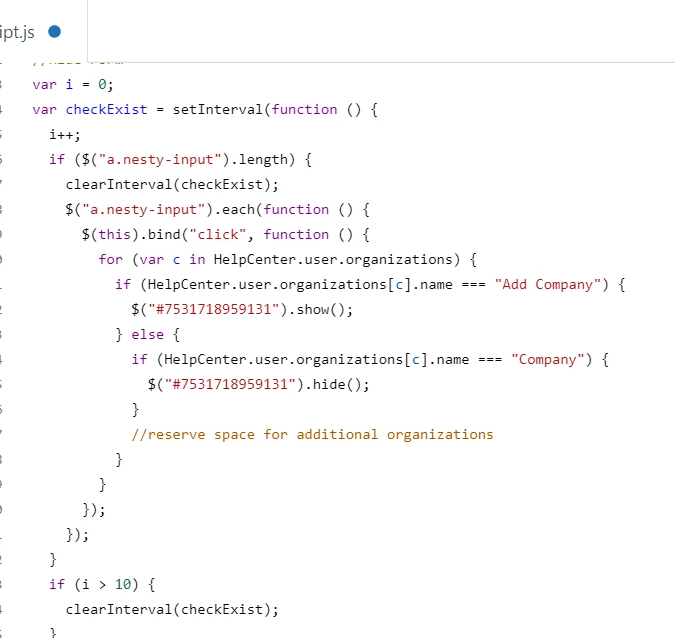
Here is what I have :

Thank you for your help anyway


marada
  • Author
  • August 11, 2023

Unfortunately, I am not really that good with JScript. I mostly cobbled this together from bits and pieces I found around the web with a few tips from users on this form.

But I do see one difference between the two code sets that might be the culprit. I can't say for sure because I'm still very much a cargo-cult coder.

I noticed that the form ID in the code we are running does not include the curly brackets that your code does.

So, in our code a line containing the ID looks like this;

else{$("#360003482932").hide()}

Whereas in your code the same line looks like this;

else{$("#{360003482932}").hide()}

I don't know enough to say that it's wrong. It's just the only difference I've been able to spot between the two sets so far.


Edit - I just asked ChatGPT (it's my coding buddy) and it said the following.

"This code includes a syntax error. The expression "#{360003482932}" inside the selector doesn't make sense in this context, as the # symbol is used to reference an id in a jQuery selector, and the braces ({}) and the numeric value inside them do not form a valid id or expression in this context."


  • August 18, 2023

Hello there,

So I have been able to make it work with the help of our best coding buddy, chatGPT. I am sharing here the way I've done it for rookies like me.

The code is based on that Zendesk article.

1- Importing jQuery library

Copy/paste the following script in document_heads.hbs template

<script src="https://code.jquery.com/jquery-3.6.0.min.js" integrity="sha256-/xUj+3OJU5yExlq6GSYGSHk7tPXikynS7ogEvDej/m4=" crossorigin="anonymous"></script>

2- Edit the JavaScript

Copy/paste the code in script.js

The behaviour expected on my side is described as follows, but it can work for more forms and/or more organizations.

I have 2 forms, named here formIDexternal and formIDinternal.

Some organisations defined as orgsInternal have to see one form, the formIDinternal
The rest of organizations, defined as orgsExternal has to see the other form, formIDexternal

In the variables section (var) define and list your forms and your organizations.

In my case I want Org1, Org2 and Org3 to only be able to see form id 987654321 .

Then add your if statements. It should work without any problem !

$(document).ready(function() {
   var formIDexternal = 123456789; // Change this to the form ID you wish to remove (external)
   var formIDinternal = 987654321 // Change this to the form ID you wish to remove (internal)
   var orgsInternal = ["Org1", "Org2", "Org3"]; //Type here your organizations name
   var orgsExternal = ["Org4", "Org5", "Org6"]; //Type here your organizations name
   var userOrgs = window.HelpCenter.user.organizations;
   var userOrgNames = userOrgs.map(org => org.name);

if (userOrgNames.some(orgName => orgsInternal.includes(orgName))) {

      // If the user belongs to one of the organization Internal specified, remove the form option from the dropdown
      $('#request_issue_type_select option[value="' + formIDexternal + '"]').remove();
      $('.nesty-panel').on('DOMNodeInserted', function(e) {
        $(this).children('ul').children().remove('#' + formIDexternal);
      });
    }
  
if (userOrgNames.some(orgName => orgsExternal.includes(orgName))) {
      // If the user belongs to one of the organization External specified, remove the form option from the dropdown
      $('#request_issue_type_select option[value="' + formIDinternal + '"]').remove();
      $('.nesty-panel').on('DOMNodeInserted', function(e) {
        $(this).children('ul').children().remove('#' + formIDinternal);
      });
    }
  });


  • January 30, 2024

hi @ruddy & @kay11,


I know this thread is old but wondering if you guys would be able to assist me with this code. I'm looking to hide my form from everyone in an org except for a group and a couple select people. I added these individuals to their own "Organization" but technically they are both in this newly formed group and the excluded group. I need to keep them in the excluded group as that contains our company as a whole and drives our company only portal. Is there a way to do this? Thanks!


Brandon12
  • January 31, 2024

Hey @noelle -

You could try reversing your conditional logic.  In other words

if Org B - Hide
Else
     if Org A - Show

I haven't tested this, but Boolean logic says if they are in Org B, the form will be hidden and the else statement won't fire, thus suppressing for everyone who is cross-pollinated.  For members who are only in Org A, the If statement will fail and show the form.  Let me know if that works!

Brandon


  • February 29, 2024

@brandon12 Hello!


I tried this and it didn't work when I was assuming their identity to test it. This is a bummer because I need this form available in the company portal but only visible to a select few. :(


Brandon12
  • February 29, 2024

Hey @noelle -

“If Plan A doesn't work, the alphabet has 25 more letters.” -Claire Cook

What about hiding the form all together and then direct linking the select few somewhere else?

https://support.zendesk.com/hc/en-us/community/posts/4409217680410-Hiding-a-ticket-form-on-the-submit-a-request-page

Brandon


  • February 26, 2025

With the release of Templating v4, the above code (including Kay's solution above) no longer works.


What needs to be modified in order to bring up to compatibility with the new API? Looks like the {{new_request_form}} object is key here.