Hide post follow button only for one topic | Community
Skip to main content

Hide post follow button only for one topic

  • July 25, 2021
  • 6 replies
  • 0 views

Hi all


How can I hide the post follow button depends on specific topic- I have two topics, I want to hide only from those posts which belongs to first topic. can someone know How can this get ? 

I know this is the follow button


{{subscribe}}


Advance Thanks

6 replies

Ifra
  • July 25, 2021

Hi Kajal Chauhan,

Follow the steps below:

1). Go to the Admin Guide and navigate the community_post_page.hbs.
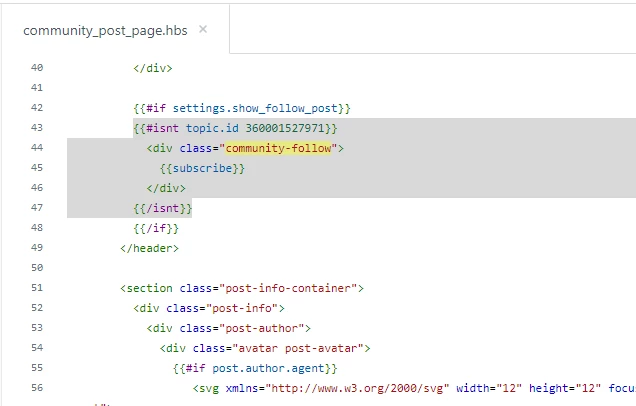
2). Check the topic ID for the {{subscribe}} helper:

{{#isnt topic.id 000000000000}} // 0000000 is topic ID which you need to replace with your topic ID. 
<div class="community-follow">
{{subscribe}}
</div>
{{/isnt}}


Screenshot for the same


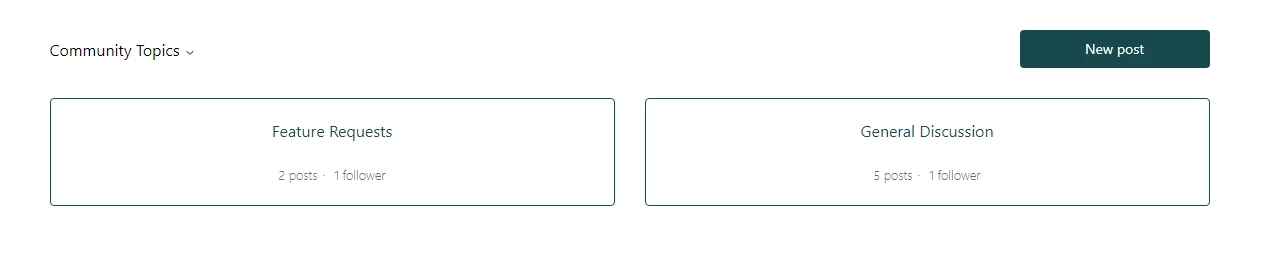
3). Go to the community topic list page on preview mode and click the first topic for those posts you wanna hide on.

4). You will reach the topic page.
5). You will get the topic ID in the searchbar:


6). Copy the topic ID and replce the ID with 000000000 in the given code.

7). Now test on preview mode.


Related Posts:

https://support.zendesk.com/hc/en-us/community/posts/360049885514-Hiding-the-New-Post-button-on-a-particular-Topic


https://support.zendesk.com/hc/en-us/community/posts/360044043493-Send-every-new-community-post-to-a-specific-topic-and-remove-the-new-post-topic-drop-down-menu-


Thanks


  • Author
  • July 26, 2021

Thank you , It worked


Fiorella
  • May 22, 2023

Hi all


How can I change the  follow button ?


Best regards,


Fiorella Alvarez


Ifra
  • May 22, 2023

Hi Fiorella Jiménez, for which template, you wanna change follow button?


There is {{subscribe}} helper you can check in the templates (.hbs) files:

article_page.hbs

section_page.hbs

community_post_page.hbs

community_topic_page.hbs


Fiorella
  • May 22, 2023

Hi Ifra,

For:

article_page.hbs and section_page.hbs


Ifra
  • May 22, 2023

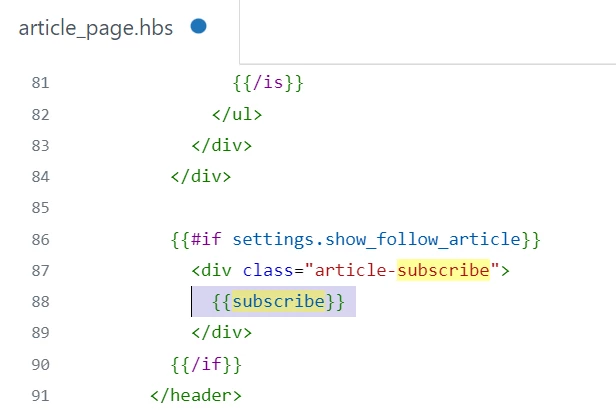
Go to the article_page.hbs file, find   {{subscribe}}, you can add your custom button, you can remove it or do which you want.

Screenshot for the same:


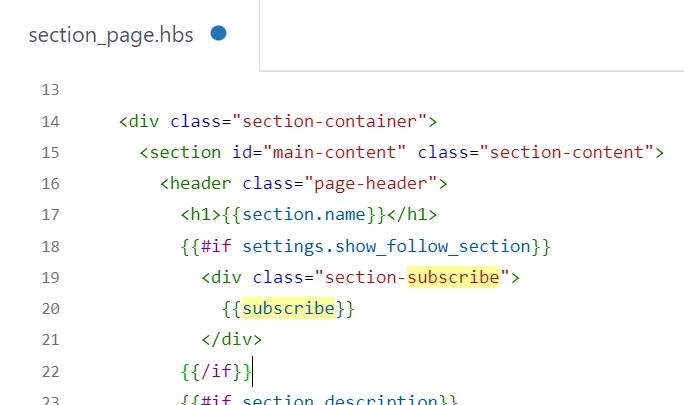
Now go to the section_page.hbs file, find {{subscribe}}, you can add your custom button, you can remove it or do which you want.

Screenshot for the same:


Your query is: How can I change the  follow button ?

Tell me what do you wanna do?


Thanks