
Can someone point me in the right direction for my specific use cases below?
I want to hide the Submit a Request link from users that are not tagged as our application administrators. We will denote this in a tag on their user profile, and/or in a Segment.
I have two locations to Submit a Request in our Guide theme, and I need to hide both of them:
- A link in the header.hbs template called "Submit a Request". Relevant code below.
<div class="nav-wrapper-desktop">
<nav class="user-nav" id="user-nav">
<ul class="user-nav-list">
<a href="https://DOMAIN.zendesk.com/hc/en-us/requests/new?ticket_form_id=17736281711383">Submit a Request</a>
<a href="https://DOMAIN.zendesk.com/hc/en-us/requests?">View Existing Requests</a>
- A button on the home_page/hbs template that direct them to the for form page (same hyperlink as above). Relevant code below.
<section class="categories blocks">
<ul class="blocks-list">
<li class="blocks-item">
<a href='https://DOMAIN.zendesk.com/hc/en-us/requests/new?ticket_form_id=15128280641559' class="blocks-item-link"
<h4 class="blocks-item-title">Submit a Request to Support</h4>
<span class="blocks-item-description">Contact our support team by submitting a ticket through this form</span>
</a>
</li>
How do I selectively restrict the content above based on the user tag or segment? Thank you.
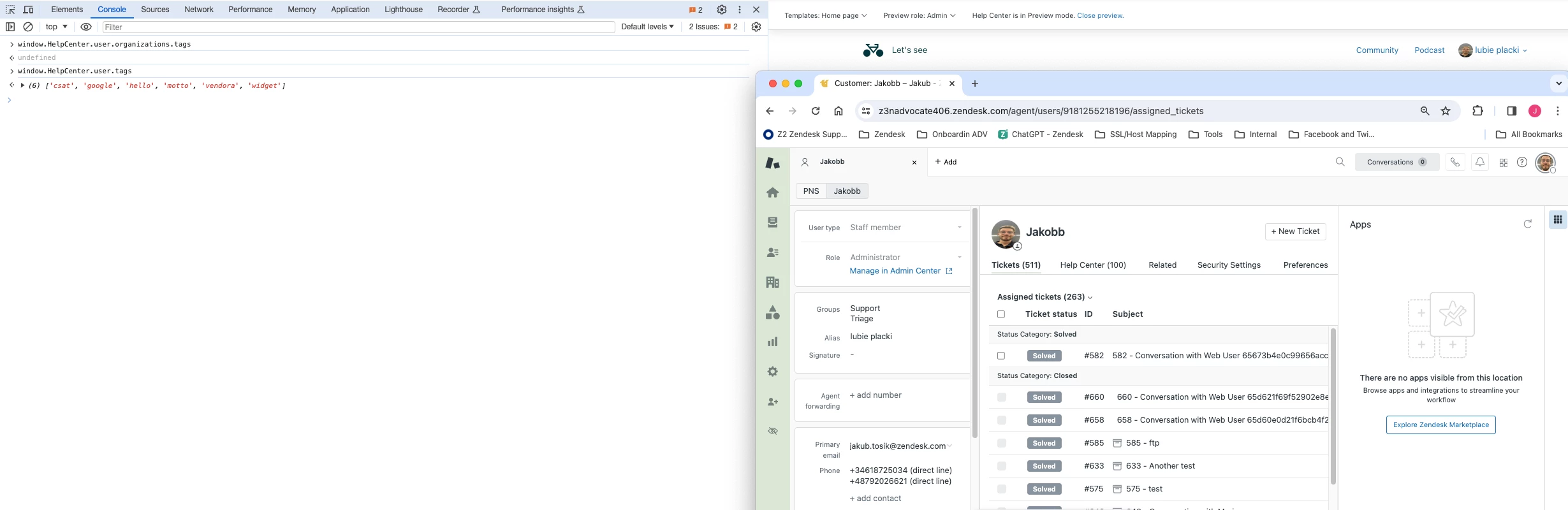

Thanks for sharing your feedback! I’m glad to hear Jakub’s solution saved you time, especially with identifying that the tag needed to be added to the organization as well as the user.
You’re right about the use of the window object—it can cause those hidden options to flash briefly on page refresh, which isn’t ideal for the end user experience. To improve this, you might consider adding additional CSS to initially hide those options or using a script that runs earlier to minimize the flicker. Alternatively, loading and manipulating the data asynchronously could help avoid exposing those elements temporarily.