

Hi Community,
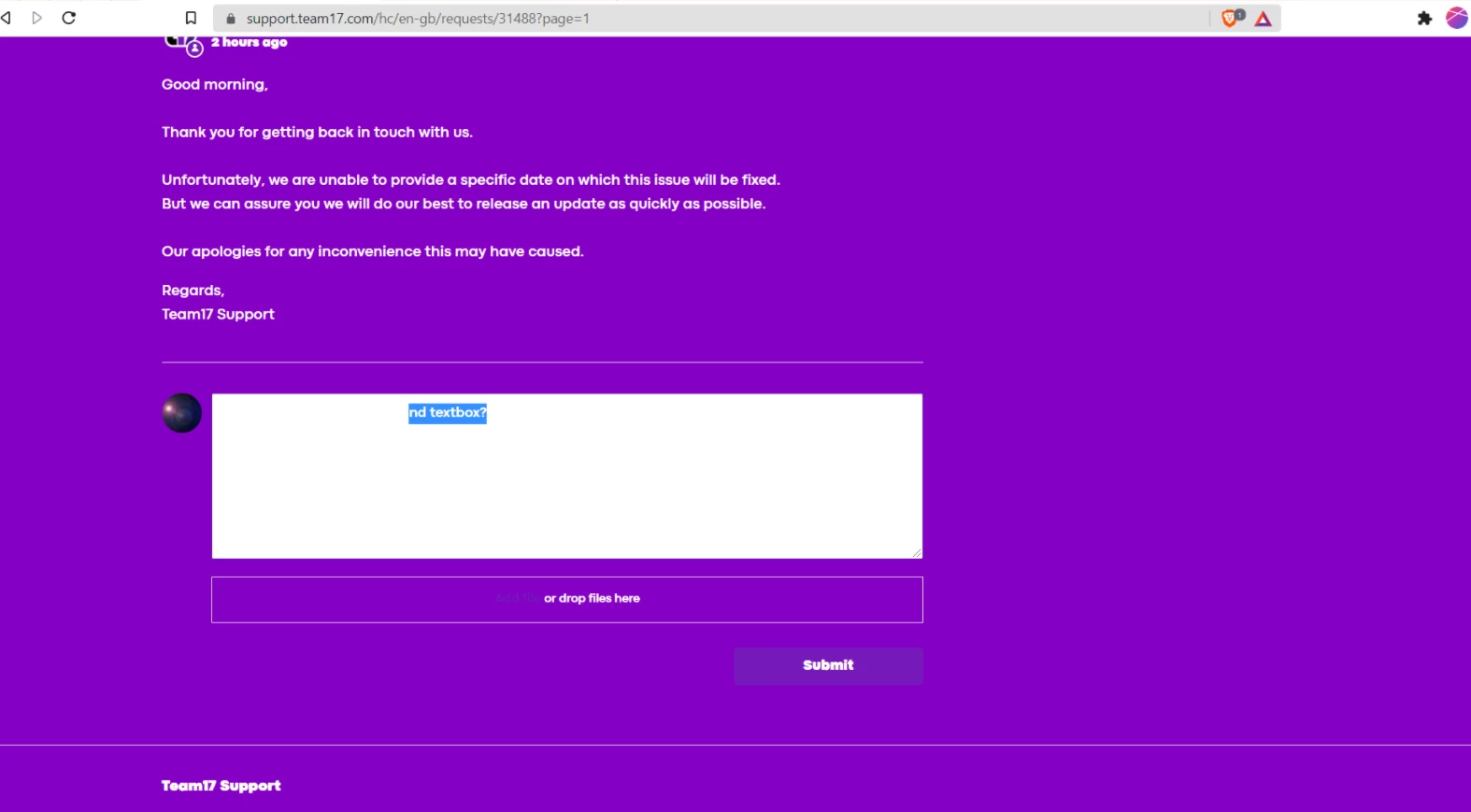
We seem to be having an issue when users are logged into Zendesk and are trying to respond to a message they cannot see what they're typing as the font is the same color as the text box. This also seems to be an issue on the 'Or drop files here' button where the first portion of the text cannot be seen. I've attached a screenshot of this issue below.
I'm not the most proficient in CSS unfortunately, so I'm not too sure what I'm looking for when I go in to try and edit the code. So if it does need to be edited, simple instructions would be preferable :)
Thank you!

Do you have a custom coded theme? if yes, you may need to edit the theme code under New request page (new_request_page.hbs): the request or ticket submission form. If you have the default theme, you can simply choose the color from the options in Guide Admin>Customize Design>Edit Theme.