Editing a form's URL | Community
Skip to main content

Editing a form's URL

  • May 11, 2023
  • 11 replies
  • 0 views

How can I edit the URL of one of my forms? It would be nice to edit the whole URL, but ultimately I just need to add a word to the end of the URL.

Current:  https://___.zendesk.com/hc/en-us/requests/new?ticket_form_id=#######

Needed:  https://___.zendesk.com/hc/en-us/requests/new?ticket_form_id=#######_newword

11 replies

Ifra
  • May 11, 2023

Hi Amy :)

Add this code at the bottom of script.js file:

  document.querySelector("option[data-url='https://xyz.zendesk.com/hc/en-us/requests/new?ticket_form_id=#######']").setAttribute("data-url", "google.com");


Note: Remove google.com

from the code 

setAttribute("data-url", "google.com");

and add your URL which you want like this

https://xyz.zendesk.com/hc/en-us/requests/new?ticket_form_id=#######__newword


Remove this URL 

https://xyz.zendesk.com/hc/en-us/requests/new?ticket_form_id=#######

From the code 

("option[data-url='https://xyz.zendesk.com/hc/en-us/requests/new?ticket_form_id=#######']")

and add your form URL which you wanna update


Thanks


  • Author
  • May 11, 2023

Hi Ifra,

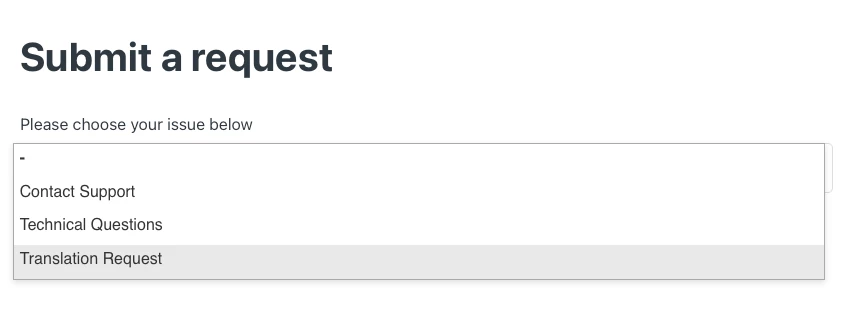
Thanks so much for the quick reply. I did this, but that URL now takes me to the "Submit a request" screen with the dropdown to select which form to fill out. Even when I click on the form with the edited URL, I am looped back to this page and cannot fill out the form. Is there a way for the URL to go directly to the form itself?


Ifra
  • May 11, 2023

I know because you can't edit the original URL which comes from backend. If you edit the original url it will create bug. You asked that's why I shared the trick.


  • Author
  • May 11, 2023

If I understand this correctly, you're saying it's possible to change the original URL with the code you initially provided, but it introduces a bug and there is no fix for the bug. So this would not be a workable solution. 


Ifra
  • May 12, 2023

@Amy Giella, actually the URLs in the helpcenter come from backend I means URLs defined by the developers, On my behalf you can't change the default URLs.


Sebastian21

@amy25 hello, 
I have had the same need this week to modify the URL for UX issues, I did it with the following script:

  (function cambiarUrl() {
    if(document.URL.indexOf("#########") != -1) {  //modify the ID of your form #####.
        const state = { 'user': 'guest' }
        const title = ''
        const url = 'https://xyz.zendesk.com/hc/en-us/requests/new?ticket_form_id=#######__newword' // write here the url that you want to be seen.
         
        history.replaceState(state, title, url);
        }
            
})
 
();  

Since we are modifying the user's browsing history, you must take into account that this is not an existing URL, so if the user tries to search for it directly, he will get an error not found, so I suggest you handle this error.

I hope my idea helps you.


  • Author
  • May 18, 2023

Thanks so much, Sebastian! This got us a step closer to where we need to be.


Ifra
  • May 25, 2023

Thanks for sharing the trick @Sebastian :)


Sheena11
  • August 12, 2025

Is there a way we can remove the help center part in the form link and only keep the link crisp .
Where end users just open the form page and enter the details 

https://agencyreferralzendeskcom.zendesk.com/hc/en-us/requests/new Removing the brand part in the URL and having the new requests 


Sheena11
  • August 12, 2025

Instead of xyz can we add the subdomain of our zendesk


Elaine14
  • October 11, 2025
Hi Sheena,
 
Thank you for your questions!
 
Regarding your first point, yes, you can definitely use your Zendesk subdomain in URLs or configurations instead of generic placeholders like "xyz." This helps customize links and access specific parts of your Zendesk.
 
As for your second question about removing the "help center" part from the URL, the URL structure you shared (which includes "/hc/en-us/requests/new") is standard for Zendesk Guide request forms. Unfortunately, the "help center" portion is part of the default URL path and cannot be removed or shortened without custom development or proxying.
 
If you're looking for a cleaner or branded experience, you might consider:
 
  • Using custom web pages with embedded Zendesk Web Widget or Contact Forms.
  • Leveraging a URL shortener to create a simplified link.
  • Creating redirects from your own domain to the Zendesk form URL.
 
I hope that helps!