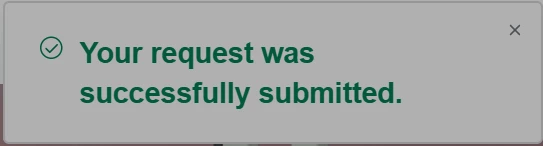
Edit "Your request was successfully submitted" confirmation | Community
Skip to main content

Edit "Your request was successfully submitted" confirmation

  • April 30, 2018
  • 45 replies
  • 0 views

Show first post

45 replies

  • January 3, 2019

Hi Justin!

The confirmation page template isn't available for editing in the Guide editor, but it might be possible to do with Javascript...I'll check with the Community moderators to see if they have any ideas.


Vladan
  • January 3, 2019

Hey Justin, yes that should be doable but some JS coding is needed.

One way how that can be achieved:

- if URL contains XZY - XYZ is the form ID

- then set local storage eg form = XYZ

Then, if local.storage == XYZ => do the rest what's needed - change the text.

Hope this helps. 


Danny12
  • April 1, 2019

@vladan, quick question: 

Do you know if the ".notification-text" is localized? Or does it change when the HC language is changed?  

We have a script with this logic to determine if we should show a section: 

<script>
if ($(".notification-text").length)
      if ($(".notification-text").html().indexOf("Your request was successfully submitted.") > -1) $(".new-request-sent").addClass("show");
</script>

We're noticing that this section is not appearing in our help centers when different languages are set, but only when english is set. 


Vladan
  • April 2, 2019

Hey Danny! I think it depends on language, not all langs are fully supported. 
Just tested with German, and it is translated. 
https://cl.ly/ce6d987a06aa
"Ihre Anfrage wurde erfolgreich eingereicht. "
Hope this answers to your question! 


Trapta
  • April 2, 2019

@Danny Cohen, it's probably behaving this way because you are using 'indexOf("Your request was successfully submitted.")' which will work only for English and not for other languages as the text is localized resulting, the condition fails for other languages.

Team Diziana


Danny12
  • April 2, 2019

Thanks for the help everyone! I was able to manually find all the strings in all the languages enabled using the inspect tool in Chrome. 

I was just hoping that there was a key for this phrase in the t (translation) helper for the Help Center. 


  • June 17, 2019

Hello everyone,

I would have liked to know if it was possible to add an element in the confirmation (for example a button, an img)?

Thank you for your help !


Devan
  • June 24, 2019

Hello Nicolas,

This is possible but would require custom code development on your end. This article has information on how to customize your Help Center theme: 

Customizing your Help Center Theme 

Let us know if there is anything else we can assist with and have a great day.


Sebastian13

Is it possible to show your own success page? So rerouting not to the dashboard but to a new page telling the user everything is fine?
We always had the problem that this small message on top was overseen by users. Now it's even worse. There is no message appearing at all anymore when the user is not logged in.
I checked the sourcecode and found that the code is completely missing but instead, when I am logged in I see a small popup for some seconds. In grey. Which is even worse. Many will not see it.

But the worst thing for now is that no message at all appears. Why is that? I noticed the popup code has some header:

 Greetings sourcecode lurker!

   This is for internal Zendesk and legacy usage,
   we don't support or guarantee any of these values
   so please don't build stuff on top of them.

I think this code might be the reason that users do not receive a success message and send us multiple tickets at once.

But we would like to make the success message better anyway.


  • February 10, 2020

The original fix answered for changing CSS appears to be broken as of the past few days. 

.notification-notice
selector no longer works.

Zendesk seem to have changed something with this notification for whatever reason.
(i don't know why they're made changes effecting non coppenhagen default themes but whatever)
 
suggest using this css selector instead:
div[data-test-id="notification"]


  • March 3, 2020

Hi @Jonathan Brown , Is it possible to change the text only on submission of a specific form and not for all of them? i mean can i include form id in this

<script>
if ($('span.notification-text:contains("successfully")').length > 0) {
$('span.notification-text').text("{{dc 'DC-ITEM-NAME'}}");
}
</script>

P.S the code suggested above isn't working.


  • March 23, 2020

Hi All,

Is there a way to point the user to a specific page once they've filled out the form? Since Zendesk has changed the notification the customers often miss it or it doesn't appear at all, which means they just fill out another form.


  • March 23, 2020

Hi @Jessie

Unfortunately not that I've found, at least not without more effort than you should have to put in.

You could take the ticket id from the URL and do an api call to get the details of it and you'd know what form it came from .

Liam, you can use the If statement Jessie just uses and instead of changing the color do:
window.location.href = 'wherever/you/want/to/go'


  • June 4, 2020

This solution no longer works. It appears the default theme is moving toward a different architecture. The popup now appears in the upper right of the viewport and looks like this:

The recommendation from Jonathan Brown almost works. It will retain the font-size (as you can see in the image) but discard the specified color. The compiled template is nearly impossible to deconstruct. The two primary questions that come up about this are: 

  1. How can I theme this? (Color, size, location, and fonts)
  2. How can I change the message?  

Would it be possible to get a solution that addresses both of the above? Does Zendesk plan to release a Theme SDK based on the new template?


  • July 14, 2020

Did you find a solution to this?

@Jonathan Brown is there any workaround for changing the text? it doesn't seem to be working


  • July 14, 2020

I've found the best solution for this is to redirect the user to a submission successful page once they've filled a new request. You can create a page as a normal article, but be sure to hide from the section. Also, you'll want to style that page so it doesn't look like an article.

To set up a redirect add into the document_head.hbs file

<script type="text/javascript">
if ( window.location.href === "https://help.yourcompanyname.com/hc/en-us?return_to=%2Fhc%2Frequests"){
window.location.href = "https://help.yourcompanyname.co.uk/hc/en-us/articles/36345615515-Submission-successful";
}
</script>

  • July 14, 2020

Thanks Liam , and did you find a solution for changing the request submitted text? That's where im stuck at i couldn't find a solution to this.


Tony18
  • February 9, 2021

Hi,

Thanks for the nice article.

I have a question that builds on the similar topic. 

In the notification "Your request was successfully submitted" confirmation" we also want to include the requesters email. 

In some situations, the requester can do a typo, writing an inactive email. As we dont require login, it would be nice that the notifications said : "Your request was successfully submitted to [EMAIL]" - so that makes it possible for the user to catch such an information. 

Even wonder if it is possible to include the ticket number created for that ticket as well, so the user have something to refer to if they contact us directly via email later on.


Tony18
  • July 11, 2022

Thanks for a useful post.

Vlad: it has been a while since 2018 now, and this question is related to Emmas post regarding having the tickedid displayed to the the end user after the ticked is submitted.

What we are looking for:

Instead of a pop-up, redirect the user to a confirmation page using the same template.

Ticked id created is displayed

And email used is displayed.

Since Zendesk does not provide a "confim your email" field, we often see typos in that field, and that is why displaying both email that is used and ticked id nr would be a Nice addon.

Best regards,

Tony


Ilaria11
  • July 4, 2023

Hi all! I'm reviving this thread because I also was interested in changing the confirmation text from "Your request was successfully submitted" to a personalized copy, translated into different languages with the Dynamic Content.
I tried the solution that @vladan suggested back in 2018 and I tried it by adding that JS code into the Footer or the Header; but it didn't work. 
Is there any new solution I should try with? I also tried the one that Frankie suggested before Vlad, but it also didn't work :(