Customizing Category page | Community
Skip to main content

Customizing Category page

  • July 12, 2021
  • 58 replies
  • 0 views

Show first post

58 replies

Pulkit12
  • December 20, 2022

Hi Oliver Mottram

Please add the below CSS at the bottom of your style.css file, It will break the section into new line

.category-content .section-tree .section {
  flex: 1 0 100%;
}

Let me know if it solves your issue 


Thanks 

Pulkit

Team Diziana


  • December 20, 2022

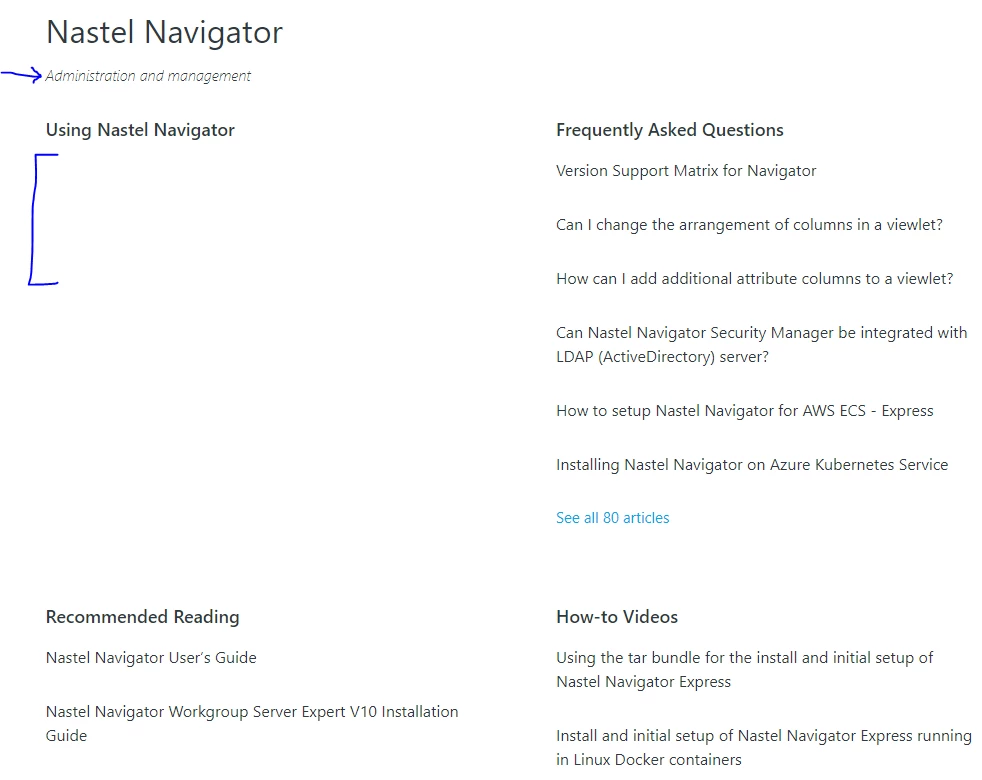
Hi @pulkit12, not quite, we would like to show the lines as shown in the screenshot to separate the sections, similar to how comments are separated in this thread


Pulkit12
  • December 20, 2022

Hi

Please add the below CSS at the bottom of your style.css 

.category-content .section-tree .section {
 flex : 1 0 100%;
border-bottom: 1px solid #ddd;
padding-bottom: 10px;
}

Let me know if it solves your issue 

Thanks 

Pulkit

Team Diziana


  • December 20, 2022

great, thanks @pulkit12 the sections are now separated. However, only 6 articles are showing, then it shows 'See all X articles', is there any way to show all articles and have them showing in 2 columns rather than 1 long list, like shown in the screenshot I sent please?


Pulkit12
  • December 20, 2022

Hi Oliver Mottram

Its not possible to show all articles under the sections 

Thanks 

Pulkit


  • December 20, 2022

ok, no problem, thanks. Is there a way to have the articles in two columns, rather than one list please @pulkit12


  • December 20, 2022

@pulkit12 I can see in this example Using Slack | Slack there are more than 6 articles showing in the Channels section


Pulkit12
  • December 20, 2022

Hi Oliver Mottram

You need to use the API to list all the articles of the Sections 


Thank You 

Pulkit


  • December 20, 2022

ok thanks @pulkit12 is there any way to get the categories in the hero section on the category and section pages as shown here Using Slack | Slack


Pulkit12
  • December 20, 2022

Hi Oliver Mottram

You need to create it using the Zendesk API, which require custom development on your theme 


Thanks

Pulkit


  • January 10, 2023

Hi @pulkit12 and whoever may read this, I've found this article which gets fairly close to how to achieve this....


Beth13
  • April 17, 2024

Hello all,

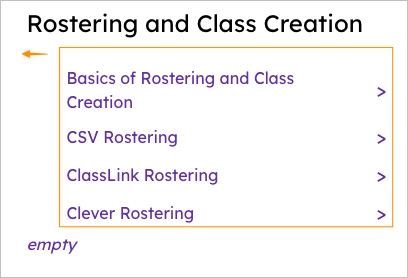
Wondering if there are any tips on how to edit the CSS or the category_page.hbs to remove this indentation?


Pulkit12
  • April 18, 2024

Hi Beth

Please add the below CSS at the bottom of your style.css file. Are you using a custom theme or the Zendesk Default theme Copenhagen?

.category-content .section-tree .section .article-list { 

margin-left: 0;

}
 

Please let me know if it solves your issue


Thanks

Pulkit

Team Diziana


Beth13
  • April 18, 2024

Hi @pulkit12 ! We have a custom theme, but I have updated it to show sub-sections based on the latest Copenhagen code and from the help you have provided others in this thread (thank you so much). However I'm not a web developer and am outside my area of expertise. 


I added the code you recommended but it didn't work. You can see how I have customized the CSS below:


Pulkit12
  • April 19, 2024

Hi Beth

I am glad to hear that the previous solutions worked for you. Please add the CSS below to your style.css file, making sure to add it after line 5856 as per your screenshot.


.category-content .section-tree .section-tree-title {

     margin-left: 0px!important;

}


Please let me know if it solves your issue.


Thanks

Pulkit

Team Diziana


  • June 12, 2024

I used below but it didn't work - didn't add bullets to tge article list..Ideas?


Please, add the below CSS at the bottom of your style.css file 

.section-content .article-list {
  list-style-type: disc;
  list-style-position: inside;
}


  • June 12, 2024

Also any ideas how  to list the articles into 2 columns instead of a long list?


Pulkit12
  • June 12, 2024

Hi Joane Bonghanoy,

Are you using the Default Copenhagen Theme, or can you share the live URL of your help center so that I can review it and provide a better solution for your query?


Thank You

Pulkit

Team Diziana


  • June 12, 2024

Yes Default Copenhagen Theme. 


Pulkit12
  • June 12, 2024

Hi Joane Bonghanoy,

Please add the below CSS at the bottom of your style.css file and it will bullets to the list of articles 

.section-tree .article-list {

   list-style-type: disc;

  list-style-position: inside;

}


Thank You 

Pulkit

Team Diziana


  • June 12, 2024

Yes that is what I added but it didn't bullet the positioning of the articles, per my original post


Pulkit12
  • June 13, 2024

Hi Joane Bonghanoy

Can you please share the screenshot of how you added the code that I have provided for adding bullets to the articles 


Thank You

Pulkit

Team Diziana


Brett13
  • Community Manager
  • June 13, 2024

@joane it doesn't look like your screenshot attached to this thread. Can you try uploading it again?


  • June 14, 2024

@brett13 all good ta, I know what I did wrong there. Managed to get it working now


Although I have a different question? How can I arrange the article into 2 columns? bullets + arranged into 2 columns inside a border?


Pulkit12
  • June 14, 2024

Hi Joane Bonghanoy


Do you want articles on the category page to be in 2 columns ?


Thank You 

Pulkit 

Team Diziana