Customizing Category page | Community
Skip to main content

Customizing Category page

  • July 12, 2021
  • 58 replies
  • 0 views

Hello,

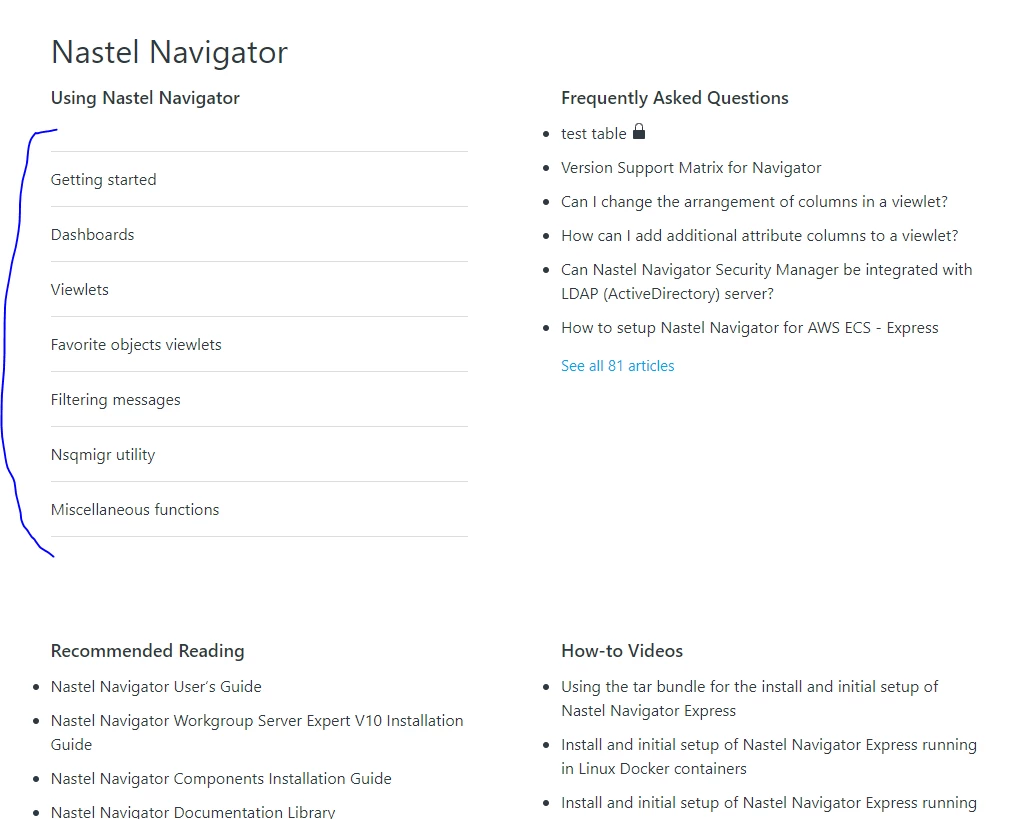
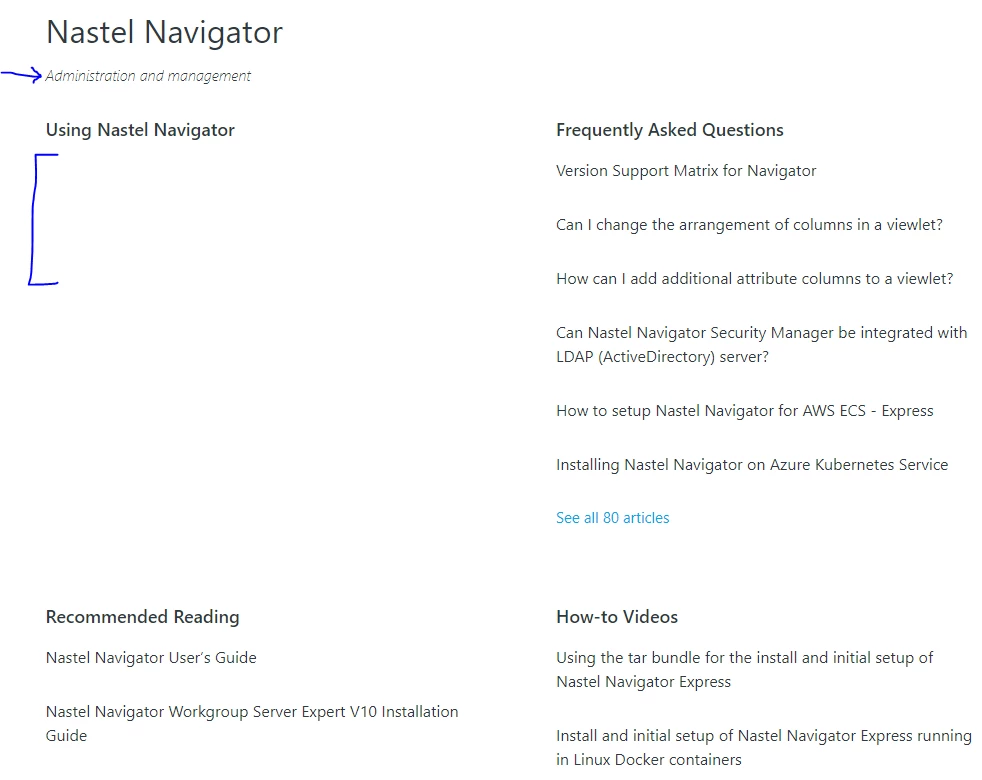
I apologize if these questions have been asked already, I was unable to find answers.  I had the following questions about customizing the Category page (see attached image for reference).

  1. Is there a way to remove the Category description?  In the attached image this is "Administration and managment"
  2. How can I display the subsections?  In the attached image, you will see the "Using Nastel Navigator" section is empty.
  3. How can I display the articles as a bulleted list with less space between articles?  So for example, under "Frequently Asked Questions," how can I have bullet displayed next to each article and how can I make the spacing between each article less?

Thank you in advance for any help offered : )

-Victoria


58 replies

Pulkit12
  • July 13, 2021

Hi Victoria Campagna

Here are the answers to your question 

1. To remove the category description add the below CSS at the bottom of your style.css

.page-header-description {
  display:none;
}

2. You have to create the subsections under the target category, or can you please let me know which theme you are using because for support subsection you have to update the code if your theme does not have a subsection code

3. To add a bullet list on the articles list and modify the gap between the articles add the following CSS at the bottom of your style.css file

.section-tree .article-list {
list-style: disc;
}

.section-tree .article-list .article-list-item {
padding-bottom:0px;
padding-top:10px;
}

Let me know if it solves your issue

Thanks 

Pulkit

Team Diziana


  • Author
  • July 13, 2021

Hi Pulkit,

Thank you for your help!  I implemented 1 and 3 above and the category page looks so much better :) 

For #2, I do have subsections under the target category.  I am using the Copenhagen theme.  Do you know what I would have to update to show the subsections?

Thanks again,
Victoria


Pulkit12
  • July 13, 2021

Hi Victoria Campagna

Happy to hear that it works for you :)

For #2 Can you please share the category template Code so that I can look at that your template has Code that helps the Subsection to display

Thanks 

Pulkit


  • Author
  • July 13, 2021

Hi Pulkit,

Sure, please see below:

<div class="container-divider"></div>
<div class="container">
<nav class="sub-nav">
{{breadcrumbs}}
<div class="search-container">
<svg xmlns="http://www.w3.org/2000/svg" width="12" height="12" focusable="false" viewBox="0 0 12 12" class="search-icon">
<circle cx="4.5" cy="4.5" r="4" fill="none" stroke="currentColor"/>
<path stroke="currentColor" stroke-linecap="round" d="M11 11L7.5 7.5"/>
</svg>
{{search scoped=settings.scoped_kb_search submit=false}}
</div>
</nav>

<div class="category-container">
<div class="category-content">
<header class="page-header">
<h1>{{category.name}}</h1>
{{#if category.description}}
<p class="page-header-description">{{category.description}}</p>
{{/if}}
</header>

<div id="main-content" class="section-tree">
{{#each sections}}
<section class="section">
<h2 class="section-tree-title">
<a href="{{url}}">{{name}}</a>
</h2>
{{#if articles}}
<ul class="article-list">
{{#each articles}}
<li class="article-list-item{{#if promoted}} article-promoted{{/if}}">
{{#if promoted}}
<svg xmlns="http://www.w3.org/2000/svg" width="12" height="12" focusable="false" viewBox="0 0 12 12" class="icon-star" title="{{t 'promoted'}}">
<path fill="currentColor" d="M2.88 11.73c-.19 0-.39-.06-.55-.18a.938.938 0 01-.37-1.01l.8-3L.35 5.57a.938.938 0 01-.3-1.03c.12-.37.45-.63.85-.65L4 3.73 5.12.83c.14-.37.49-.61.88-.61s.74.24.88.6L8 3.73l3.11.17a.946.946 0 01.55 1.68L9.24 7.53l.8 3a.95.95 0 01-1.43 1.04L6 9.88l-2.61 1.69c-.16.1-.34.16-.51.16z"/>
</svg>
{{/if}}
<a href="{{url}}" class="article-list-link">{{title}}</a>
{{#if internal}}
<svg xmlns="http://www.w3.org/2000/svg" width="16" height="16" focusable="false" viewBox="0 0 16 16" class="icon-lock" title="{{t 'internal'}}">
<rect width="12" height="9" x="2" y="7" fill="currentColor" rx="1" ry="1"/>
<path fill="none" stroke="currentColor" d="M4.5 7.5V4a3.5 3.5 0 017 0v3.5"/>
</svg>
{{/if}}
</li>
{{/each}}
</ul>
{{#if more_articles}}
<a href="{{url}}" class="see-all-articles">
{{t 'show_all_articles' count=article_count}}
</a>
{{/if}}
{{/if}}
</section>
{{else}}
<i class="category-empty">
<a href="{{category.url}}">{{t 'empty'}}</a>
</i>
{{/each}}
</div>
</div>
</div>
</div>


Pulkit12
  • July 13, 2021

Thanks I will look at that 


Pulkit12
  • July 13, 2021

Hi Victoria Campagna

Please update the below code with your existing one

<div class="container-divider"></div>
<div class="container">
<nav class="sub-nav">
{{breadcrumbs}}
<div class="search-container">
<svg xmlns="http://www.w3.org/2000/svg" width="12" height="12" focusable="false" viewBox="0 0 12 12" class="search-icon">
<circle cx="4.5" cy="4.5" r="4" fill="none" stroke="currentColor"/>
<path stroke="currentColor" stroke-linecap="round" d="M11 11L7.5 7.5"/>
</svg>
{{search scoped=settings.scoped_kb_search submit=false}}
</div>
</nav>

<div class="category-container">
<div class="category-content">
<header class="page-header">
<h1>{{category.name}}</h1>
{{#if category.description}}
<p class="page-header-description">{{category.description}}</p>
{{/if}}
</header>

<div id="main-content" class="section-tree">
{{#each sections}}
<section class="section">
<h2 class="section-tree-title">
<a href="{{url}}">{{name}}</a>
</h2>
{{#if sections}}
<ul class="section-list">
{{#each sections}}
<li class="section-list-item"><a href="{{url}}">{{name}}</a></li>
{{/each}}
</ul>
{{/if}}
{{#if articles}}
<ul class="article-list">
{{#each articles}}
<li class="article-list-item{{#if promoted}} article-promoted{{/if}}">
{{#if promoted}}
<svg xmlns="http://www.w3.org/2000/svg" width="12" height="12" focusable="false" viewBox="0 0 12 12" class="icon-star" title="{{t 'promoted'}}">
<path fill="currentColor" d="M2.88 11.73c-.19 0-.39-.06-.55-.18a.938.938 0 01-.37-1.01l.8-3L.35 5.57a.938.938 0 01-.3-1.03c.12-.37.45-.63.85-.65L4 3.73 5.12.83c.14-.37.49-.61.88-.61s.74.24.88.6L8 3.73l3.11.17a.946.946 0 01.55 1.68L9.24 7.53l.8 3a.95.95 0 01-1.43 1.04L6 9.88l-2.61 1.69c-.16.1-.34.16-.51.16z"/>
</svg>
{{/if}}
<a href="{{url}}" class="article-list-link">{{title}}</a>
{{#if internal}}
<svg xmlns="http://www.w3.org/2000/svg" width="16" height="16" focusable="false" viewBox="0 0 16 16" class="icon-lock" title="{{t 'internal'}}">
<rect width="12" height="9" x="2" y="7" fill="currentColor" rx="1" ry="1"/>
<path fill="none" stroke="currentColor" d="M4.5 7.5V4a3.5 3.5 0 017 0v3.5"/>
</svg>
{{/if}}
</li>
{{/each}}
</ul>

{{#if more_articles}}
<a href="{{url}}" class="see-all-articles">
{{t 'show_all_articles' count=article_count}}
</a>
{{/if}}
{{/if}}
</section>
{{else}}
<i class="category-empty">
<a href="{{category.url}}">{{t 'empty'}}</a>
</i>
{{/each}}
</div>
</div>
</div>
</div>

Let me know if it solves your issue

Thanks 

Pulkit


  • Author
  • July 13, 2021

Hi Pulkit,

Thanks!  That worked : )

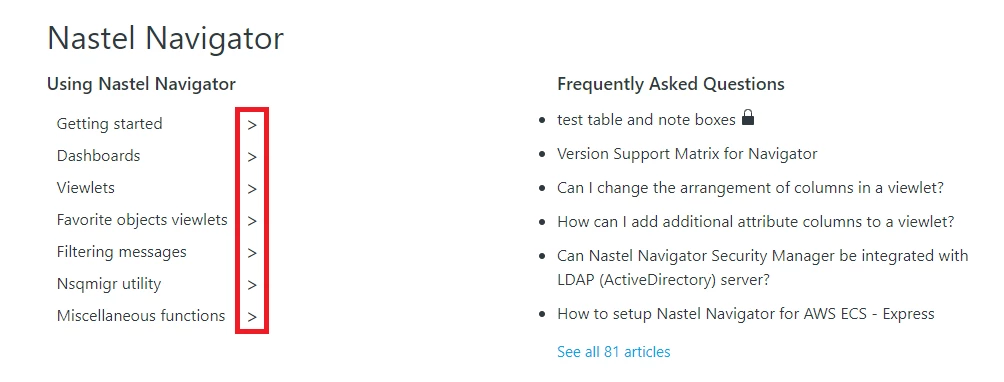
Is there a way to get it to look similar to the other sections?  They don't necessarily need bullets, but maybe no lines and some sort of right arrow or this symbol ">"?

Thanks again,
Victoria


Pulkit12
  • July 14, 2021

Hi Victoria Campagna

Please add the following given CSS at the bottom of your style.css file 

.section-tree .section-list {
margin:0px
}
.section-tree .section-list .section-list-item {
border:none;
margin:0;
padding: 10px 0;
}

.section-tree .section-list .section-list-item a:after {
content: '>';
font-size: 20px;
}

Let me know if it solves your issue

Thanks

Pulkit


  • Author
  • July 14, 2021

Hi Pulkit,

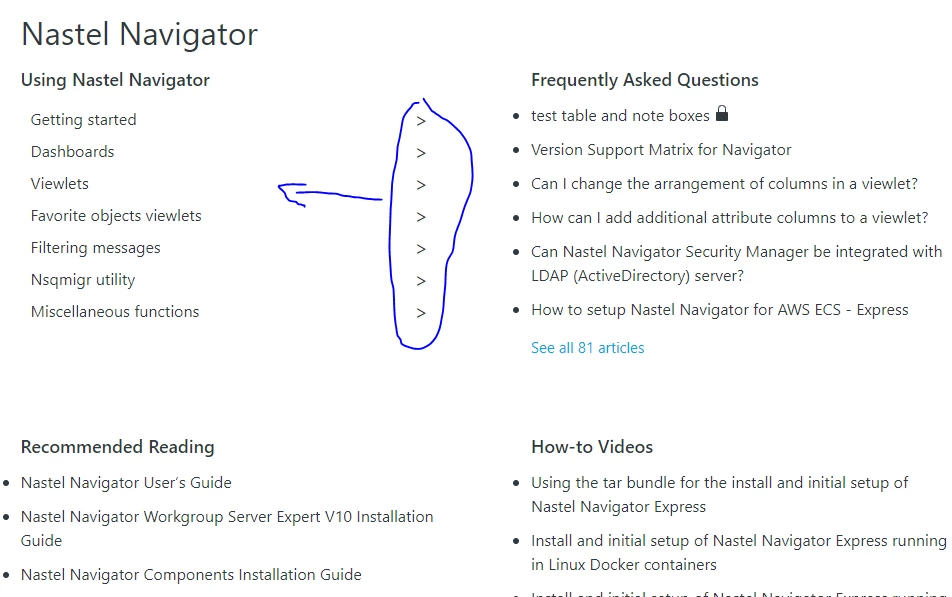
Thank you, you have been such a huge help!  One last question, I promise :)  Is there a way to move the arrows to the left?  See image:

Thanks,
Victoria


Pulkit12
  • July 14, 2021

Hi Victoria Campagna

It's my pleasure to help you ;) don't worry you can come up with your question where ever you need my help

Do you need something like that to see the attached image?


Thanks 

Pulkit


  • Author
  • July 14, 2021

Hi Pulkit,

I appreciate it : )
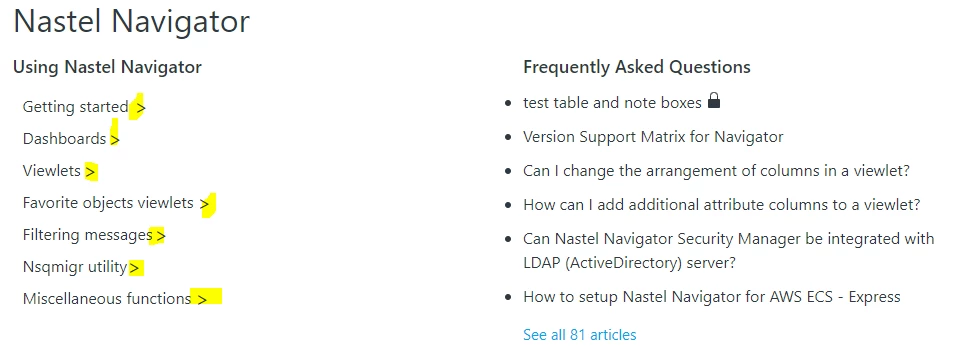
For the arrows, something like one of the following:


Or, if that is not possible, then like this:

Thanks,
Victoria


Pulkit12
  • July 14, 2021

Okay, I will come up with the solution :)


Pulkit12
  • July 14, 2021

Hi Victoria Campagna

Please add the below code at the bottom of your style.css file

.section-tree .section-list .section-list-item a {
justify-content: unset;
}

.section-tree .section-list .section-list-item a:after {
content: '>';
font-size: 20px;
margin-left: 5px;
}

Let me know if it solves your issue

Thanks

Pulkit


  • Author
  • July 14, 2021

Hi Pulkit,

That's exactly what I wanted, thank you!  I might have lied when I said I only had one more question :*(

If it's possible, can you help me with 2 more changes? 

The first one is to make the space below the header slightly bigger. 

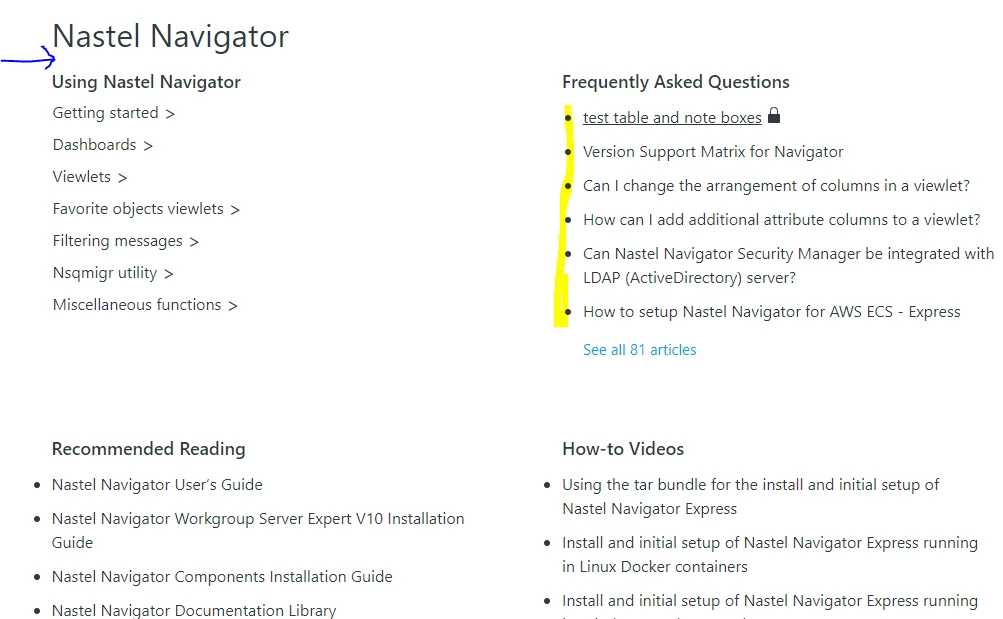
The second one is to move the bullets over so that they line up with the headers.  In the image below, see the bullets below "Frequently Asked Questions" as an example.  Under "Recommended Reading" and "How-to Videos" is how they appear now.

Thank you again,
Victoria


Pulkit12
  • July 14, 2021

Hi Victoria,
Happy to hear that it solves your issue :)
I will provide you the solution for your questions 😊

Thanks
Pulkit


Pulkit12
  • July 14, 2021

Hi Victoria Campagna

Please, add the following CSS at the bottom of your style.css

Solution for your 1st question

.category-content .page-header h1 {
margin-bottom: 25px;
}

Solution for your 2nd question

.section-tree .article-list {
list-style: disc;
list-style-position: inside;
}

Let me know it solves your issue 

Thanks 

Pulkit


  • Author
  • July 14, 2021

Hi Pulkit,

Woohoo!  My Category page now looks perfect :)  You have been so incredibly helpful.  Thank you, thank you, thank you!

-Victoria


Pulkit12
  • July 14, 2021

Hi Victoria Campagna

It's my pleasure to help you :)

Ping me anytime if you need any futher help

Thanks 

Pulkit


  • December 19, 2022

@pulkit12 Hi, how can I use bullet points for articles in my section page please?


Pulkit12
  • December 19, 2022

Hi Oliver Mottram

Please, add the below CSS at the bottom of your style.css file 

.section-content .article-list {
list-style-type: disc;
list-style-position: inside;
}

Let me know if it solves your issue 


Thanks 

Pulkit 

Team Diziana


  • December 19, 2022

thanks @pulkit12 that's amazing! Thanks so much for your help. I was wondering if you could help with a couple of other things if possible please.

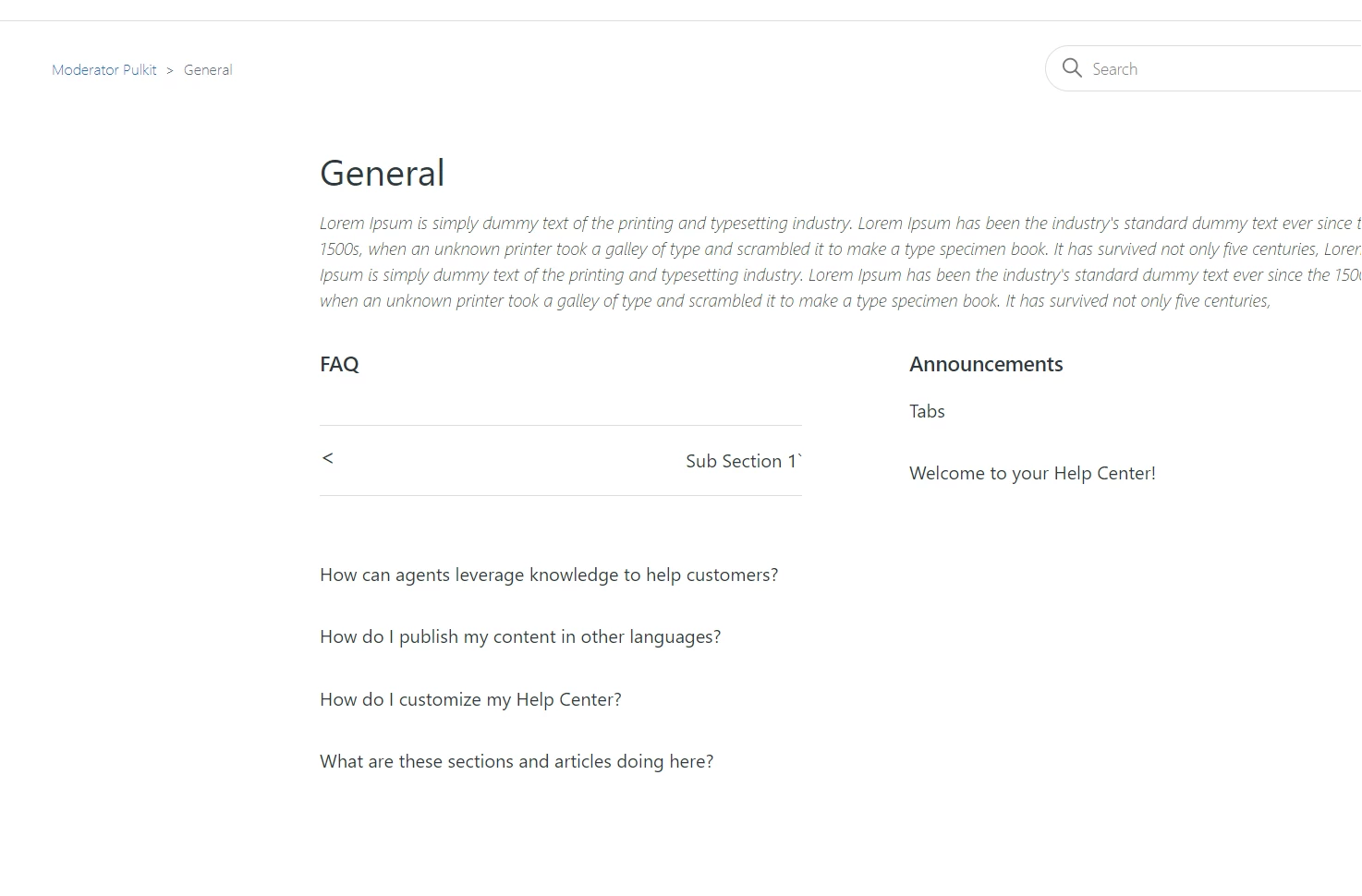
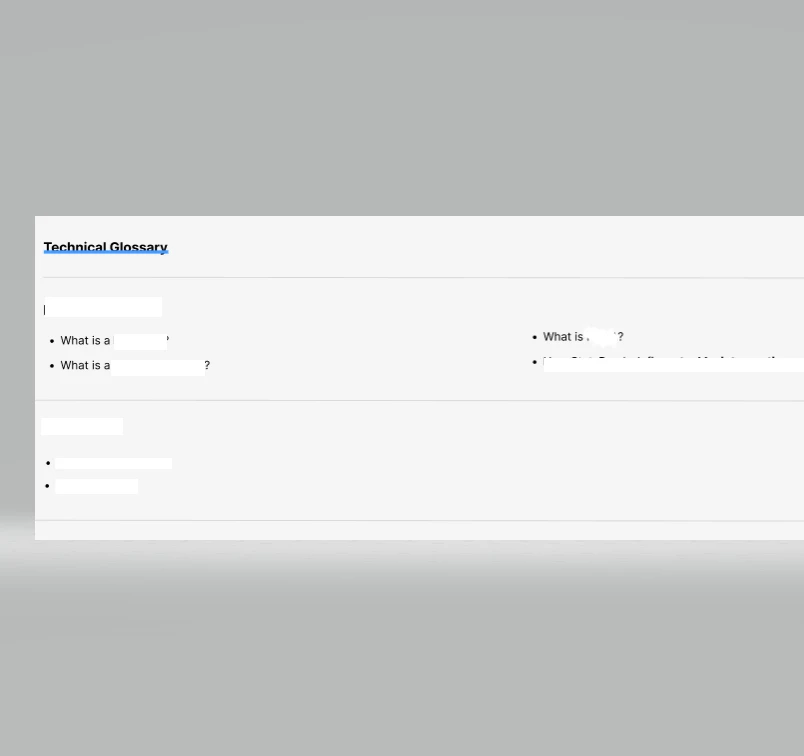
1. We'd like to separate the sections in the category page, similar to how comments are separated in this thread.

2. We'd like to add in category dropdowns at the top of category and section pages to allow the user to navigate to other categories easily, similar to the image below


  • December 20, 2022

Hi @pulkit12 is there any way to add line breaks between sections please?


Pulkit12
  • December 20, 2022

Hi Oliver Mottram

Can you please share the screenshot of what you need to be done, I am not getting it 


Thanks 

Pulkit


  • December 20, 2022


  • December 20, 2022

like that @pulkit12 and I'd also like to have the articles showing side by side, rather than a list if possible please