Changing dynamic text elements in Gather | Community
Skip to main content

Changing dynamic text elements in Gather

  • March 10, 2022
  • 3 replies
  • 0 views

Mark33

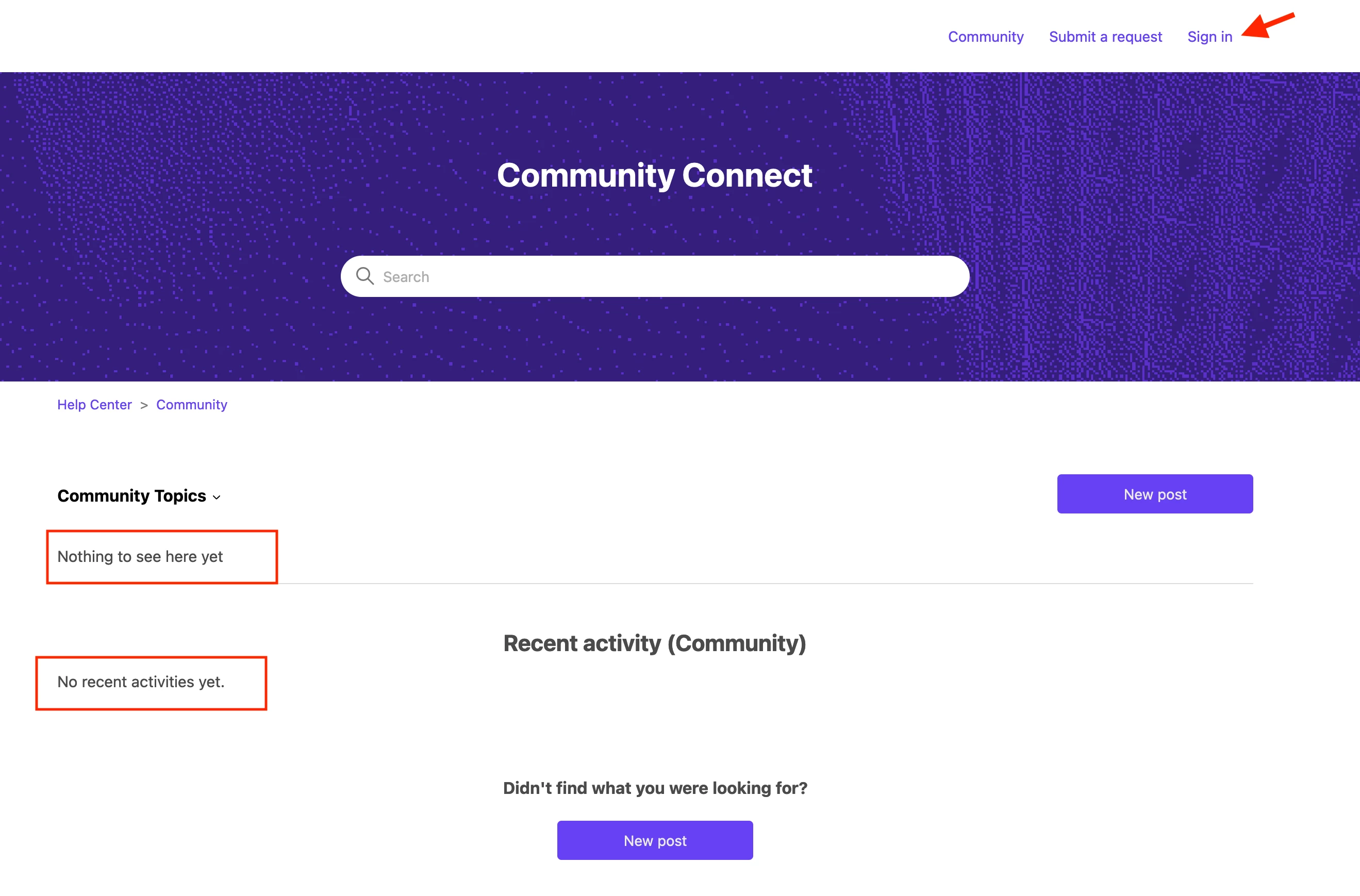
I want to edit the text that people see before they log into Community. I don't see where these elements (highlighted in red) are controlled. Does anyone have insight into this?

 

3 replies

Dave12
  • March 10, 2022
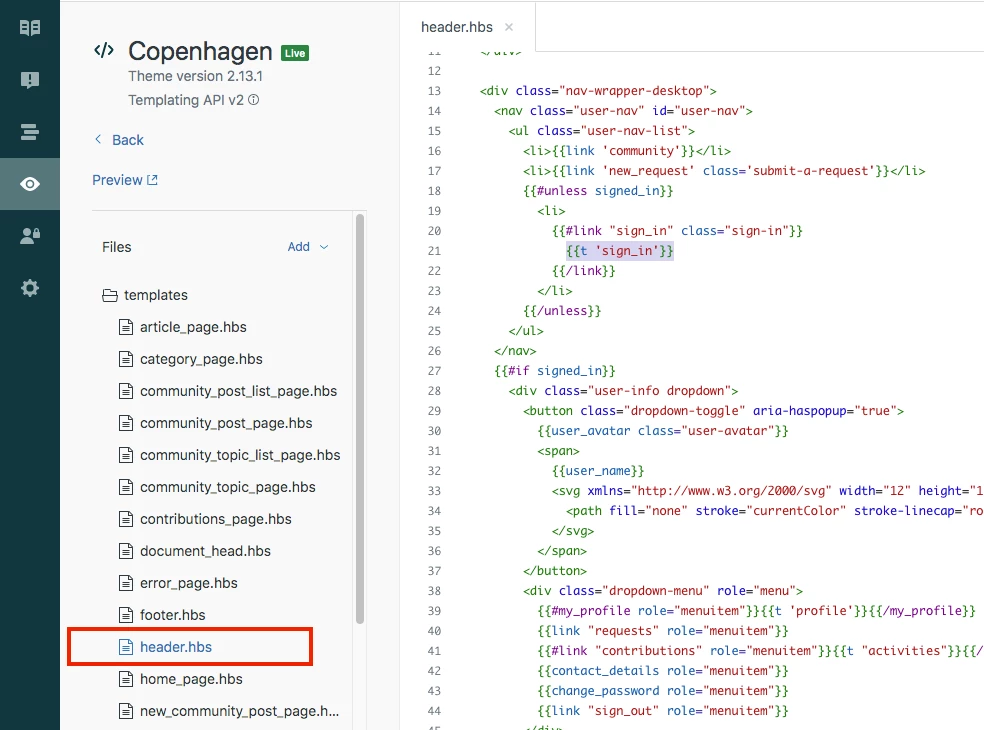
Hi Mark, you can find the HTML for that part of the page in the header.hbs file when editing your help center's theme. For more information, see Customizing your help center theme

Ifra
  • March 10, 2022

Hi Mark Glinski, if you want to edit the text you have red-bordered in provided screenshot then you can use the below JS code.


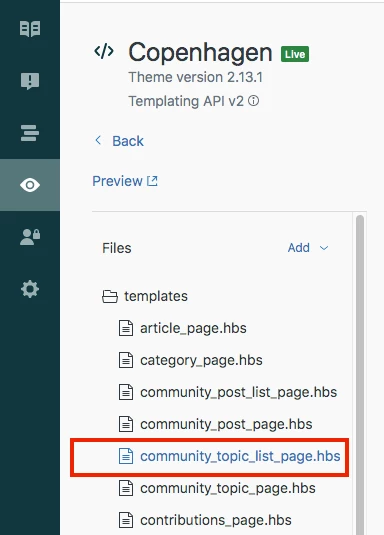
1). Go to your community_topic_list_page.hbs file.


2). Add the below JS code at the top.

// To add DC for multiple languages

<script>
  document.addEventListener('DOMContentLoaded', function() {
  var pageName = 'commnity-topic-list-template';
  
  var _x = document.querySelector("p");
  var _y = document.querySelector(".recent-activity-no-activities");
  if(pageName === 'commnity-topic-list-template') {
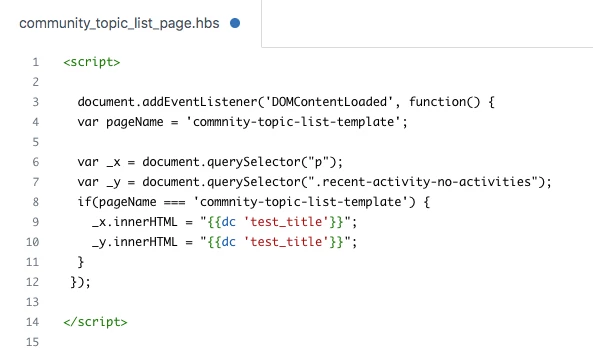
  _x.innerHTML = "{{dc 'test_title'}}";
  _y.innerHTML = "{{dc 'test_title'}}";
  }
});
</script>


Note: To add DC click this text


Screenshot:


OR


// To add any text you want in single language

<script>
document.addEventListener('DOMContentLoaded', function() {
  var pageName = 'commnity-topic-list-template';
  
  var _x = document.querySelector("p");
  var _y = document.querySelector(".recent-activity-no-activities");
  if(pageName === 'commnity-topic-list-template') {
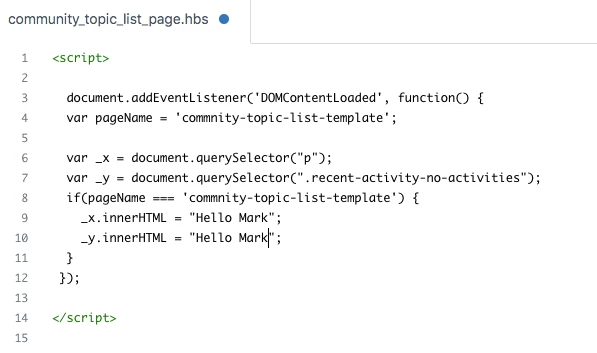
  _x.innerHTML = "Hello Mark";
  _y.innerHTML = "Hello Mark";
  }
});
</script>


Screenshot:


If any confusion, do let me know :)


Thanks

Team 


Ifra
  • March 10, 2022

Hey, 

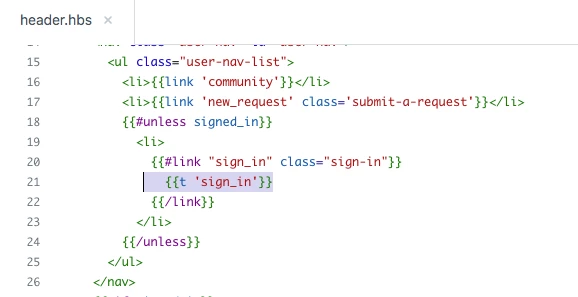
You can edit your header link 'Sign in'

1). Go to your   'header.hbs'  file.


2). Find the text  '{{t 'sign_in'}}' .


3). You can remove this text and write anything or you can edit it via DC: here


Thanks