
Change text for "My Activities" in HC | Community
Skip to main content

Change text for "My Activities" in HC

  • March 14, 2024
  • 2 replies
  • 0 views

C12

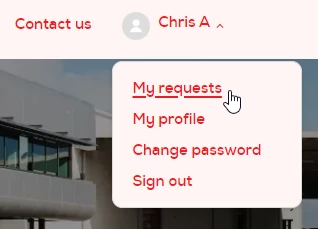
Is it still possible to adjust the text that is on the drop down menu and change the text from My Activities to My Requests
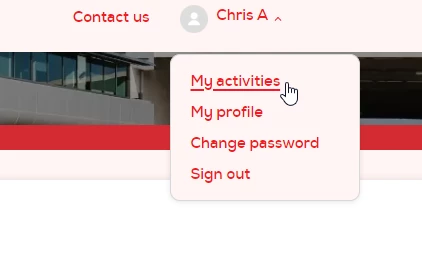
Tried both and added them to script.js but no luck so far 

//Change string for My Activities

$('.user-nav .my-activities').html(' See my requests');
$('.sub-nav').find('li').filter(":last");

and 

//Change string for My Activities
$('.nav-wrapper .dropdown-menu .my-activities').html('My Requests');
$('.sub-nav').find('li').filter(":last");
2 replies

  • March 14, 2024

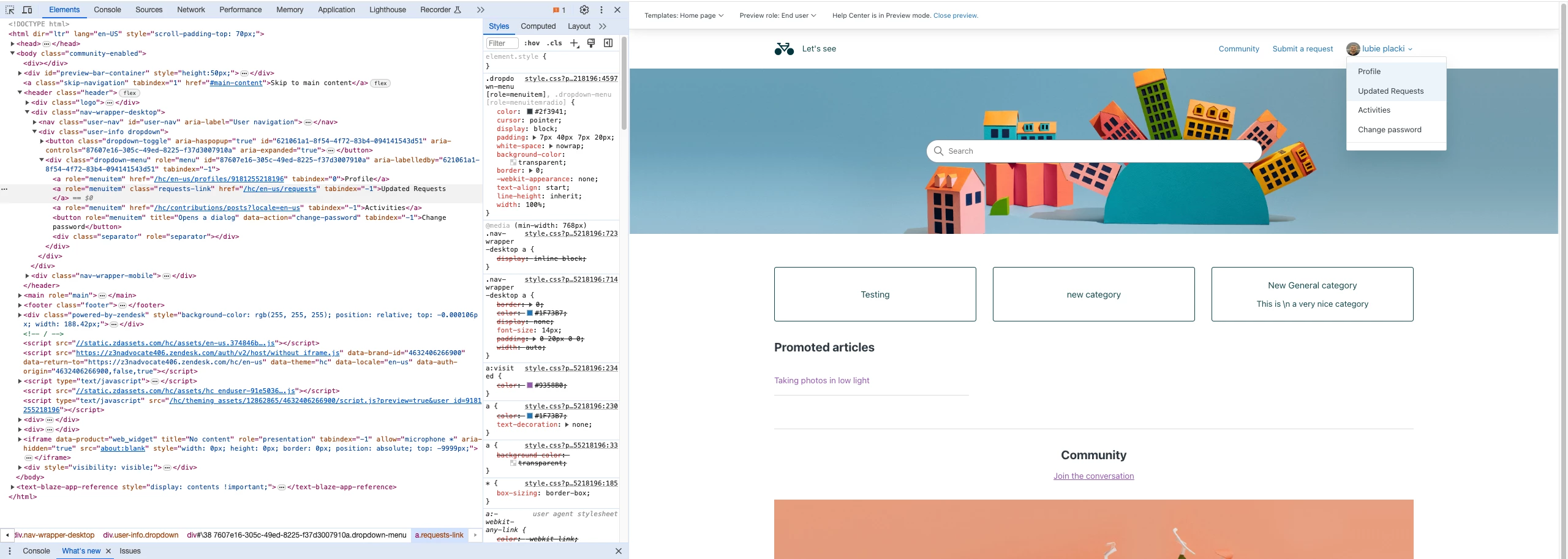
I used this javascript to update my dropdown title:

document.addEventListener('DOMContentLoaded', function() {
    var link = document.querySelector('a.requests-link[role="menuitem"]');
    if (link) {
        link.innerHTML = 'Updated Requests';
    }
});


If you have a public help center page and would share the link, I could have a look if I can apply this principle for your title. 


C12
  • Author
  • March 15, 2024

Hi @jakub20

I've managed to by adding this at the end of the script.js

document.addEventListener('DOMContentLoaded', function() {
  // Function to replace text
  function replaceText(element, oldText, newText) {
    if (element.innerText) {
      element.innerText = element.innerText.replace(oldText, newText);
    } else if (element.textContent) {
      element.textContent = element.textContent.replace(oldText, newText);
    }
  }

  // Replace text for the specific anchor with href="/hc/en-nz/requests"
  var linkElement = document.querySelector('a[href="/hc/en-nz/requests"]');
  if (linkElement) {
    replaceText(linkElement, 'My activities', 'My requests');
  }
});