Can you show a section hierarchy on a category template | Community
Skip to main content

Can you show a section hierarchy on a category template

  • October 10, 2022
  • 8 replies
  • 0 views

Hi, Guide Enterprise allows you to have a section hierarchy under a category. I would like to display that hierarchy using curlybars:

For instance

 {{#each sections}}    
    {
    "description": "{{~description~}}",
    "title": "{{name}}",
    "id": {{id}},
    "url": "{{url}}",
    "article_count": {{article_count}},
    "sections": [
       {{#each sections}}    

For instance, I have the above code on the page. I get an error on the last {{#each sections}} above saying:

'sections' does not exist

Do I take that it's not supported

8 replies

Ifra
  • October 10, 2022

Hi Paul Moran, you can use this code to get section hierarchy on category page.

{{#each sections}}
    <section class="section">
      <h3 class="section-tree-title">
        <a href="{{url}}">{{name}}</a>
       </h3>


        {{#if articles}}
            <ul class="article-list">
                 {{#each articles}}
                     <li class="article-list-item{{#if promoted}} article-promoted{{/if}}">
                          {{#if promoted}}
                              <span data-title="{{t 'promoted'}}" class="icon-star"></span>
                           {{/if}}
                            <a href="{{url}}" class="article-list-link">{{title}}</a>
                       </li>
                   {{/each}}
              </ul>
           {{/if}}

           {{#if sections}}
             <ul class="section-list">
                 {{#each sections}}
                    <li class="section-list-item"><a href="{{url}}">{{name}}</a></li>
                 {{/each}}
             </ul>

             <a href="{{url}}" class="see-all-articles">
              {{t 'show_all_articles'}} and sections
              </a>

               {{/if}}
{{/each}}


Reference: https://support.zendesk.com/hc/en-us/community/posts/4409515170458-Tip-Displaying-Subsection-list-on-Category-page


Team


  • Author
  • October 10, 2022

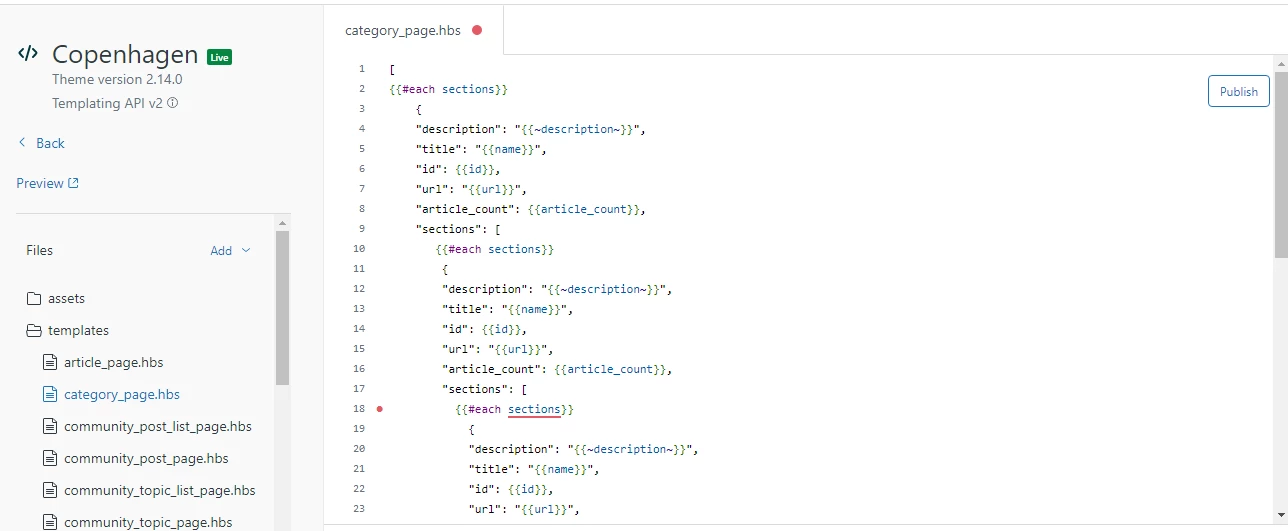
Hi Ifra, oh sorry, I made a mistake in the above code. I'm looking for a third level of hierarchy. Here's my updated code. 

 [
    {{#each sections}}    
    {
    "description": "{{~description~}}",
    "title": "{{name}}",
    "id": {{id}},
    "url": "{{url}}",
    "article_count": {{article_count}},
    "sections": [
       {{#each sections}}    
        {
        "description": "{{~description~}}",
        "title": "{{name}}",
        "id": {{id}},
        "url": "{{url}}",
        "article_count": {{article_count}},
        "sections": [        
          {{#each sections}}    


Ifra
  • October 10, 2022

Try this:


{{#each sections}}    
    {
    "description": "{{~description~}}",
    "title": "{{name}}",
    "id": {{id}},
    "url": "{{url}}",
    "article_count": {{article_count}},
    "sections": [
       {{#if sections}}    
        {
        "description": "{{~description~}}",
        "title": "{{name}}",
        "id": {{id}},
        "url": "{{url}}",
        "article_count": {{article_count}},
        "sections": [  {{#each sections}}  { "title": "{{name}}" }{{/each}} ]
}
{{/if}}
]
}
{{/each}}
]

  • Author
  • October 11, 2022

That's still only two levels of hierarchy ie you have 2 instances of {{#each sections}}. I need another instance of it. If you try the below code, you should see my error.


{{#each sections}}    
    {
    "description": "{{~description~}}",
    "title": "{{name}}",
    "id": {{id}},
    "url": "{{url}}",
    "article_count": {{article_count}},
    "sections": [
       {{#each sections}}    
        {
        "description": "{{~description~}}",
        "title": "{{name}}",
        "id": {{id}},
        "url": "{{url}}",
        "article_count": {{article_count}},
        "sections": [        
          {{#each sections}}    
            {
            "description": "{{~description~}}",
            "title": "{{name}}",
            "id": {{id}},
            "url": "{{url}}",
          "article_count": {{article_count}}
          },  
          {{/each}}       
        ],
      }
        {{/each}}
  ]},  
{{/each}}
]


Ifra
  • October 11, 2022

Can you share screenshot of your category_page and UI? 

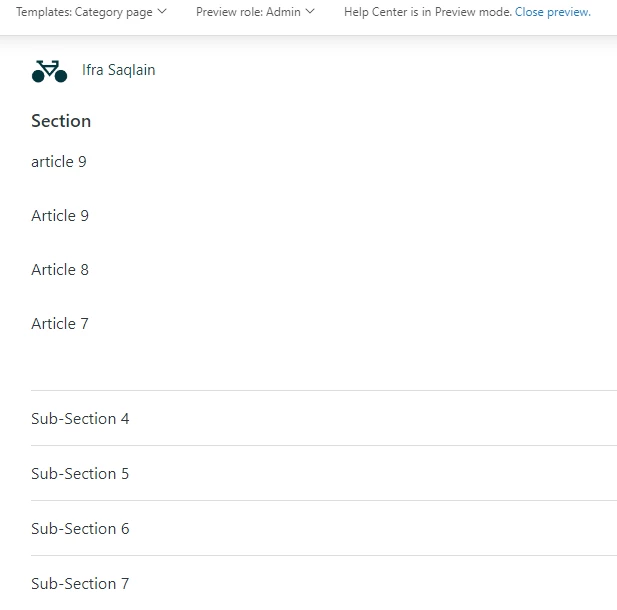
I applied your code and I have this:


Zendesk provides the subsections on category page as below screenshot


  • Author
  • October 11, 2022

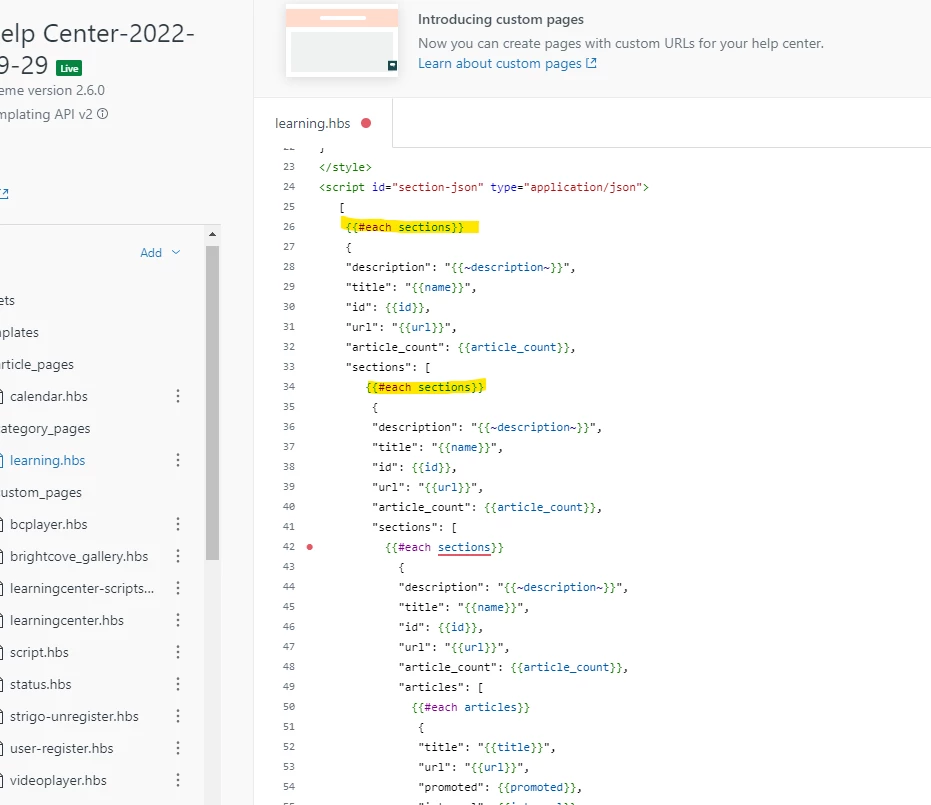
Hi Ifra, that's it, you've duplicated the problem. Curlybars doesn't seem to support more than 2 levels of section hierarchy. Here's my screenshot. I've highlighted the top two sections that work:


Ifra
  • October 12, 2022

@Paul Moran, I tried your complete code to get the more levels, I think not possible.

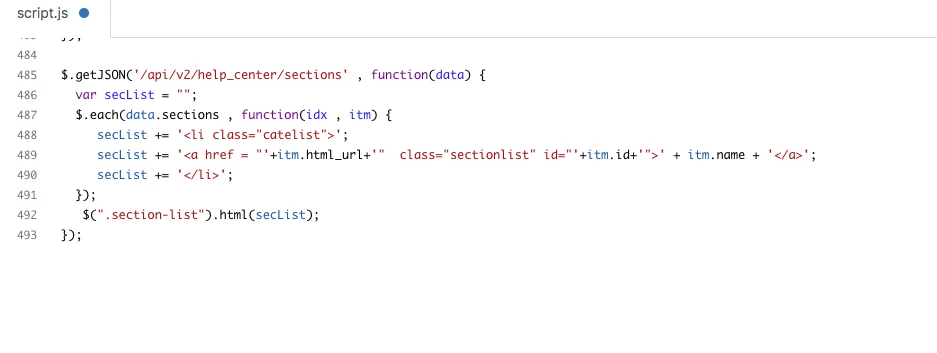
You can get all levels using section API:

$.getJSON('/api/v2/help_center/sections' , function(data) {
var sectionList = "";
  $.each(data.sections , function(idx , itm) {
    sectionList += '<li class="section-list-item">';
    sectionList += '<a href = "'+itm.html_url+'"  class="section-list-link" id="'+itm.id+'">' + itm.name + '</a>';
    sectionList += '</li>'; 
  });
   $(".section-list").html(sectionList);
});

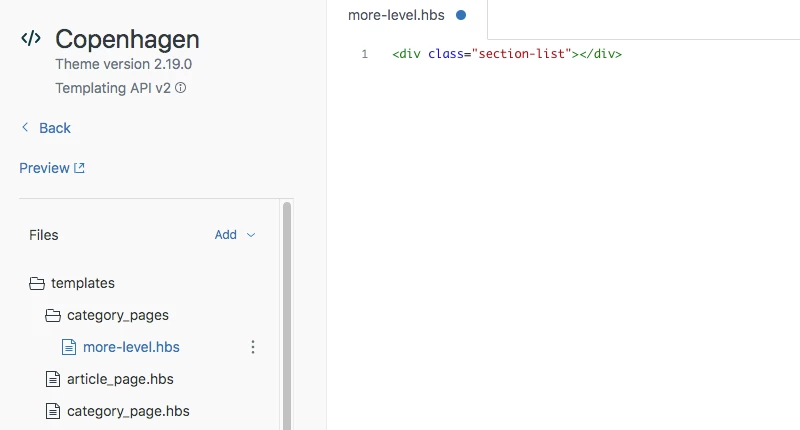
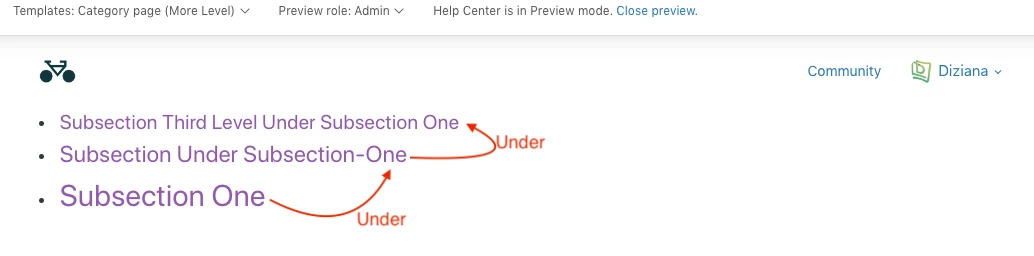
Screenshot:


Category - Custom page:


Output:

Basically, Zendesk provides subsections on category page and when you click on that, you will enter to more levels.


  • Author
  • October 12, 2022

Right, thanks for confirming. Indeed, I ended up using the api to create my hierarchy, but it does look like a bug in the template.