Article Table Mobile Render Issue | Community
Skip to main content

Article Table Mobile Render Issue

  • October 26, 2021
  • 3 replies
  • 0 views

Steven22

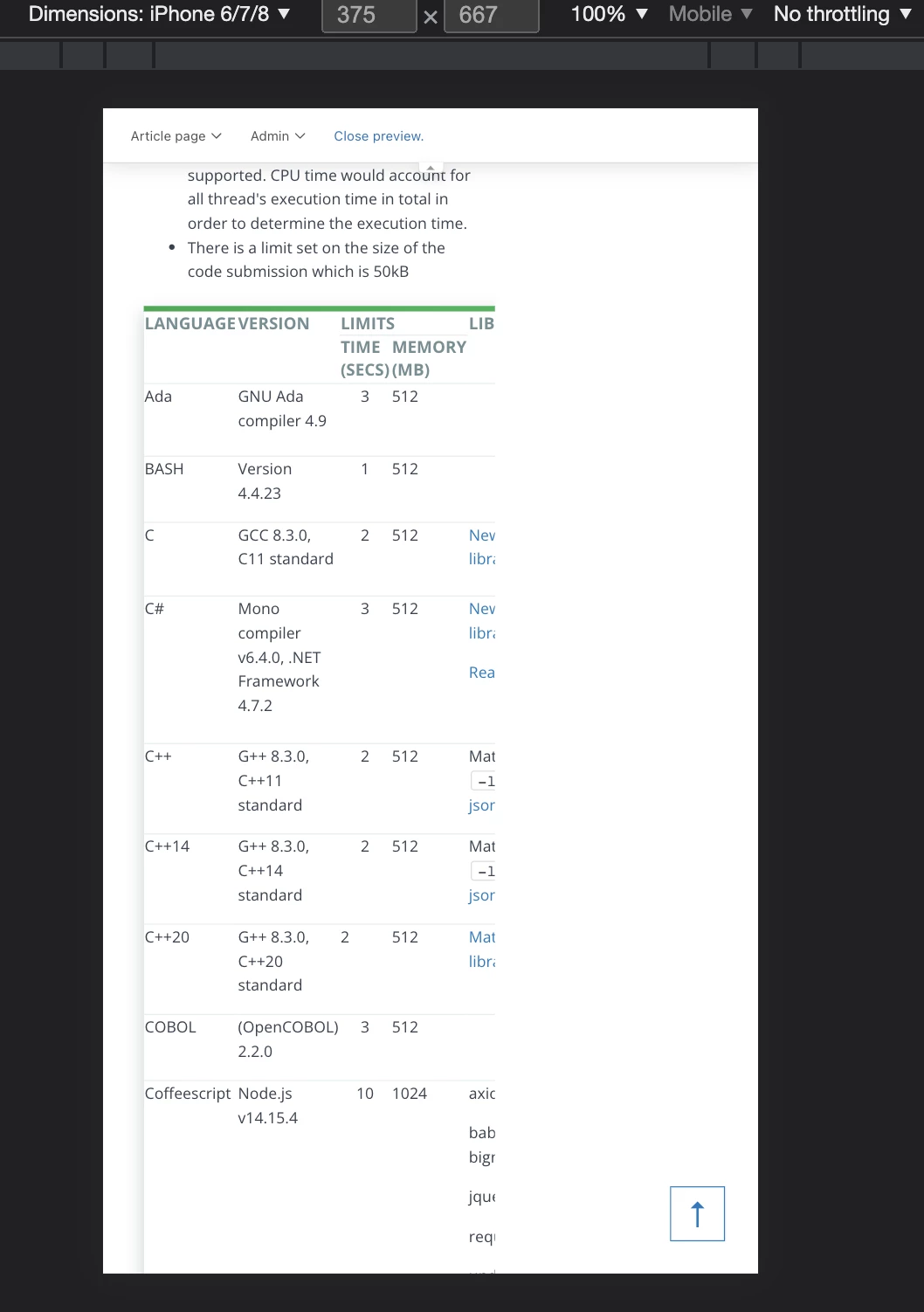
I have a table on an article that renders perfectly on desktop view but on mobile view it stacks.

Article link here under "Coding and Database"

Desktop View:

Mobile View:

 

I have this in my style.css file:

@media(max-width:1024px) {
.table {
overflow: scroll;
display: block;
width:100% !important;
}

.table td, .table th {
padding: 10px 20px;
}

.table td {
width: auto !important;
height: auto !important;
}

.table tr {
display:table-row;
height: auto !important;
}
}
3 replies

Ifra
  • November 1, 2021

Hi,

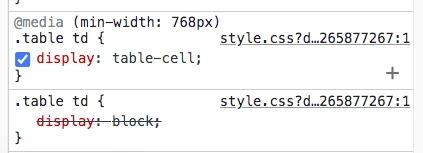
You will have to remove the media query - 768 from the table-cell or replace the display: block to table-cell.

See the given screenshot:


Steven22
  • Author
  • November 18, 2021

@ifra Thanks! That has seemed to fixed that issue however when I'm in mobile view, say iPhone 6/7/8 view, not all of the columns are appearing. Is there a way to fix this or perhaps add horizontal scrolling to the table?


Ifra
  • November 19, 2021

Hey Steven Dai, I fixed it, so here is the solution, you just need to follow the below steps:


1). Open the script.js file and copy-paste the below code at the end of all your existing code.

$(document).ready(function (){
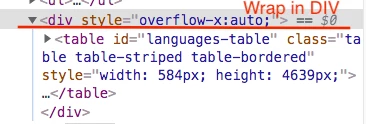
$("table").wrap("<div style='overflow-x:auto'></div");
})


after adding the above js code you HTML would be:


Make sure you have the jquery library onto document_head.js file:

<script src="https://ajax.googleapis.com/ajax/libs/jquery/3.5.1/jquery.min.js"></script>


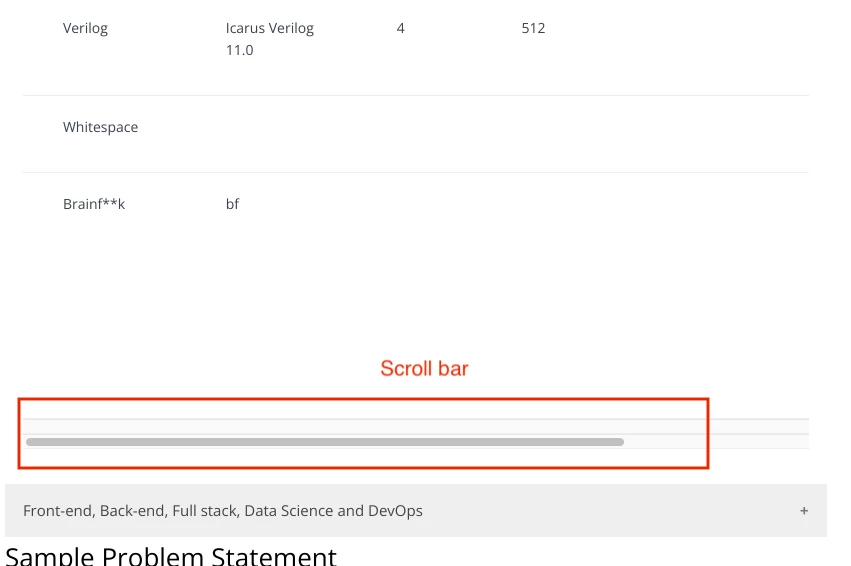
See the output:


Now any issue do let me know :)


Thanks

Ifra