Adjusting Font of Help Center Article | Community
Skip to main content

Adjusting Font of Help Center Article

  • July 25, 2021
  • 1 reply
  • 0 views

I am having troubles finding the answer to this (if there is one) but I am unable to find a way to change the font of the text in the help center article that I am working through. I copied some text from another document into this article and now the article has the default text font along with the font of the copied document. Is there a easier way to adjust the font of text that is already in the help center article?

I understand that there is a way to adjust the font through the customize design but this doesn't seem to be what I'm looking for as this doesn't affect text already in the article.

Thanks in advance!

1 reply

Ifra
  • July 26, 2021

James Maynard, You should check the article with the  source code.

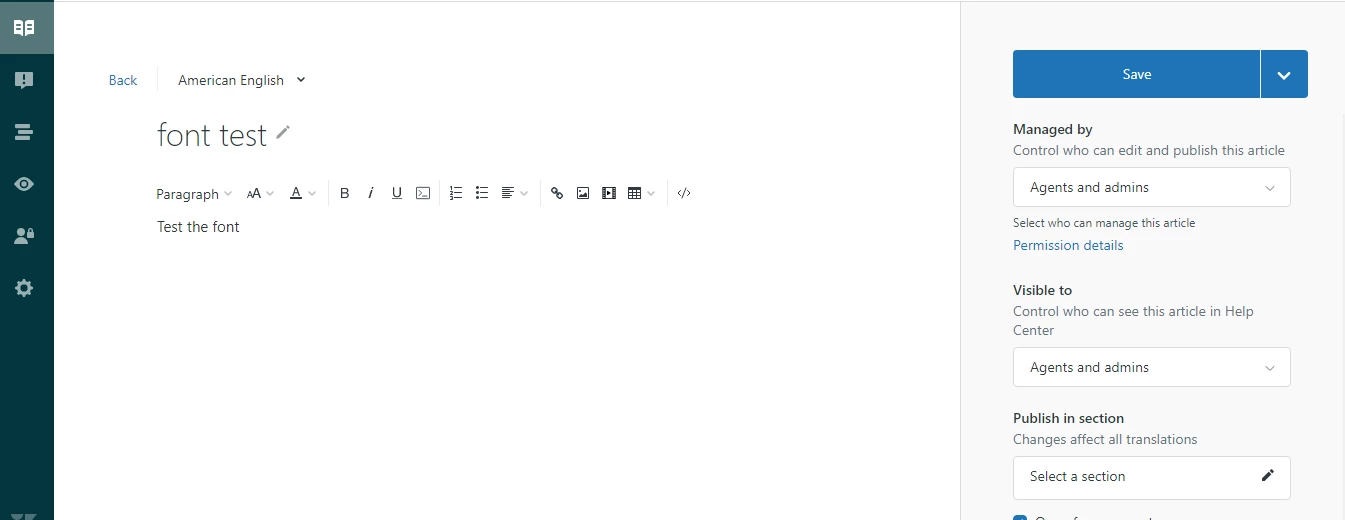
1). Go to that article where you have pasted the copied text.


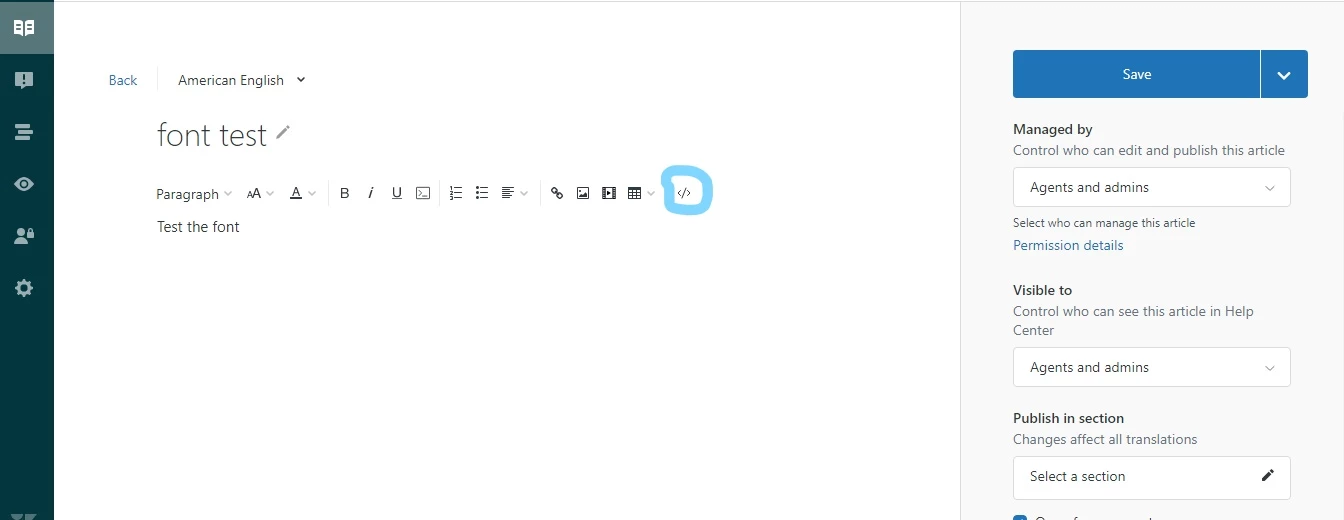
2). Open the source code by clicking on code icon '</>'


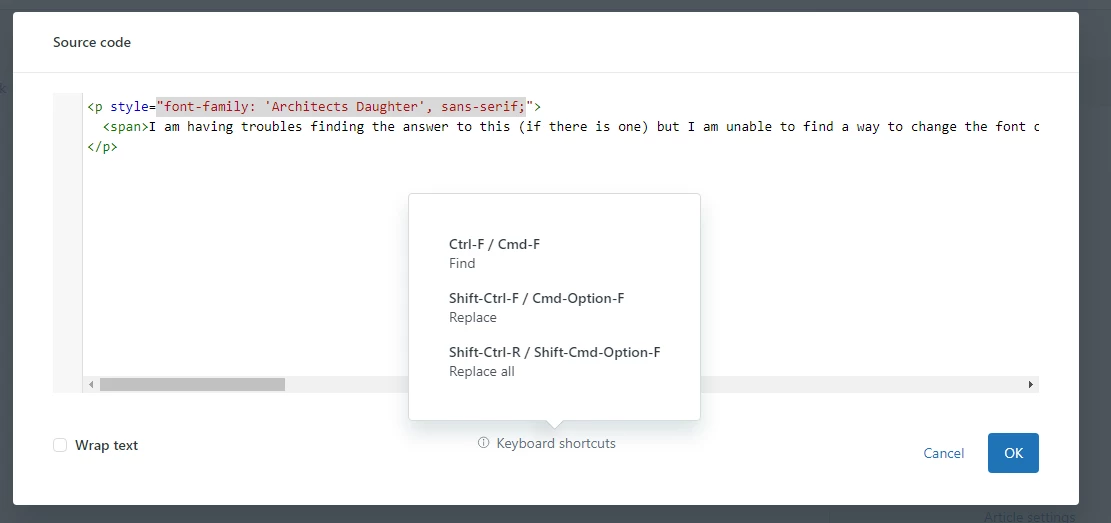
3). After the clicking you will reach to the article source code, then check there have added font-family inline by style attribute.


4). If there is inline font-family, remove that and click 'ok' button and then test on preview mode.


hope it work for you, if not then do one thing. Share the public URL here of this created-buggy article or send the screenshot as I have attached.


Thanks

Ifra