Adding the article date to the Article List page | Community
Skip to main content

Adding the article date to the Article List page

  • September 15, 2021
  • 5 replies
  • 0 views

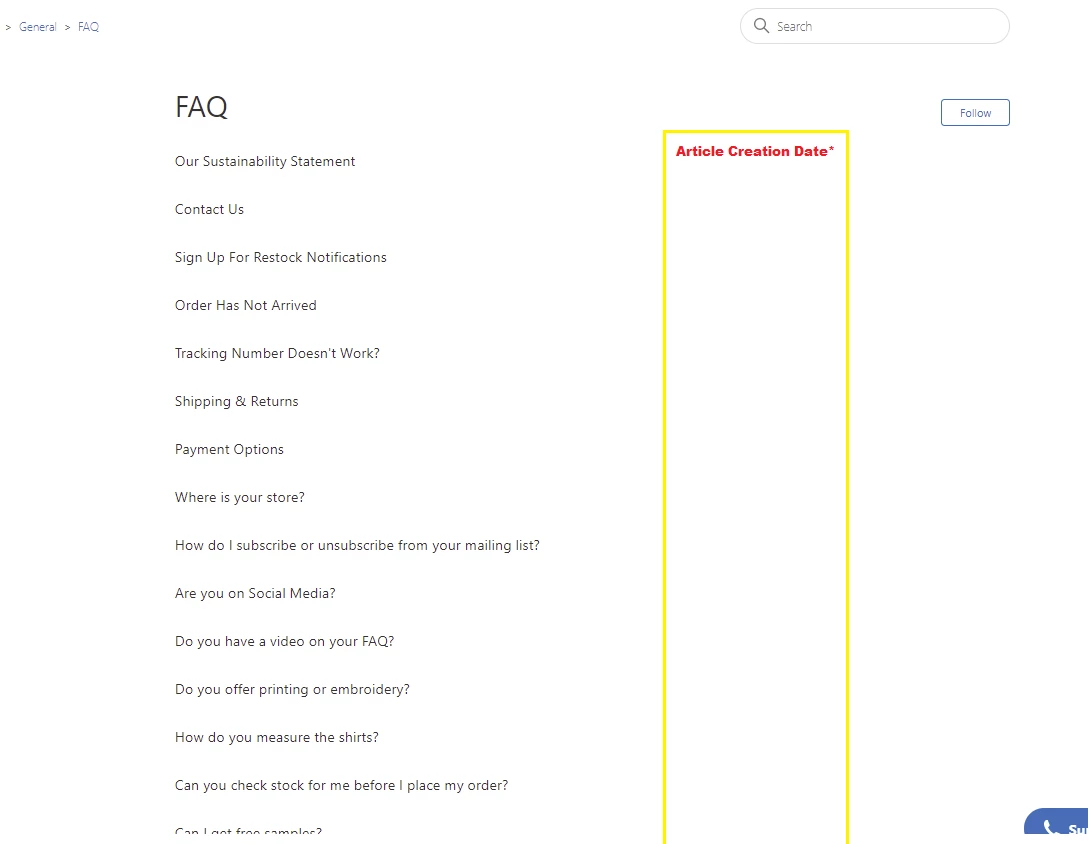
I'm looking to add the article date to the Article List page in our help center. Any suggestions?

5 replies

Ifra
  • September 16, 2021

Hi @Josh Thiessen,

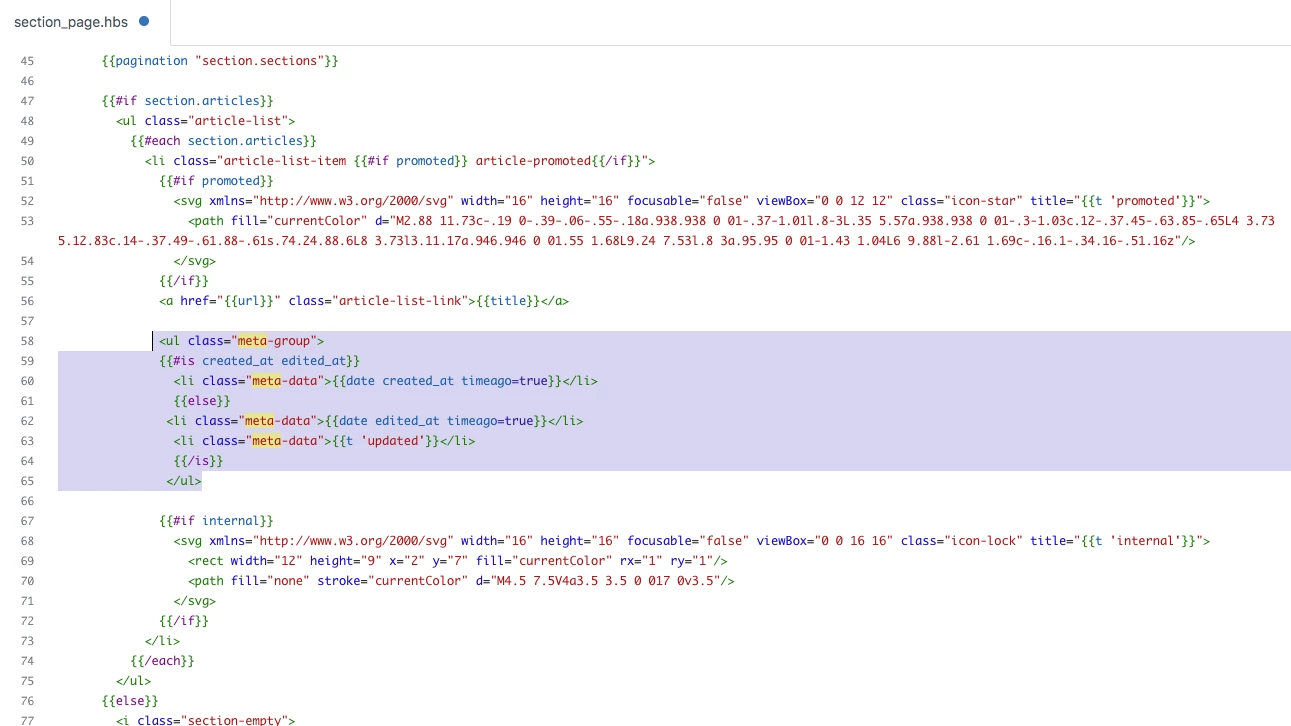
you only need to add a helper after the article title, see in the below image how I did:


Code for the same:

<ul class="meta-group">
{{#is created_at edited_at}}
<li class="meta-data">{{date created_at timeago=true}}</li>
{{else}}
<li class="meta-data">{{date edited_at timeago=true}}</li>
<li class="meta-data">{{t 'updated'}}</li>
{{/is}}
</ul>


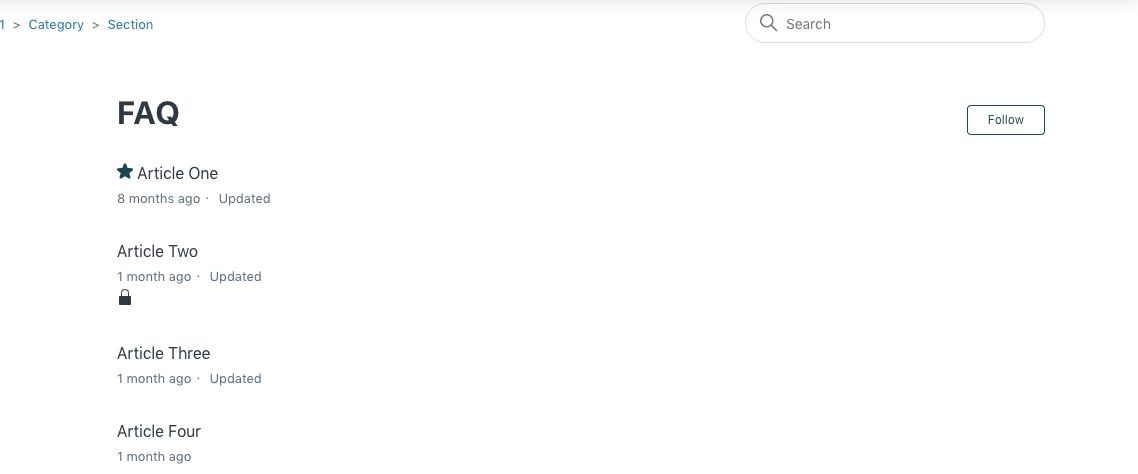
Output is:


You can use the date format via https://developer.zendesk.com/documentation/help_center/help-center-templates/helpers/#date-helper


I). Short -

{{date created_at timeago=true format='short'}}


II). Medium-

{{date created_at timeago=true format='medium'}}


III). Medium-

{{date created_at timeago=true format='long'}}


Thanks

Team


  • Author
  • September 16, 2021

367066863047

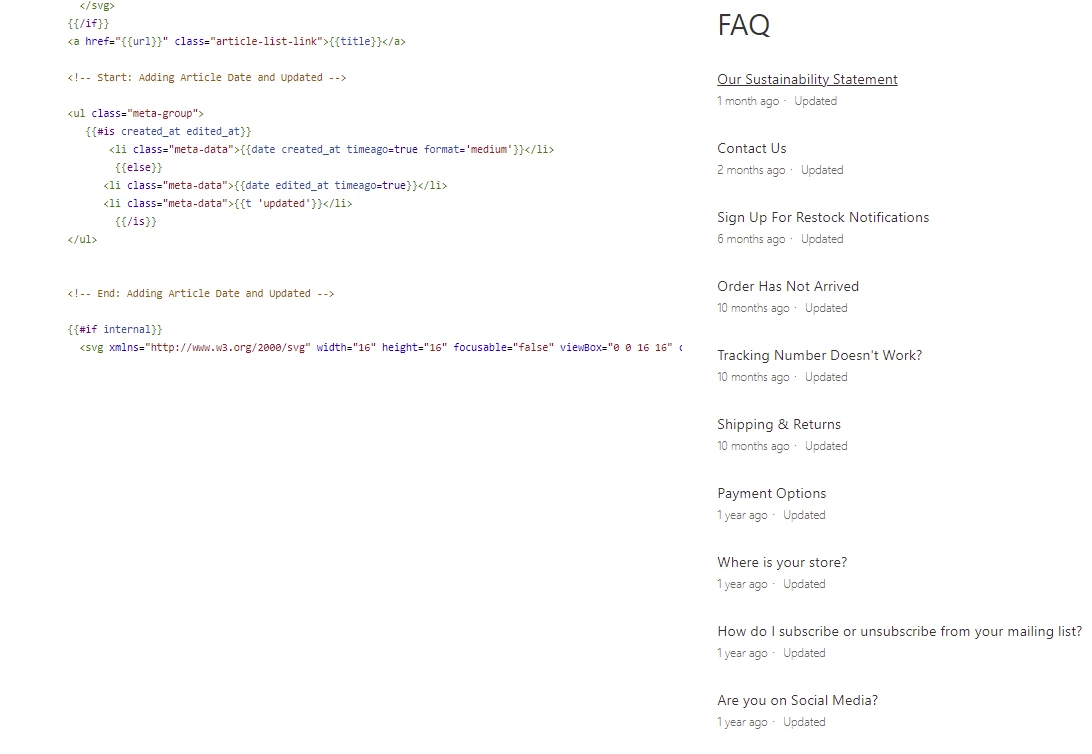
Hi Ifra, That's fantastic. The code you provided works exactly how i was hoping initially. I did run into an issue when I tried to add the medium-sized time stamp (Picture included).

do you know what I've done wrong?

Is it also possible to add "updated XXX months ago" instead of just "updated"?

I was messing around a little, but all the changes i made either had it look like my screenshot or nothing at all.


Thank you so much for the help so far :)


Ifra
  • September 17, 2021

Hey,  

You need to add the time format into the updated helper also, see the bold code-line, how I did-

<ul class="meta-group">
{{#is created_at edited_at}}
<li class="meta-data">{{date created_at timeago=true format='medium'}}</li>
{{else}}
<li class="meta-data">{{date edited_at timeago=true format='medium'}}</li>
<li class="meta-data">{{t 'updated'}}</li>
{{/is}}


The helper 

<li class="meta-data">{{date edited_at timeago=true format='medium'}}</li>

shows last date when you have updated the article.


See in the below screenshot, I have updated my article today 17 sep 2021.


and I was created this article on 19 dec 2016


I think you should also try this, if you have any old article, take a screenshot and then update that old article, then compare the date.


also you can add the text for created article, see the bold code-line:

        <ul class="meta-group">
{{#is created_at edited_at}}
<li class="meta-data">{{date created_at timeago=true format='medium'}}</li>
<li class="meta-data">{{t 'created'}}</li>
{{else}}
<li class="meta-data">{{date edited_at timeago=true format='medium'}}</li>
<li class="meta-data">{{t 'updated'}}</li>
{{/is}}
</ul>


Output:


If any confusion, let me know :)

Thanks

Ifra


  • Author
  • September 17, 2021

Works Great. Thank you!


Ifra
  • September 18, 2021

Great!