Adding mathematical equations in a Help Center article. | Community
Skip to main content

Adding mathematical equations in a Help Center article.

  • January 18, 2022
  • 4 replies
  • 0 views

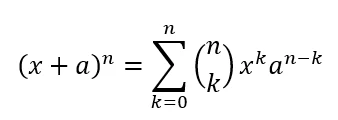
Does anyone know of a way to add a mathematical equation to an article without just inserting an image? See an example of what I'm talking about below.

4 replies

Ifra
  • January 19, 2022

Hey Mark,

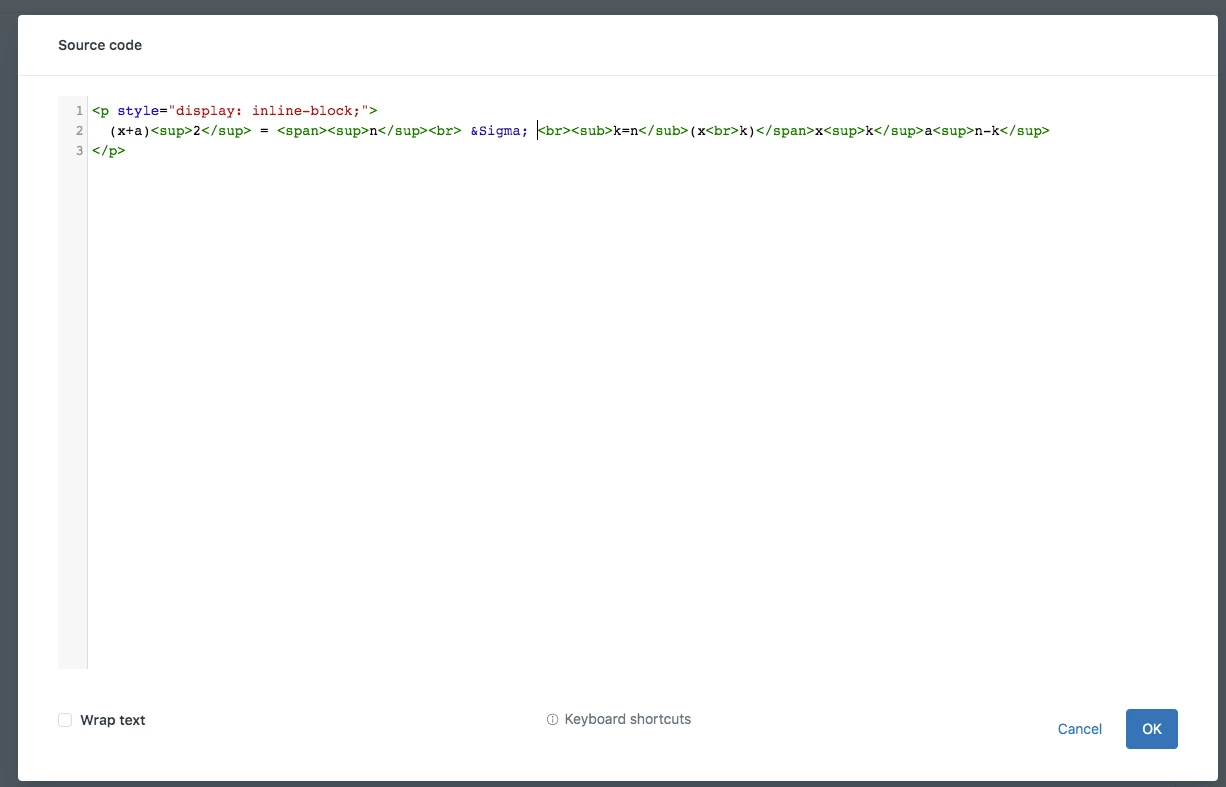
You can write the equations with HTML tags and maths symbol codes:


https://www.w3schools.com/charsets/ref_utf_greek.asp


https://www.science.co.il/internet/html/Greek-characters.php


Article - Edit code.


Hope, it helps you :)


Thanks


  • Author
  • January 19, 2022

Thanks. I found a much better way of handling this by using MathJax.


Ifra
  • January 20, 2022

Awesome tutorial! Thanks for sharing :)


Matthias11

To add some more info about this topic: 

It is easy to support LaTeX formatting for pretty math notation in Gather and Guide by just adding this line to the document_head.hbs file to activate MathJax:
<script src='https://cdnjs.cloudflare.com/ajax/libs/mathjax/2.7.5/latest.js?config=TeX-MML-AM_CHTML' async></script>

Then, it's possible to use math notation as explained in our community guide: Posting to the Community Forum – Gurobi Support Portal

Unfortunately, this is not supported in Zendesk Support, so we cannot have nicely formatted mathematical formulations in our conversations with customers. I already opened a feature request to support this: LaTeX support in tickets – Zendesk help

Cheers,
Matthias