Add sidebar with related articles to Article page - Help Center | Community
Skip to main content

Add sidebar with related articles to Article page - Help Center

  • June 4, 2024
  • 2 replies
  • 0 views

Miguel17

Hello,


I would like to add Related articles in a sidebar of the Article page, right next to the article content, which is centralizer on the page.


Could anyone help me do this in the theme code?

Thanks!

2 replies

Pulkit12
  • June 6, 2024

Hi Miguel
I am assuming you are using the Default Zendesk Copenhagen Theme, Follow the below steps to show related articles on the sidebar 

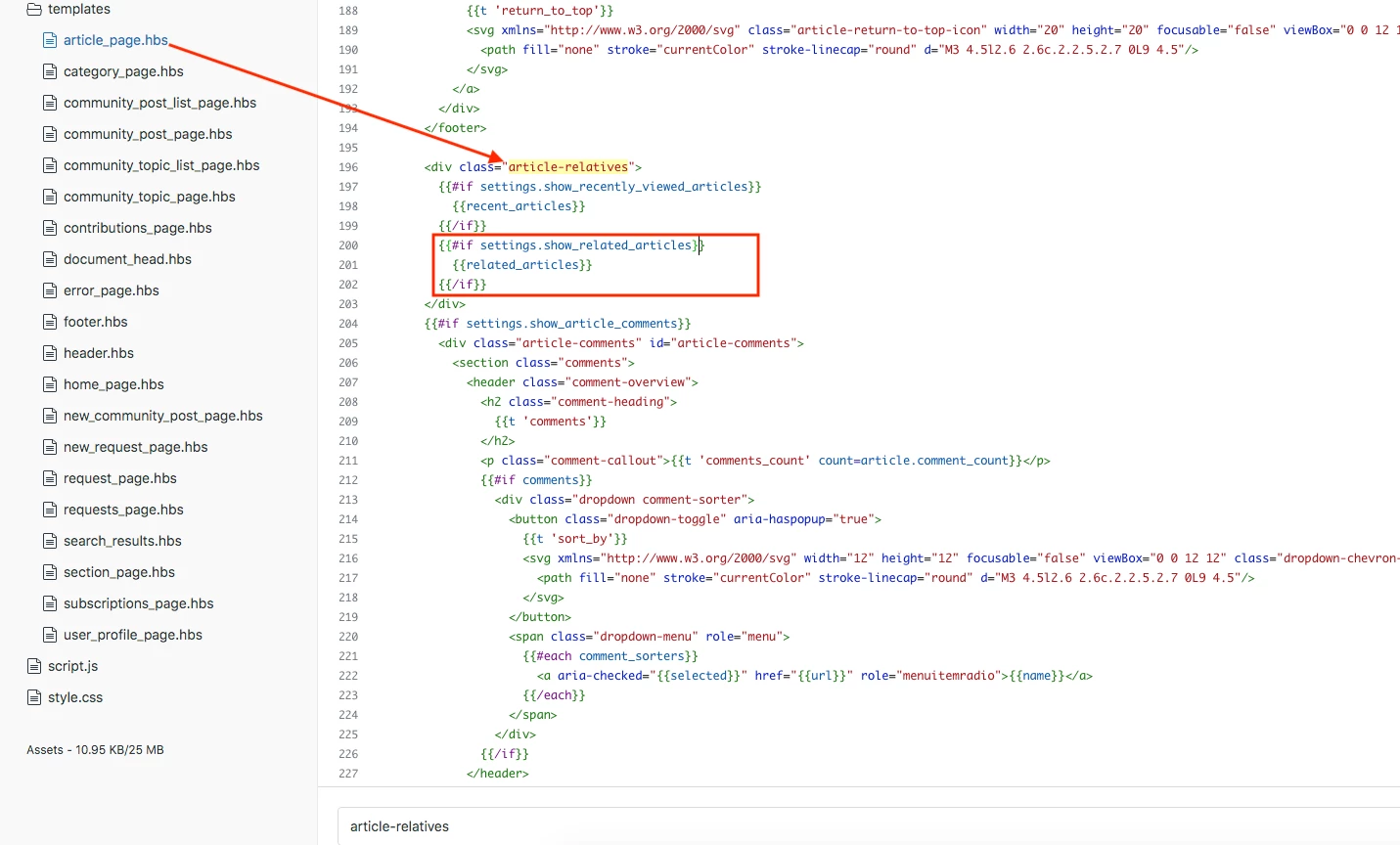
1. Search for "article-relatives" in the article_page.hbs file, and then copy the code of the related articles as shown in the screenshot below.


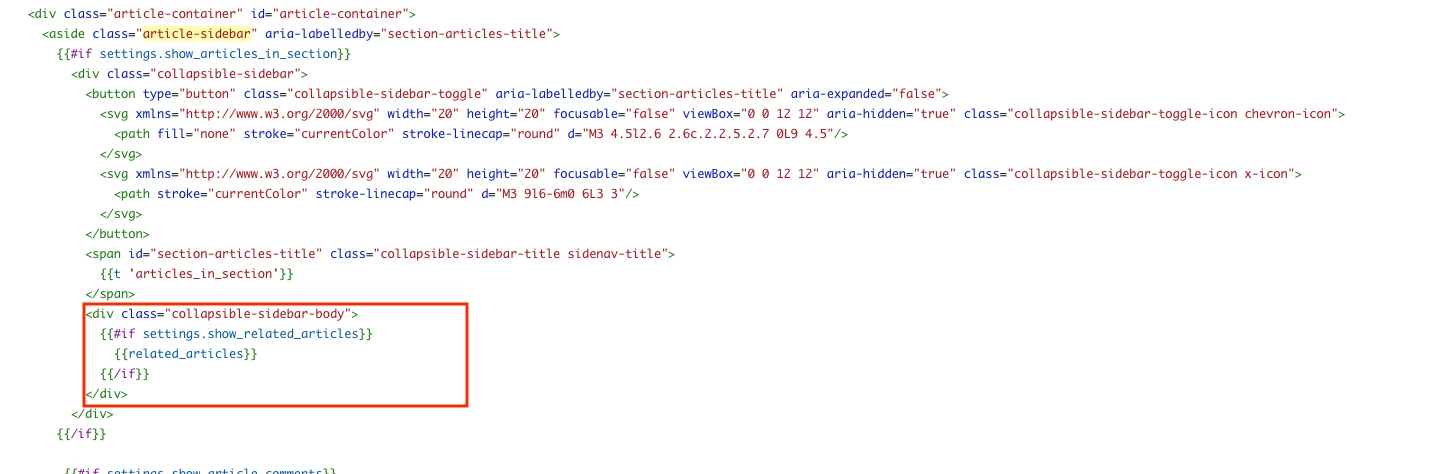
2. After copying the highlighted code as shown above, go to the article_page.hbs file and search for the class "article-sidebar" Under this class, locate "collapsible-sidebar-body" Remove the existing code and add the following code.

 {{#if settings.show_related_articles}}
    {{related_articles}}
 {{/if}}


Below is the screenshot for the same 


Thank You 

Pulkit 

Team Diziana


Brett13
  • Community Manager
  • June 6, 2024

Thanks for sharing your solution here @pulkit12 !