Add description to the Attachments field for "Submit a request" form | Community
Skip to main content

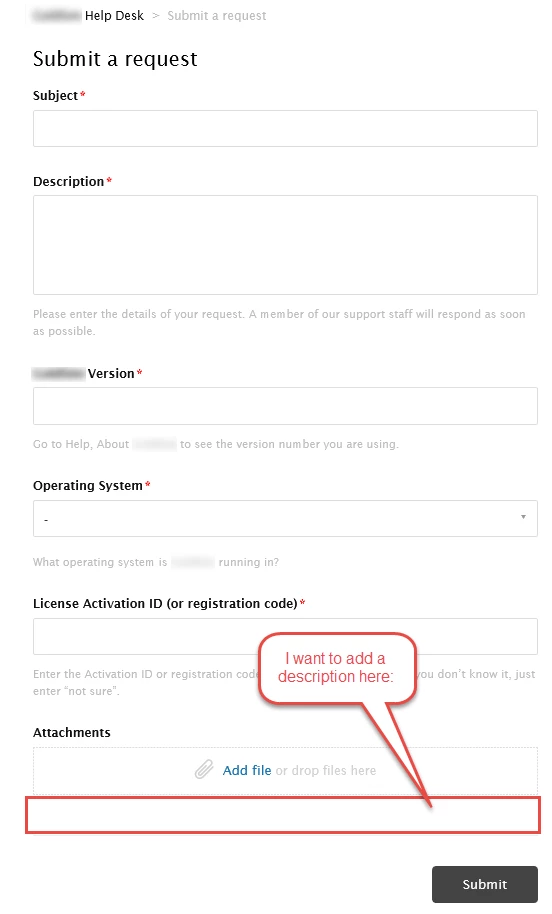
Add description to the Attachments field for "Submit a request" form

  • April 15, 2016
  • 83 replies
  • 0 views

Show first post

83 replies

  • April 3, 2018

Help!!!

I am trying to use dynamic content for the attachment field description but it does not work. WHY ? :(

My dynamic content is  {{dc.attachment_system_field_description}}

The code I am using in the JS is $('form#new_request .upload-dropzone').parent().append('<p>{{dc 'attachment_system_field_description'}}</p>');

What might be wrong ?


  • April 5, 2018

Hey Huong! I'm check to see if one of our Moderators can help you out here. Sit tight!


Vladan
  • April 6, 2018

Hi Huong, from this perspective your code looks fine. Could you please just paste here a text from your DC item please?


  • April 6, 2018

hi Vladan, 

My text is the following : Please attach as much screenshots / printscreens as possible to illustrate the issue

If I only use that text without the dynamic content, it works perfectly. But when putting it in a dynamic content, it won't work anymore...

Ly


Vladan
  • April 6, 2018

Hmm, please check maybe you have a line break at the end/beginning of your string in the DC item.
Or if you can share your Help center link with us, that would help us for sure. 


Trapta
  • April 6, 2018

Hi @Huong-Ly Dang,

Try putting your code at the bottom of the footer.hbs template under <script> tag.

Thanks

Team Diziana


  • April 7, 2018

Hi Vladan,

I have verified, no line break at the end&beginning of my string in the DC item.

Here is the link of my HC : https://e-education.zendesk.com/hc/en-us/requests/new 

Many thanks,

Ly


  • April 7, 2018

Hi @Trapta,


Thank you so much for your tips : it works.

However it works for all languages except French, any idea why ?

Her is the link of my HC : https://e-education.zendesk.com/hc/fr/requests/new 

Many thanks,


Ly


  • April 7, 2018

Additional question : how can I make this description appear in my web widget as well ?


Trapta
  • April 7, 2018

Hi @Huong-Ly Dang,

Glad to hear that it works for you. To make it work for French replace your code from 

$('form#new_request .upload-dropzone').parent().append('<p>{{dc 'attachment_system_field_description'}}</p>');

to

$('form#new_request .upload-dropzone').parent().append("<p>{{dc 'attachment_system_field_description'}}</p>");

and it will work.

Let me know if you face any issue.

Thanks

Team Diziana


  • April 7, 2018

Hi @Trapta,


You tips is awesome ! Works for French now. :D

Additional question : how can I make this description appear in my web widget as well ?

Kind regard,

Ly


  • November 21, 2018

How should the code look, if i want to have line break eg

"Step 1: uploade picture

Step 2: ...."


BR Gitte


Vladan
  • November 21, 2018

Hi Gitte, something like this will work:

"Step 1: uploade picture<br><br>Step 2: ...."

So the code will be like:

$('form#new_request .upload-dropzone').parent().append("<p>Step 1: uploade picture<br><br>Step 2: ....</p>");

  • November 21, 2018

Thanks :-)

Does the same apply if i want: to have it looking like this:

“For at kunne hjælpe dig bedst muligt, har vi brug for :

  • billeder af fejl/mangel tæt på,
  • billede på afstand,
  • billede af hele møblet,
  • billeder af labels, emballage og følgeseddel.

Se eksempel her (link)”

Thanks in advance Gitte


Vladan
  • November 21, 2018

Hmm no, it will not, it should be like:

$('form#new_request .upload-dropzone').parent().append("<p>For at kunne hjælpe dig bedst muligt, har vi brug for :</p><ul><li>billeder af fejl/mangel tæt på,</li><li>billede på afstand,</li><li>billede af hele møblet,</li><li>billeder af labels, emballage og følgeseddel.</li></ul><p>Se eksempel her (link)</p>");

Here what you will get https://cl.ly/a9e709e61cd5 so you will need just some CSS styling. like:

.form-field ul {
list-style: disc;
list-style-position: inside;
padding-left: 20px;
}

.form-field p {
font-size: 15px;
color: #000;
}

Hope this helps :)


Jacob20
  • December 5, 2018

Hi Vladan and Trapta,

I have an issue with the Dynamic Content not rendering the text below the upload dropzone. I expected the following script to render the Dynamic content, but it doesn't.

<script> 
if(window.location.href.indexOf("360000138579") > -1) {
$('form#new_request .upload-dropzone').parent().append("<p>{{dc 'exhibits'}}</p>")
}
</script>

The same script, but with plain text instead of DC works as expected. 

<script> 
if(window.location.href.indexOf("360000138579") > -1) {
$('form#new_request .upload-dropzone').parent().append('Exhibits-text')
}
</script>

The DC is valid and outputs fine, when applied elsewhere in the template.

Any ideas what I messed up? Thanks!


Vladan
  • December 5, 2018

Hey Jacob, maybe your DC text contains quote symbol? That will break the code.

In that case instead of eg

"we're"

just put

"we\'re"

Hope this helps. If not, please provide us with more infos :)


Jacob20
  • December 6, 2018

Thanks Vladan!

There was a quote symbol, but removing it didn't make the DC content appear.

It appears that my problem was line breaks in the DC, once I formatted the content to remove any line breaks the content appeared.


Amie11
  • August 16, 2019

Hi friends, 

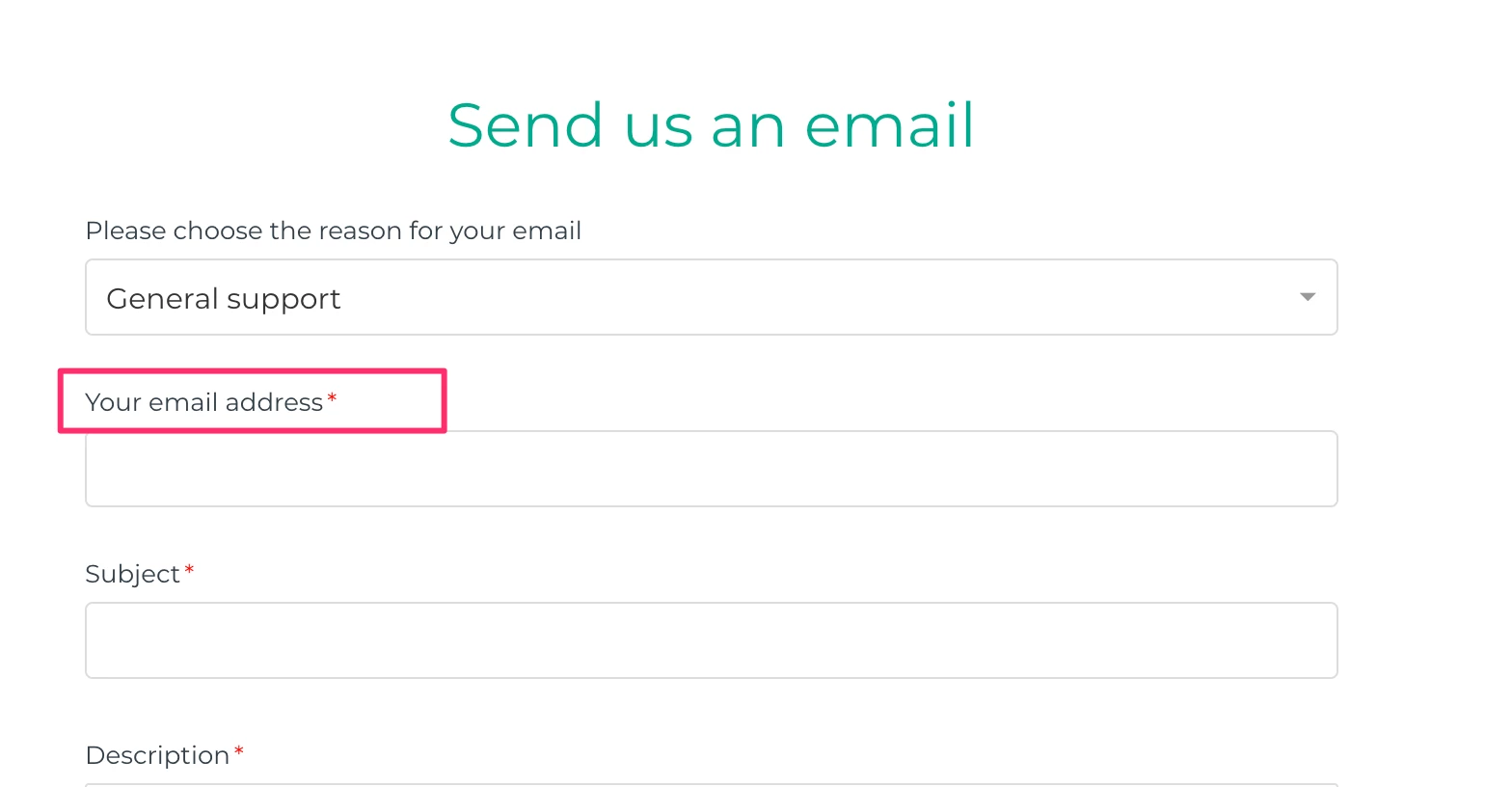
I've been trying to follow this along but not having much luck. I'm trying to adjust the text which is associated with the email field. Instead of saying "your email address" i want it to say "email address associated with your online account"


I'm not having much luck with the code suggestions in the comments on this article. Wondering if anyone out there might know how I can do this at all? 

Best,

Amie


Vladan
  • August 16, 2019

Hey Amie, it should work if you put this code at the end of your "New request page":

<script>
$( document ).ready(function() {
$('.form-field.request_anonymous_requester_email label').text('Whatever whenever');
});
</script>

Do you know how to edit your theme files?


Amie11
  • August 20, 2019

Thanks @Vladan, that did the trick. Appreciate your help with this one. :)


Grant21
  • January 7, 2020

Hey team,

I'm using the original code suggested which works

<script>
$('form#new_request .upload-dropzone').parent().append('<p>{{dc 'here goes DC item title'}}</p>');
</script>

However just wondering if it is possible to apply different descriptions on different forms? A generic one for the attachment field doesn't make sense across all of our forms.


Dan32
  • January 8, 2020

Hey Grant,


You could do this with some conditional code on your new_request page just before the script you have above.

Try something like this:

<script>
var ticketForm = location.search.split('ticket_form_id=')[1];
if(ticketForm == "YOUR_TICKET_FORMID_HERE") {

$('form#new_request .upload-dropzone').parent().append('<p>{{dc 'here goes DC item title'}}</p>');
}
</script>

You could have a case for each form ID you wanted to cover.

Hope that helps!


Grant21
  • January 8, 2020

Legend thank you Dan. Works perfectly!


Raúl14
  • April 8, 2020

Is there a way to change the "Attachment" placeholder text for the dropzone based on the selection in a specific field? We're trying to change the text based on the user selection of one of the dropdown menus in our contact form. We're also using dynamic text, so we'd want to be able to set that up with the dynamic string.

Based, on what I've read in the comments, the following should work to replace the placeholder with dynamic text, right? But, how do we make it so it is displayed based on a user's selection (similar to a conditional field).

<script>
var ticketForm = location.search.split('ticket_form_id=')[1];
if(ticketForm == "YOUR_TICKET_FORMID_HERE") {

$('form#new_request .upload-dropzone').parent().append('<p>{{dc 'here goes DC item title'}}</p>');
}
</script>


If that isn't possible, is there a way to add the line of dynamic text below the dropzone based on the user's selection?