Add description to the Attachments field for "Submit a request" form | Community
Skip to main content

Add description to the Attachments field for "Submit a request" form

  • April 15, 2016
  • 83 replies
  • 0 views

At the bottom of our "Submit a request" form in our Help Center is an automatic upload form for adding attachments. I would like to add a description similar to the description I've added to my other fields. The problem is, the Attachments field is not accessible in our Ticket Fields Admin Settings so I'm not able to add a description yet I am able to add one to all the other fields (i.e. Subject, etc). Below is an example showing our "Submit a request" form for context.
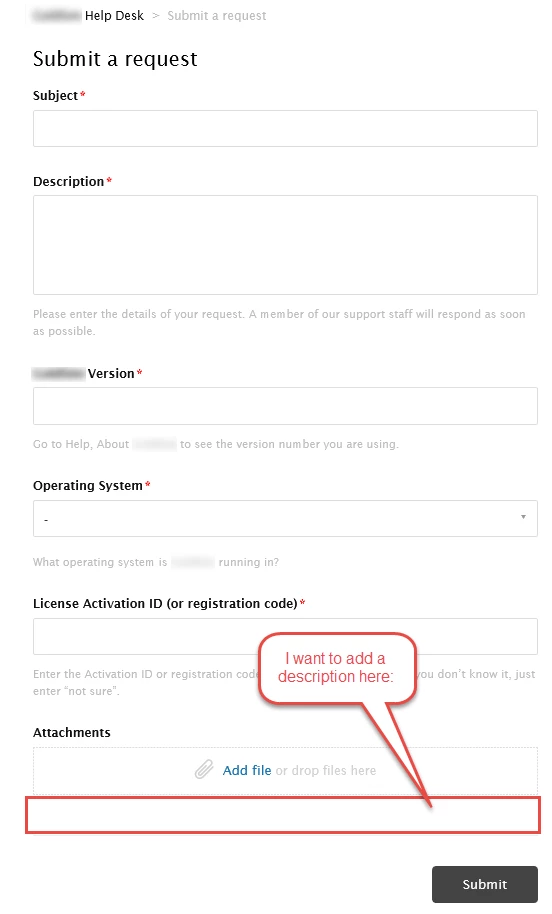

I looked at the HTML for our Help Center and found there is a template called "New Request Page" with a reference to "{{request_form}}" but I'm not sure how to access that or edit it. 

83 replies

  • April 18, 2016

Hi Jason,

Add the below line in your JS code:-

$('#request-attachments-pool').parent()
.append(‘ADD_YOUR_DESCRIPTION_HERE’);

Replace ADD_YOUR_DESCRIPTION_HERE with your description text.


I believe that would work.

Let us know if you have questions.

Team Diziana


  • Author
  • April 18, 2016

@Diziana,

That worked for me. Thanks! 

Where do I go to learn how to do this kind of think on my own? How did you know what "#request-attachments-pool" is?


  • October 15, 2016

Where exactly in the js code do you add this? its it 2 lines or 1?


  • March 8, 2017

@Diziana


This no longer seems to be working. I am pasting it at the end of my JS page. 


  • August 28, 2017

I was able to get this to work for me, but when I add the code to the JS file, it universally adds the description text to every form that we created. I want to add it to one specific form, not all of them.

Could someone help with that?

Thank you!


Nicole17
  • September 1, 2017

Hey Larry - 

Welcome to the Zendesk Community! That's a good question. I've asked one of our support agents to weigh in; you should see a response from someone shortly. 


Vladan
  • September 2, 2017

Hey Larry and Jorge, please try this out and let us know the results! Paste it in JS tab, after "$(document).ready(function() {".

$('form#new_request .upload-dropzone').parent().append('<p>Your text here Your text here Your text here Your text here </p>');

Vassilios
  • September 8, 2017

Hi, can't I use the placeholders of the dynamic text for that?


Vladan
  • September 8, 2017

Hi Vassilios, Yes, you can! Use this code and put it on the very bottom of Submit a request page code.

<script>
$('form#new_request .upload-dropzone').parent().append('<p>{{dc 'here goes DC item title'}}</p>');
</script>

Note that DC item  should be changed from my code above. Please try and let us know how it goes. ;)


Vassilios
  • September 8, 2017

Hi Vladan, it worked! Thanks a lot!


Vladan
  • September 8, 2017

Woohoo! Thanks for the feedback, Vassilios!


Jennifer16
  • September 8, 2017

Thanks, Vlad! You're awesome.


  • November 8, 2017

Hi Vlad,

            How Could I add custom text field as attachment with some blank description placeholder ,because we want to rename that attachment field ,don't want to use the system attachment specific for some form


Vladan
  • November 8, 2017

Hey Suman, just to check, which one of these you want to rename?

https://cl.ly/nZX0


  • November 9, 2017

Yes Vlad , I am talking about this system attachment field, could we rename it or use other custom fields as attachment with some text field where some decription can be written


Vladan
  • November 9, 2017

Yup, we can put there another text. Just try to put this code on the bottom of your Submit a ticket page template.

<script>
$('div#upload-dropzone').prev().text('New text');
// change New text
</script>

Let us know the result! ;)


  • November 9, 2017

Hi vlad ,thanks for the reply ,I also want to know how to change the type of request system field name where the form names are showing in a dropdown under a. brand?


Vladan
  • November 10, 2017

Just to make sure could you please send me a screenshot of that field?


  • November 10, 2017

this is the screenshot

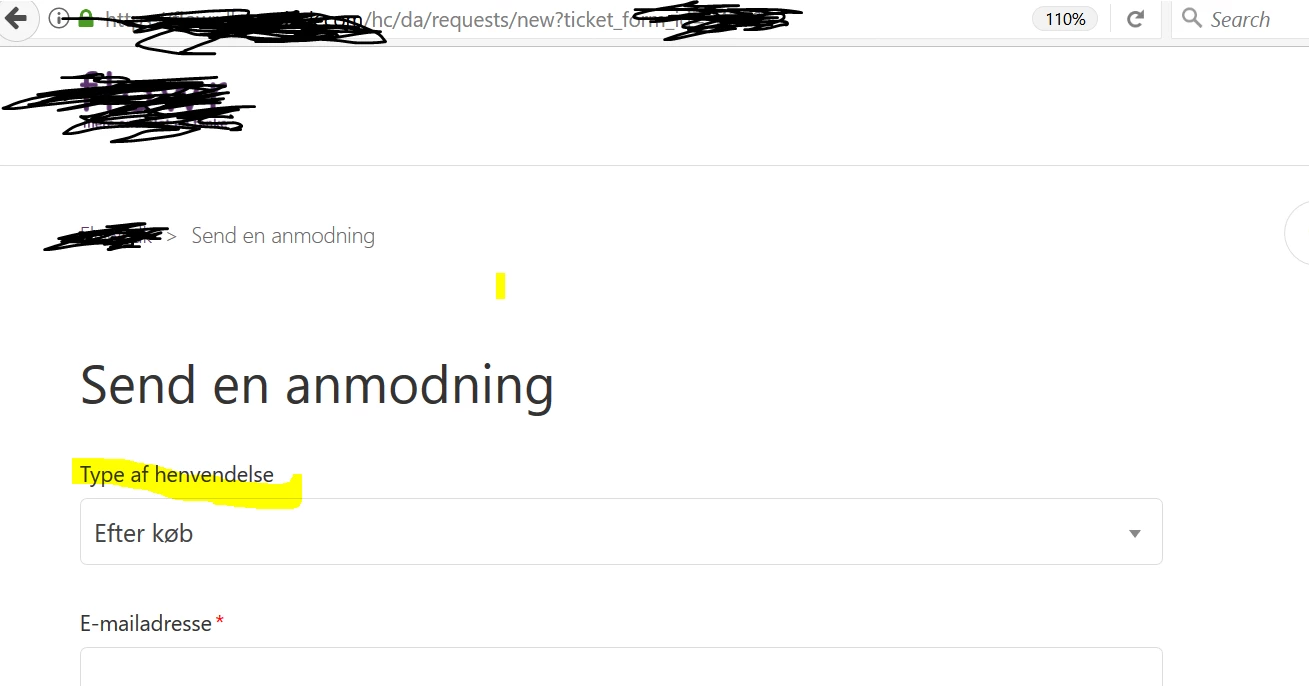
the Type of henvendelse ----- the system dropdown for showing the form under a specific brand, we need to change the name for the field also


Vladan
  • November 11, 2017

Here is the code:

<script>
$('.form-field.request_custom_fields_111111 > label').text('new text');
// replace 111111 with your ticket field ID
// replace new text with a new name of the field
</script>

Hope this helps!


  • March 13, 2018

Hi,

We're looking to use the attachment field as a way for users to send us a copy of their proof of purchase when they submit their ticket using a certain form (a 'hardware fault' form).

We're also using the attachment field on other forms (e.g. a 'technical support' form) so users can provide extra information to us (e.g. screenshots).

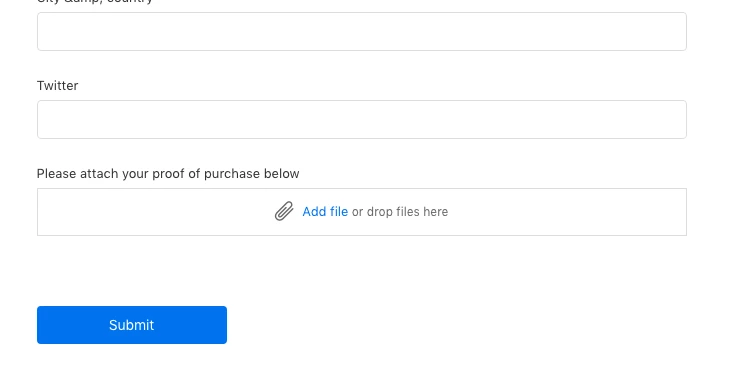
In order to make it clear that we'd like customers to attach their proof of purchase using the 'attachment' field in the 'hardware fault' form, we'd like to add a label "Please attach your proof of purchase below".

Is there a way to add this label ONLY for one form, the 'hardware fault' form.

Thanks,

Eddie


Vladan
  • March 13, 2018

Hi Eddie, yes that is possible ;) Try with this code, just paste it on the very bottom of your Submit a request page (New request) template. Don't forget to replace 123456 with the ID of your form.

<script> 
if(window.location.href.indexOf("123456") > -1) {
$('div#upload-dropzone').parent().find('label').text('Please attach your proof of purchase below')
}
// replace 123456 with the 'hardware fault' form ID
</script>

Let us know how it goes ;)
You should get something like this:


  • March 16, 2018

Thanks, Vladan. That's worked perfectly!


Justin62
  • April 2, 2018

I have the same question as Vassilios in this thread. I'm looking to use a dynamic content placeholder for the attachment description. Do I need to put any code in the JS tab? I am entering the following on the 'new request page' HTML:


<script>
$('form#new_request .upload-dropzone').parent().append('<p>{{dc ' {{dc.attachment_description}}'}}</p>');
</script>


And it's returning "Could not find the placeholder for dynamic content named {{dc.attachment_description}}"


Justin62
  • April 3, 2018

^ Actually I figured this out, but now I have a different question. Why would the dynamic content be rendering for 4/5 languages selected? We have English, Spanish, French, German, and Portugese enabled. Everything is fine except for this specific placeholder for attachment description - and it works for all languages EXCEPT French. What would cause that?