
Accordion Content block | Community
Skip to main content

Accordion Content block

  • August 1, 2022
  • 2 replies
  • 0 views

When creating a content block that includes an accordion block with code tags, the accordion gets lost in the target pages while the hundreds of lines of code transfers just fine. The purpose of the accordion is to preserve the real estate the hundred of lines of code take up.

Additionally, I have applied a class to the code that completely UN-applies itself when I make any updates to the code. When I attempt to reapply the class in the content block source, it does not save.

Any ideas?

Source with accordion and code class
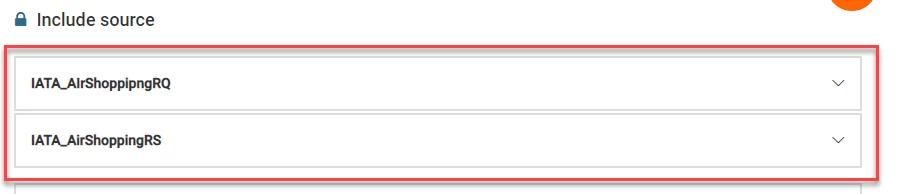
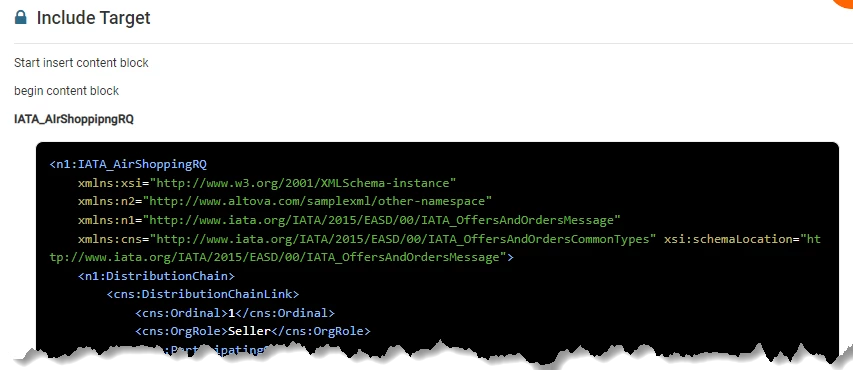
Target shows code with applied class but no accordion
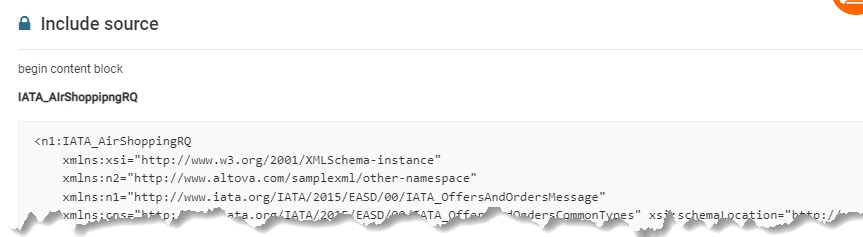
Source after update - both accordion and class disappear

 

2 replies

Jeff46
  • August 3, 2022

Hello Salle,

At this time, adding accordions can only be achieved thru custom code at the moment and it is not possible to associate or place Content blocks inside an Accordion. 

It is mentioned here that you won't see any HTML code for content blocks, only for your regular text. This is because content blocks live independently in the help center.

Our product team is aware of this limitation and plans to deliver adding accordions and other formatting natively next year. 


  • August 17, 2023

Any update on this please as it's been over a year since this post?
We would like to be able to format the code for content blocks so that we can include more formatting that we use throughout our Help Centre such as callouts, accordions, button links and formatted tables.