Your Feedback on Zendesk Dark Mode | Community
Skip to main content
Accepted

Your Feedback on Zendesk Dark Mode

Related products:Ticketing system (Support)
  • March 24, 2025
  • 66 replies
  • 0 views

Show first post

66 replies

  • May 28, 2025

It's amazing how we receive features to Zendesk we don't want but the most asked for feature, dark mode was poorly executed. It makes the product useless in dark mode just trying to read tickets. Your team couldn't look at the background color and change it to be readable for your customers?


  • May 28, 2025

Hi there, some of our team love the dark mode option so help with eye strain. 
I have spoken with support as we are finding that sometimes the text does not change to white in the reply, and the agent has to switch back to light mode. Whilst this is easy to do, it is not an efficient way for an agent to conduct their day. This seems to be due to not converting the original email into dark mode correctly. Screenshot attached. 


Eldar
  • June 3, 2025

Hi, thank you for adding dark mode. 


I noticed just one issue, I use Auto Dark Mode app for Windows to schedule light/dark mode, and I use Match system appearence in Zendesk. 


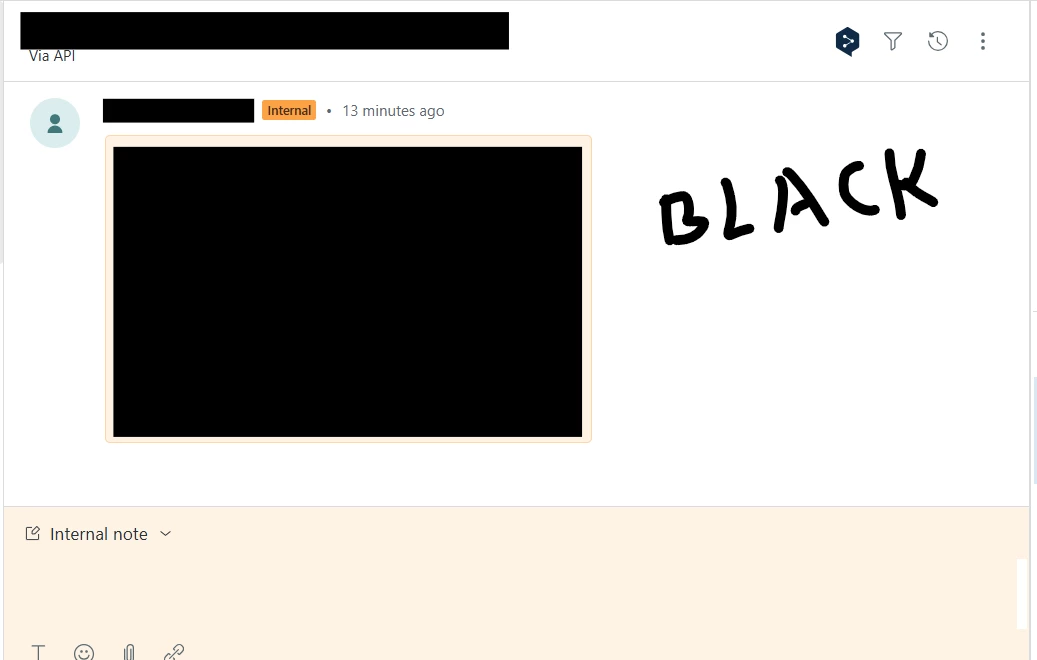
So in the morning when I load Zendesk, the space where ticket comments are displayed remains black while all the rest switches to light. It is white on the screenshot so I marked it with a word BLACK.


If I go to Display and click on Match system appearance, the blackness switches to light as intended.


Chelsey11
  • June 10, 2025

Hi there! 


Thanks for introducing dark mode, I've been loving it.
 

I think I found a bug.
 

When applying some macros to the reply field, the macro is pasted with black text making it illegible. However, when I highlight the area to change the text color and click BLACK (it's already marked as BLACK when highlighted), it will fix itself and show as white text against the dark background, which is expected behavior. 

Hope that helps.


Bonjour,


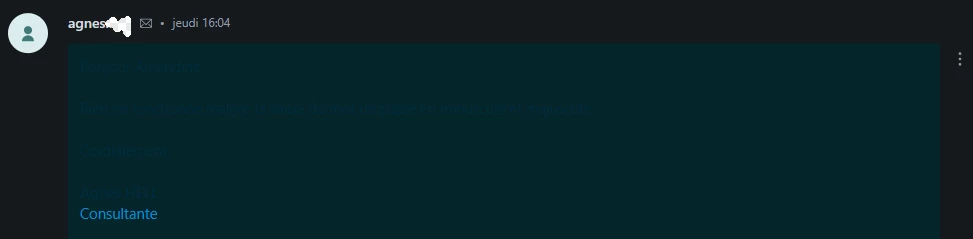
Nous avons constaté que si un client a personnalisé la couleur de sa police de caractères alors en mode sombre le ticket généré à la réception de cet e-mail est illisible.


  • July 18, 2025

Still needs work
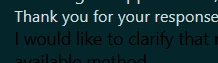
Cant read anything in Dark Mode:


Nathan28
  • July 22, 2025

We recently switched our Staff email providers to Outlook and that has caused us to experience the same issues as reported. Internal emails from staff are now showing up in dark mode. External emails are still working correctly. So it might have something to do with the default text/font for Outlook causing issues.


We feel that the colour contrast in the message area is not distinct enough in dark mode. (It is nice and distinct in light mode). It raises the possibility that agents will send internal notes accidentally as public replies (and vice versa).


  • September 15, 2025

Same issue for us with the text in dark mode.  We either need the ability to modify the default coloring in Dark Mode so that black text doesn't blend into the dark background or it should default to high contrast mode when in dark mode.


  • September 23, 2025

@shawna11 


Are there any status updates on when further changes to dark mode will be deployed?


As others have noted here, the contrast on emails that are using different colored text being unreadable makes it unusable for many Zendesk customers.


  • October 3, 2025

Hey, wanted to bump this thread. Dark Mode is still bugged in some replies. Makes it incredibly difficult to see


  • October 15, 2025

Hey folks,


JJ here from Zendesk, on the product side.

Sorry for the radio silence. I hear y'all loud and clear regarding any HTML-based or rich-text formatted emails be automatically modified to have sufficient colour contrast in Dark Mode. We banked too hard on preserving the original/intended color of the formatted email, but in retrospect we should've prioritized legibility, and I get that swapping back-and-forth on the dark/light conversation toggle is a poor experience. 

We'll get this fixed by mid-Q1 2026, this is important, but there's an even bigger fish that we have to fry at the moment.


Benjamin14
  • October 24, 2025

Same as previous users : 


We noticed that when we are using the integrated dark mode you propose into Zendesk Agent, some of the emails we received aren't converted correctly concerning the text color.


We confirm that the behaviour is seen only with replies received by email AND with the native dark mode you propose in the interface : 


With a browser extension such as dark reader, the behaviour is not met 


Mateja
  • February 11, 2026

Hello! I started using Dark mode again, I see there have been some good changes. What I would like to have changed is the side bar - it is quite bright blue and it takes away the focus from the rest of the page. 


Lisa38
  • February 11, 2026

Hi Mateja
Thats good to hear! The color of the navigation bar in Support is not a part of dark mode. You, or your admin, can set the color from the Branding page in Admin Center. See Customizing colors in the Support interface


Jonathan47

Dark mode! Thanks.


When you reload a page, it first loads white, then switches to dark mode. This is very distracting, and especially annoying when you are on calls.