Your Feedback on Zendesk Dark Mode | Community
Skip to main content
Accepted

Your Feedback on Zendesk Dark Mode

Related products:Ticketing system (Support)
  • March 24, 2025
  • 66 replies
  • 0 views

Show first post

66 replies

Kyle29
  • April 29, 2025

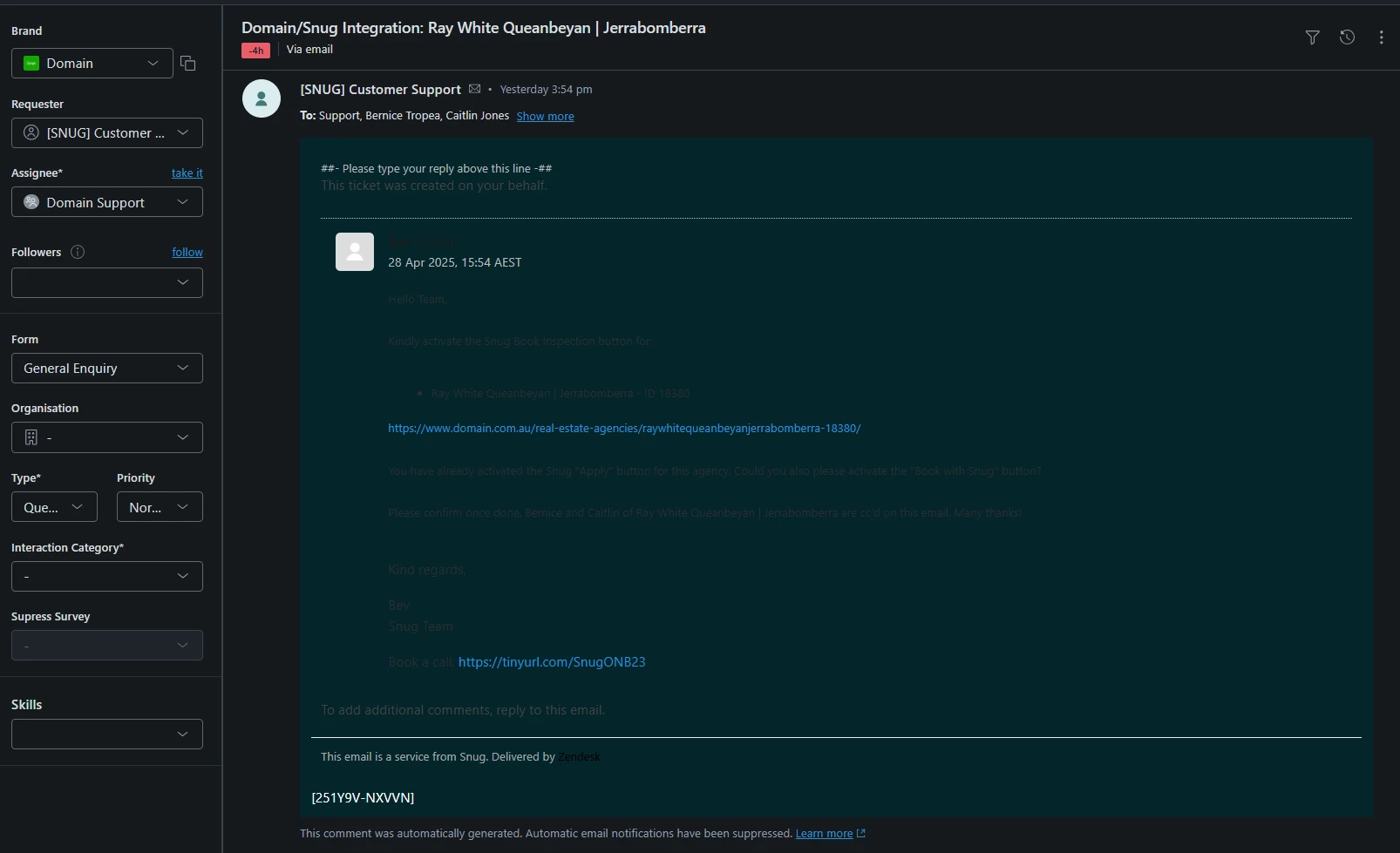
Our agents are experiencing the same as most where some text is still showing as black/dark text which hinders the ability of agents to read the text. This is less than ideal as this can be critical information & toggling/highlighting needs to be done so that they can read this. In our instance, it is happening for the majority of tickets. Mainly on email threads, signatures & clients utilising a CRM Support system to reach out to us. 


  • May 1, 2025

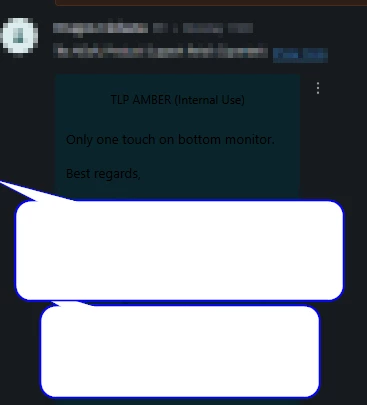
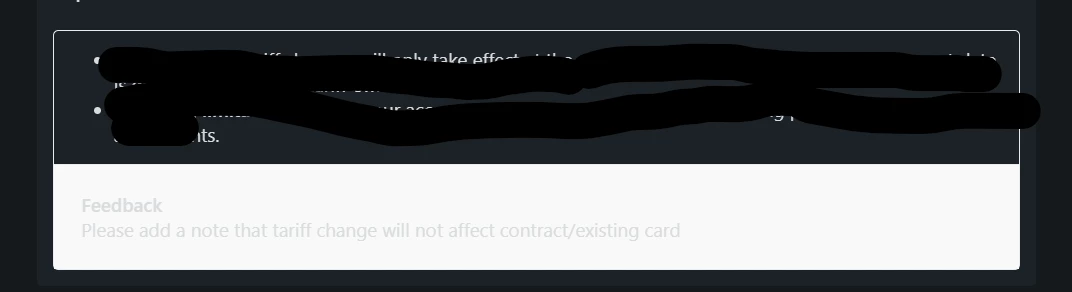
Knowledge feedback is nearly unreadable in Dark Mode. It's displaying with a white background and grey text. 


See below:


  • May 6, 2025

Our teams were excited to have a dark mode option for Zendesk, but after testing it out, it's not really usable in it's current state. The fact that dark mode doesn't account for styling in customer's emails means that we can't really use it. And the difference between internal and public comments is hard to distinguish. Everyone that was originally excited for this update has said that they're going to go back to using the Dark Reader extension.


  • May 6, 2025

So this feature is planned May 14, 2025 for GA launch and leave EAP but 90% of feedback here is not working and lot of bottlenecks, any PM want share an updated roadmap, improvement and bug fixes on all that feedback?

Thanks.


Oliver15
  • May 14, 2025

Issue users are reporting is still there… 

I barely see some messages 


Pranab
  • May 14, 2025

Why is the ribbon on the left not dark in dark mode? 
This defeats the purpose of dark mode…


  • May 14, 2025

Would really love to see the apps moved to dark mode - it's pretty jarring to have these white boxes jump out at you.


  • May 14, 2025

Please change the colored backgrounds of the Internal Note vs Public Note in DARK mode.

TY


Jess17
  • May 14, 2025

Just tacking on that Dark Mode is pretty half baked. Text is formatted poorly and you can't read half of the messages coming in. Either coding this correctly, or allowing users to select the text color of displayed text would fix this.


  • May 14, 2025

The dark mode is not showing up correctly and is causing the tickets to be white with light gray font, making it hard to read customer submissions. 


  • May 14, 2025

Left panel is not contrasted enough, apps don't accurately adjust to dark mode, leaving blinding white segment of the page, and it doesn't make dark text light so user emails are hard to read. The browser extension “Dark Reader” does a much better job of accurately converting to a dark palette 


Karan12
  • May 15, 2025

Hello, my team is really liking the dark mode except for a few feedback that they have shared. Those are as follows:


  1. 1. A lot of our customers share html formatted emails which show up as washed out in Dark mode.
  2. The Zendesk notification pop up is barely readable (Which comes up when somoene replies to a ticket, updates a side conversation).
  3. Colour of the status -is to too bright. Also, the left main panel. Tooooo bright. The colour can be made softer.
  4. Colour scheme and combination of text, font and image colours in the case. Too much contrast in a small area of ​​text. 
  5. The main colours like "ticket status", "main left panel", "signatures" and "logos"... They can be improved. Make the contrast smaller, a more delicate soft shade, otherwise it is too striking, since the background is dark. Accordingly, the colours should not be striking and not be in high contrast.

  • May 15, 2025

It's almost outrageous to launch an Early Access Program, ignore about 90% of the feedback, and then roll out the product as General Availability (GA) with known bugs. This is one of the worst implementations of dark mode I've seen. Critical issues like broken email rendering, unreadable side conversation notifications, app migration problems, and shortcomings in the Admin Center remain unresolved. And then there's surprise over negative feedback, while the original announcement article gets linked in the EAP feedback thread. This is not how user feedback should be handled – very disappointing, Zendesk.


Bogusz
  • May 16, 2025

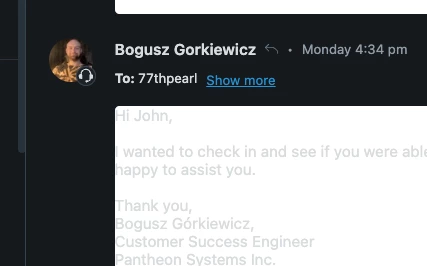
Hey, Pantheon here. I still get the white comment issue:


Switching to light/dark in 3 dot menu doesn't help, the above is the “dark” mode, which obviously isn't dark. Hoping to see fully dark Zendesk soon! Especially that we're moving to Zendesk messaging soon. Our current tool, Intercom, is dark the whole time I'm using it. I'm kinda sensitive to bright screen, it fatigues me. So I'm hoping that in those 1-2 months time that it takes us to move from Intercom to Zendesk, Zendesk will fully support dark mdoe by then.


Cheers


Marc13
  • May 16, 2025

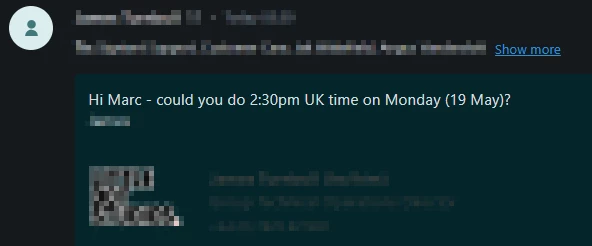
Ya, These replies are coming in with black font and dark green background. Not all of them. I can't seem to figure out what's different


Yet on other tickets, no problem.


Looking at the emails themselves, it's not obvious that there are any differences.

I'm looking forwared to seeing how this feature evolves. It's a good first step but needs some imrovement.


I understand the apps may not be in your control as they appear to be some sort of iframe where the application feeds the app. I tried changing my Jira to dark mode but it didn't change the app.


The out of office app also shows a white background.


Laura42
  • May 16, 2025

Hi,

I have similar feedback as others. 

In dark mode, it's hard to distinguish between public replies and internal notes in the body of the ticket. You can change the body to be light mode instead, but this negates the benefits of dark mode and I'm told it's worse for those with additional visual needs.

Also, side conversations are not clearly visible due to the colour of the text being similar to the colour of the background.

Hoping these get resolved soon as it's a much needed feature for accessibility.


Kyle12
  • May 19, 2025

Feedback from our agents so far:


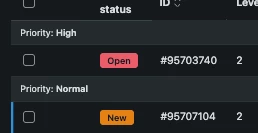
1. The new/open is so close together that it hurts their eyes. They asked if New could be changed to Green?

2. To add to point 1, they would like to see the schemes as something that could be changed by either the admin or the agent.

3. Add Dark Mode to Advanced Search. 


Jihoon11
  • May 20, 2025

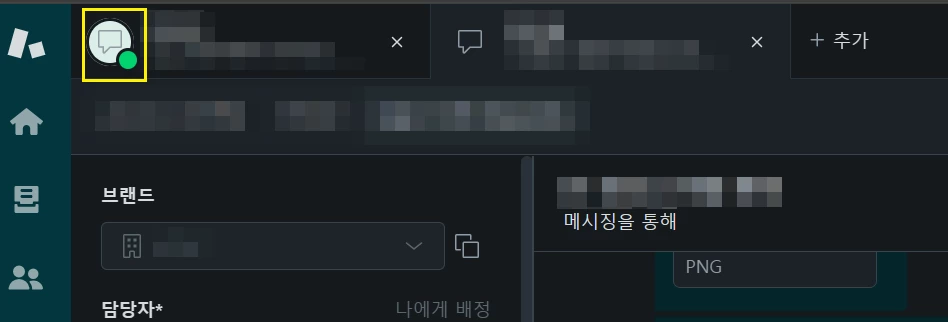
The tab area icon of a deactivated messaging ticket has dark mode applied,

but the tab area icon of an activated messaging ticket does not have dark mode applied.


Ahmed11
  • May 20, 2025

Hello,

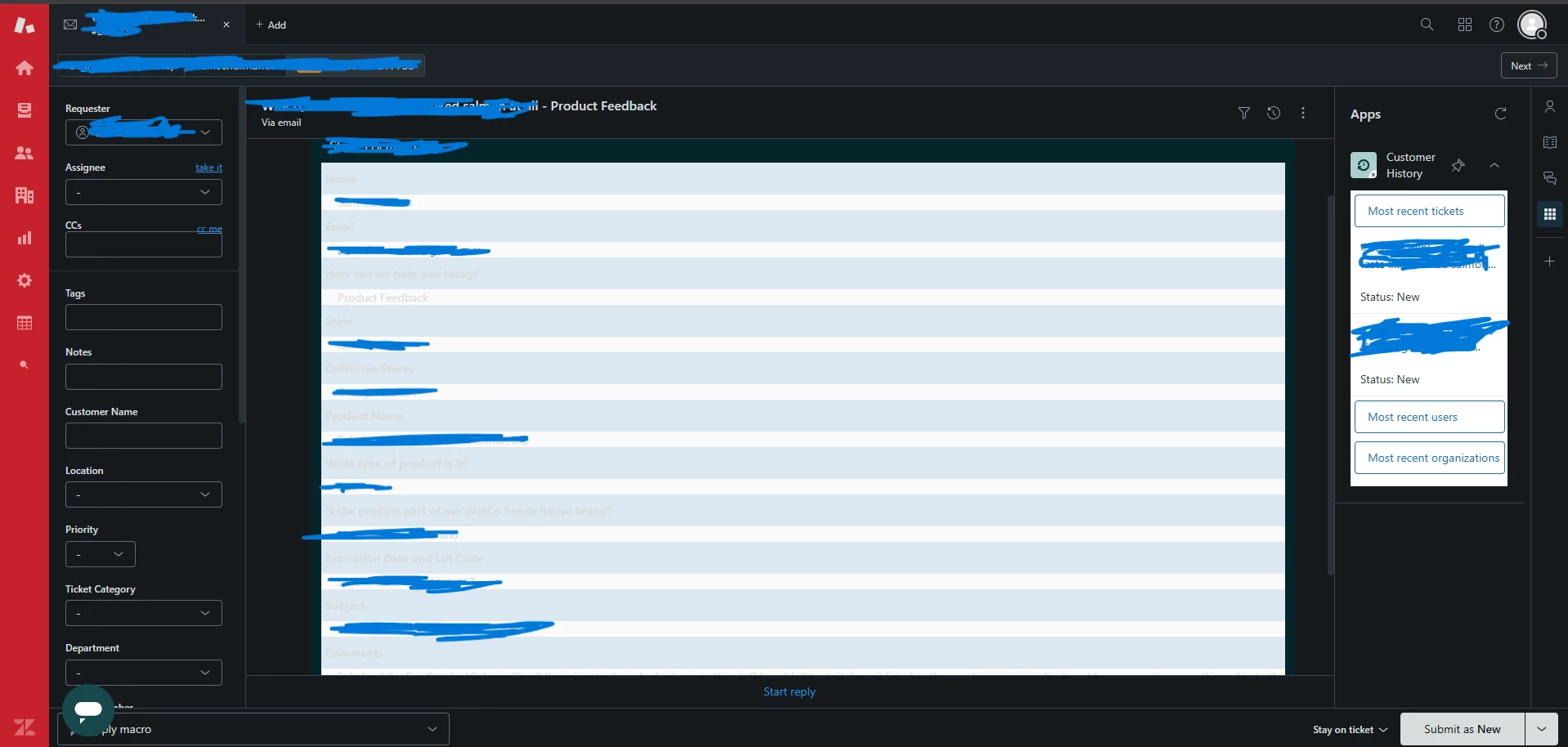
I noticed that tickets created via Knowledge context panel feedback do not work well in dark mode. See screenshot:


Michael133

Reporting an issue where macros applied while in dark mode utilize black text against a black background, making all or some of the macro text invisible to the responding agent. This is an issue for our team as we often apply macros and edit them heavily to be customer specific, and the hard to locate text can result in extraneous lines from the macro being left in and visible to customers.


Emma25
  • May 22, 2025

Some of our team members are using dark mode and have experienced similar issues to those mentioned in this post:

  • Apps remain in light mode, even when dark mode is enabled.
  • Text in some side conversations appears dark on a dark background, making it unreadable.

Could we get an update on these issues and any expected timelines for resolution?


  • May 22, 2025

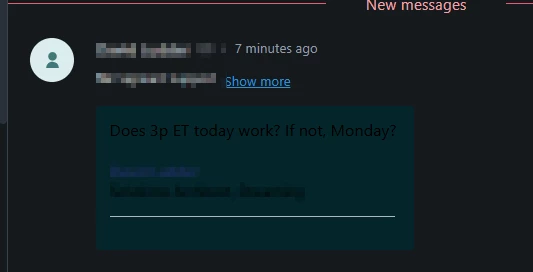
Same feedback as above, it looks as though if using SIDE CONVERSATIONS and sending to an internal domain/user then the text is too rich/dark to read in dark mode.


However, if sending to an external email, it seems fine.


  • May 23, 2025

Hi everyone thank you for your continued feedback here as we roll out updates to dark mode. We have been monitoring your responses and appreciate your insights. 


Chiming back in with few notes:

  1. Apps: I am thrilled that this is now GA, please see our documentation here.
  2. Dark Text/Visibility: At a high level, some email providers make it quite challenging to adjust the text color when the background color changes. We’re fully aware of this and are considering whether we can dedicate the time needed to achieve the best possible solution. Additionally, some concerns have been raised about contrast differences between internal and external communications. We have gone through many iterations on this, and the challenge is that our internal color is yellow, which doesn’t display well in dark mode. To improve this, we would need to change the color entirely. We are continuously exploring different options here to ensure our customers have the best experience using our products.

Thank you again for your feedback and we look forward to continue to hear from you as you use the product.


Thomas54
  • May 23, 2025

I LOVE the new dark mode as it is SOO much easier on the eyes, however, I have found a minor problem where it doesn't change the color of all text, so from time to time I run into text which is not clearly visible unless you highlight it (dark text on dark background like reported here: https://support.zendesk.com/hc/en-us/community/posts/9060117257626-Your-Feedback-on-Zendesk-Dark-Mode#community_comment_9263388675866).


That being said, as someone who only noticed this feature today, it has already made my life better and hope it is a permanent feature! 


  • May 26, 2025

We also have issues with visibility of apps and text in side conversations in dark mode, and I'd like to keep tabs on this thread.