Functionality to pause an SLA | Community
Skip to main content
Accepted

Functionality to pause an SLA

Related products:Ticketing system (Support)
  • December 12, 2017
  • 66 replies
  • 0 views

Show first post

66 replies

  • Author
  • April 2, 2019

I like some of that Tim, and also tried something similar (having a tag disable the SLA), but consider the following scenario:

  1. You have an SLA policy with a 'Pausible Update' of every 24 hours (purpose is to ensure your team gives daily updates for important cases).
  2. A customer responds with 'Here are the files you requested', which restarts the 24hr update clock (ticket goes from pending to open).
  3. Your team then responds with 'Thank you, we will pass this to our developers and update you as soon as we can.', which also resets the 24hr clock (you will need to respond within 24 hours from this message to meet this SLA).
  4. You then put it into an On-hold state with your On-Hold Reason exception being 'waiting for developers' (which temporarily removes the SLA).
  5. It sits in the On-hold state over the weekend as the dev team reviews the case (48 hrs).
  6. On Monday morning, the customer replies with 'Any update to this investigation?' which sets it from On-Hold to Open, which reapplies the original SLA which was expecting an update that never happened over the week, and you instantly breach the original SLA policy.

---

This is the case I am in, and simply having On-hold *actually* pause the SLA is the only method I can think of to ensure this 'instant breach' doesn't occur.


  • April 19, 2019

Is there a way to maybe exclude tickets with a certain tag or status (i.e. on-hold) in Explore when the SLA data is presented, as a workaround in the meantime?


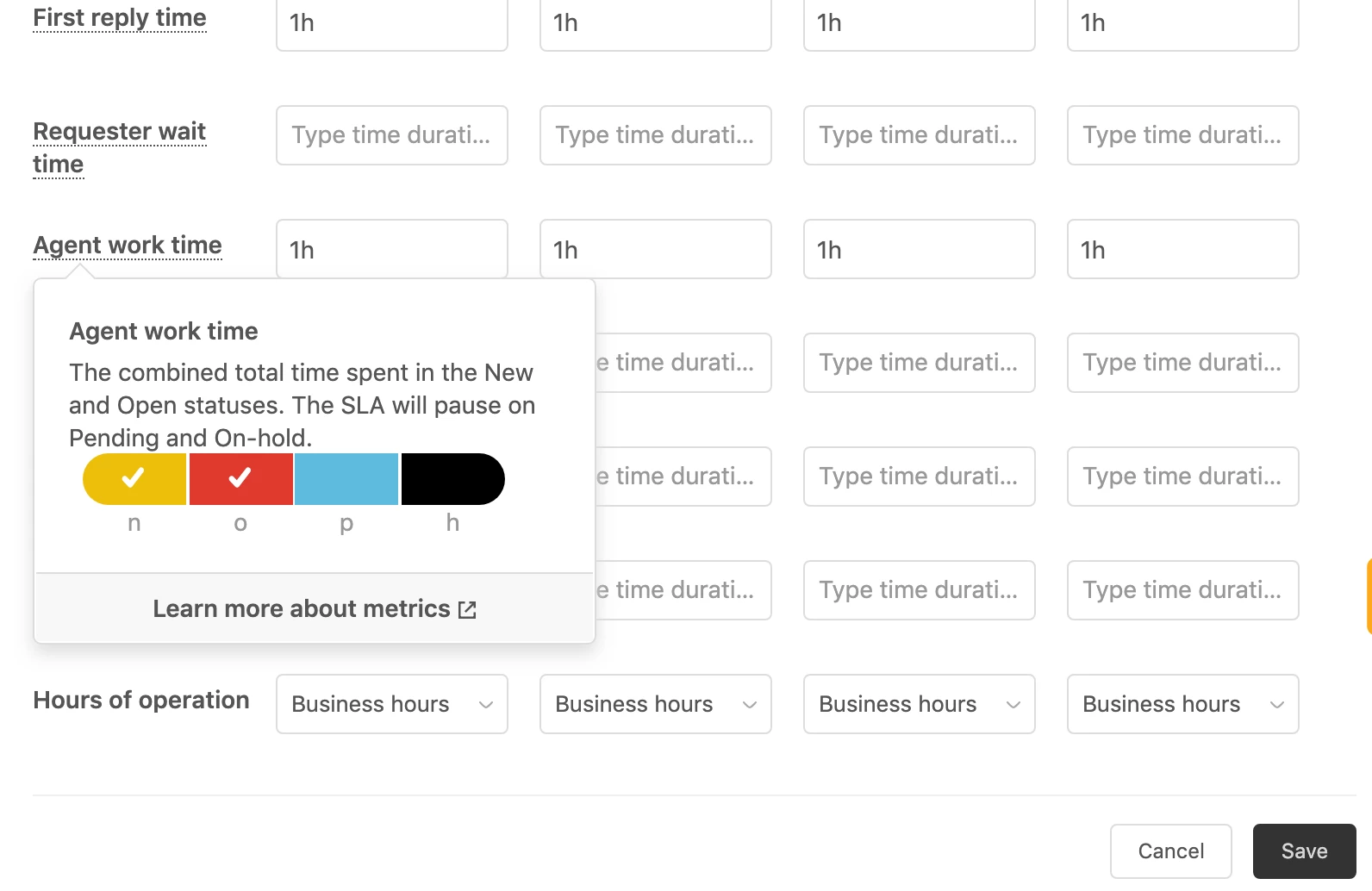
Or what about seleting this metric in SLA settings? It says that it doesn't count on-hold time? It counts the whole journey though...


  • April 28, 2019

Hi!
+1 here struggling with the same challenge. We have a tickets "on-hold" sometimes very long time, because those are waiting for developers. We do not want these to be included in the "next reply time" SLA.

We would need a way to report somehow if we meet our target to reply customers in X hours (periodic update). Has anyone been able to do this in insights by using this: https://support.zendesk.com/hc/en-us/articles/205367047-Insights-recipe-Duration-between-two-or-more-ticket-events-in-minutes ?

If I understand correctly, I'd need to create 3 metrics:
1) Showing timestamp when ticket status changes from "pending" to "open"
2) Showing timestamp when ticket status is "open" and public comment made by admin or an agent
3) Metric showing a difference between these 2 timestamps

But how I could include also tickets that are "open" and remain "open" despite we send an update to the customer?


  • April 30, 2019

This is also an issue for us. We make use of on-hold for bugs that will be worked on soon and if the customer responds back with a comment like: "Thanks for letting me know" or "That's great" it will negatively affect their SLA metrics. 

Giving the option to pause the SLA for the "on-hold" status in a way similar to the "pending" status seems like the lowest lift (from the ZD engineering standpoint) to be able to resolve this.

SLA metrics are inaccurate until this is a feature.


  • May 2, 2019

@Zendesk


Any plan to enhance SLA "ON-HOLD" to Stop Next Reply Time?


  • July 15, 2019

+1 vote for me too.

I believe this to be a major flaw in the way the pending status works with SLAs. I also have scenarios where we are waiting on further information on from a customer, but the last communication is from the customer. When they reply back with something like "Sure, I'll get that to you when I can", we should be able to put the ticket into Pending status and have the SLA clock paused. If we respond to the customer just to say "Thanks" then our first call resolution rate drops. There is currently no standard way of getting around this. 

As suggested previously, I'd suggest an update to allow the following:
An option for the "Paused" status to stop all SLA clocks.
An option for the "On-Hold" status to stop all SLA clocks.

As there is no built-in metric in insights for "next reply time" (which I think is also a standard metric to have left out), we've had to implement custom metrics as a substitute. While the information below may be handy for some, it may not suit all workflows and shouldn't be required to setup due to a limitation in the system.

Reporting on next and subsequent reply times
Time Tracking recipe: The metrics you need to be measuring
Insights recipe: Duration between two or more ticket events in minutes


  • August 7, 2019

+1 for this feature as well. 


  • August 13, 2019

+1 for me too, we use on hold a lot as we need confirmation from the third party and its something we cannot control. So would be really great if we can have the SLAs stop counting during on-hold status.


  • September 16, 2019

+1 Here too. 


  • October 9, 2019

I dont use Zendesk but am researching tools at present. Call me a noob but.


The incident stays open and active (other than awaiting the client)- If it becomes apparent that the FIX requires a software fix, Then the clock should continue until a "workaround" is applied and at that point the incident is resolved but a secondary ticket could be created to manage the delivery of the software update in line with the businesses software development release policies. (which will/should also have an SLA).

doesn't this get around all this? Or am I being daft?


  • October 14, 2019

We would benefit from the option of pausing an SLA while a ticket is in the hold status. +1 from me.


AKW11
  • October 24, 2019

I wouldn't even restrict it to the on-hold status. Just having an option to manually pause an SLA would be great. 

1st use-case: 
A customer writes us, we call him back to answer him. After the call, we set the ticket to "pending" because there are still open topics for him to answer. We don't actually send a reply though, so the "next/first reply time" SLAs keep running.

2nd use-case:
We send the customer an email "sorry we're keeping you waiting, we're on it ....". He just replies "ok". Because of his answer, the "next reply time" SLA starts again.


  • February 5, 2020

I would also like to mention that the ability to pause in On Hold status is something that is playing with SLAs, and would be most welcome to the system.  


Joe43
  • April 21, 2020

just like everyone else here (and everyone else that hasn't yet figure out this is a problem), my org needs this too.


Please build this ZD


  • August 5, 2020

I've spent too many hours tinkering with Zendesk and the SLAs and forums.  I won't even make a support ticket for this given my past success. The one addition to this post i'll make is that when we send a ticket to engineering or other internal teams or we're just waiting on something to occur i've made a field to put the jira link into conveniently called "Jira Link".  This field is a text box and you can use it in triggers or logic to search for null values etc.  Recently i've created a Jira Link Destination that lets me check the "location" of the ticket.  These fields can also be used for reporting and following tickets which makes the support more efficient. 

When we get a ticket and it goes to another team, I link it in the Jira Link and set a Jira Link Destination and put it on hold in one step. The SLA only fires in the absence of a Jira Link Destination and is unable to check for null in the Jira Link field. When a user replies and asks for an update, the Jira Link and Jira Link Destination don't change at all so the SLA doesn't get impeded.  I do not remove them via trigger per TIm's suggestions. 

This seems to be the only way to get the SLA to work following Tim's guidance.  The criteria for agent work time is really what I want to use (new and open status) but it fired SLAs when the amount of work done on a ticket exceeded that time.  


  • October 1, 2020

Just wanted to add my 5 cents: 
It's really frustrating when Pausable update time doesn't really pauses after setting status to On-hold (this status really means "waiting for a 3rd party", so the timer shouldn't run). Please, ZD, make the Pausable Update time pause in th On-hold state the same way it is paused in Pending state. You can make it optional of course to not break existing workflows.


  • October 29, 2020

We often put a ticket on-hold when it has been agreed between the customer and ourselves (usually at their request) that there will be a period of no focus on the support request until an agreed, future date.

In this scenario, for the SLA pausable update to consider it a breach when there is no public comment update from an agent between the required timeframe is somewhat ridiculous.

On hold by the very nature of the term implies that there is no work expected on the request, so I agree with the others that on-hold should be excluded, or at the very least configurable whether to include or not, so that for those companies can enjoy accurate SLA reporting.


Scott17
  • June 1, 2021

Hi Everyone,

Thanks for all your comments and input. I'm a new Product Manager here at Zendesk, and one of our priorities for the year is to improve our SLA functionality. Thanks for your patience, and continued feedback! We truly appreciate it.

[Note from the Community team – see Scott's most recent comment for some additional details on what his team is working on in regards to SLAs!]


  • June 1, 2021

Cheers for the update Scott. Would be great to get some movement on this one.


Jennire
  • October 27, 2021

Hello, any traction on this update to the SLA functionality?
It has been 3 years since we got the response that this was not a priority. 


Similar situation as the comments above where on-hold is used when tickets are with development or with a vendor and do not need frequent updates to the client. 


Scott17
  • October 29, 2021

@jennire I wanted to provide a quick update since you probably had seen my earlier comment. It's a big priority of ours to update our SLA related capabilities, and the good news is we now have a team working on just that. Improvements like this one is on our roadmap for the next 9 months. 


  • November 18, 2021

This was initially flagged in 2017.  It is now the end of 2021. You say improvements like this one are on your roadmap "for the next 9 months".  

Why are Zendesk so slow at listening to their customers?  

Maybe you need to remove the Zen from Zendesk?  


Scott17
  • November 19, 2021

@tahir11 I appreciate you taking the time to share your concerns and understand your frustration. With so many requests and possibilities for SLA improvements, we have to make decisions on what we can prioritize with the resources we have available. That being said, we now have a Product Manager (that's me!) and an engineering team dedicated to working on a number of SLA enhancements.

I'm excited to share that some of those enhancements include the following:

SLA full resolution time and impending breach color change
SLA based on internal notes
SLA Alerting in Minutes

I hope this gives you a better understanding of what my team is focusing on and please do continue to share feedback with us!


Sylvain15
  • March 10, 2022

Hello,
when will it be possible to pause SLA? Each workflow is different from one company to another, and this absence is very constraining.
In the meantime, why not create a new SLA policy including only the Open status?
Thanks in advance for your feedback


Richard21
  • March 31, 2022

Hello I´m joining this thread as we are having the same issue (as described in the original topic). 
I believe you would be able to add a checkbox with few items to each SLA setting. 
They could include items as "Pause when on-hold" , "Pause when pending" , "Pause when reply is received from end-user" etc. 
Everyone could then setup what they need. 
Zendesk is a tool for professionals, and should have much more editing options for us admins. 
Thank you for hearing me out.