
Bearer Token access 401 fail in Postman | Community
Skip to main content

Bearer Token access 401 fail in Postman

  • May 30, 2023
  • 6 replies
  • 0 views

Jerrold

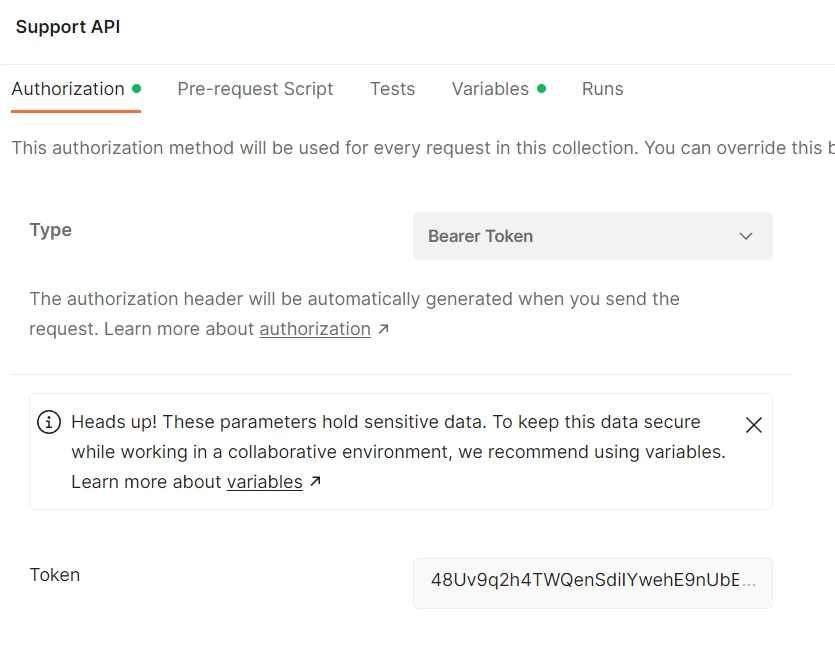
I created a new API token on the Zendesk API | Settings tab. In postman I set up authorization type Bearer Token with the token created in Zendesk.

Using a GET method to https://{my sub domain}.zendesk.com/api/v2/tickets/:ticket_id

Result: 

{
    "error": "invalid_token",
    "error_description": "The access token provided is expired, revoked, malformed or invalid for other reasons."
}
 
The token is just minutes old. I was under the impression that they do not expire.
 

6 replies

Greg29
  • May 31, 2023

Hi Jerrold! It's difficult to say what the cause may be with the information that you shared, but it's possible that there is something different that Postman does when using the authorization option like this. Could you instead add the bearer token directly to the headers (example here) to see if that resolves the issue for you?


Jerrold
  • Author
  • May 31, 2023

The token is an API token and so I needed to change to Basic Auth and use a username myemail@email.com/token with the API token as the password.


Greg29
  • May 31, 2023
Ah yeah, that'll do it...thanks for the update and glad you're sorted now.

Etiene
  • June 4, 2023

@jerrold I ran into the same issue. Do you mind showing an example code on how you were able to resolve it? Thanks in anticipation.


Jerrold
  • Author
  • June 4, 2023

When you use a Basic Authorization you encode the email_address:password

Authorization: Basic {base-64-encoded email_address:password}

When using an API token, you replace the password with the token. It is like a magic password that works with any user account/email address, so be careful. The other issue is to ensure the user account has the correct role/access to accomplish what you want in the API call.

Authorization: Basic {base-64-encoded email_address:API Token}

Etiene
  • June 5, 2023

Thanks for the explanation.