

Hello everyone,
I'm having a bit of trouble changing the color of the text in the Zendesk Support navigation bar on iOS SDK, latest version. After some digging, I found that the view controller from which we can initiate a chat with Support is called RequestContainerController which is by default, modally presented. The title at the top says "Report a problem" on the iOS SDK, however on dark mode, the text is white and the background is white, as so:
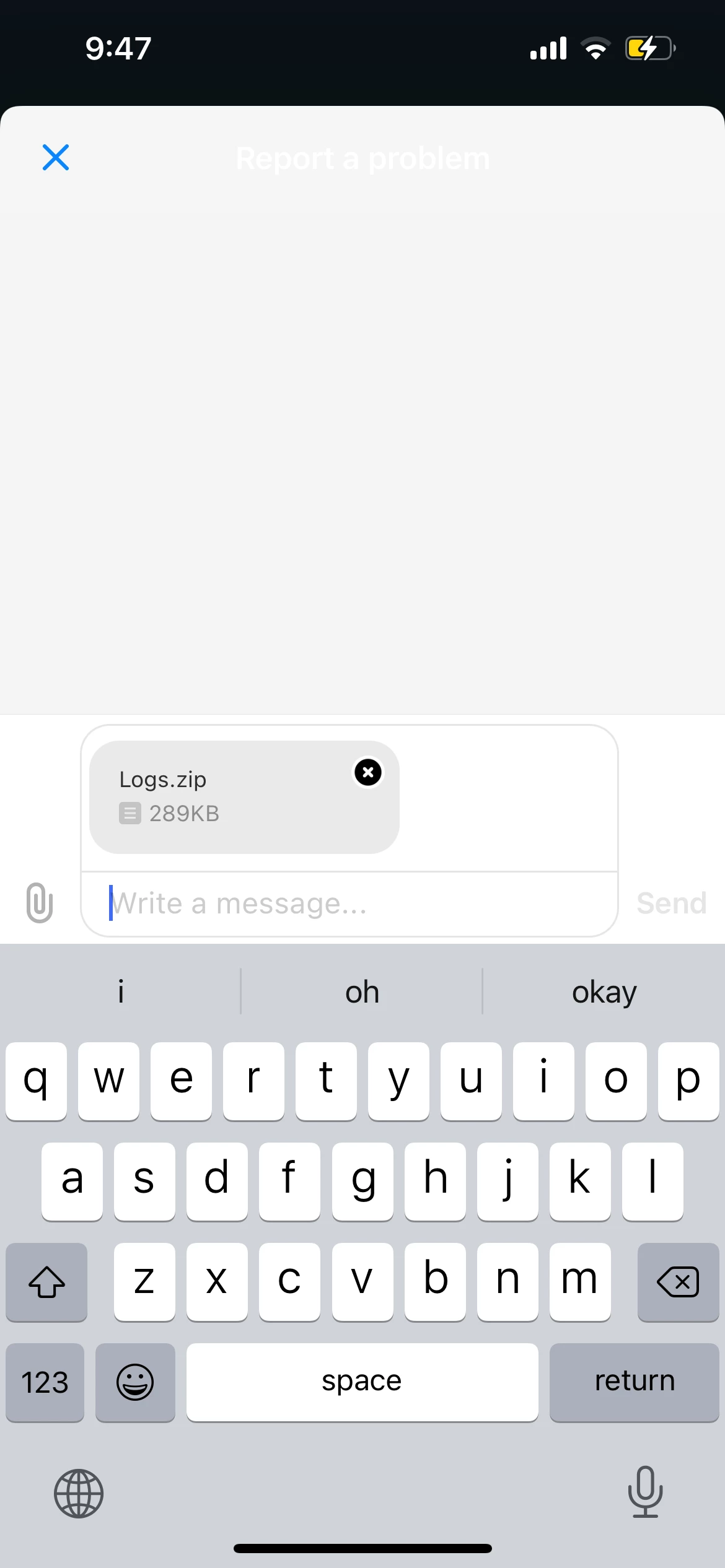
The way I'm doing things right now is by creating my own navigation bar and settings its view controllers to HelpCenterUi.buildHelpCenterOverviewUi:
let viewController = HelpCenterUi.buildHelpCenterOverviewUi(withConfigs: [requestConfig])
supportNavigationController.setViewControllers([viewController], animated: false)
Once I click the icon that creates a ticket and a chat with Support, the screen above shows if the user has dark mode on...