
Why does the crawler need to handle multiple languages/locales?
You can have a Help Center in multiple languages and multiple locales.
A locale is a standard that specifies which language a the Help Center content is in (or any website) and may also specify a regional variation of that language.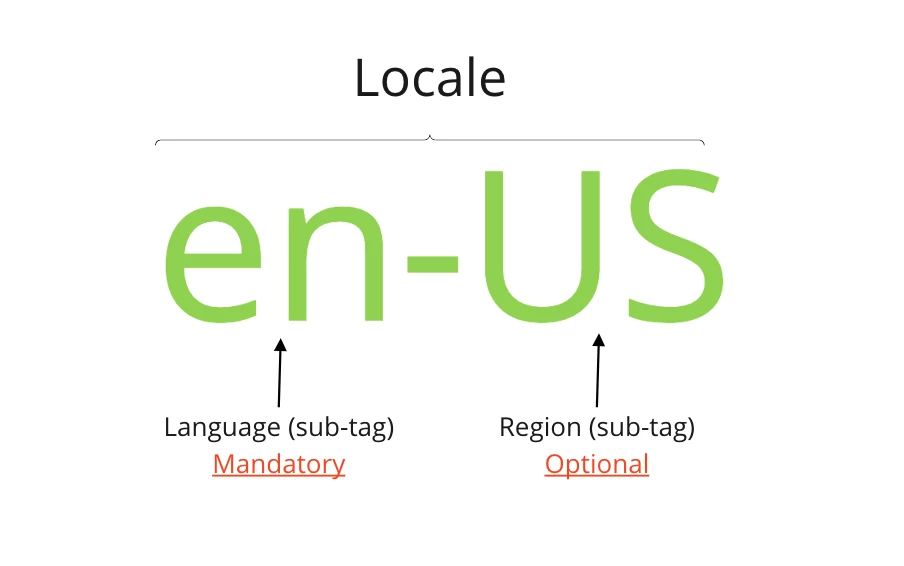
When the crawler scrapes and indexes a page, it needs to determine the locale or language of the page so that, for example, we can ensure that only German pages show up in searches in a Help Center when the user language is German, etc.
Additionally, if you have a help center that has multiple translations of the same language for different regions, e.g. US English (en-US) and British English (en-GB) and use that to differentiate the information for the region. Examples of this include if you have your company's US contact details listed on one page, and your British contact details on a separate page, or if information varies due to differences in local laws, product availability etc. Then, if the external website you want to crawl also distinguishes between regions, the crawler needs to make sure that the appropriate pages only show up in searches in the appropriate Help Center language translation.
How does the crawler detect and map locales or languages?
In order to show the correct external results for the right Help Center searches, the crawler determines the locale or language of the external page and maps it to the corresponding Help Center by looking for language tags on the page and if nothing is found we utilize a language detection program known as Compact Language Detection (CLD).
The schematic below describes how it does this:
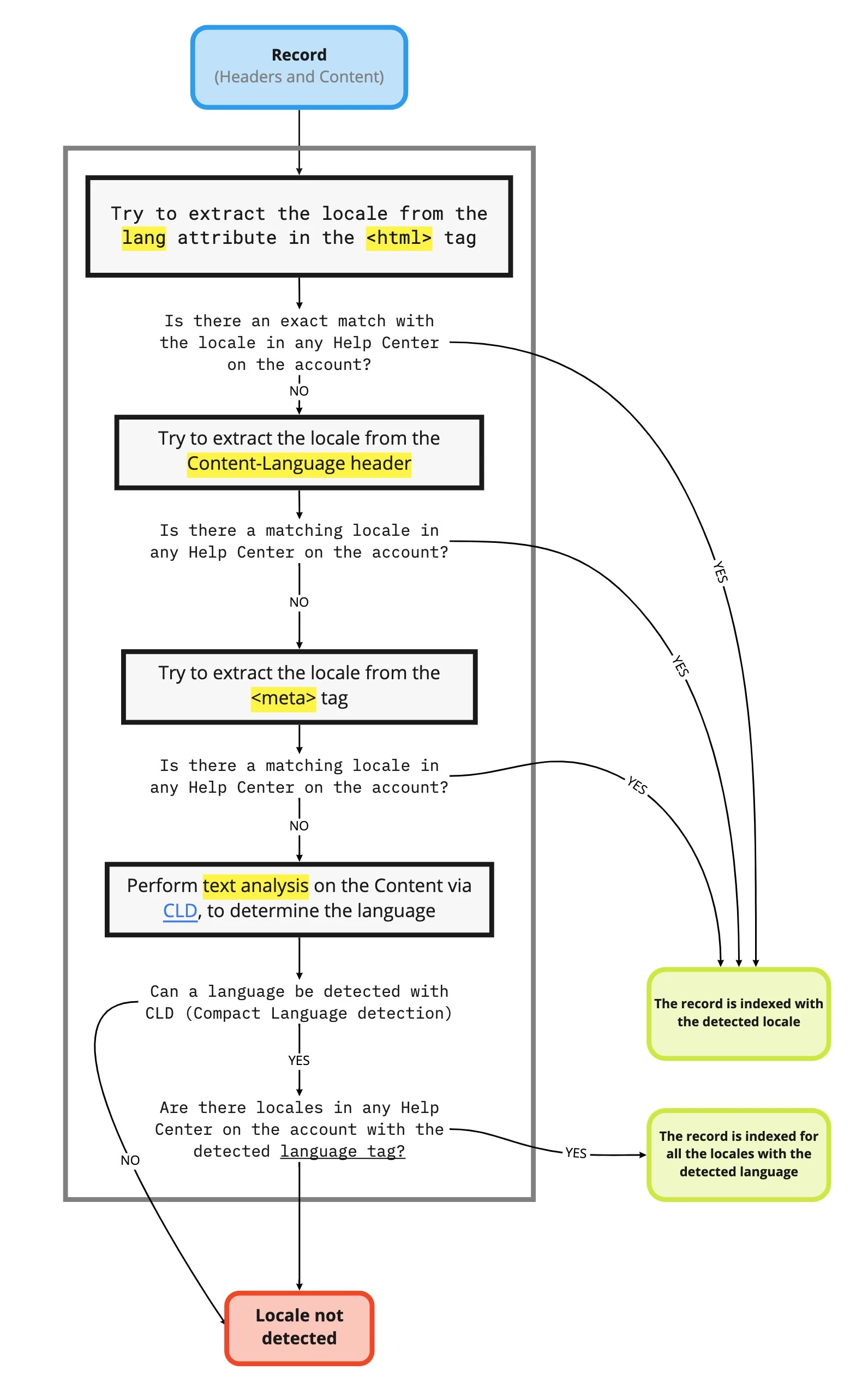
If there is no match between the detected locale or language and any Help Center translation in your account or no locale or language can be detected, it will show up as the "Locale not detected" error in the report you receive by email when the crawler runs.