
We have realised that there is a user experience problem with the flow for adding sources and types which means that it is difficult to figure out how to create sources and types in the crawler setup wizard.
Until we improve the user experience you can create types and sources by entering the name you want to give the source or type in the input field and then click "+ Add as new source/type" that has become active when you typed in the input field.
After the new source and type are created they are selected and you can complete the crawler setup.
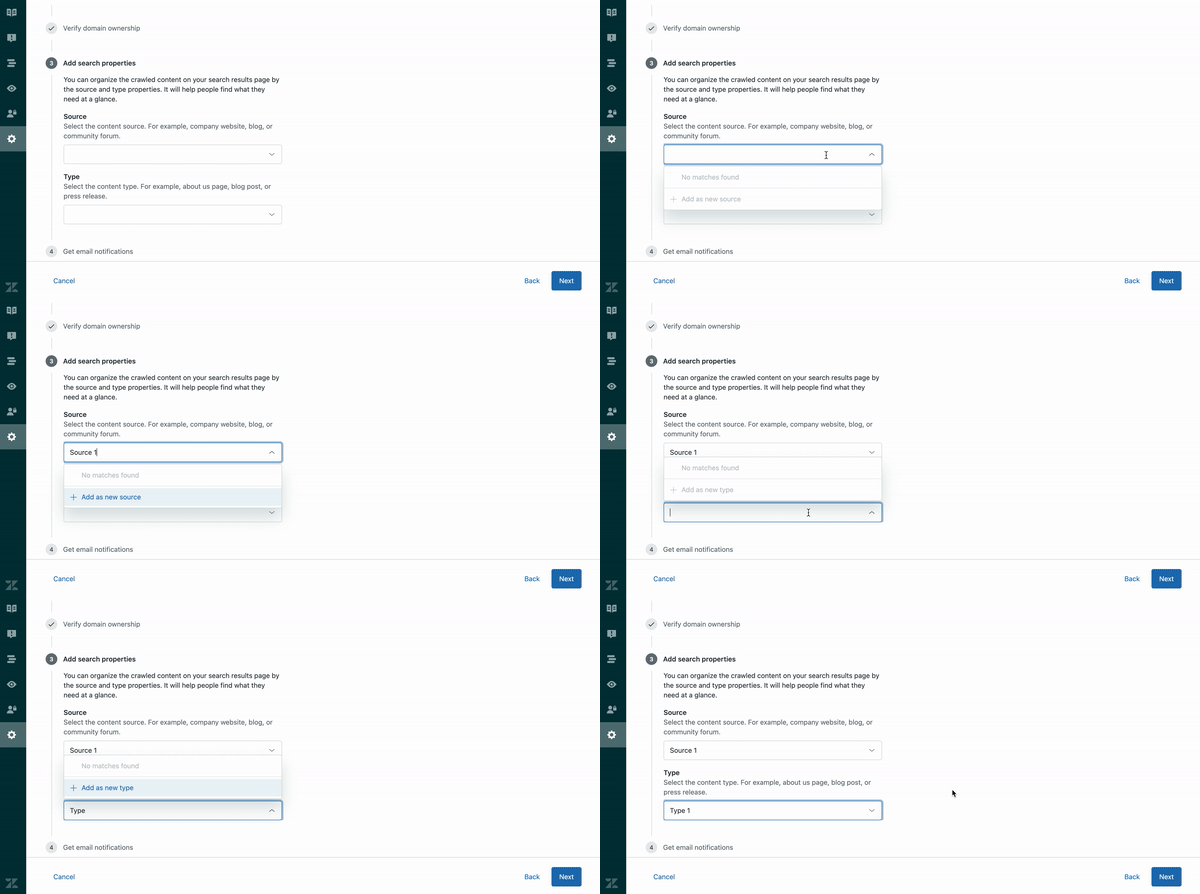
Note that if you make a typo, you can type a new name and click "+ Add as new source/type" and the source or type you first added will be replaced with the new one.
Once you have completed adding a crawler with a new source and/or type, the new source or type will be saved for use when you set up other crawlers.
As mentioned we are aware that this is not obvious and we are working on designing a better user experience.