
Agent's interface. | Community
Skip to main content
Accepted

Agent's interface.

Related products:Ticketing system (Support)
  • November 24, 2021
  • 3 replies
  • 0 views

The new agent interface seems not convenient.

1. The conversation is at the bottom, can it get back to the top? Or design by users themselves.

2. There are many parts, and the email is so small to be seen. Can you add buttons to hide these parts when not being used?
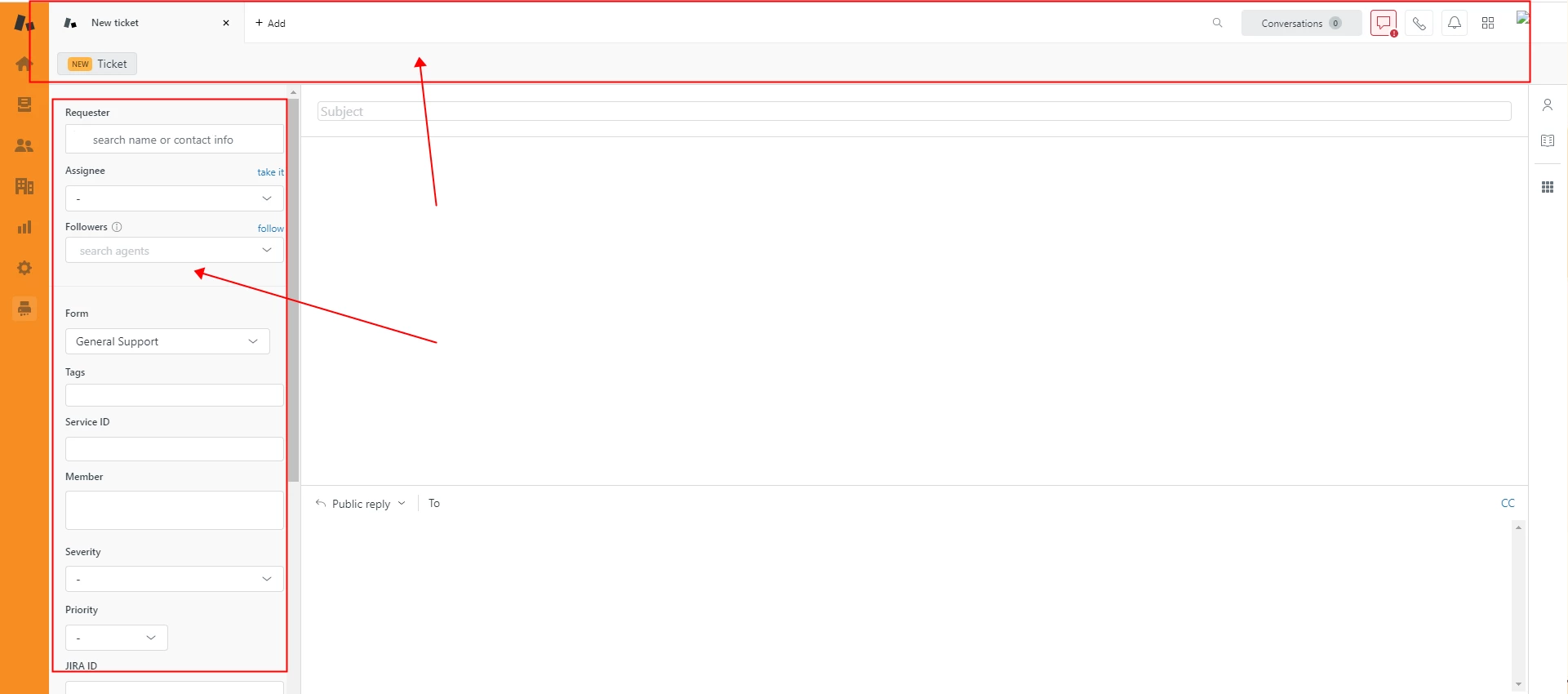
Looking forward to your answers as soon as possible.

This topic has been closed for replies.

3 replies

Budke,
  • December 19, 2021

I somewhat agree - I like the natural reading order of most recent below, but from a workflow POV having the most recent on top (reverse chrono order) is easiest.  Being able to switch (i.e.; sort order) selectable would be cool.


Amisha11
  • July 17, 2023

Hello everyone,

Thanks for your patience on the feature request to flip the position of the composer and reverse the order of messages in the ticket UI.

We’re coming to you with some exciting news! We're bringing three new configuration options within layout builder to increase agent efficiency:

  • Option to put the composer at the top or the bottom in the ticket UI
  • Option to see the newest messages at the top or the bottom in Conversation log
  • Option to always have the composer collapsed when you open a ticket to have more reading space

We're targeting September for this release. This will be a part of the Early Access Program for layout builder, and also part of the official launch of Layout Builder (in late 2023).

Custom ticket layouts are created using an intuitive layout builder. Layout builder enables you to pick which components to include on a Support ticket, with the ability to arrange and size them as you see fit. You have the power to create the exact layout you need. 

These settings within layout builder will give you the flexibility to dynamically format how the conversation is styled based on any ticket property via Contextual Workspaces. For example, through Contextual Workspaces, an admin can set the composer and thread at the bottom for messaging tickets, and at the top for email tickets or any other combination you see fit.

Look forward to bringing this to you in the coming few months. Thanks!


Brett13
  • Community Manager
  • October 9, 2023

Hey everyone, 

I just wanted to share that we have now launched an EAP that will allow you to customize the conversation flow and composer location in tickets. Thanks so much for sharing your feedback and check out the following community announcement for more information: EAP Announcement: Configuring the conversation flow and composer location in tickets

Have a great rest of your day!