Tiggers/Automation-based Notifications: Workaround for posting comment in ticket | Community
Skip to main content

Tiggers/Automation-based Notifications: Workaround for posting comment in ticket

  • March 13, 2020
  • 15 replies
  • 0 views

Problem: When you use a trigger or automation to fire a notification, it is only possible to see the notification in Events - the notification is not appended as a comment to the ticket. This creates agent confusion, since they cannot readily see what notification the requester received in the ticket thread. 


Workaround solution: 

If you set the ticket to close upon firing a notification with a trigger or automation, when the requester responds to the ticket, the original notification sent by trigger is appended to the follow-up ticket as an internal note. From there, the ticket can resume in a back-and-forth thread as normal. so, we have every auto-sent notification close the ticket when it sends, so that agents can see what was sent to the requester when they respond. 

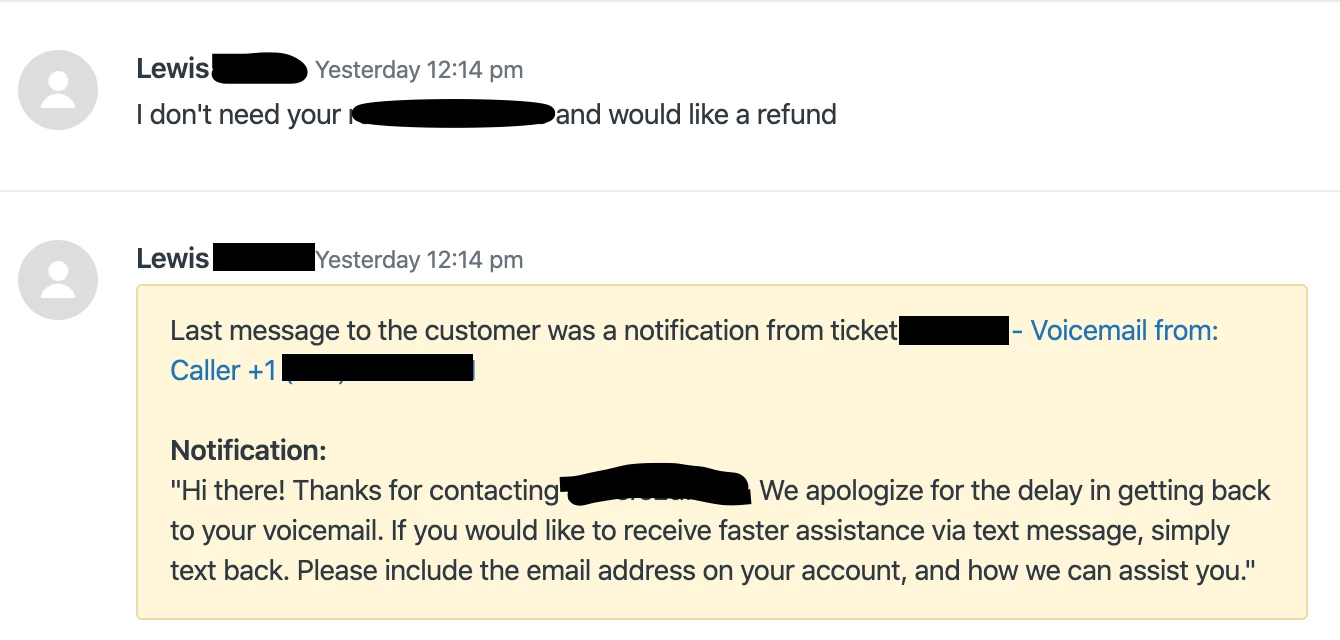
Here's an example of what I mean (image censored for business confidentiality purposes) -

  1. We have a trigger set up to auto-fire a text notification to certain voicemail tickets. Thie trigger sets the ticket to close upon firing the notification.
  2. This notification does not appear as a comment on the original, closed ticket that it is sent upon.
  3. When the requester responds, this is the new ticket that enters the queue, that the agent can then work from with the context of the auto-sent notification as an internal note. while this use-case is text, it also works for email:
15 replies

Devan
  • March 13, 2020

This is an amazing tip! I'll be sure to share this with others in our next Weekly Digest!


  • March 15, 2020

Would it not be better to keep this all on the same ticket?  You should be able to use a http target to add a private note of the notification sent.  Would that help?


  • Author
  • March 16, 2020

@Andrew J - I agree that it's ideal to keep it all on the same ticket, and this is a workaround for that specific limitation, choosing to instead give agents context and creating a new follow-up thread (associated with the original ticket) that contains the notification that was sent. I am not very familiar myself with using http targets and do not know if that would create a similar workaround while keeping it on the same ticket! If you try that, please report back! 


  • March 17, 2020

Actually - it's easier with a URL target.  

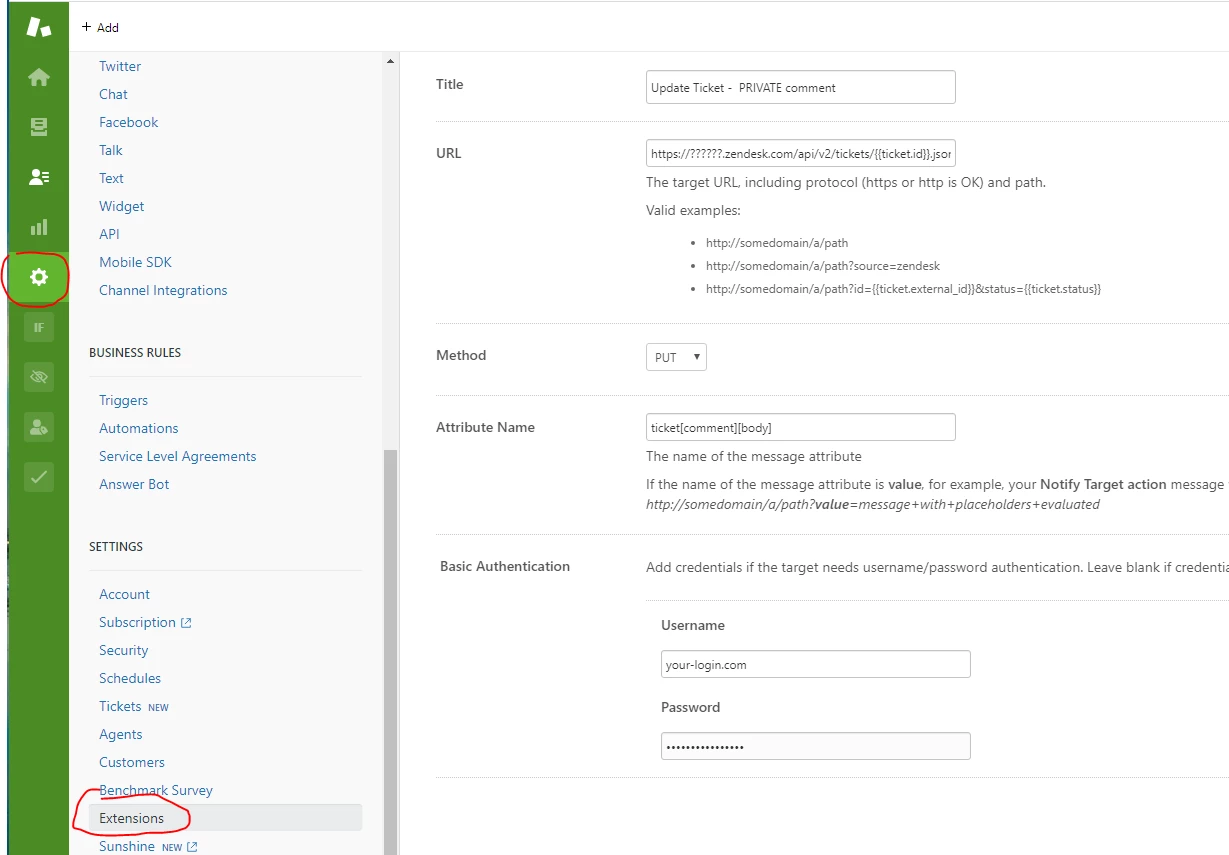
Admin (gear) > Extensions > Add Target > URL Target. Then use details as in image - substituting your URL and login.

Full URL is https://yourURL.zendesk.com/api/v2/tickets/{{ticket.id}}.json?ticket[comment][public]=false

Once done, just add an action to your automation (whatever is doing the message that you are needing to see).

> Notify target , [your target as above], and the message you want your agents to see. something like 'Automatic message sent to user: "This is the message content" '

You should no longer need to close the ticket to see the notification that was sent.


Phil24
  • March 25, 2020

^^ That's the method we use. Works a treat :)


  • June 11, 2020

This sounds way better than closing a ticket. 

However, I'm not getting it work. What do I have to set as attribute to get a Private (internal) comment?


Phil24
  • June 11, 2020

If you set the URL as https://yourdomain.zendesk.com/api/v2/tickets/{{ticket.id}}.json?ticket[comment][public]=false+ and the Attribute Name as ticket[comment][body] Then this will setup the extension correctly.

Within the trigger, you would then create a Notify Target action pointing at your new extension and enter the message you wish to add.

This will then add the message as a private comment.


  • June 11, 2020

It's working! Thanks a lot!


Phil24
  • June 11, 2020

Excellent, not a problem! :)


  • September 14, 2020

Hi Phil,


I tried your solution using the URL target to update tickets in the Dev System and that's exactly the solution I've been searching for. Did you ever had problems with this solution concerning a race condition or something else?


Many thanks in advance and regards

Michael


Matt24
  • May 4, 2021

@Phil Williams sorry for reviving a dead post, but does this still work for you? I'm unable to get anything published to the ticket within the Zendesk Sandbox


Phil24
  • May 4, 2021

Yep we use it every day. The key issue most people face is the race condition so you do need to be especially careful about that. If the desk encounters a race condition where the comments are continuously added then the API is disabled.

I've never tested this in a sandbox environment so that could be the reason it's not working for you but we use this daily in our production environment.


  • November 8, 2021

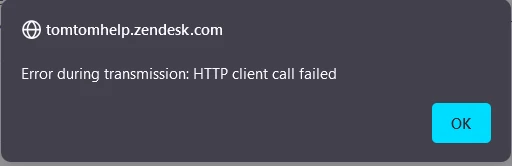
All of sudden this target stopped working and gives error: 


Any idea?


  • December 1, 2021

Hey there @kulin,

Thanks so much for the heads up with that target error.  We'll have a good number of possibilities for what might be causing that: I'll open up a ticket on your behalf and we can tackle some troubleshooting together.  Catch up with you soon!


Growthdot
  • August 16, 2023

Hi,

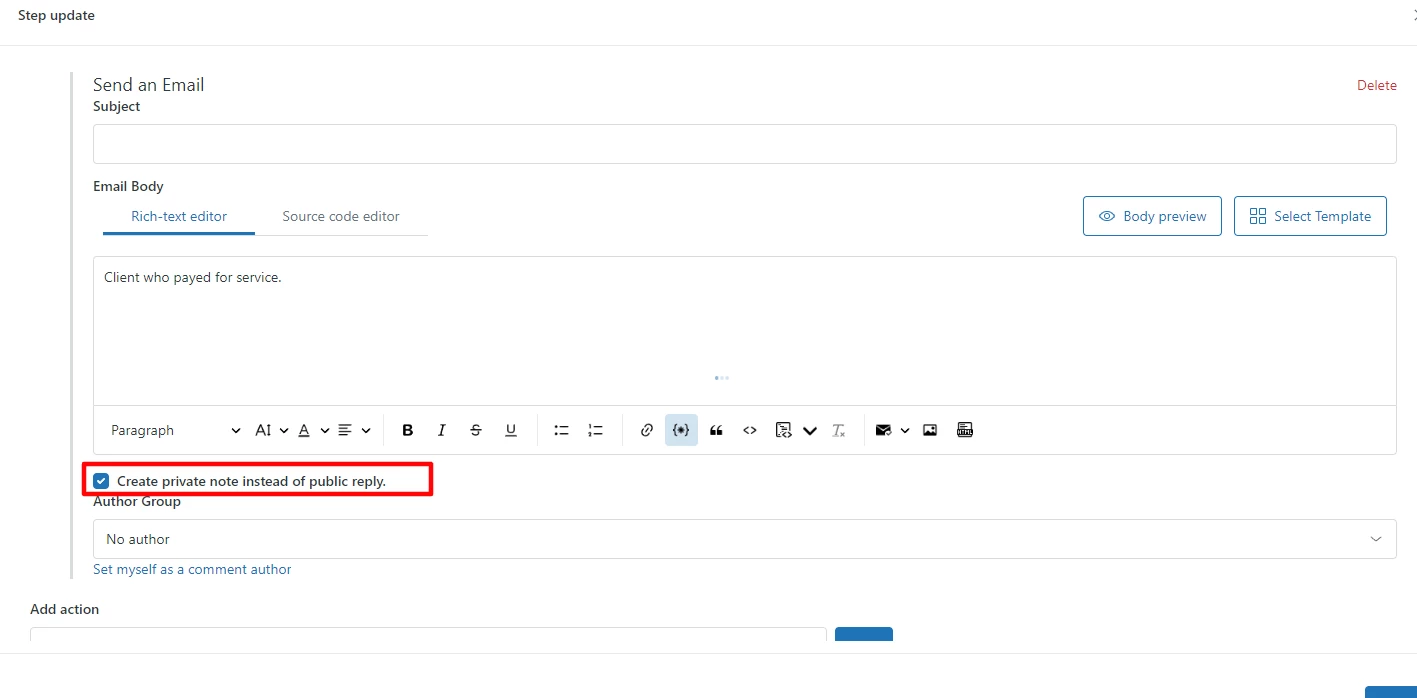
You can automatically add comments to specific tickets with the Proactive Campaigns app. It has a new automation feature, so you can use it to send emails and add internal notes in bulk. The app adds internal notes when tickets enter the list filtered by specific criteria. It's extremely simple to use!