Tip: How to make a Table Of Contents (TOC) For Article Template | Community
Skip to main content

Tip: How to make a Table Of Contents (TOC) For Article Template

  • September 1, 2021
  • 51 replies
  • 0 views

Ifra

Prerequisite:

File Name: article_page.hbs, style.css, script.js file

Time To Read: Max 2 min

Time To Embed: Max 4 min


Here's a way to create a table of contents in your Article template, that ensures subheadings will be properly indented instead of aligned with the main headings


2 min read to learn how to customize the theme.


You can use the free plugin by Nikhil Dabas. You can embed easily in your theme, see the below steps:

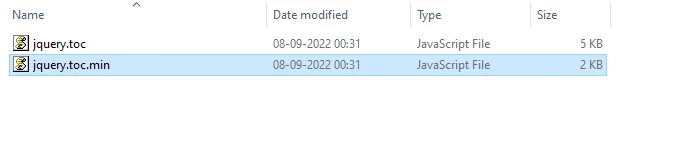
1). Download the plugin and unzip.

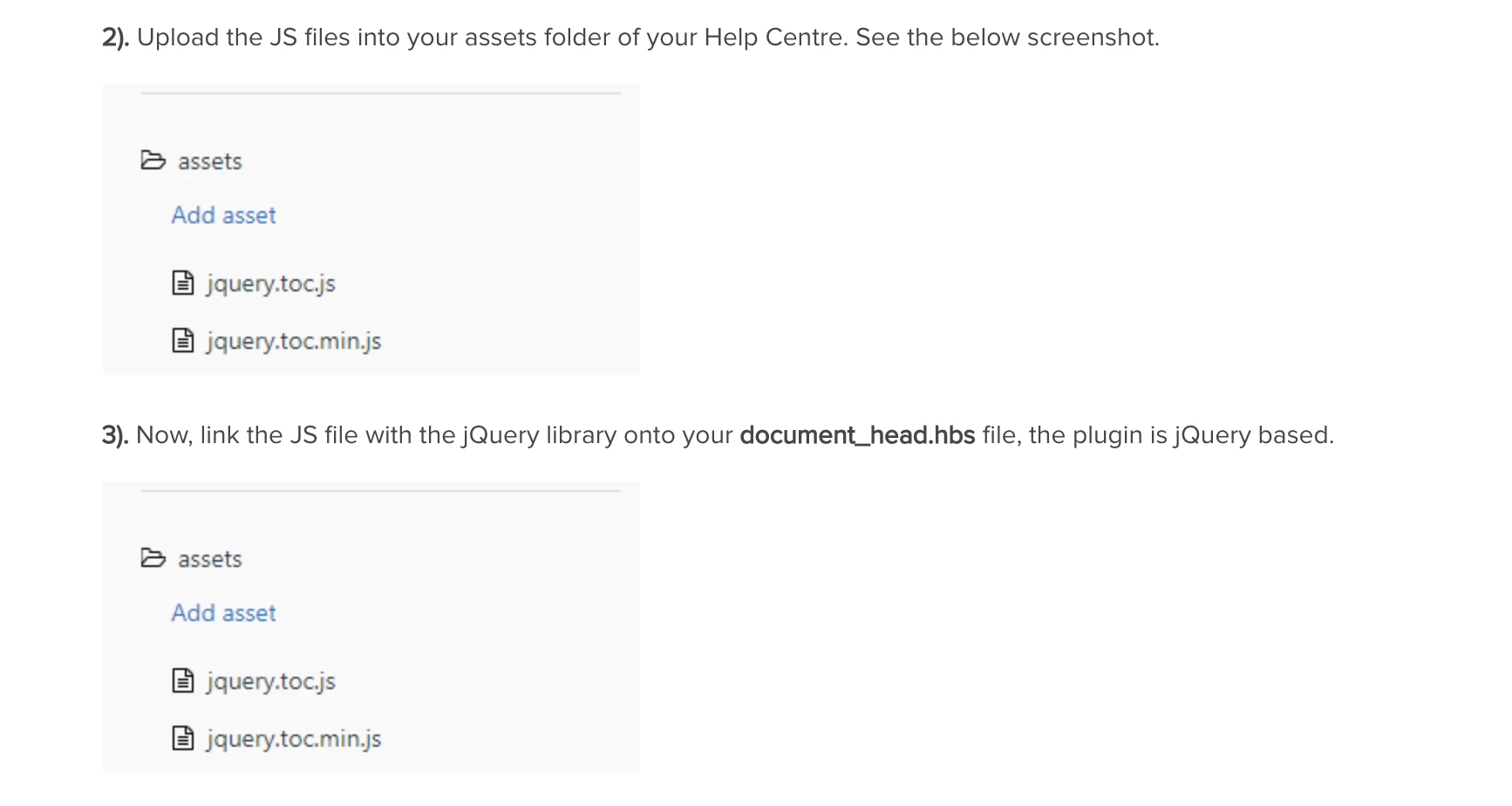
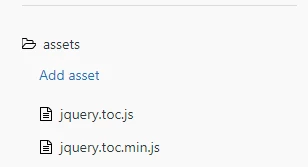
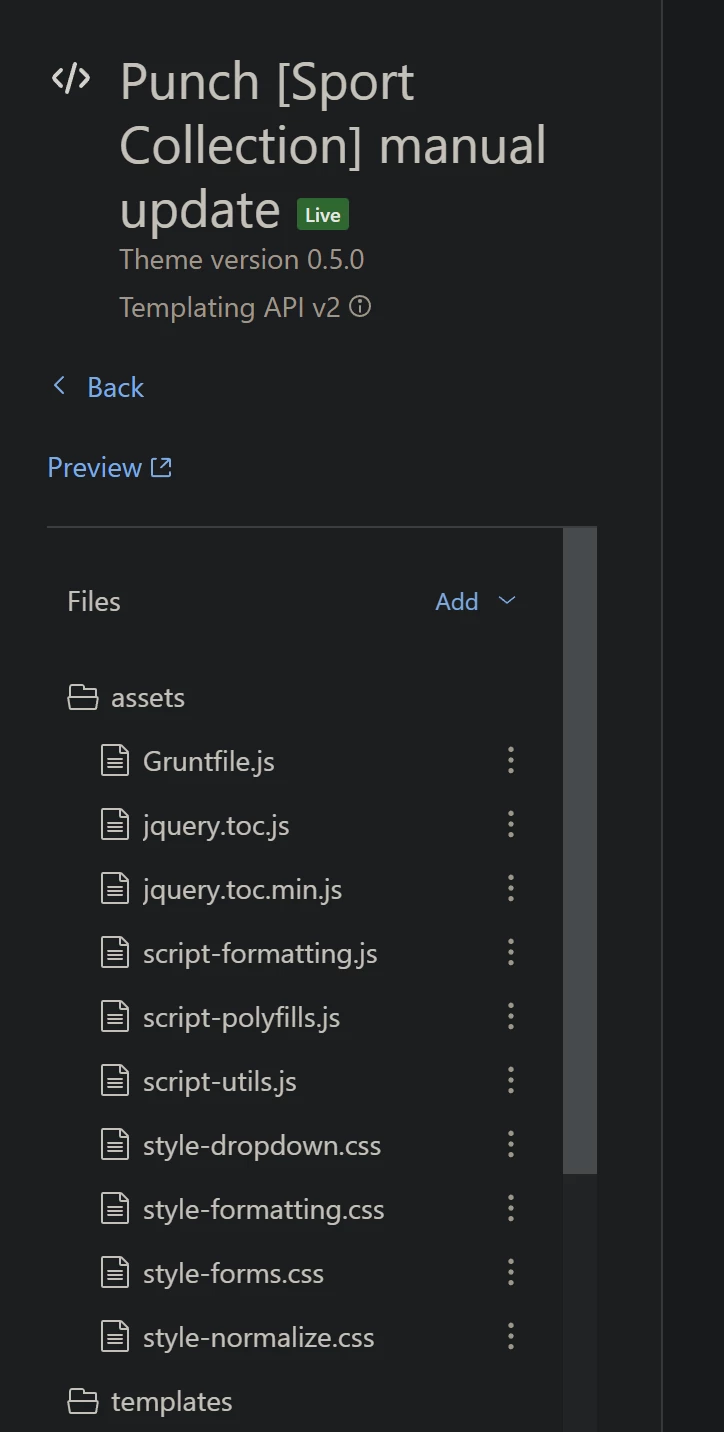
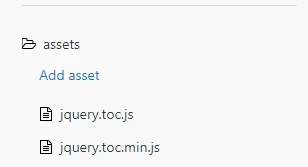
2). Upload the JS files into your assets folder of your Help Centre. See the below screenshot.
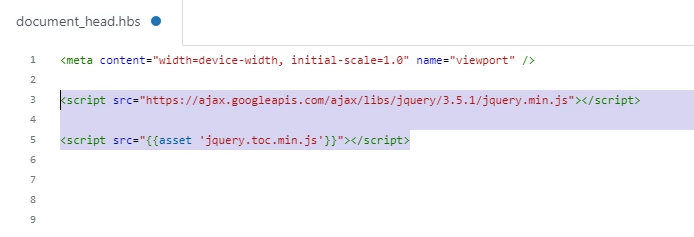
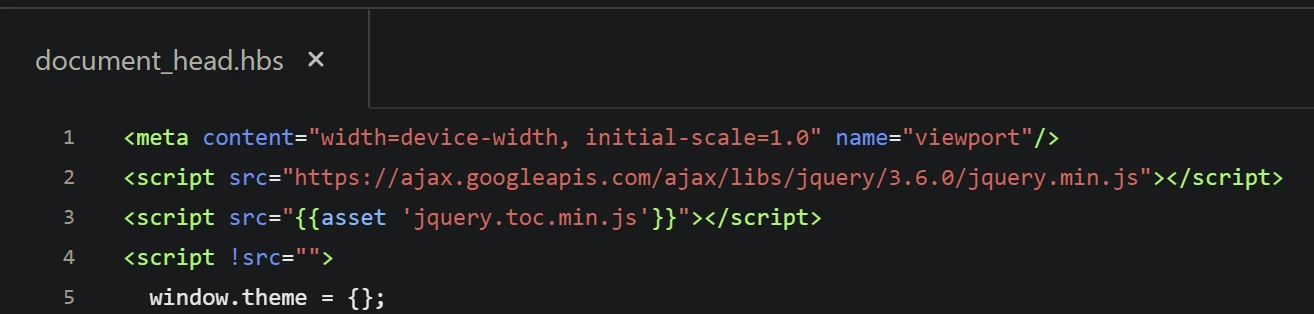
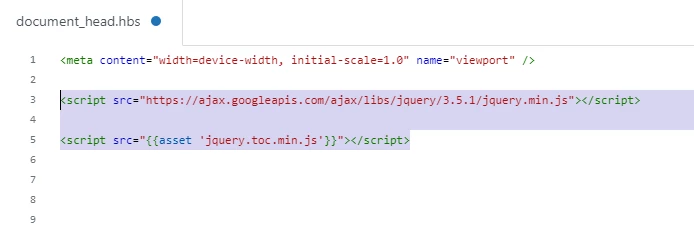
3). Now, link the jquery.toc.min.js file and the jQuery library onto your document_head.hbs file, the plugin is jQuery based.
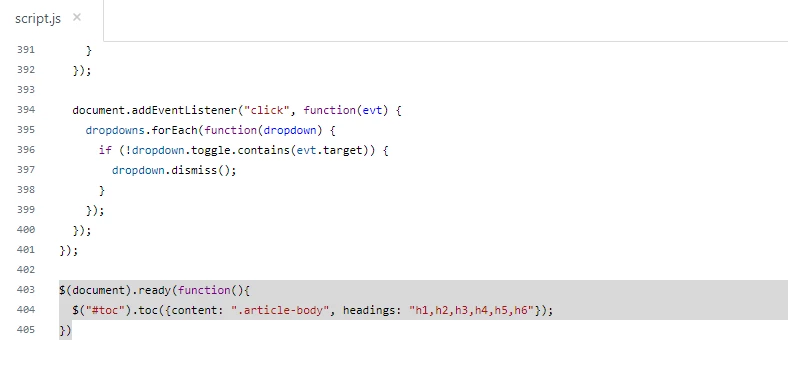
4). Call the TOC function on your script.js file at the bottom area under the Document function.
5). At the end, add the div to show the TOC on the article template.
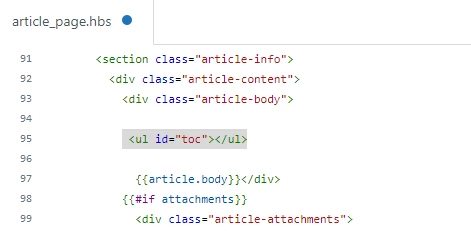
 

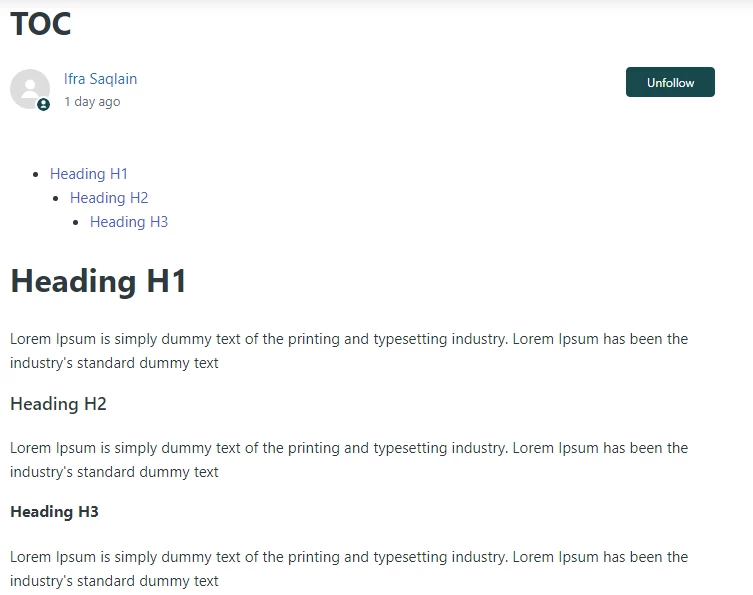
The output is:


Thanks


51 replies

Jaïs
  • September 2, 2021

Hello,

Thanks for sharing. I did a similar thing using the following code:

- in script.js:

!function(a){"use strict";var b=function(b){return this.each(function(){var c,d,e=a(this),f=e.data(),g=[e],h=this.tagName,i=0;c=a.extend({content:"body",headings:"h1,h2,h3"},{content:f.toc||void 0,headings:f.tocHeadings||void 0},b),d=c.headings.split(","),a(c.content).find(c.headings).attr("id",function(b,c){var d=function(a){0===a.length&&(a="?");for(var b=a.replace(/\s+/g,"_"),c="",d=1;null!==document.getElementById(b+c);)c="_"+d++;return b+c};return c||d(a(this).text())}).each(function(){var b=a(this),c=a.map(d,function(a,c){return b.is(a)?c:void 0})[0];if(c>i){var e=g[0].children("li:last")[0];e&&g.unshift(a("<"+h+"/>").appendTo(e))}else g.splice(0,Math.min(i-c,Math.max(g.length-1,0)));a("<li/>").appendTo(g[0]).append(a("<a/>").text(b.text()).attr("href","#"+b.attr("id"))),i=c})})},c=a.fn.toc;a.fn.toc=b,a.fn.toc.noConflict=function(){return a.fn.toc=c,this},a(function(){b.call(a("[data-toc]"))})}(window.jQuery);
if ($("#toc").length>0){
$("#toc").toc({content:"div.article-body"});
}

- in style.css:

.toc-list ul, .toc-list ol {
list-style-type: revert;
}
.toc-list ul li, .toc-list ol li {
margin: 0px 0 0px 10px;
}
.toc-list ul li a {
border-radius: 4px;
color: $text_color;
display: block;
font-weight: 300;
padding-left: 10px;
/*margin-bottom: 10px;*/
}

.toc-list ul li a:hover {
background-color: $brand_color;
color: $brand_text_color;
text-decoration: none;
}

- in article_page.hbs:

{{#each article.labels}}
{{#is identifier "show_toc"}}
<section class="toc-list">
<strong>{{dc 'in_this_article'}}</strong>
<ul id="toc"></ul>
</section>
{{/is}}
{{/each}}

I found this last part great because it actually triggers the TOC section on articles ONLY if I had the show_toc label in the article, which is a customization I wanted.


Ifra
  • Author
  • September 2, 2021

Mark33
  • January 25, 2022

@ifra the screen shots for steps 2 and 3 are identical. Is that intentional?


Ifra
  • Author
  • January 25, 2022

Hello Mark, thanks to ping, that's not intentionally, there should have been the  document_head template screenshot.


Mark33
  • January 27, 2022

Thanks, @ifra! Got the dynamic TOC working with the jQuery plugins.  

One question: I added an "In this article" heading. I modified the Javascript snippet to only pull <h2> headings. Is there a way to hide the "In this article" heading if there are no <h2> headings in the article?

 <section class="article-info">
        <div class="article-content">
          <div class="article-body"><h3> In this article:</h3><ul  id="toc"></ul>{{article.body}}</div>
          {{#if attachments}}
            <div class="article-attachments">
              <ul class="attachments">
                {{#each attachments}}
                  <li class="attachment-item">
                    <svg xmlns="http://www.w3.org/2000/svg" width="16" height="16" focusable="false" viewBox="0 0 16 16" class="attachment-icon">
                      <path fill="none" stroke="currentColor" stroke-linecap="round" d="M9.5 4v7.7c0 .8-.7 1.5-1.5 1.5s-1.5-.7-1.5-1.5V3C6.5 1.6 7.6.5 9 .5s2.5 1.1 2.5 2.5v9c0 1.9-1.6 3.5-3.5 3.5S4.5 13.9 4.5 12V4"/>

Ifra
  • Author
  • January 27, 2022

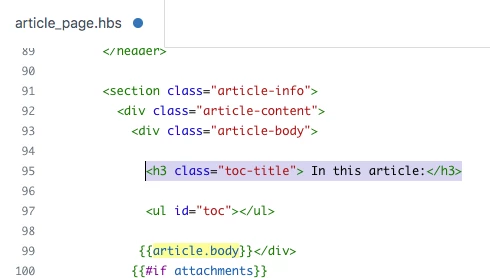
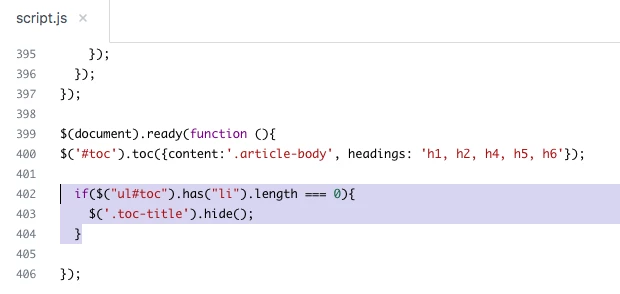
Hello Mark, you can add a class-name in your h3 heading tag: toc-title, and check the length of li in th ul, then hide the toc-title.


Solution:

1). Add class-name in h3.


2). Check the li length in the ul.


3). Now test your TOC and if any issue please do let me know :)


Thanks


Thank you for the solution. Works fine. 

I'm trying set TOC as transparent callout.

Add this code:

     <div class="article__body" itemprop="articleBody">
                <div class="callout callout--transparent">
                              <h5 class="toc-title">IN this article:</h5>
                                  <ul id="toc"></ul>
                                </div>
            {{article.body}}
          </div>

and

$(document).ready(function(){
      $("#toc").toc({content: ".article__body", headings: "h1,h2,h3,h4"});
  
  if($("ul#toc").has("li").length === 0){
     $('.toc-title').hide();
    $('.callout callout--transparent').hide();
     }
})

If there is no heading in article TOC is hide, but borders of this callout are still there. What should I do? 


Ifra
  • Author
  • February 9, 2022

hii, because you forgot to add a dot for the class in your script code:

Your code:

$(document).ready(function(){
      $("#toc").toc({content: ".article__body", headings: "h1,h2,h3,h4"});
  
  if($("ul#toc").has("li").length === 0){
     $('.toc-title').hide();
    $('.callout callout--transparent').hide(); // hasn't dot for the class
     }
})


Fixed: Apply this.

$(document).ready(function(){
      $("#toc").toc({content: ".article__body", headings: "h1,h2,h3,h4"});
  
  if($("ul#toc").has("li").length === 0){
     $('.toc-title').hide();
  $('.callout.callout--transparent').hide();
     }
})

Indeed. Thank you. And the last question:

how can I change:

if($("ul#toc").has("li").length === 0){

to hide TOC if article has less than 2 headings? 


Ifra
  • Author
  • February 9, 2022

hey Jakub :)

Use this script code for your query:

to hide TOC if article has less than 2 headings? 

$(document).ready(function(){
    $("#toc").toc({content: ".article__body", headings: "h1,h2,h3,h4"});
    $('.callout.callout--transparent').hide();
  if($("ul#toc li").length >= 2){
    $('.callout.callout--transparent').show();
     }
})

Many thanks!

Really appreciate your help :)


Hello,

TOC works nice except for one thing - I am wondering is this happens only in my HC? 
Clicking on the link takes you to the specific header, but a few lines below not to head of section. 
For example - click on 3rd link from TOC: http://gmsystem.zendesk.com/hc/pl/articles/4417171125905-Jak-wypożyczyć-licencję-Solid-Edge- 
As you can see it takes you to proper section but first lines are hidden behind header.
How can I fix that? 


Ifra
  • Author
  • March 11, 2022

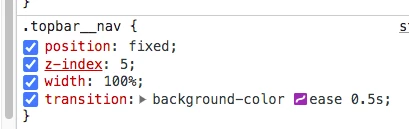
Hello Jakub Kręcisz, it is cause of your sticky header, the header is hiding those few lines.


See the below screenshot:

Your sticky header:


When I removed position: fixed from the CSS:


Solution:


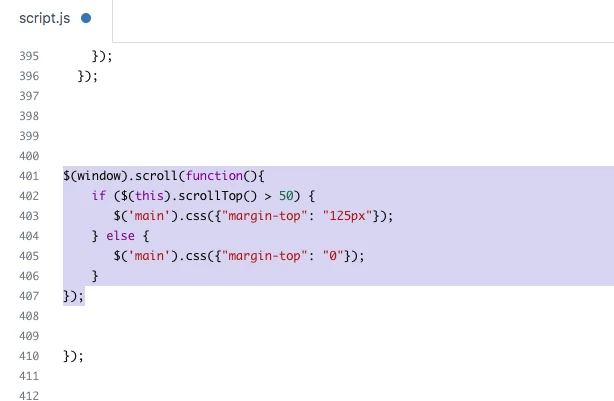
You can fix this issue by adding the given code at the end of your script file inside the DOM function

$(window).scroll(function(){
    if ($(this).scrollTop() > 50) {
       $('main').css({"margin-top": "125px"});
    } else {
       $('main').css({"margin-top": "0"});
    }
});


Screenshot for the same:


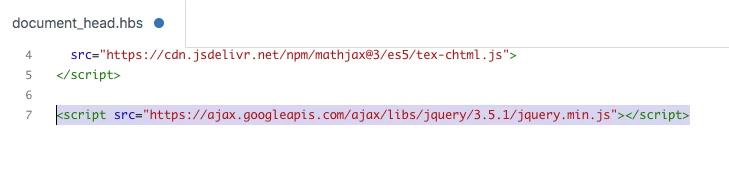
Add the Jquery CDN on document_head.hbs file.

<script src="https://ajax.googleapis.com/ajax/libs/jquery/3.5.1/jquery.min.js"></script>


Screenshot for the same:


Thanks

Team


Also, click on the given link :)

http://ifrasaqlain.com/introduction/


Thank you! I did as you wrote.

Is this possible to limit this only for article page?

I would like to minimalize jump effect on other pages, i.e. main page where row with blocks is shifted with specific pixels amount:

position"0":

position"scrolled down":


Ifra
  • Author
  • March 11, 2022

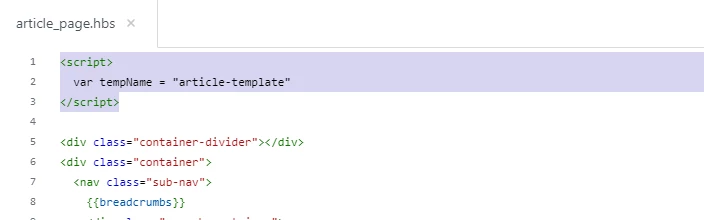
Add template name on article page.

Update the previous script code:

$(document).ready(function(){
  if(tempName === "article-template") {
      $(window).scroll(function(){
    if ($(this).scrollTop() > 50) {
       $('main').css({"margin-top": "125px"});
    } else {
       $('main').css({"margin-top": "0"});
    }
 });
 }
});

Ifra,

really, really appreciate your help - thank you so much! 


Ifra
  • Author
  • March 12, 2022

:)


Mickey12
  • May 3, 2022

This is nothing short of amazing. Thank you so much @ifra for this guide!


Ifra
  • Author
  • May 6, 2022

:)


Anh12
  • September 7, 2022

I did these but it doesn't work: https://support.heroesempires.com/hc/en-us/articles/5260022672665

No TC shows.

And please post the code, don't post the screenshot :)


Ifra
  • Author
  • September 7, 2022

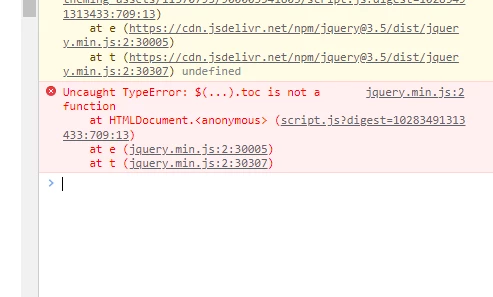
@anh12, I think you didn't add jquery.toc.min file to your head file.

Error:


Solution:

First you need to download the plugin.


and then unzip that,


you will get jquery.toc.min


upload it to your HC assets folder.


import it to your document_head.hbs file.


Your issue would be solved :)

Thanks


Anh12
  • September 7, 2022

Of course, I did.


Anh12
  • September 7, 2022

Ifra
  • Author
  • September 8, 2022

Anh Le :), do the following:


i). Go to your document_head.hbs file.

ii). Update the sequence of CDNs.

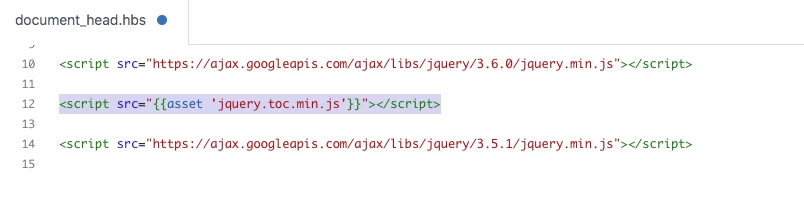
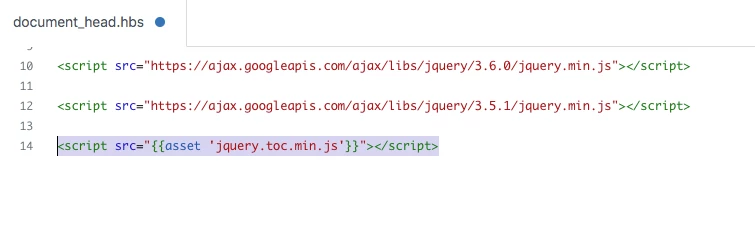
iii). Currently, your TOC CDN is above jQuery-v3.5.1, it should be below this version of jQuery or you can move your jQuery-v3.5.1 CDN ust below the jQuery-v3.6.0.


Currently:


After updating:


iv). Second thing is, you don't have the class name article-body.


You'll need to add class name with the markdown.


OR,

you can change the class name in the script code.

Now, test and let me know.


Anh12
  • September 8, 2022

Thank you @ifra the theme developer loaded the js file end of that file. I removed it and it works.

However, the format is ugly; any suggestions? https://support.heroesempires.com/hc/en-us/articles/5260022672665-Tutorials

Btw, do you plan to have the native TOC for Zendesk article?