

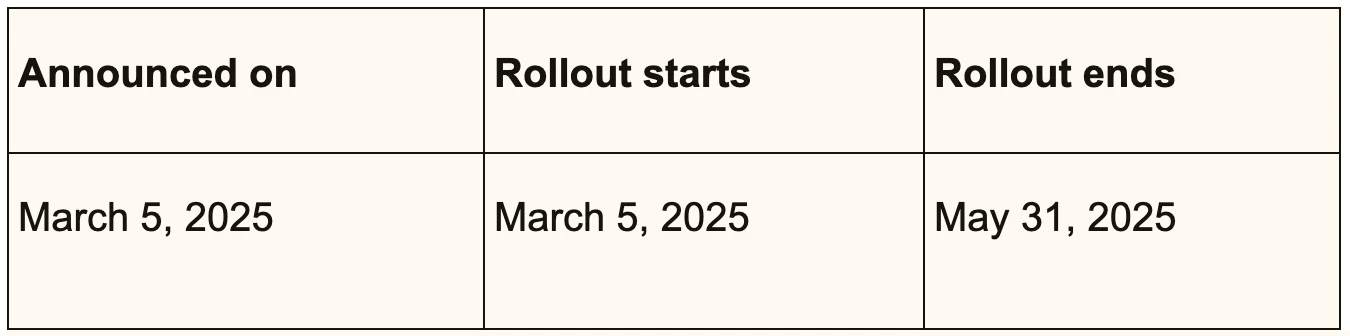
We are happy to announce an Approvals feature for Agents so that they can send the approval request to other users in Zendesk.
See also the feature documentation.
Why did we build it?
- Increase agent efficiency: Approvals in Zendesk remove the need for manual interventions or dependence on external applications.
- Ensure compliance: Track approval decisions within Zendesk to ensure adherence to your organization’s compliance policies.
- Maintain quality control: Add an approval step into your organization’s standard operating procedures to uphold quality assurance.
- Provide transparency: Requesters and approvers have visibility into the status of approval requests.
How do I start using it?
- To sign up for Approvals EAP please complete this form.
- Once you submit the details in this form, we will activate the ad-hoc approval feature for your account. Your agents will then be able to use it to send approval requests, and approvers can make the necessary approval decisions.
What is Approvals?
The main steps of the approval request process consist of the following:
- An agent creates an approval request from a ticket in the Agent Workspace.
- The agent then sends the request to an approver. An approver can be either another agent or an end user.
- The approver receives an email notification
- The approver then responds to the request by approving or denying.
End-user approvers responds to requests from the help center, while agent approvers respond from the Agent Workspace. - The agent who created the approval request receives the approver’s response.
How to provide the feedback?
We value your feedback, so please share your thoughts in our EAP community, or feel free to email us at rahul.narsinghani@zendesk.com or discuss it with your respective Customer Success Manager (CSM).
We would appreciate your input on the following:
1. How can we enhance this feature?
2. In what ways, if any, do you envision using this new feature?
Want to learn more?
See the feature documentation.
Important Note:
This is an Early Access Program (EAP) for all customers on the following Support Suite plans:
- Suite Professional
- Suite Enterprise and
- Suite Enterprise Plus.
Customers on other plans can also participate in the EAP, but the feature is available only to customers on the above plans. Others will have to upgrade their plans.


Thanks for following up and sharing the details along with the link. It’s concerning that the “Approval Status” field is locked and no longer appears in trigger conditions, especially since this affects manual updates and automation.
Since multiple users are reporting this, it would be great if a Zendesk representative could provide some clarity or an estimated timeline for a fix. If you haven’t already, I’d recommend contacting Zendesk support directly to escalate this issue and request updates on resolving the locked field behavior.
Appreciate you keeping the community informed—hopefully, we’ll hear some good news soon!