

You can create a trigger that looks for key words or phrases in incoming tickets, then adds a custom tag and sets priority. This enables you to give urgent tickets attention first (for example, a customer that cannot log in to account).
To do so, use a trigger for rules based on ticket updates and text.
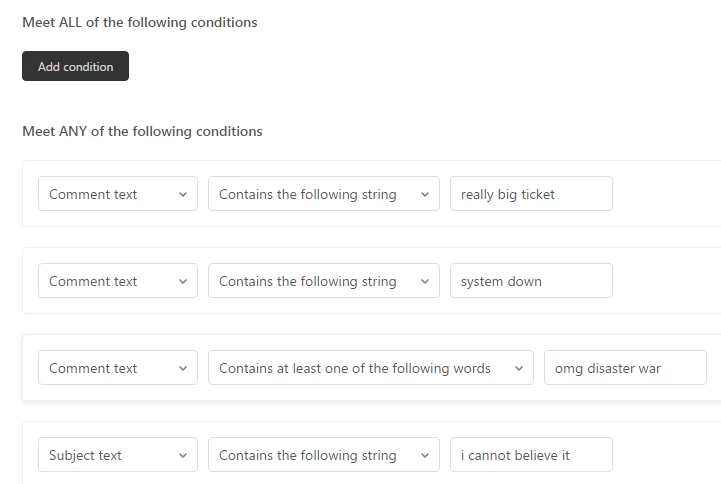
You can check for both subject text and / or comment text. Note that when the ticket is first created, the comment text will also check the subject.
Now apply your actions:
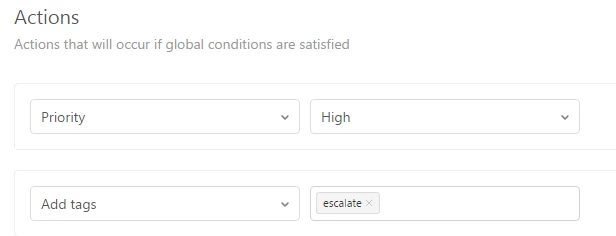
And you should be done.


You can utilize the Comment text condition. If the the ticket comment contains any keyword that matches with the keyword that has been set in your condition, you can route it to any of your preferred agent or group.
Best,
Paolo | Technical Support Engineer | Zendesk