

Hello all,
This tip is for hero section slider, users can make the hero section as a slider instead of the static image.
Prerequisites:
CSS,
HTML,
JavaScript
Time: Max 5 Min
Theme: Copenhagen (Default Theme)
You only need to follow the given simple steps to make the hero section as a slider:
1). Copy the given CDNs to your document_head.hbs file.
<link rel="stylesheet" href="https://cdnjs.cloudflare.com/ajax/libs/OwlCarousel2/2.3.4/assets/owl.carousel.min.css" integrity="sha512-tS3S5qG0BlhnQROyJXvNjeEM4UpMXHrQfTGmbQ1gKmelCxlSEBUaxhRBj/EFTzpbP4RVSrpEikbmdJobCvhE3g==" crossorigin="anonymous" referrerpolicy="no-referrer" />

<script src="https://ajax.googleapis.com/ajax/libs/jquery/3.5.1/jquery.min.js"></script>

<script src="https://cdnjs.cloudflare.com/ajax/libs/OwlCarousel2/2.3.4/owl.carousel.min.js" integrity="sha512-bPs7Ae6pVvhOSiIcyUClR7/q2OAsRiovw4vAkX+zJbw3ShAeeqezq50RIIcIURq7Oa20rW2n2q+fyXBNcU9lrw==" crossorigin="anonymous" referrerpolicy="no-referrer"></script>
Screenshot:

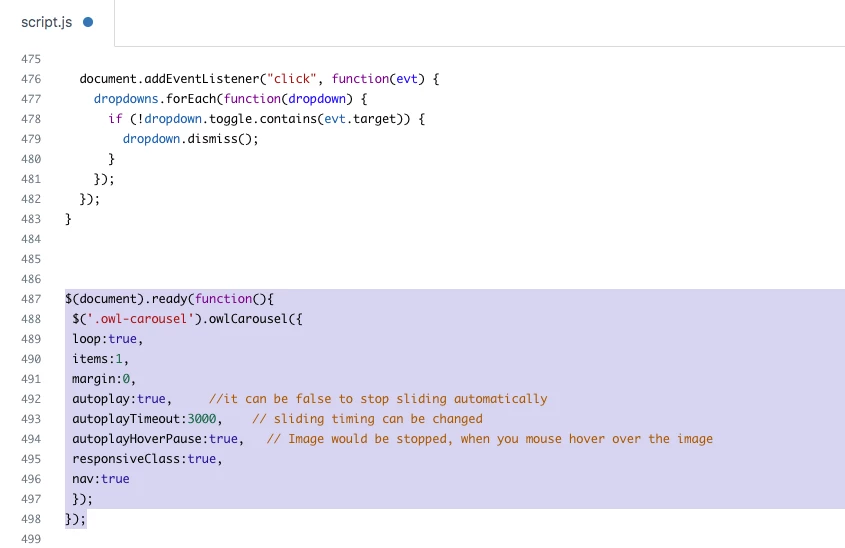
2). Add the given script code to your script.js file at the bottom area.
$(document).ready(function(){
 $('.owl-carousel').owlCarousel({
 loop:true,
 items:1,
 margin:0,
 autoplay:true,     //it can be false to stop sliding automatically
 autoplayTimeout:3000,    // sliding timing can be changed
 autoplayHoverPause:true,   // Image would be stopped, when you mouse hover over the image
 responsiveClass:true,
 nav:true
 });
});


Screenshot:
3). Upload your images to the assets folder.

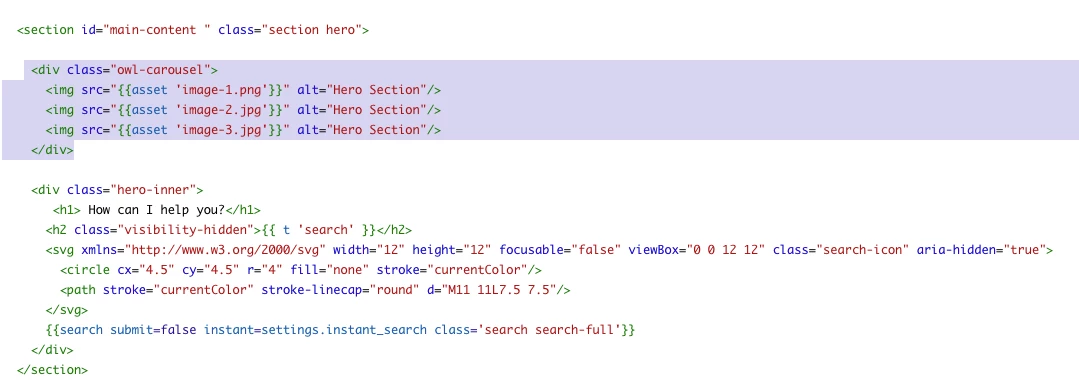
4). Now, add those background images to your hero section.
<div class="owl-carousel">  -- hero section HTML --  </div>


Screenshot:
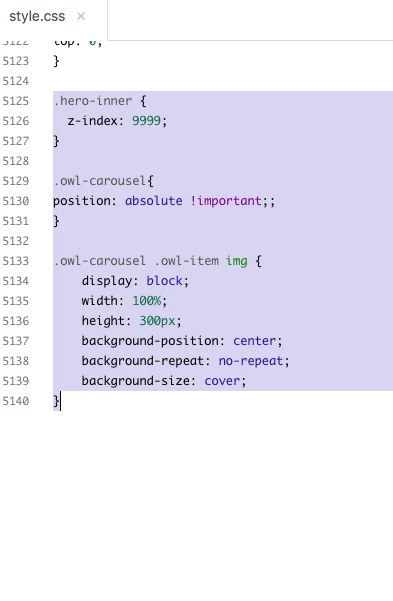
5). And, add the CSS code as I added.
.hero-inner {
  z-index: 9999;
}

.owl-carousel{
position: absolute !important;;
}

.owl-carousel .owl-item img {
    display: block;
    width: 100%;
    height: 300px;
    background-position: center;
    background-repeat: no-repeat;
    background-size: cover;
}


Screenshot:
Output: The image is automatically sliding, but you can change its behaviour via JS.

Go to the script.js file and change true to false.
$(document).ready(function(){
 $('.owl-carousel').owlCarousel({
 loop:true,
 items:1,
 margin:0,
 autoplay:true,     //it can be false to stop sliding automatically
 autoplayTimeout:3000,    // sliding timing can be changed
 autoplayHoverPause:true,   // Image would be stopped, when you mouse hover over the image
 responsiveClass:true,
 nav:true
 });
});
Thanks