Tip: Collapsible headers in articles or templates (accordions) | Community
Skip to main content

Tip: Collapsible headers in articles or templates (accordions)

  • August 18, 2021
  • 141 replies
  • 0 views

Show first post

141 replies

  • February 24, 2023

script.js:473 Uncaught SyntaxError: Unexpected token 'export'


Ifra
  • February 24, 2023

No problem, did you add JS code to the scripr.js file in your live theme?


  • February 24, 2023

The only code I have added to the script.js file is 

document.addEventListener('DOMContentLoaded', function() {
var acc = document.getElementsByClassName("accordion");
var i;

for (i = 0; i < acc.length; i++) {
acc[i].addEventListener("click", function() {
this.classList.toggle("active");
var panel = this.nextElementSibling;
if (panel.style.maxHeight) {
panel.style.maxHeight = null;
} else {
panel.style.maxHeight = panel.scrollHeight + "px";
}
});
}
});

We have multiple HC's for different brands and there's different content writers so I'm not sure what modifications have been made to this particular theme. As I said the accordion is working in other HC's we have. 

Is there anyway to find out which part of the theme code is affecting this? 


Ifra
  • February 24, 2023

Hi Jason Mcdonald,

Your live theme must have script code  of accordion and CSS code of accordion and your article must have HTML of accordion then your accordion will worked fine.

Please make sure that script.js file has :

document.addEventListener('DOMContentLoaded', function() {
var acc = document.getElementsByClassName("accordion");
var i;

for (i = 0; i < acc.length; i++) {
acc[i].addEventListener("click", function() {
this.classList.toggle("active");
var panel = this.nextElementSibling;
if (panel.style.maxHeight) {
panel.style.maxHeight = null;
} else {
panel.style.maxHeight = panel.scrollHeight + "px";
}
});
}
});

 style.css file has :

.accordion {
background-color: #eee;
color: #444;
cursor: pointer;
padding: 18px;
width: 100%;
border: none;
text-align: left;
outline: none;
font-size: 15px;
transition: 0.4s;
margin-bottom: 10px;
}

.accordion p {
  display: inline;
}

.active, .accordion:hover {
background-color: #ccc;
}

.accordion:after {
content: '\002B';
color: #777;
font-weight: bold;
float: right;
margin-left: 5px;
}

.active:after {
content: "\2212";
}

.panel {
padding: 0 18px;
background-color: white;
max-height: 0;
overflow: hidden;
transition: max-height 0.2s ease-out;
}

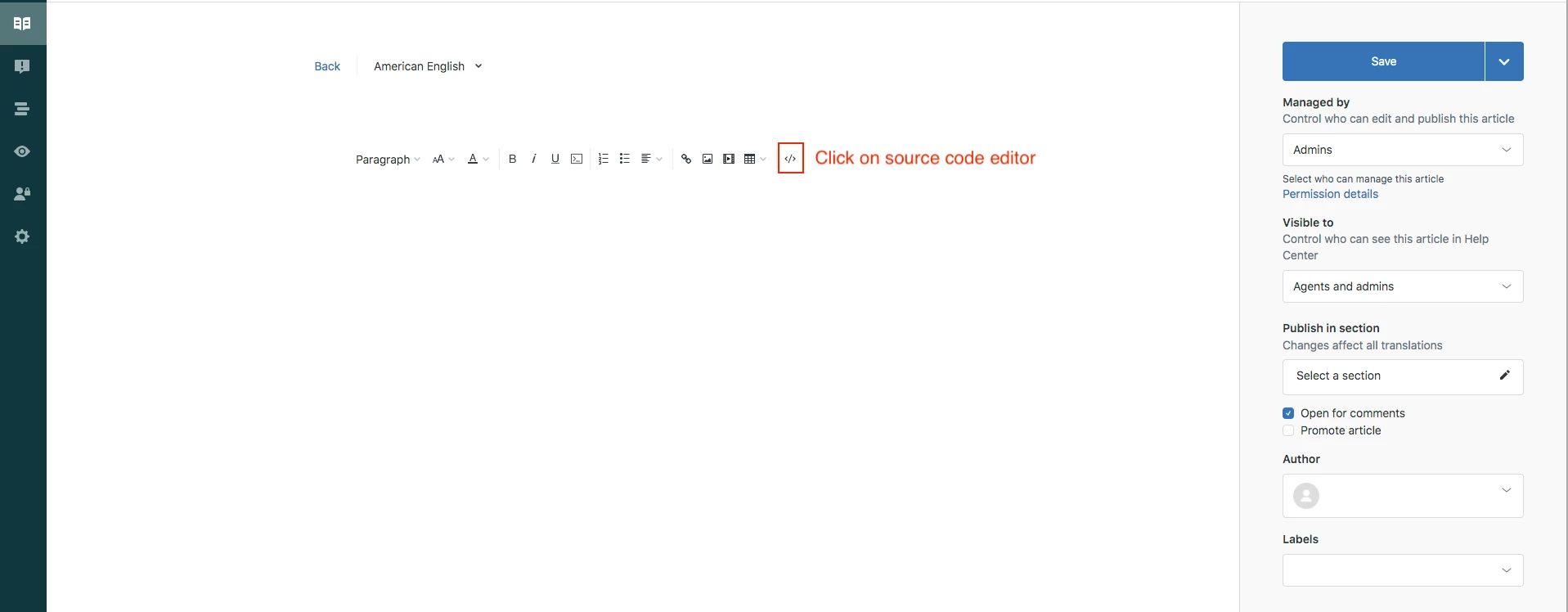
article has this HTML code in source:

<div class="accordion">
<p>Section 1</p>
</div>
<div class="panel">
<p>Lorem ipsum dolor sit amet, consectetur adipisicing elit, sed do eiusmod tempor incididunt ut labore et dolore magna aliqua. Ut enim ad minim veniam, quis nostrud exercitation ullamco laboris nisi ut aliquip ex ea commodo consequat.</p>
</div>
  • February 27, 2023

Hi Ifra.

This is exactly what I have done and the accordion won't expand when clicked.


Ifra
  • February 27, 2023

No problem, share your HC public URL and set your working theme live then I can see the issue.


  • February 27, 2023

Ifra
  • February 27, 2023

Hey Jason,

I saw an error in the console, 

Uncaught SyntaxError: Unexpected token 'export' (....

Resolve this,

See this article: https://codedamn.com/news/javascript/how-to-fix-syntaxerror-unexpected-token-export-in-javascript

your accordion will work.


OR

Move accordion script code bottom to top on script.js file and then test.


  • March 8, 2023

Hi team,

Everything is working as expected in the normal "article builder" but when I try to add code inside of the "content blocks builder" there are some difficulties:

When I try to add the following code, it is automatically deleted after hitting the save button

<div class="accordion-div">

When I try to add "sub-headers" a </div> is automatically added after hitting the save button while this is not expected because otherwise the sub-header is not visible. Example code (that is working as expected in article builder, but not in content blocks):

<div class="accordion">
  <p>Section 1</p>
</div>
<div class="panel">
  <div class="accordion-div">
    <div class="accordion">
      <p>Sub-section</p>
    </div>
    <div class="panel">
      <p>
        Lorem ipsum dolor sit amet, consectetur adipisicing elit, sed do
        eiusmod tempor incididunt ut labore et dolore magna aliqua. Ut enim
        ad minim veniam, quis nostrud exercitation ullamco laboris nisi ut
        aliquip ex ea commodo consequat.
      </p>
    </div>
</div>

Looking forward how to solve this in content blocks. Thanks for letting me know.

Regards,

Naud


Greg29
  • March 9, 2023

Hi Naud! The issue here is that we only allow class names to be applied to the top-level divs at the moment. This is documented in an article that we have archived for some reason, but we are working on publishing a more robust article in the near future. Apologies for the headaches on that one, as non-documented product limitations are really frustrating.

Let us know if you have any other questions!


  • March 28, 2023

Hello,

I have the accordion set up and it works great in Guide, but how do I get these to work in the Knowledge Capture app?


Josh49
  • April 26, 2023

Can anyone advise if this is accessibility/WCAG-compliant?


Ifra
  • April 26, 2023

Hey Josh Keller,  if you consider WCAG then you can use the HTML5 for accordion:

 <details>
    <summary>
      Section 1
  </summary>
     <p>Click on the "Try it Yourself" button to see how it works.</p>
</details>

 <details>
    <summary>
    Section 2
  </summary>
     <p>Click on the "Try it Yourself" button to see how it works.</p>
</details>

 <details>
    <summary>
    Section 3
  </summary>
     <p>Click on the "Try it Yourself" button to see how it works.</p>
</details>


OR

Please go through with this article:

http://web-accessibility.carnegiemuseums.org/code/accordions/


If any query feel free to ask :)


kyle.kowalsky

Pulkit Pandey,

Is there any additional config to make those Font Awesome chevrons work? I changed the style.css code to match yours, but all I get is a unicode placeholder. I'm just using the Copenhagen theme and editing that.

EDIT: Found my answer on another thread. Before the content line, add font-family: FontAwesome; I've updated the code below to reflect this.

.accordion:after {
  /*** content: '\002B'; plus ***/
 font-family: FontAwesome;
content: '\f078'; /*** chevron ***/
  color: #777;
  font-weight: bold;
  float: right;
  margin-left: 5px;
}

.active:after {
  /*** content: "\2212"; minus ***/
font-family: FontAwesome;  
content: "\f077"; /*** chevron ***/
}


  • September 24, 2023

Hello Trapta,

Hope you are well. 

In regards to your reply as per below, could you please be a bit more specific on what to do to tric the code a little please?

Hi Tony Jansson,

Yes, it is possible. In order to achieve what you want, you need to tweak code a little bit to make it work accordingly.

I would like to have my sections appearing as accordions and then when selecting a specific section, the articles appear.

Thank you


xxxxx
  • October 5, 2023

hi @trapta singh! We tried to apply the accordion, we have no console errors, but the panel content is not opening, can you help us? thanks


Trapta
  • Author
  • October 5, 2023

Hi @Irene,

Is it possible for you to share the link of your HC or some way I can see what went wrong so I can guide you accordingly?

Thanks


  • October 5, 2023

Hello everyone, could you please advise how I can apply collapses with headers to sections?
For example, If I click on a section header, it opens the list of the titles of the articles and then again. 
Thank you for your help!


Ifra
  • October 5, 2023

Hi Mylene Issartial,

For which page you want to do this, Home, category or section?


You only need to wrap the section title inside this:

<div class="accordion">

</div>


and then wrap all the articles inside the panel:

<div class="panel">

</div>


CSS and JS code are already there, copy  and paste as it is.


If any confusion feel free to ask :)

Thanks


  • October 5, 2023

It worked, thank you very much.

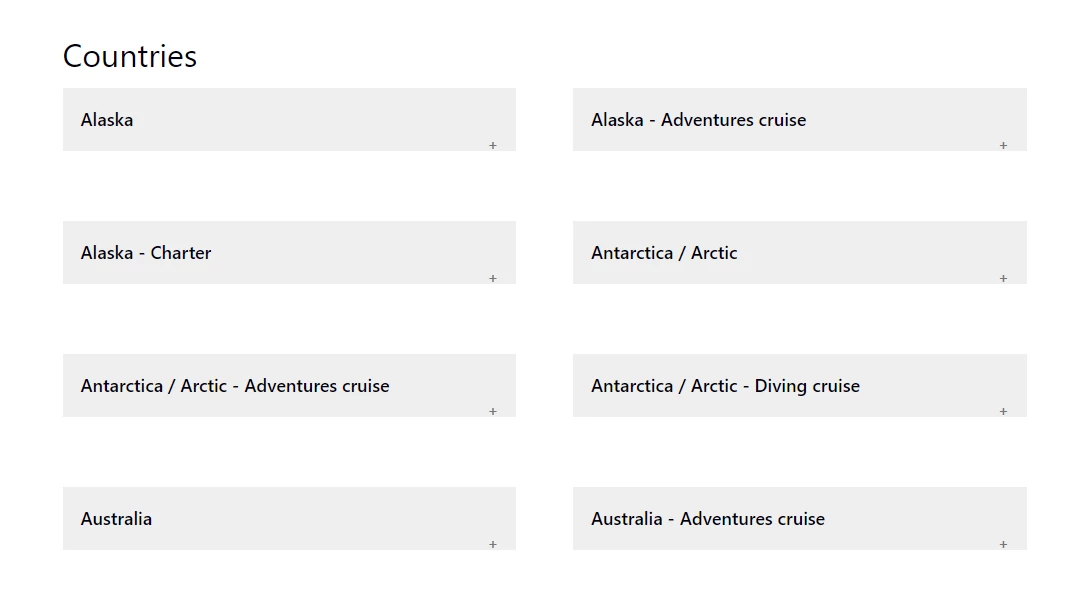
Is there a possibility to have a section and then a subsection to have the country and then a subsection per thematic?

For example: Category: Country

Section: Alaska

Sub section: General and then article

Sub section: Alaska adventure and then articles

sub section: Alaska diving and then articles

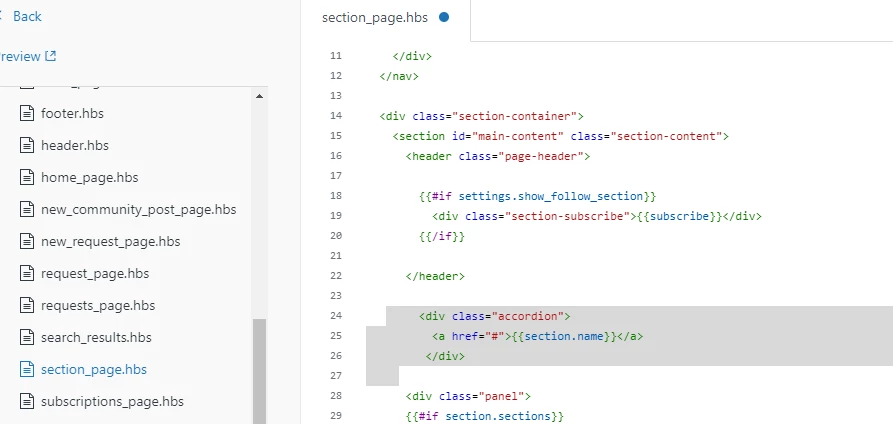
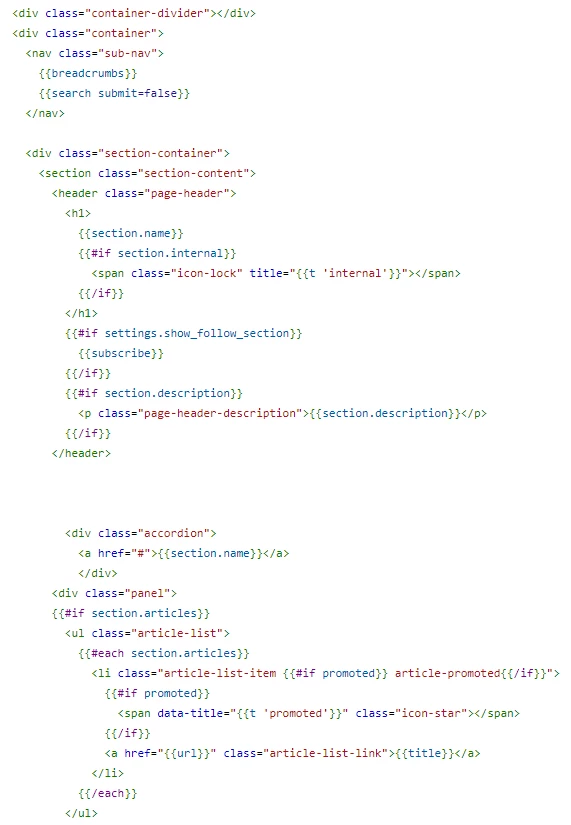
A the moment I have the below:

Thank you in advance


Ifra
  • October 6, 2023

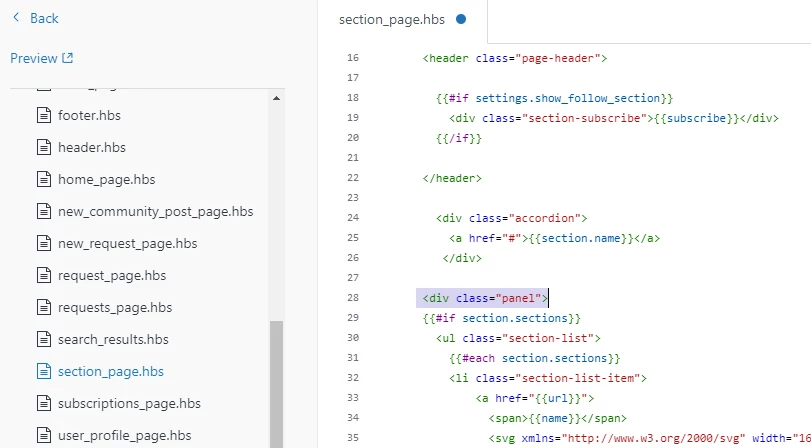
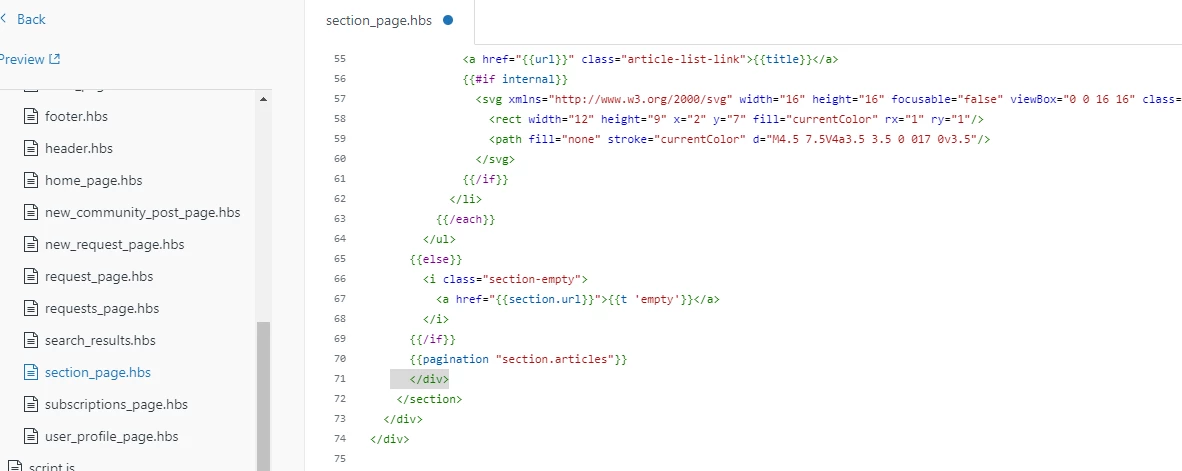
@Mylene Issartial, just do te same as you did for the category page:


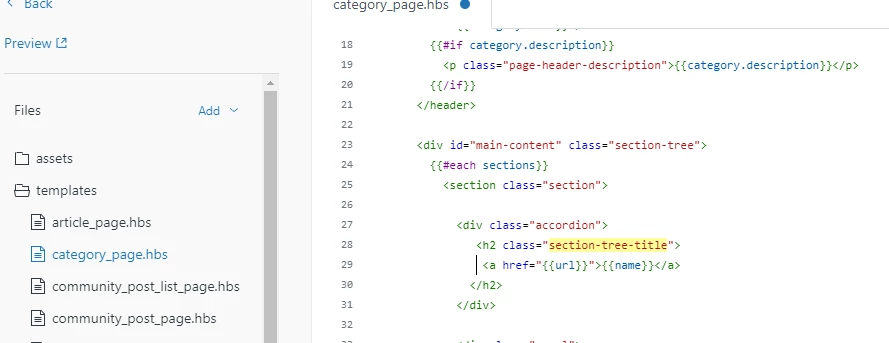
Add accordion to section title and move out section title from the header-


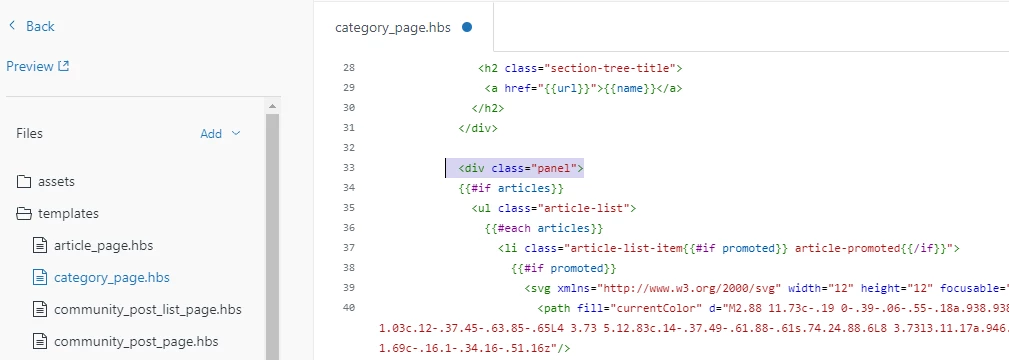
Add panel before the subsections code-


Close this panel after the article code at the bottom-


Test this and let me know  :)


xxxxx
  • October 6, 2023

Trapta
  • Author
  • October 6, 2023

Hi @xxxxx,

Can you try commenting the code from line no. 219 to 221 in your script.js file? It seems that the same is throwing some error.

Or you can try putting the according script code above this line of code.

Let me know how it goes for you.

Thanks


  • October 9, 2023

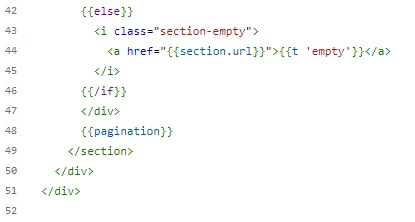
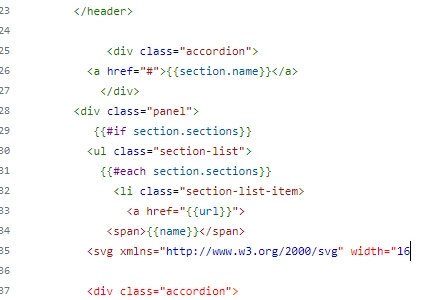
Hello Ifra, thank you very much but not sure I did it correctly:

This is what I had : 


Then I added the following :

But it does not work and I miss something. 


  • October 16, 2023

Hi Zendesk team, 

I love these accordions, thank you!

I'm hoping you can help me make them accessible with the keyboard. I've added tabindex=0 to each <div class="accordion">, so they are focusable with the keyboard, but nothing happens when I try to open or close them with the enter key, space bar, etc. They only open and close when clicked with the mouse, but our help center must comply with WCAG 2.1 AA accessibility guidelines, so the accordions must be controllable with the keyboard as well. I believe something has to be edited in the JS, but I'm not knowledgeable enough to figure it out on my own. 

Here's one of our help center articles that uses accordions: https://community.environicsanalytics.com/hc/en-us/articles/360029443292

Any advice is appreciated. Thanks!