Tip: Collapsible headers in articles or templates (accordions) | Community
Skip to main content

Tip: Collapsible headers in articles or templates (accordions)

  • August 18, 2021
  • 141 replies
  • 0 views

Trapta

The original tip was posted by Wes. I am simply updating the tip to make it work with the current theme version.

Let gets started without any further delay.

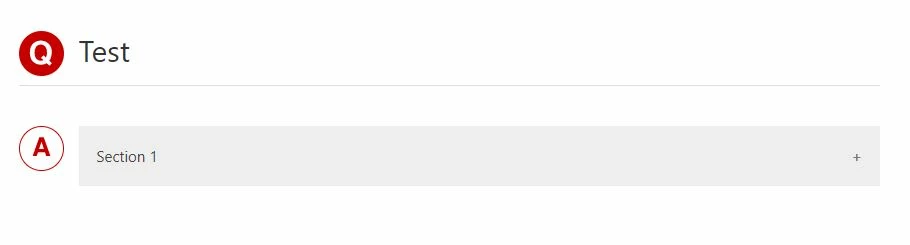
Demo: https://moderatortrapta.zendesk.com/hc/en-us

Step 1: Add the below code (HTML CODE SNIPPET) to the source code of your article.

<div class="accordion">
<p>Section 1</p>
</div>
<div class="panel">
<p>Lorem ipsum dolor sit amet, consectetur adipisicing elit, sed do eiusmod tempor incididunt ut labore et dolore magna aliqua. Ut enim ad minim veniam, quis nostrud exercitation ullamco laboris nisi ut aliquip ex ea commodo consequat.</p>
</div>
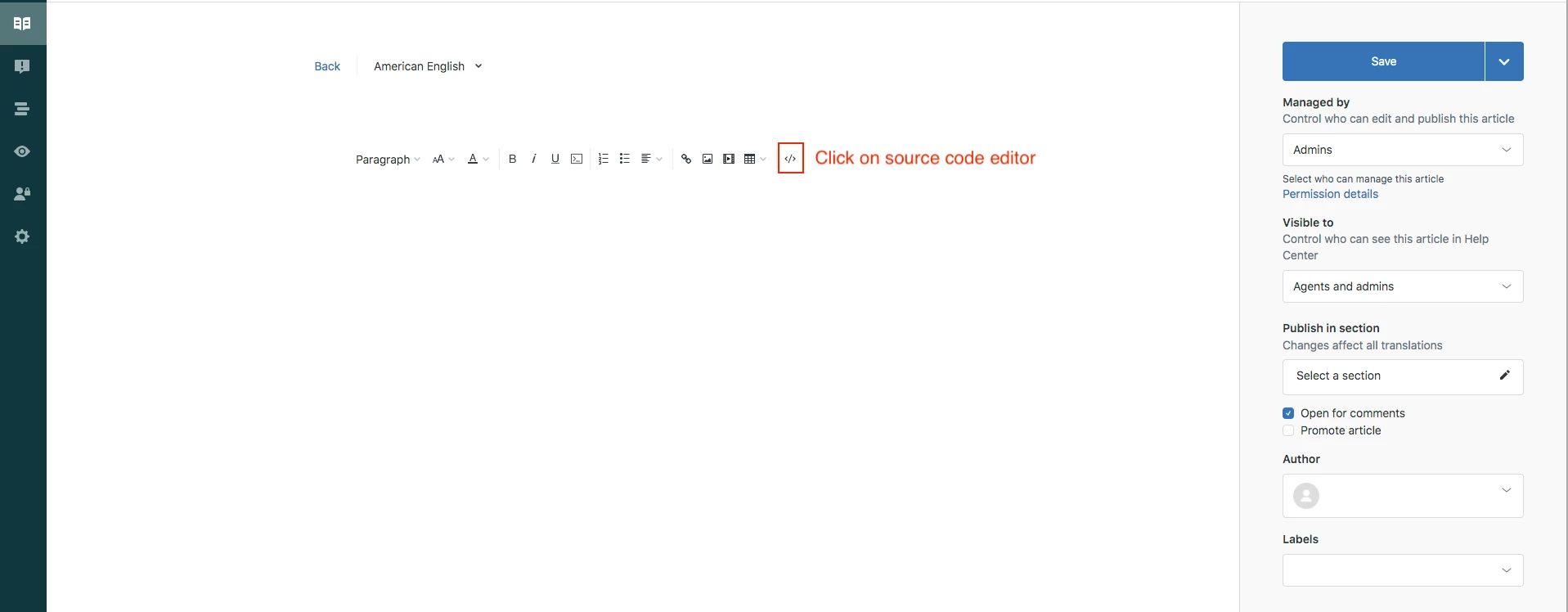
Click OK to save the progress.

NOTE: You can copy and paste the same snippet to add as many accordions as you want.

Step 2: Edit your theme to add the below code at the bottom of your style.css file

.accordion {
background-color: #eee;
color: #444;
cursor: pointer;
padding: 18px;
width: 100%;
border: none;
text-align: left;
outline: none;
font-size: 15px;
transition: 0.4s;
margin-bottom: 10px;
}

.accordion p {
  display: inline;
}

.active, .accordion:hover {
background-color: #ccc;
}

.accordion:after {
content: '\002B';
color: #777;
font-weight: bold;
float: right;
margin-left: 5px;
}

.active:after {
content: "\2212";
}

.panel {
padding: 0 18px;
background-color: white;
max-height: 0;
overflow: hidden;
transition: max-height 0.2s ease-out;
}

Step 3: Edit your theme to add the below code at the bottom of your script.js file

document.addEventListener('DOMContentLoaded', function() {
var acc = document.getElementsByClassName("accordion");
var i;

for (i = 0; i < acc.length; i++) {
acc[i].addEventListener("click", function() {
this.classList.toggle("active");
var panel = this.nextElementSibling;
if (panel.style.maxHeight) {
panel.style.maxHeight = null;
} else {
panel.style.maxHeight = panel.scrollHeight + "px";
}
});
}
});

Save and publish the changes.

YOU CAN USE THE ABOVE CODE TO ADD ACCORDION ANYWHERE THROUGHOUT THE THEME. YOU NEED TO PASTE THE HTML CODE SNIPPET (IN STEP 1) IN RESPECTIVE TEMPLATES WHERE IF YOU WANT TO ADD IT ANYWHERE OTHER THAN THE ARTICLE TEMPLATE. 

Let us know if you face any issues.

Thank you 544374443 for figuring out the issues in the tip and providing the fix for the same.

Thanks

141 replies

Hello, team.

What a great tip you've provided, I'm so impressed!
I tried it as soon as I could, but I can't view the sentences that are collapsed in sections.
I set it up as you wrote, but I wonder if there is something I am missing.

I hope you will be able to solve the problem.

Thank you.


Trapta
  • Author
  • August 30, 2021


Can you check if you are getting any errors in your console? If possible please share the URL of your HC so we can take a look at it.

Thanks


Hi Trapta,

For security reasons, it's not safe to post the URL, so can I send you an email directly?

By the way, the error message was not displayed in script.js, style.css, or HTML code.

Thanks


Trapta
  • Author
  • August 31, 2021

@Kobayashi, sure you can. Please find the email ID in my profile.

Thanks


  • August 31, 2021

@ifra, amazing tip! I've just implemented this on my help center for a step-by-step process and it's gorgeous. One question - do you happen to know how i could turn an accordion step into an anchored link that automatically opens to the right step? i.e. we want to send some of our users directly to the correct step in the process, and have it auto-open where we send them once they've clicked the link. do you know if this is possible with this accordion set-up? 


This is great, thanks @ifra!
How would we make one auto-close when the next is clicked? 


Tony18
  • November 23, 2021

Hi,

Do anyone have any example pages where I can test this functionality where it has been implemented? :)

Thanks in advance! 


Trapta
  • Author
  • November 23, 2021

Hi @Tony Jansson,

I have updated the post to add a demo link for the same as well as to add the bottom margin to accordions in case of more than one.

Thanks


Admin24
  • November 23, 2021

Awesome job @trapta, just implemented it in a critical article that we have here, thank you so much for sharing.


Tony18
  • November 24, 2021

Thanks for uploading a demo @trapta :) 

Hope it is okey with a follow-up question:

As i understand, the demo shows articles that collapses with headers, Is this also something that is possible to apply to sections?

Example if i click on a section header that expands with article titles, and then again expand the article when clicking on the title? (like everything shows up on same page).


Trapta
  • Author
  • November 24, 2021

Hi @tony18,

Yes, it is possible. In order to achieve what you want, you need to tweak code a little bit to make it work accordingly.

Thanks


Lisa28
  • December 6, 2021

Does anyone have an answer for Montana Steele's question? 

I have accordions and they look awesome. But I would like to link to specific ones in other articles. 

In addition, is there a way to make accordions searchable? As in when they search on the site or do CTRL-F they can find the right accordion?

Thanks! 


  • January 6, 2022

Hello, is there a way to make an accordion within a accordion? As in one section that has more sub sections?


Dave12
  • January 7, 2022
Hi Eduardo,
 
I found this method combining HTML and CSS. Note that you will have to enable unsafe content in your help center in order for this method to work (see Allowing unsafe HTML in help center articles). It's possible that there may be other methods that don't require enabling unsafe content, though: https://www.cssscript.com/multilevel-accordion-menu-with-plain-html-css/

Realis
  • January 13, 2022

Hello there,

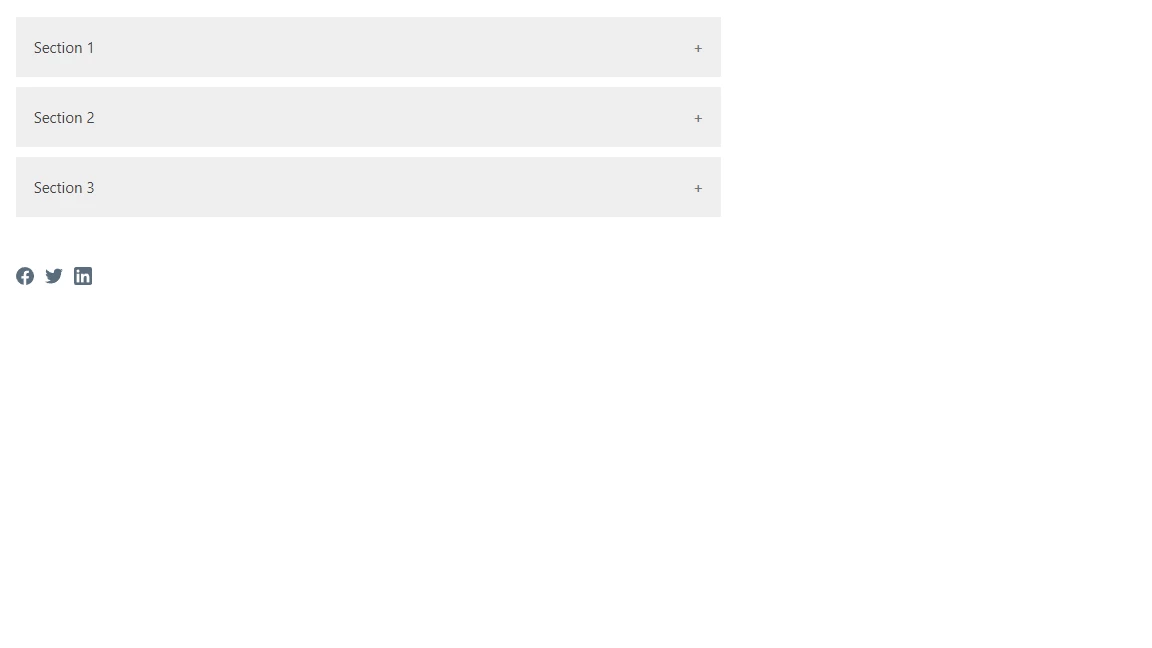
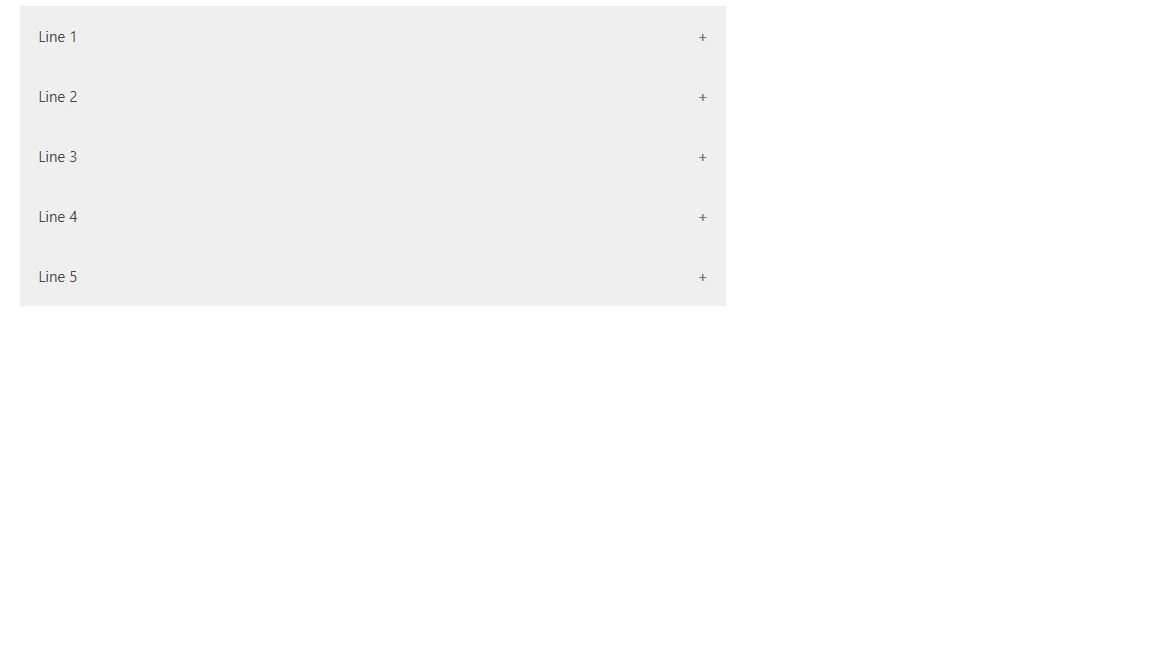
How to make collapsible to be in one place? I don't want to have space between them, not sure how to do that.Any idea how to make it like in the "line" example? My code is 

<p>
<span class="wysiwyg-font-size-x-large">Testing:<br>Test</span>
</p>
<div class="accordion">
<p>Section 1</p>
</div>
<div class="panel">
<p>
Lorem ipsum dolor sit amet, consectetur adipisicing elit, sed do eiusmod
tempor incididunt ut labore et dolore magna aliqua. Ut enim ad minim veniam,
quis nostrud exercitation ullamco laboris nisi ut aliquip ex ea commodo consequat.
</p>
</div>
<div class="accordion">
<p>Section 2</p>
</div>
<div class="panel">
<p>
<a href="https://our.web">Web</a> check this out!.
</p>
</div>
<div class="accordion">
<p>Section 3</p>
</div>
<div class="panel">
<p>
<a href="https://our.web">Web</a> check this out!.
</p>
</div>

Ifra
  • January 14, 2022

Hey RasmonT,


Solution 1:

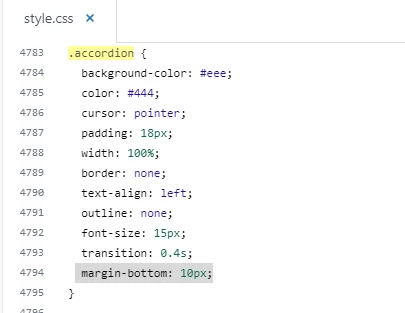
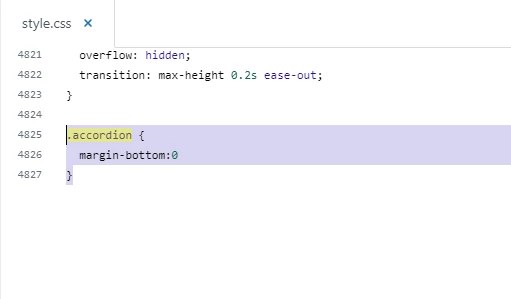
Go to your stylesheet > Press ctrl + f > Find .accordion class > Remove margin-bottom: 10px


Screenshot for the same:


Solution 2:

Go to your stylesheet > Paste the given code at the bottom on style.css file.

.accordion {
margin-bottom:0
}


Screenshot for the same:

Thanks


  • February 2, 2022

Hello is there a way to change the 'Plus' and 'Minus" symbols to be something else? Or change the color of the symbol when the mouse is hovered over it? Thanks


Pulkit12
  • February 2, 2022

Hi Eduardo Escobar

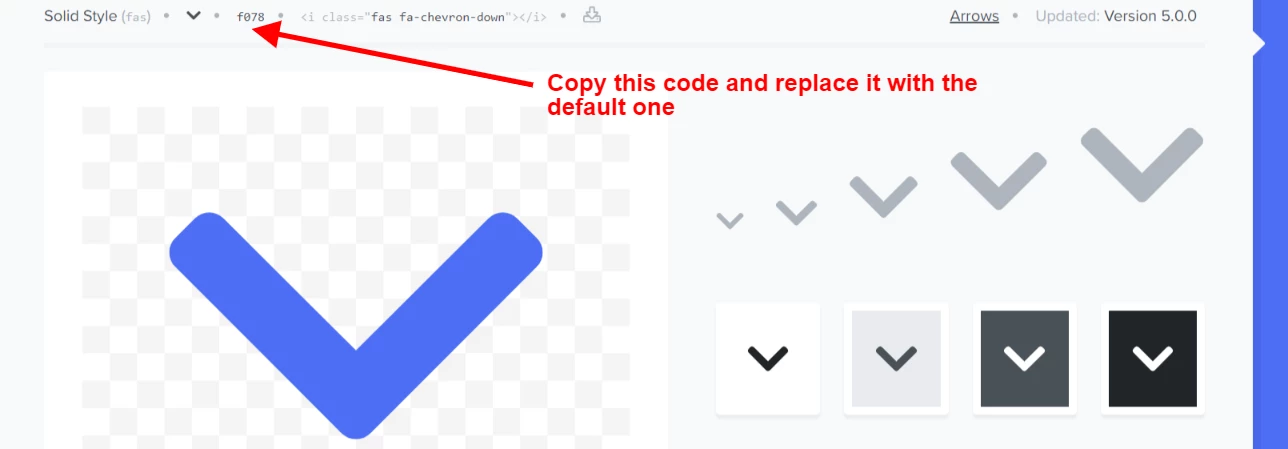
You can update the content value according to your choice of font icon


Here are the below code where I have updated the  'Plus' and 'Minus" symbols to the Chevron icon, you can place the below code at the bottom of your style.css file

.accordion:after {
content: '\f078';
}

.active:after {
content: "\f077";
}

Let me know if need any further assistance on that

Thank You 

Pulkit

Team Diziana


  • February 7, 2022

Thank you @pulkit12, one last question. How do I change the color of the icon when I hover over the accordion? Like from gray to white. Thanks!


  • February 7, 2022

is there code to collapse all or expand all?


Ifra
  • February 8, 2022

@Michael Bui, yes, you can pick the above points to get it done.

1). Create an article as given the HTML structure.

2). Add CSS to your stylesheet -  given above in this tip.

3). Add JS code your script.js file -  given above in this tip.

4). You have done now, your all accordion items will be expanded when you click.


OR


You can explain more about your query.


Thanks


  • February 10, 2022

@ifra

I was more thinking of expand all if I have let's say 10 accordion on the page.  I was looking for the ability to expand them all or collapse them all via a click/button/link.


Ifra
  • February 11, 2022

Hey Michael Bui,

Use the below script code to expand all accordion in one click.

$(document).ready(function(){
  $(".panel").slideUp();
  $(".accordion").click(function (){
    $(".accordion").toggleClass("active");
    $(".panel").slideToggle();
 });
});


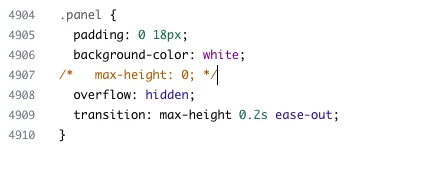
And remove max-height from the 'panel' class in the CSS code.


Thanks

Team


  • February 11, 2022

@ifra sorry to keep bothering you, I implemented the code.  If I click on an an accordion, it tries to expand all but I see one or multiple that doesn't expand


Ifra
  • February 12, 2022

Remove your previous added script code which you have been using and add the script code at the end of script.js file which I have shared with you, and then find for '.panel' in your CSS code and remove '.max-height'.

Now you face any issue, share your public Help Centre URL here, so I can figure it out.


Thanks

Ifra