

Note: comments added before August 2022 referred to the previous version of this article, when this could be achieved using targets/extensions (which were replaced with webhooks).
The "Email user" action allows us to set the subject/title of the email notification to the requester. The ticket Subject doesn't change, however.
Although there isn't a straightforward trigger action to modify the ticket Subject, we do have a way to achieve this with a Notify active webhook action.
Here's how to do it:
1. Create a webhook to update tickets
Go to Admin Center » Apps and Integrations » Webhooks and create a new webhook (under Actions, on the top-right corner).
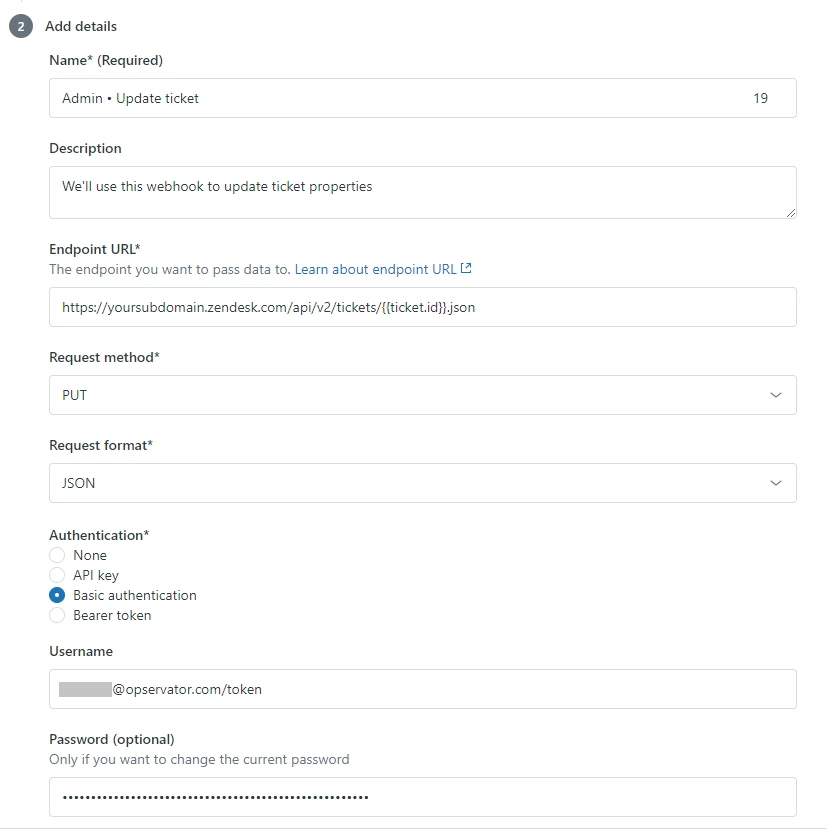
Complete the required webhook fields:
- Name. The name of your webhook (e.g. "Update Ticket")
- Endpoint URL: https://yoursubdomain.zendesk.com/api/v2/tickets/{{ticket.id}}.json (make sure to replace 'yoursubdomain' with your own subdomain)
- Request method: PUT
- Request format: JSON
- Complete the Authentication method (use an administrator's credentials)
2. Add webhook action to your trigger
Edit the trigger you want to modify the ticket Subject.
Under Actions, add a Notify active webhook action.
Input the following in the JSON body part of the trigger action:
{"ticket": {"subject": "Your new subject is here!"}}Example:
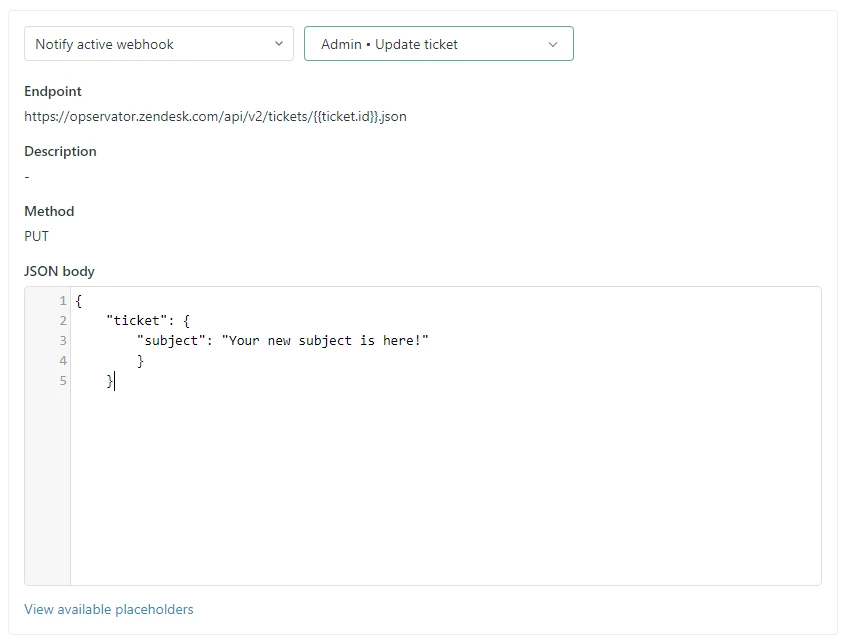
That's it! Now you have a trigger action that updates the Ticket Subject.



Hi Azhar,
You can update ticket fields using the following syntax (https://developer.zendesk.com/rest_api/docs/support/tickets#setting-custom-field-values) -
{"ticket": {"custom_fields": [{ "id": ticket_field_id_here, "value": "some_value" }]}}
Hope this helps. Our API documentation can answer most of your API related questions, so give that a go.