

Recently, our team was looking for a way to show the time since an agent's activity within Zendesk (Support) for the current day. We weren't sure how to do this effectively, however we were able to piece together a report that shows exactly what we need!
In this post, I'll go step by step on how we created the report:
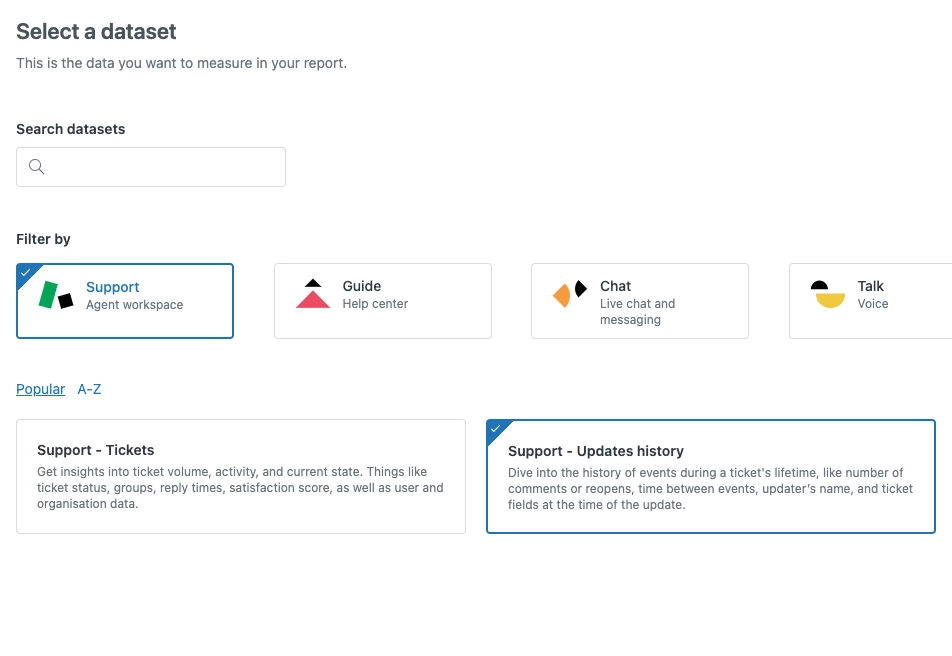
1. First, you are going to be working with the “Support - Updates History” dataset
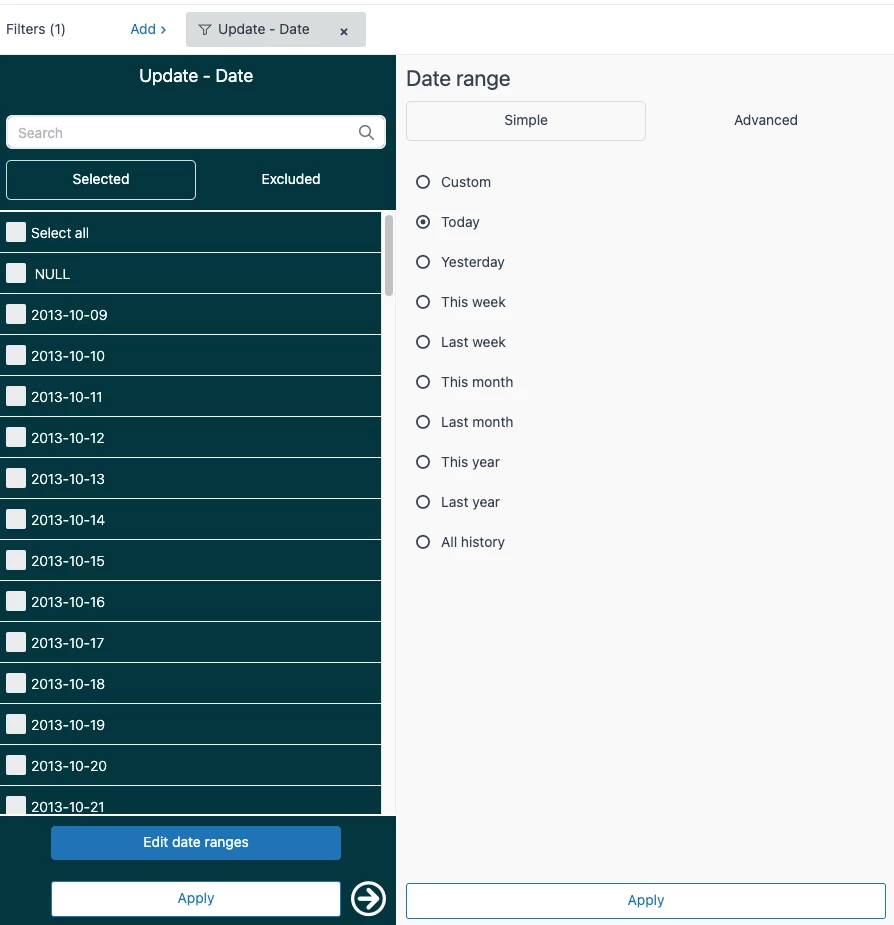
2. The “Update - Date” filter will automatically populate. The date can be set to whatever you like dependent on what data you're looking for, but for this specific example, we'll set it to “Today”. You'll also want to add another filter for “Updater role” and select the values “Agent” and “Admin” (unless your setup requires otherwise.
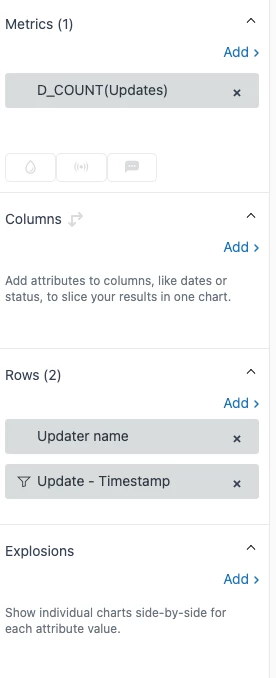
3. For your metrics, you'll just want to add the “Updates” metric and make sure it's set to D_COUNT. In your rows section, you'll add the “Updater name” and “Update - Timestamp” attributes.
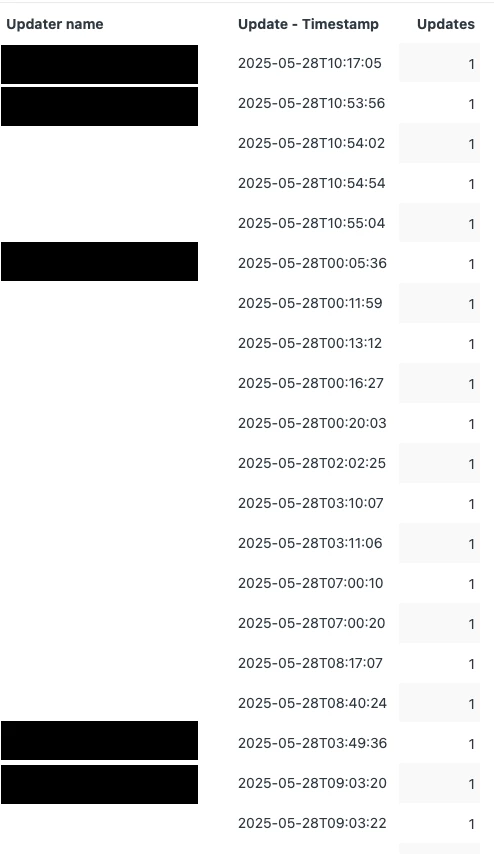
4. This will give you a table that looks something like below. I've redacted names for obvious reasons, but as you can see this provides timestamps for each update from our agents. We can take this one step further with Result Manipulation.
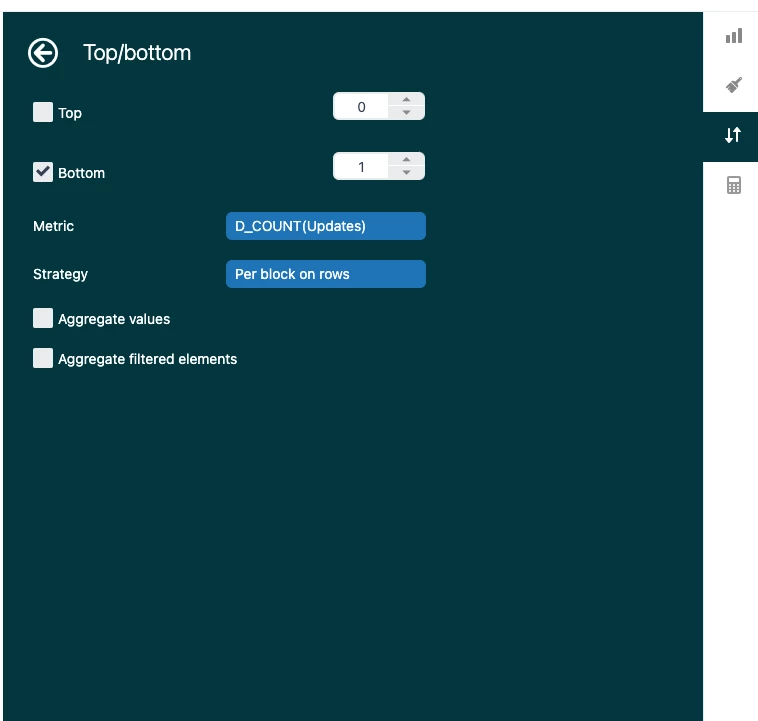
5. In the result manipulation tab on the right hand panel, you're going to select “Top/Bottom”. That should open a screen that looks like the below screenshot. This is where the magic happens. You'll want to check the “Bottom” checkbox and set the value to 1. You'll also switch the “Strategy” drop-down value to “Per block on rows”. This will show only the most recent timestamp for your agents.
At this point, you should have a table that has only the most recent update timestamp for each agent. From here, you can clean up your report however you'd like. Some suggestions I have would be going in and updating the Date format in the Chart Configuration panel under “Date display format”, as well as hiding the “updates” column (since it will be useless) in Chart Configuration under “Columns”.
If you have any questions about this method or any ideas that you want to share with everyone, please do so in the comments of this post!


Thank you for sharing this detailed and helpful step-by-step guide on showing the latest agent update activity in Zendesk Explore! Your breakdown of working with the “Support - Updates History” dataset and applying filters like “Updater role” is clear and practical.
I especially appreciate the tip on using the Result Manipulation feature with the “Top/Bottom” setting to isolate the most recent update timestamp per agent — that’s a great way to focus on the latest activities without clutter.
Your suggestions for cleaning up the report by adjusting the date format and hiding unnecessary columns add great polish to the final output.
This is very useful for anyone looking to track agent interaction timeliness, and it’s great to see users sharing such creative solutions.
Thanks again for your contribution!