Show less than 6 articles on Category.hbs template | Community
Skip to main content

Show less than 6 articles on Category.hbs template

  • December 4, 2013
  • 165 replies
  • 0 views

Show first post
This topic has been closed for replies.

165 replies

I'm having the same issue as Gizem, where on the category and section pages, I get double links.. and if I redact the code Wes mentioned on Jan 14 to fix that I do get one link, but the link reads "See all 6 articles" for every section. Gizem did you ever figure this out?


ModeratorWes

@Elizabeth - Please remove the code that you have and try this:

if( document.location.href.indexOf('section') == -1 ) {
var categories = $('ul.article-list');
for (var j = categories.length - 1; j >= 0; j--) {
var articles = $(categories[j]).find('li'),
nativeMore = $(categories[j]).siblings('.see-all-articles');
if ( articles.length > 3 ) {
for (var k = 3; k < articles.length; k++ ) {
$(articles[k]).hide();
}
var moreLink = $(categories[j]).parent().find('h3 a').attr('href'),
linkText = '';
if( articles.length <= 6 && nativeMore.length == 0 ) {
linkText += "See all " + articles.length + " articles";
}
$("<a class='see-all-articles' href=" + moreLink + ">" + linkText + "</a>").insertAfter($(categories[j]));
}
}
}


ModeratorWes

@Rob - CSS will not work here as it would also remove it from the section page as it would only show 3 articles there and not all of them.  You would have to add your own class to make it work but even then the .see-all- articles would only show up if you had more than 6 articles.  While what you have works fine with recent activity items it would not work for the sections.


  • August 25, 2016

Hey Wes!

I have copied this exact code, everything works great except my "See all 30 articles" link is linking to an undefined url. Any help would be greatly appreciated.

Edit: Thanks Wes! I ended up grabbing one of our engineers to help me get it sorted. It's working now! Thank you for the help and all the help you continue to give others!


ModeratorWes

@Jill - I'm taking a look at things now.


ModeratorWes

@Jill - You have a couple of copies of the code currently active, can you copy and paste my code only in there and remove the code that you have.


  • September 19, 2016

@Wes - Hi Wes,

First off I want to thank you for all your articles in the Zendesk Community. I have been reading and applying a lot of them when setting up the Help Center for our company.

My question is related to this topic and the way you can limit the number of articles showing under each section in a category.

I want to separate the way the category lists the sections with it´s articles.

In one category I have added subsections in the listing and in that category I do not want any articles to show under each section. I have achieved this with the following code in the JS-section.

$(document).ready(function() {
 
   if( document.location.href.indexOf('section') == -1 ) {
      var categories = $('ul.article-list');
      $(categories).hide();
      var more = $('.see-all-articles');
      $(more).hide();
}

This hides the articles from showing underneath each section in all my categories and my problem is that I now have one or more categories where i want to list articles underneath each section.

I am not sure this makes sense but if you check https://specter.zendesk.com/hc/sv and click on "Hjälptexter" you can see that this category does not have any articles showing unless you click on them. This is the way i want to have this listing. But if you click on "Vanliga frågor & svar" thats where i want to show articles underneath each section.

Hope you or anyone have some tips on how to solve this.

Thank you!


  • October 17, 2016

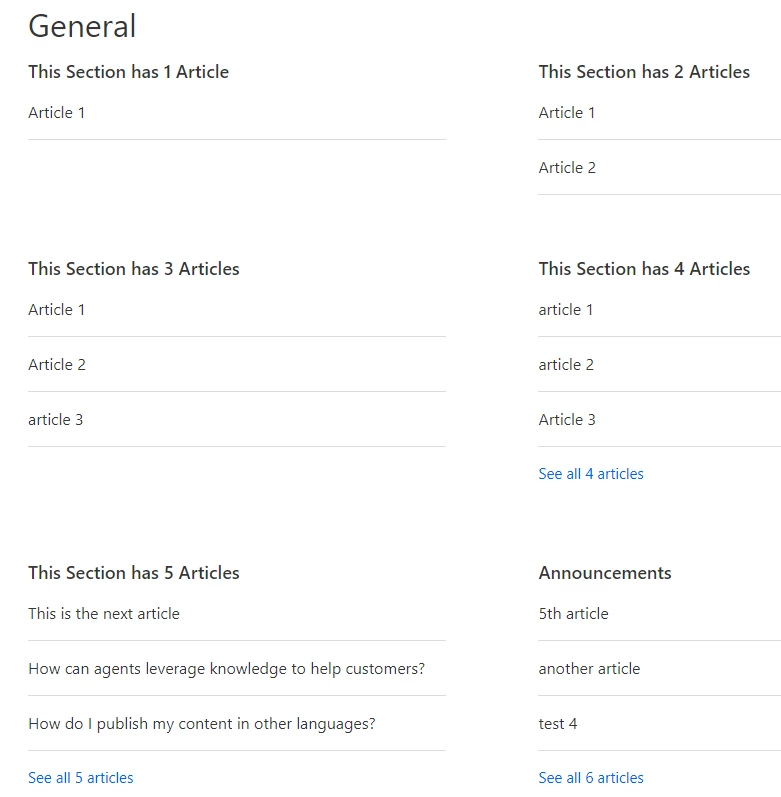
I'm getting a similar issue where I have multiple "see more" links under a particular section. 

Wes, I tried your latest code but it didn't fix the issue. Any help would be greatly appreciated!


Thanks,

Tim


ModeratorWes

@Tim

I just tested and it seemed to work correctly on the Wiry Merchant theme.  What theme are you using and make to use the code below.

if( document.location.href.indexOf('section') == -1 ) {
var categories = $('ul.article-list');
for (var j = categories.length - 1; j >= 0; j--) {
var articles = $(categories[j]).find('li'),
nativeMore = $(categories[j]).siblings('.see-all-articles');
if ( articles.length > 3 ) {
for (var k = 3; k < articles.length; k++ ) {
$(articles[k]).hide();
}
var moreLink = $(categories[j]).parent().find('h3 a').attr('href'),
linkText = '';
if( articles.length <= 6 && nativeMore.length == 0 ) {
linkText += "See all " + articles.length + " articles";
}
$("<a class='see-all-articles' href=" + moreLink + ">" + linkText + "</a>").insertAfter($(categories[j]));
}
}
}


  • October 18, 2016

@Wes

That would explain the issue. I must have missed that detail, my apologies. I'm using Swiftest Elk. 


Thanks,

Tim


ModeratorWes

Be right back let me test with that theme and see if I run into any issues.


ModeratorWes

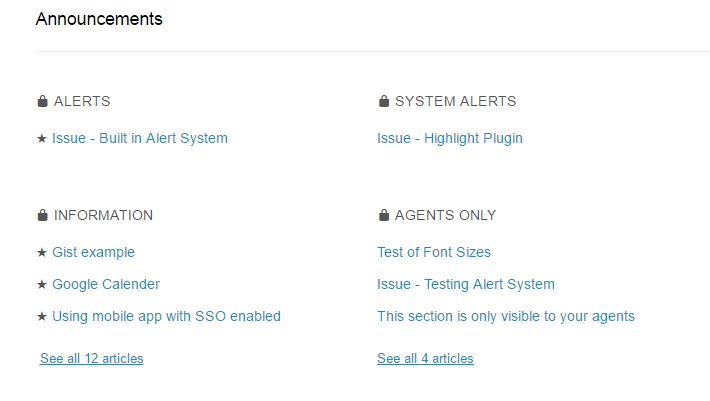
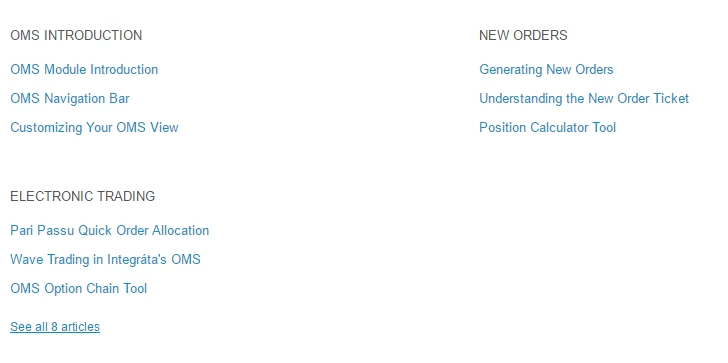
It worked correctly in the Swiftest Elk as well.  See screenshot below.

Can you post a link to your Help Center so that I can see what you have on the backend.


  • October 18, 2016

Unfortunately it isn't public yet. Is your screenshot from your home page? I'm happy to provide specific code if that helps.

From the home page, everything is good. It is once I click a category and then get directed to the category page that I have the issue.


Thanks,

Tim


ModeratorWes

@Tim,  Got it I was only looking at the home page.

Give this code a try:

if( document.location.href.indexOf('section') == -1 ) {
var categories = $('ul.article-list');
for (var j = categories.length - 1; j >= 0; j--) {
var articles = $(categories[j]).find('li'),
nativeMore = $(categories[j]).siblings('.see-all-articles');
if ( articles.length > 3 ) {
for (var k = 3; k < articles.length; k++ ) {
$(articles[k]).hide();
}
var moreLink = $(categories[j]).parent().find('h3 a').attr('href'),
linkText = '';
if( articles.length <= 6 && nativeMore.length == 0 ) {
linkText += "See all " + articles.length + " articles";
}

}
}
}


  • October 18, 2016

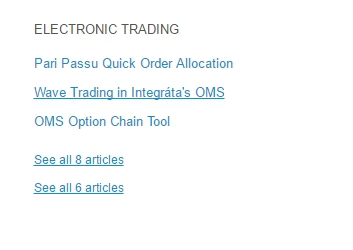
Thanks. That did solve the problem on the category page but now there are no links in any sections with less than 'see all 8 articles'. For example, the 'OMS Introduction' section actually has 6 articles but the link to see more has now disappeared.


  • October 18, 2016

The links for less than 8 articles have disappeared from the home page as well.


  • November 1, 2016

Hi Wes,

I want to follow up here. Any chance you have a solution for this? 

Thanks,

Tim


  • November 2, 2016

Hi Wes,

When I apply the code as suggested, it limits my articles to 3 and displays a single "See all..." link. However, my issue is that I have two sections that have 4 articles only. These are also correctly limited to display 3 articles but there is no "See all..." link. Any ideas?


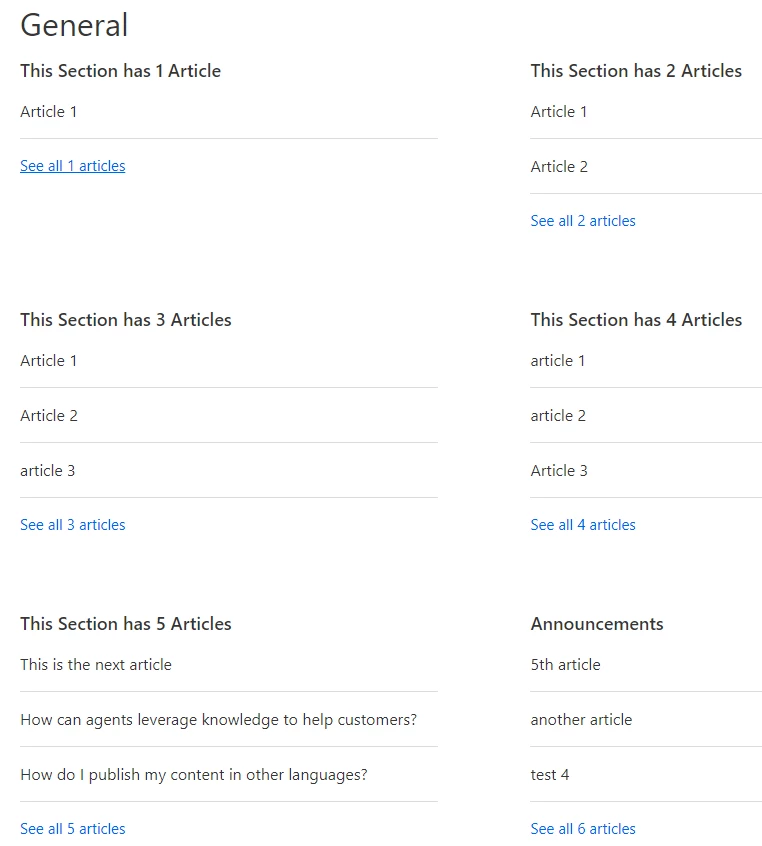
Hi Everybody, I wanted to post this here because I've been having lots of problems getting the "Show less than 6 articles in a section in Help Center" to work on my Help Center's Home Page with accordions and hopefully it'll stop anybody else having the same issues as me.

Issues experienced -

"See all # articles" not displayed

"See all # articles" URL undefined leading to 404 error page

"More...See all # articles" shown

"More..." and "See all # articles" shown as two separate URLs

"See all 6 articles" shown when there are more than 6 articles

For Home Page with Accordions.

JavaScript

// Limit Article List to display only 3 entries
if( document.location.href.indexOf('section') == -1 ) {
var categories = $('ul.article-list');
for (var j = categories.length - 1; j >= 0; j--) {
var articles = $(categories[j]).find('li'),
nativeMore = $(categories[j]).siblings('.see-all-articles');
if ( articles.length > 3 ) {
for (var k = 3; k < articles.length; k++ ) {
$(articles[k]).hide();
}
var moreLink = $(categories[j]).parent().find('h3 a').attr('href'),
linkText = '';
if( articles.length <= 6 && nativeMore.length == 0 ) {
linkText += "See all " + articles.length + " articles";
}
$("<a class='see-all-articles' href=" + moreLink + ">" + linkText + "</a>").insertAfter($(categories[j]));
}
}
}

Home Page HTML (only the section html not all home page html)

<section class="section">
<h3 class="home-section"><a href="{{url}}">
{{name}}</a></h3>
<ul class="article-list promoted-articles">
{{#each articles}}
<li class="promoted-articles-item ">
<a href="{{url}}">
{{#if promoted}}
<i class="icon-star" "promoted-icon"></i>
{{/if}}
{{title}}
</a>
</li>
{{/each}}
</ul>
{{#if more_articles}}
<a href="{{url}}" class="see-all-articles">
{{t 'show_all_articles' count=article_count}}
</a>
{{/if}}
</section>

The difference in the above HTML is in line 2-3 where it has this by default:

<a href="{{url}}">
<h3 class="home-section">{{name}}</h3></a>

Having the above (default) caused the "See all # articles" URL to become undefined. The problem was that the above JavaScript was targeting the <a> tag held within the <h3> tag, unfortunately it was the other way around with the <h3> tag being held within the <a> tag. So changing it to this stopped the URL being undefined.

<h3 class="home-section"><a href="{{url}}">
{{name}}</a></h3>

Displaying "See all 6 articles" when there are more than 6 articles

To fix this issue you need to ensure that the bold section of the below Home Page Section HTML is present, if it's not then it will only display "See all 6 articles" regardless of how many articles above 6 you have.

<section class="section">
<h3 class="home-section"><a href="{{url}}">
{{name}}</a></h3>
<ul class="article-list promoted-articles">
{{#each articles}}
<li class="promoted-articles-item ">
<a href="{{url}}">
{{#if promoted}}
<i class="icon-star" "promoted-icon"></i>
{{/if}}
{{title}}
</a>
</li>
{{/each}}
</ul>
{{#if more_articles}}
<a href="{{url}}" class="see-all-articles">
{{t 'show_all_articles' count=article_count}}
</a>
{{/if}}
</section>

If you want "See all # articles" to also be a button then use this version:

{{#if more_articles}}
<a href="{{url}}" class="see-all-articles button-small" role="button">
{{t 'show_all_articles' count=article_count}}
</a>
{{/if}}

Remove the "more..." and stop it being a separate URL than "See all # articles"

The JavaScript just need a little tweaking here as the original JS has this line added:

var moreLink = $(categories[j]).parent().find('h3 a').attr('href'),
linkText = 'more...';

Simply change that line to this:

var moreLink = $(categories[j]).parent().find('h3 a').attr('href'),
linkText = '';

This removes the "More..." completely which, unsurprisingly, also stops there being two separate URLs.

Hopefully this'll stop others pulling there hair out in frustration, like I've been recently.

Enjoy ô¿ô


Jennifer16

IceCommunityManager thanks so much for sharing your solution!

Did Wes's solution not work for you because of your home page accordions?

Would you be willing to post your whole solution/comment in a new post so that users can easily find it? You can make the title of the tip similar to this one, but maybe include something about accordions to differentiate it.

If so, we can send you a t-shirt for the effort. :)

Thanks!


Jennifer Rowe no problem I'd be happy to, if nothing else just to make my CS colleagues jealous when I come into work rocking a Zendesk t-shirt lol :p

Unfortunately, I'll not get the chance to do it until early next week though, but yeah if it helps somebody else then it's worthwhile.

Wes's code was great but I don't think it was ever intended for the home page and especially not on a home page with accordions. Wes has also been giving me some help on his Slack channel. That guy deserves a promotion ;)

Have a great weekend

ô¿ô


Jennifer16

No worries. We'll look forward to seeing that tip when you get some time. I'm sure it will help someone out there. Our Help Center customization tips are very popular!

Wes will be happy to know that you were able to repurpose his code. Glad he was able to help via Slack. And, yes, he is awesome and deserves a promotion, no doubt!

I'm doing my best to keep Wes busy doing customizations for our Help Centers right now!


Trapta
  • August 2, 2017

Why are we using JS when we can do it using CSS? Something like this -

Using HTML code of IceCommunityManager

<section class="section">
  <h3 class="home-section">
    <a href="{{url}}">
     {{name}}
    </a>
  </h3>
  <ul class="article-list promoted-articles">
    {{#each articles}}
      <li class="promoted-articles-item ">
       <a href="{{url}}">
        {{#if promoted}}
          <i class="icon-star" "promoted-icon"></i>
        {{/if}}
        {{title}}
       </a> 
      </li>
    {{/each}}
  </ul>
  {{#if more_articles}}
    <a href="{{url}}" class="see-all-articles">
     {{t 'show_all_articles' count=article_count}}
    </a>
  {{/if}}
</section>

CSS Code -

li.promoted-articles-item:not(:nth-child(-n+4)) {
  displaynone;
}

  • November 29, 2017

I'm not sure if it's already mentioned, but the downside of using this technique is the DOM being altered after the first draw. Another way to tackle this is setting display: none on the nth element using css. So eg:

.a.article-list-link:nth-child(n+5) {
   display: none;
}

This piece of code adds "display: none;" to the 5th element and up. That way the DOM is rendered correctly at once!

EDIT: I just noticed that the comment above me already provided this answer. I will keep this one just so that people will notice.


ModeratorWes
  • Author
  • November 29, 2017

@Martijn - I've updated the tutorial to use CSS as using the JQuery method was the old way of handling it.