Show less than 6 articles on Category.hbs template | Community
Skip to main content

Show less than 6 articles on Category.hbs template

  • December 4, 2013
  • 165 replies
  • 0 views

Show first post
This topic has been closed for replies.

165 replies

Hi folks,

I am too having problems with the See All x Articles link still showing on my home page too. It has been coming and going the last few weeks and now it is staying. 

Any chance someone can review my code to see what I can do? It is working fine on the Category page.

My JS:

$(document).ready(function() {

if (document.location.href.indexOf('section') == -1 ) {
var categories = $('ul.article-list');
for (var j = categories.length - 1; j >= 0; j--) {
var articles = $(categories[j]).find('li');
var articleCount = articles.length;
var moreLink = $(categories[j]).siblings('.see-all-articles');
var moreArticles = moreLink.text();
if (moreArticles != "") {
articleCount = moreArticles.replace("See all","");
articleCount = +articleCount.replace("articles","");
moreLink.hide(); }
if ( articles.length > 3 ) {
for (var k = 3; k < articles.length; k++ ) {
$(articles[k]).hide();

}}

// change the heading title

var articleCount = " (" + articleCount + ")";
var catTitle = $(categories[j]).parent().find('h3 a').text();
$(categories[j]).parent().find('h3 a').text(catTitle + articleCount);

}}


  • July 21, 2015

I'm also having trouble with a double link after limiting our displayed articles to 3 and adding the More... link. Has anyone found a way to take out the default "See all...articles" link? The trouble I had with using that was it wouldn't show up for sections that had more than 3 articles but less than 6.

Here is my js:

$(document).ready(function() {

if( document.location.href.indexOf('section') == -1 ) {

var categories = $('ul.article-list');

for (var j = categories.length - 1; j >= 0; j--) {

var articles = $(categories[j]).find('li');

if ( articles.length > 3 ) {

for (var k = 3; k < articles.length; k++ ) {

$(articles[k]).hide();

}

var moreLink = $(categories[j]).parent().find('h3 a').attr('href');

$("<a href=" + moreLink + ">More...</a>").insertAfter($(categories[j]));

}

}

}


https://sureprep.zendesk.com/hc/en-us


  • July 21, 2015

This code works OK on my HC:

// Limit Article List to display only 3 entries
if (document.location.href.indexOf('section') == -1 ) {
var categories = $('ul.article-list');
for (var j = categories.length - 1; j >= 0; j--) {
var articles = $(categories[j]).find('li');
var articleCount = articles.length;
var moreLink = $(categories[j]).siblings('.see-all-articles');
var moreArticles = moreLink.text();
if (moreArticles != "") {
articleCount = moreArticles.replace("See all","");
articleCount = +articleCount.replace("articles","");
moreLink.hide();
}
if ( articles.length > 3 ) {
for (var k = 3; k < articles.length; k++ ) {
$(articles[k]).hide();
}
}

// change the heading title

var articleCount = " (" + articleCount + ")";
var catTitle = $(categories[j]).parent().find('h3 a').text();
$(categories[j]).parent().find('h3 a').text(catTitle + articleCount);
}}

Hope this solves your situation.


  • July 22, 2015

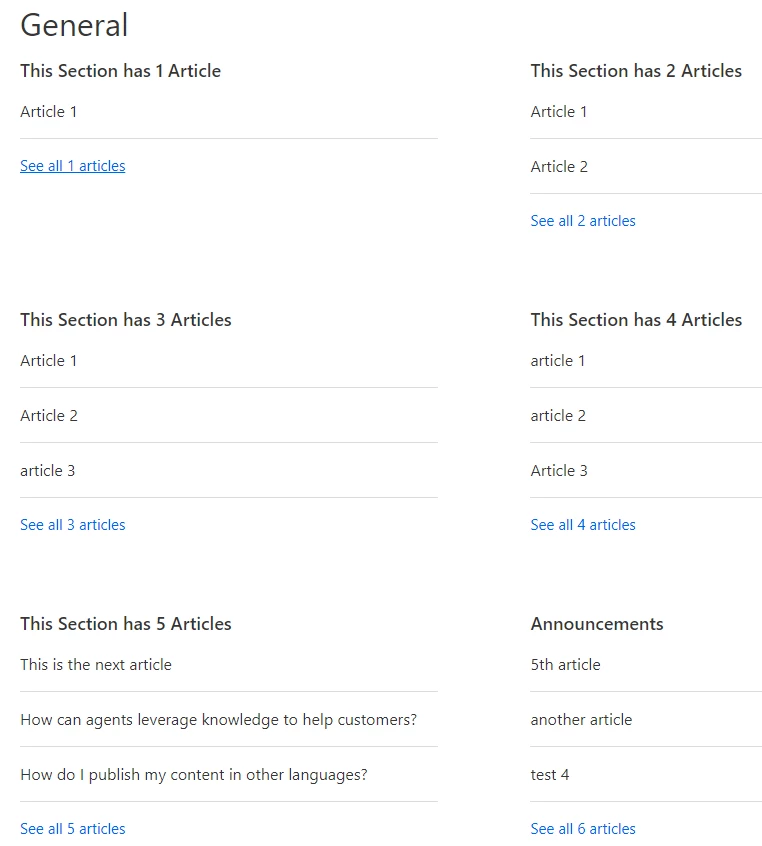
Thanks for the suggestion Frank, but nope. This is what I got when I tried:

For some reason the count caps out at 6, too.


ModeratorWes

@Everyone - I contacted Zendesk and they believe they have the issue fixed (something on the back-end).  I tested my original script and it seemed to work for me and didn't duplicate the links.  Could yall verify from your end.  Thanks!


  • July 23, 2015

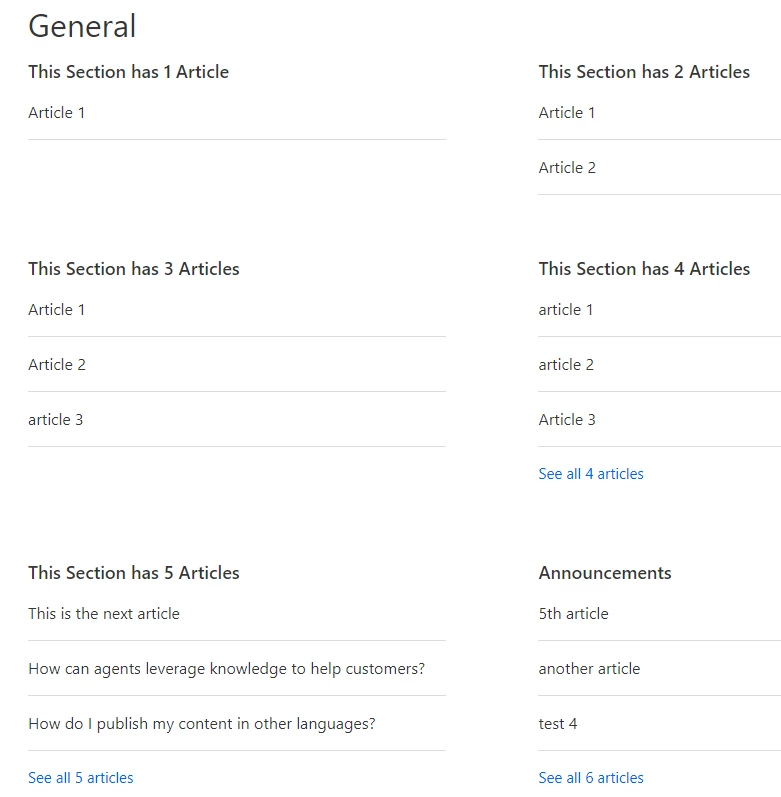
I'm still getting duplicate links, but now they're side by side which is better.


ModeratorWes

@Greg - Since I can't get into your HelpCenter to look at the code please be sure you are using the default code from the top of this page.  Also please let me know what theme you are using and I will pass this to the Zendesk team to look at.  It seemed to fix it on my test site using the Wiry Merchant theme and using the original code.  To ensure no other code is interfering can you disable all other custom code.  Thanks in advance for your feedback


  • July 24, 2015

Thanks Wes. I switched back to the code at the top of this page and made sure our other js wasn't interfering, and that helped a little bit more (screenshot below). This might work in the meantime while they're looking into it. I'm using the Swiftest Elk theme and I've also started a ticket with Zendesk, #1173791 if they need reference. Really appreciate your help.


ModeratorWes

@Greg - that looks like its doing what is supposed to do.  What issues are you having as your screenshots looks correct.


  • July 24, 2015

Only that the ones with over 6 articles are still two separate links (although you almost can't tell now that they're side by side, both going to the correct url, and I've changed the Morelink's class to "see-all-articles" instead of the default "moreTopics" so they look the same). This basically works.


ModeratorWes

@Greg - Got ya and I recommend using the see-all-articles class.  I just updated my code above and added the class.  Most users prefer this class anyway.  I appreciate all your help and testing.  If you have any further issues just let me know.


  • August 3, 2015

I tried adding this as instructed, and am not seeing any change. Is it perhaps my custom theme getting in the way?

I am primarily trying to change the number of articles listed on the home page to 3. Sections can remain at 6, if possible. But in any event, they both look like 6 now.

https://explorelearning.zendesk.com


ModeratorWes

@Ed - I'm only seeing 3 articles listed on the Home Page so did you figure this out.  It looks correct from my end.


  • September 17, 2015

Wes, could we use the same code for sections per category if we swap out article-list for section-list, etc? We have a bunch of organization-specific sections that only admins can see that make certain categories exteeeennnnd on the home page. Would love to limit sections to 6 per category.


ModeratorWes
  • Author
  • September 17, 2015

@Nancy - I've never tried to limit sections per category but I'm sure it can be done.  My code may need to be modified a little in order to do that but you can just plug my code in and test it out.


  • November 18, 2015

Anyone have whatever code that's needed to SHOW ALL ARTICLES instead of only showing 6 in each Category by default?


  • January 8, 2016

Hi Wes,

I am hoping that you may help me with an issue I am experiencing after implementing the code that was provided here. I created a ticket, I went back and forth with your agents, but they couldn't help and asked me to post it here so hoping that posting it here actually brings a resolution.

I used the code provided in this article to change the number of articles that display on home page to be 3 under each section. It did that, but if I click on a category it displays two links under each section. You need to have 10-12 articles  (more than 6 I think) under the sections in the category for the issue to occur. How can I fix that? (See Attachment) Please help.


ModeratorWes
  • Author
  • January 11, 2016

@Gizem - Is your HelpCenter open to the public so I can take a look.  If so please include the URL.


  • January 12, 2016

Hi Wes,

Thank you for your message. Unfortunately, it is not open to public. Here is a url to our help center: https://teachpoint.zendesk.com/hc/en-us

Please let me know what I can provide you as info. to make it easier to troubleshoot.

Thank you again,

Gizem


  • January 14, 2016

Hi Wes,

Did you get a chance to review my comment above? Any help you can provide would be greatly appreciated.

Thanks,

Gizem


ModeratorWes
  • Author
  • January 14, 2016

@Gizem - Its hard for me to troubleshoot without actually viewing the code of your Help Center.  On the category page HTML tab can you remove

{{/each}} {{#if more_articles}}
<a href="{{url}}" class="see-all-articles">
{{t 'show_all_articles' count=article_count}}
</a> {{/if}}

Let me know what this does.  I just installed this code on a custom theme and it worked fine however its custom and all the CSS is custom.


  • January 14, 2016

Hi Wes,

Thank you so much for your comment. I removed that code and there is no duplicate link issue anymore, but even if there is more than 6 articles under a section the link always displays as "see all 6 articles" on a category page. Looks like it doesn't count the total number of articles correctly and display the number accordingly under sections if it is more than 6 articles. This issue only happens on category page.

Gizem


  • January 14, 2016

@Gizem

Here is the relevant code from my JS that produces what you are looking for:

// Limit Article List to display only 3 entries
if (document.location.href.indexOf('section') == -1 ) {
var categories = $('ul.article-list');
for (var j = categories.length - 1; j >= 0; j--) {
var articles = $(categories[j]).find('li');
var articleCount = articles.length;
var moreLink = $(categories[j]).siblings('.see-all-articles');
var moreArticles = moreLink.text();
if (moreArticles != "") {
articleCount = moreArticles.replace("See all","");
articleCount = +articleCount.replace("articles","");
moreLink.hide();
}
if ( articles.length > 3 ) {
for (var k = 3; k < articles.length; k++ ) {
$(articles[k]).hide();
}
}

// change the heading title

var catHeader = $(categories[j]).parent().find('h3 a');
var catTitle = $(catHeader).text();
var catHref = $(catHeader).attr('href');
$(catHeader).text(catTitle
//+ " (" + articleCount + ")"
);
if (articleCount > 3) {
var newSeeAllText = '<a class="see-all-articles" href="' + catHref + '">See all ' + articleCount + ' articles</a>';
var newSeeAll = $(categories[j]).append(newSeeAllText);
}
}}

Hope this helps.

Frank on aarpfoundationtaxaide.zendesk.com


  • January 15, 2016

Hi Frank,

Thank you for your comment. That's the code I used and removed the code from Categories page that Wes suggested to avoid the duplicate links on Category pages. The issues of displaying the total articles link count as 6 when there are more than 6 articles still remains.

Gizem


  • April 6, 2016

I'm cross posting this as I think the js solution is bloated and fragile. Just use CSS:

.recent-activity-item:nth-of-type(1n+4) {display: none;} 

Of course I'm using the list item class for recent activity items, but this will work with any of 'em. The 1n+4 just say "for any of these item types from 4 on, kick in the following code".